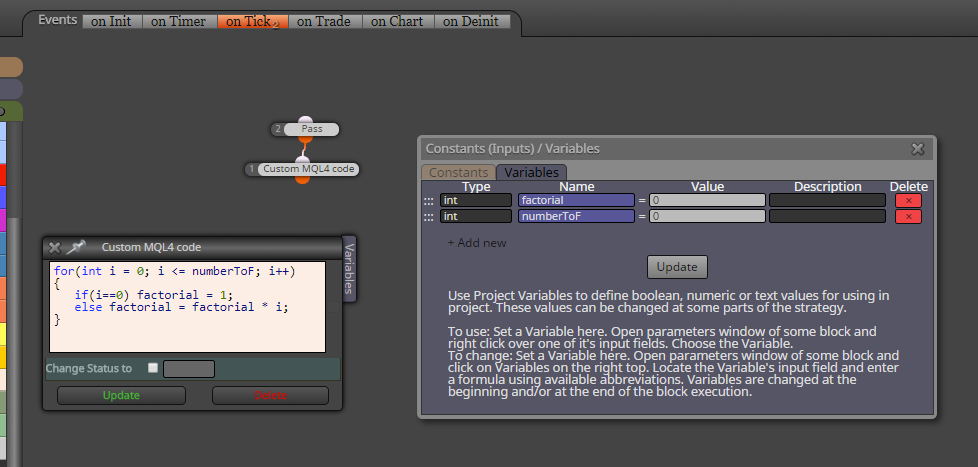
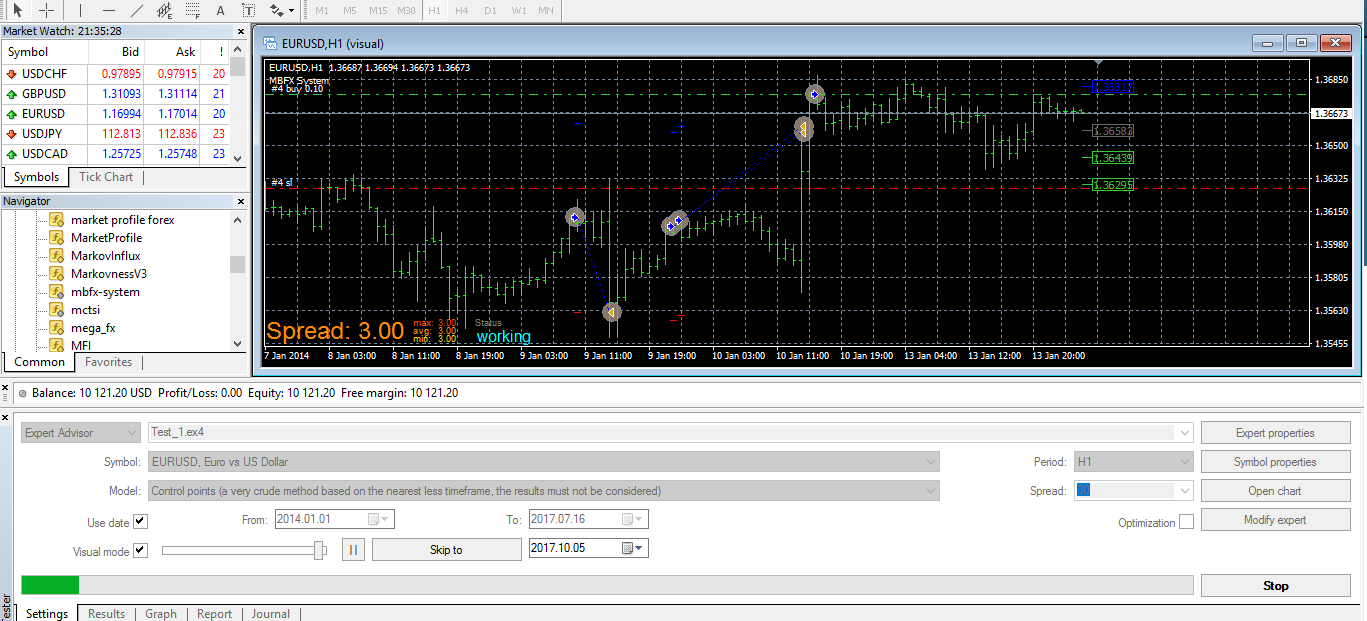
try change your way of normalizing ... be sure you give it into "Text (code input)" ..

if it is not working in this field, than problem can be in metatrader itself 
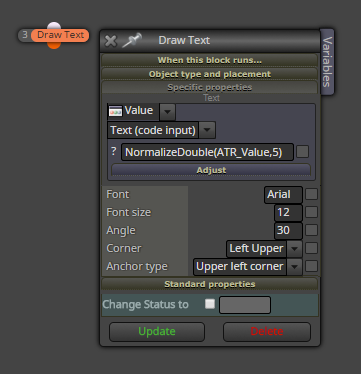
try change your way of normalizing ... be sure you give it into "Text (code input)" ..
if it is not working in this field, than problem can be in metatrader itself
I have not tried it yet, but with variables file it can be done (or maybe also with terminal variables) ... problem still to find perfect strategy
@Andermaiden2nd note added into first post 
@Andermaiden2nd thanks for info ... if you find something not working, give reply and I (or we ) try to find solution 
... be sure that each EA must have own variables file (1 EA >> 1 variables file), otherwise there will be a big fight between EAs
maybe when you use option "Text (code input)" it can be better ...
you have these values in "on Init" section, on Init section pass only once, you need copy "live" blocks into on Tick section ...

yes it must be root or named with subfolder, good that now it is working for you
have you this indicator in "Indicators" folder of MT4?
yes I tried, it opened trades ...
try it through shared link (but be sure you have imported indicator, otherwise this link is not working properly) ...
https://fxdreema.com/shared/ZebXc34tc
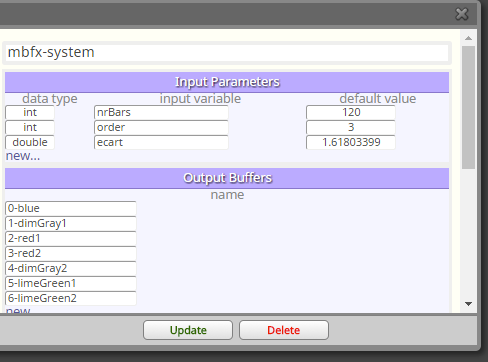
it is simple, import indicator as this manually:
and this is how Candle Close cross up is done:
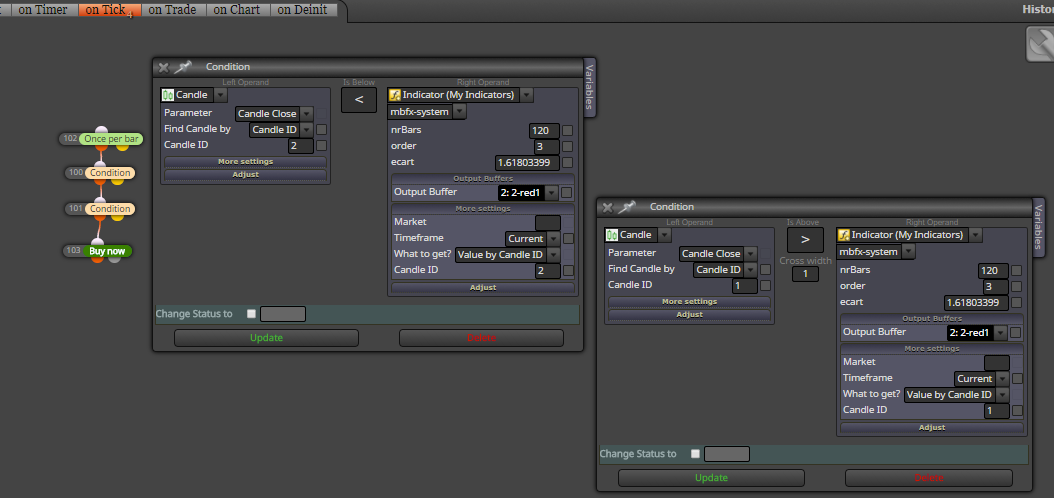
or maybe with one block x> it is also working ...
.... and note important thing ... mbfx indicator is fully repainted indicator - it means, when signal was taken, after few candles indicator have another form (because whole period is used for some calculation) ...
if you post indicator here I can look into that closer ...
use Trace block to verify your EA (in visual tester) if are you using right buffer
@Andermaiden2nd perfect! try if is it working because I did it "on the fly" without some serious testing
maybe ... but it is individual for each project ...
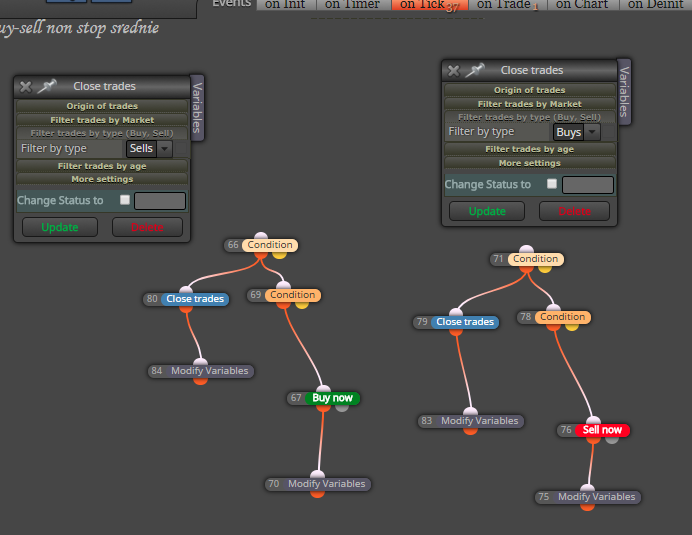
and using simple Check profit (period of time) block?

important note:
... be sure that each EA must have own variables file (1 EA >> 1 variables file), otherwise there will be a big fight between EAs .... 1.EA>>varSave1.txt ... 2.EA>>varSave2.txt ....
Sometimes we deal with situation, when EA have few critical variables and MT4 terminal must be restarted or was restarted by incident, these variables are no longer available and it can cause problems.
Values from history trades can be obtained from trades history, but sometimes can be calculation very complicated. For this situation exist another way how to avoid loss of variables. They can be stored into text file with every variable change. For this situation I prepared small example how to do it.
Example EA have two buttons. Try with tester.
https://fxdreema.com/shared/HtX9lP51c
After click on the button trade is opened (buy or sell). Here is small management with lots. When EA is inserted into chart, variable "varLotsBuy" get value from input parameter initLots1. After button click first trade (buy) is opened with "varLotsBuy". If this trade is closed with SL, variable "varLotsBuy" get value multiplied by input parameter "Lots1Multiplier". After new button click, next trade is opened with new value from variable "varLotsBuy". When trade is closed with TP, variable "varLotsBuy" is reseted from first value (initLots1).
Example EA in chart:
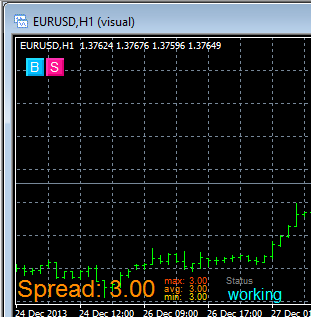
EA is using few input parameters:

and few variables: (used are only varLotsBuy and varLotsSell, next variables are only as example)
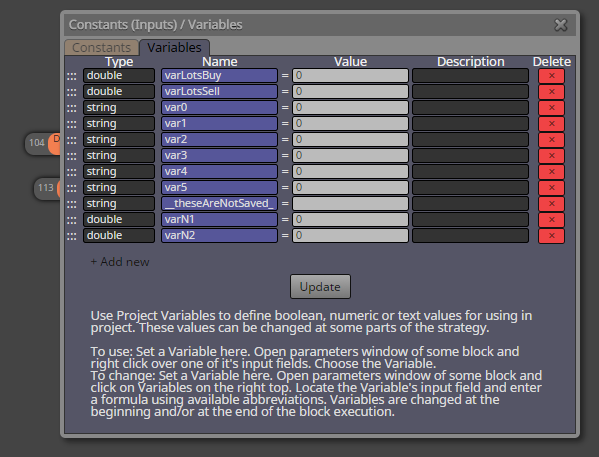
on Init section draw two buttons and with Condition block (File exist) it check existence of "file with variables", if this file does not exist, EA continue with normal start (with nulled variables), but if file exist, custom code read and initialize variables from this file:
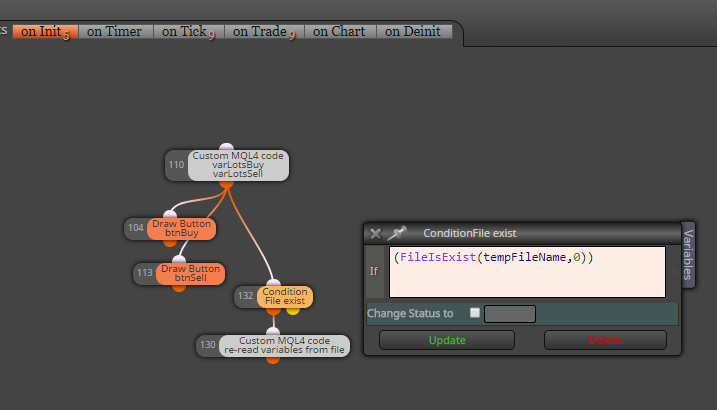
this is how code looks like:

strArr[20] is simple temporary array where values are readed from file, each line is one variable (size of array 20 can be increased to any higher size, depends on how much variables you need, it can by much more higher as count of variables, there is no strict rule)
at bottom of code are variables one after another, in my case they are:
varLotsBuy = (double)strArr[0];
varLotsSell = (double)strArr[1];
var0 = strArr[2];
var1 = strArr[3];
var2 = strArr[4];
var3 = strArr[5];
var4 = strArr[6];
var5 = strArr[7];
important are order and type of variables (order must be same as in file-write code)
on Tick section just open trades after button click:
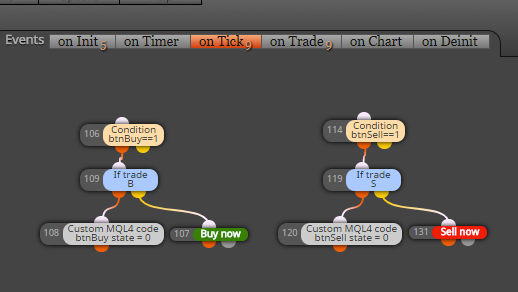
and in on Trade section is calculation where variables are calculated/changed and re-saved into file:
(this saving into file can be done everywhere you need, in on Tick section, on Timer, on Chart ...)
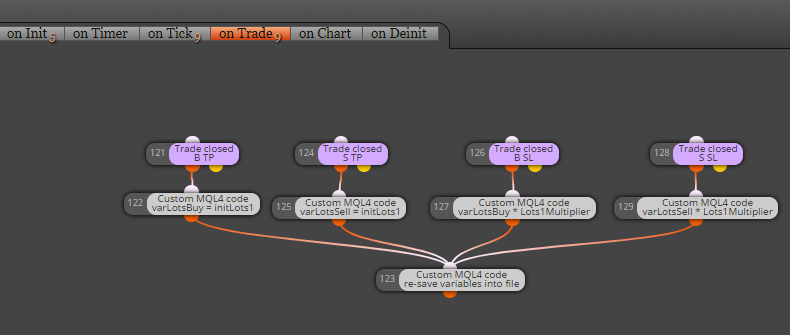
and this how code for save into file looks like:

you see, pretty easy, nothing complicated .. variables are writed one after another with FileWrite function into new lines in file ... (once again, order of values in file is important, it must be compatible with file-read code)
File with variables is saved into MQL folder:

in case of tester it is file: tester\files\yourFileName.txt
in case of normal EA in chart: MQL4\files\yourFileName.txt
Note, that this file can be opened and edited also manually:

And when you need full reset of variables, before you place EA into chart, delete this file (or create input parameter for delete function, function for this is simple:
FileDelete(fileName,0);
I hope my explanation was not very complicated ... have a fun ...
Cheers ...
are you using google chrome browser?