and this modification?

wait little bit for reply ... maybe here will be update for this and if not I show you how manually ... but update is prefered 
try something like this:
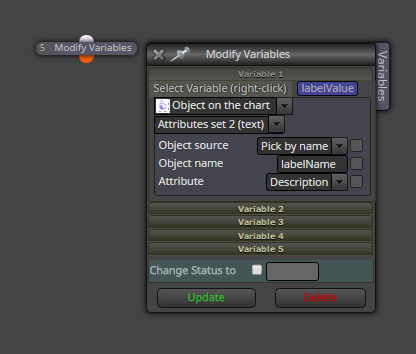
but it can be different from your project, so better if you post here more specified what you need, some picture as example ...
can you give steps:
1.
2.
3.
x...
how to replicate your issue?
Lot size from last opened trade you can get with this way:

Lot size from last closed trade this way:

dont forget, that for JPY pairs is another quotation, so instead of 0.0004 you need give 0.04
... or you can instead of this number have this function:
toDigits(4) (where 4 are 4 pips) ... and it can working with all pairs automatically
so result formula will be:
resultBuyPrice=sumPrice/sumLot+toDigits(4);
resultSellPrice=sumPrice/sumLot-toDigits(4);
than modify it manually in calculation:

for buy add these pips in digits and for sell subtract it (because logically sell is in profit below open prices) ...
@MMF said in Formula to know the average price on several positions:
i Put resultSellPrice in modify stops as Take Profit(custom price level) .
i tried adjust in Block modify stops but it Ignores the value
try type into adjust this:
+4pips
and note one thing ... for Buy, TP can be placed above current price, and SL can be placed below current price .... for buy you can not place TP below current price ...
ok, for different lot size and knowing BE price point, you need manually calculation ... something like this:
https://fxdreema.com/shared/467ZcImHb

(swaps, commisions, etc. are not calculated here, but you can do it)
I have not tested if it is working ...
note, in this case block order numbering is important, if you mix them, it stop working ...
and I dont know how easier it can be done ....
I am not sure what exactly you need, but maybe this?

is this not working?
https://fxdreema.com/converter
save indicator state into variables, for buy = 1, for sell = -1, no signal=0

create different variables for different indicators:
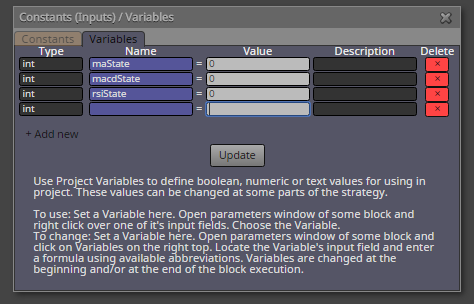
do some math comparisons:
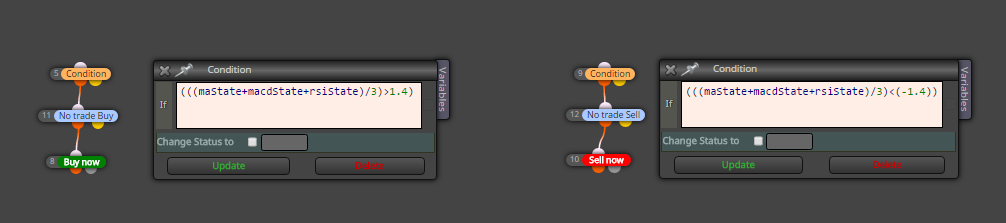
and plot state of variables (indicator state) using Comment block
yes that is true, thanks for notice, I have not seen it before, ... but you can not get values which are not in list (for this you need to ask admin if he will add new functions here) ... it was only example which can be modified into many forms (for non list values)
note, that 0 is not always empty value (in metatrader) ... becuase default empty value for metatrader buffers is big integer number, or as EMPTY_VALUE ... but I think it can be set in indicator for another value using function SetIndexEmptyValue ...
https://docs.mql4.com/constants/namedconstants/otherconstants
this my next example show you nearest stochastic Candle ID which value is above 50 (count starts when current stochastic is below 50) ....
I dont have your indicator so I can not give you specific example for your problem ... but I am sure you can do it 
https://fxdreema.com/shared/6fcnY6k7
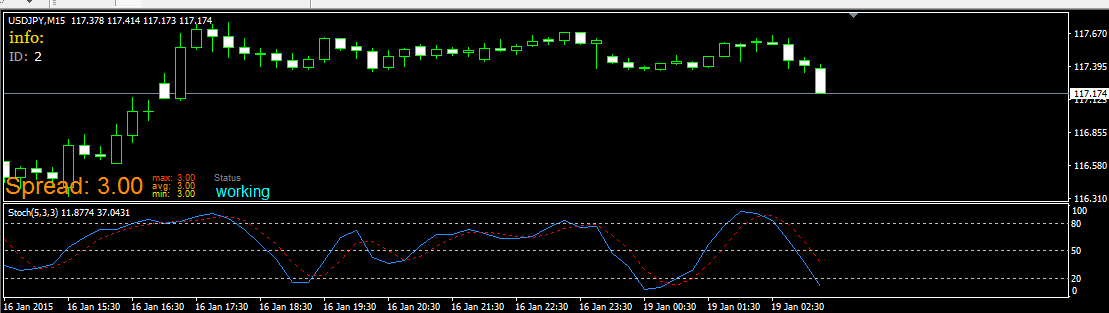
and here the same with flags:
https://fxdreema.com/shared/tq1Kawnod
instead of flags you can use variables ... but it is working with same logic ...
and this is probably working ...
maybe sometimes signal can be skipped, it is metatrader ...
https://fxdreema.com/shared/Aeoa13t8e
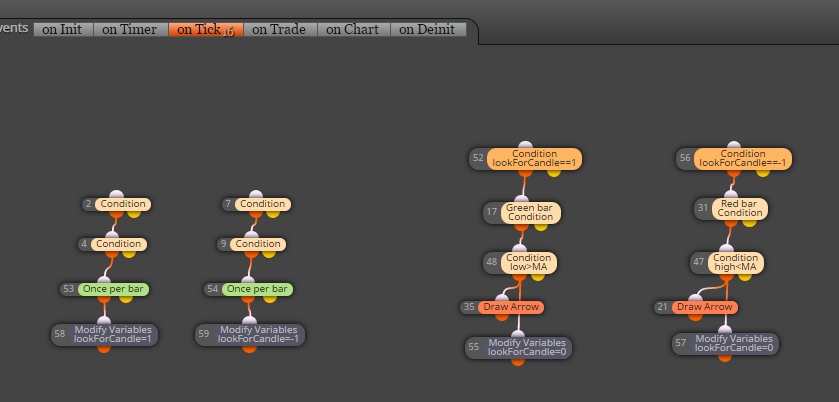
look through my post where I am refering how to work with Loop block ...


