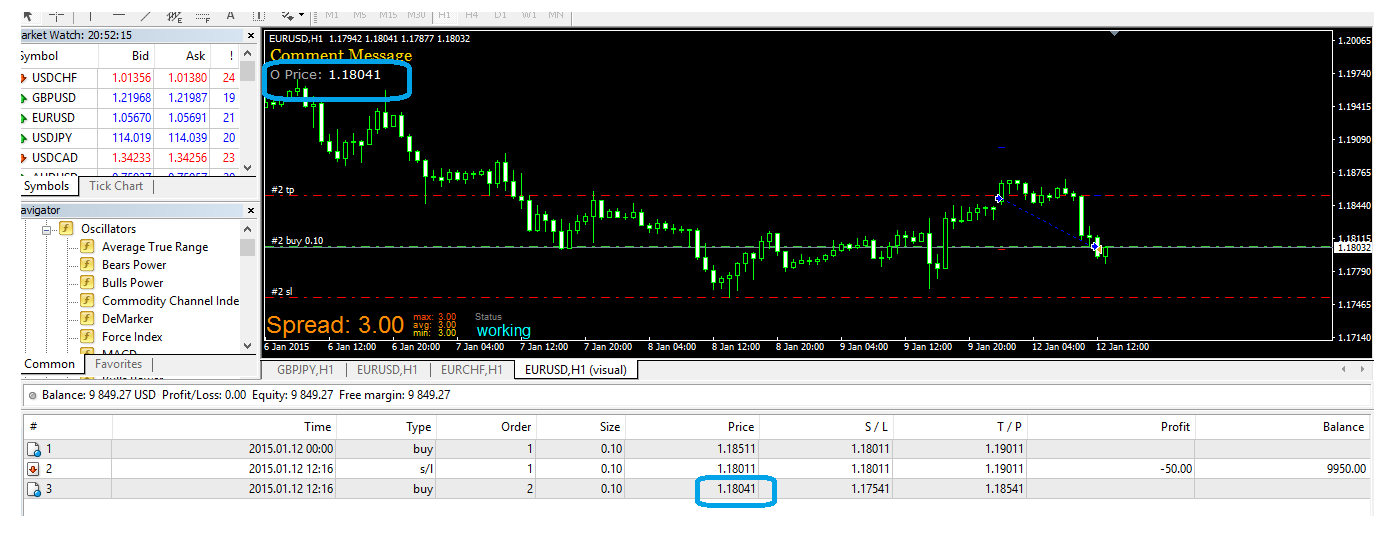
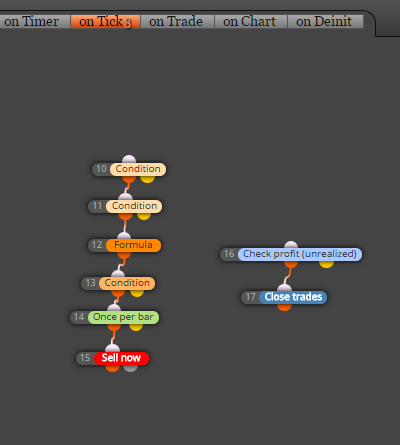
thanks  ... and actually using Constants as inputs is the best way
  .... because one constant (or variable if you fill it with constant as example above) you can use it in many blocks ... but when you use check box you get a lot of input parameters (one for each check block) and in tester optimization you get a lot of combinations which can cost you time
M
Posts made by miro1360
-
RE: Variables and Constantsposted in Questions & Answers
-
RE: The "Adjust" button inputposted in Questions & Answers
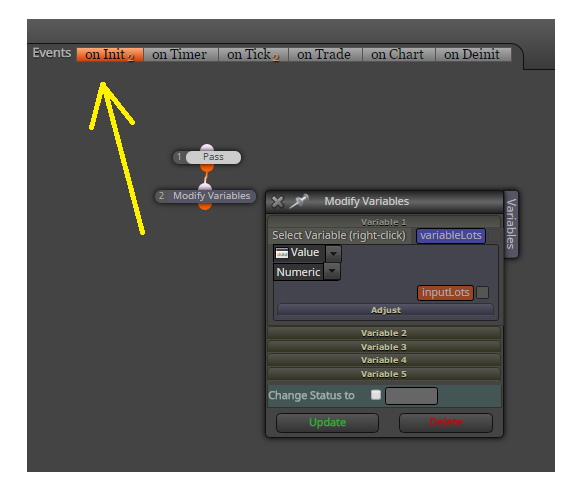
create few variables and save values into these variables:
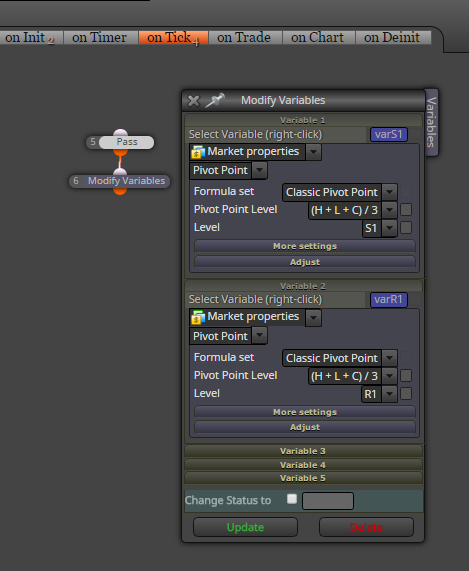
than with Condition blocks you can compare these variables, or use them as price levels for pending orders, SL TP levels, etc ...
-
RE: problem in use my indicator ? importantposted in Questions & Answers
because indicator is not working in forward data feed ...
it loads historical data only when indicator is attached into chart (last window)
but when indicator is placed and candles are created (forward data feed) indicator stoped creating lines and signals (flat lines in middle window) ....... so it is problem with indicator calculation and I dont know who can or will repair it (maybe somebody in forexfactory - there was somewhere thread with indicators for request) 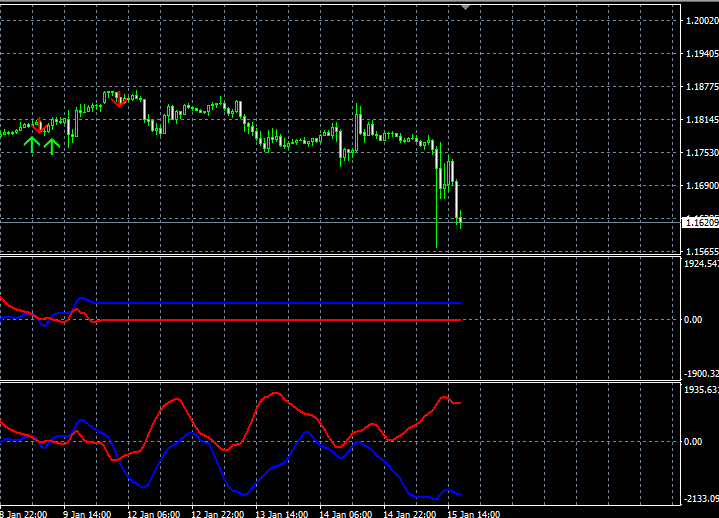
-
RE: Variables in Desktop and onlineposted in Questions & Answers
delete buy now / sell now block and place it again ...
-
RE: Long entries won't triggerposted in Questions & Answers
because SL pips are like 999999 which is too big ... if you need "no SL" place there 0 or something more realistic, like 400
-
RE: Variables in Desktop and onlineposted in Questions & Answers
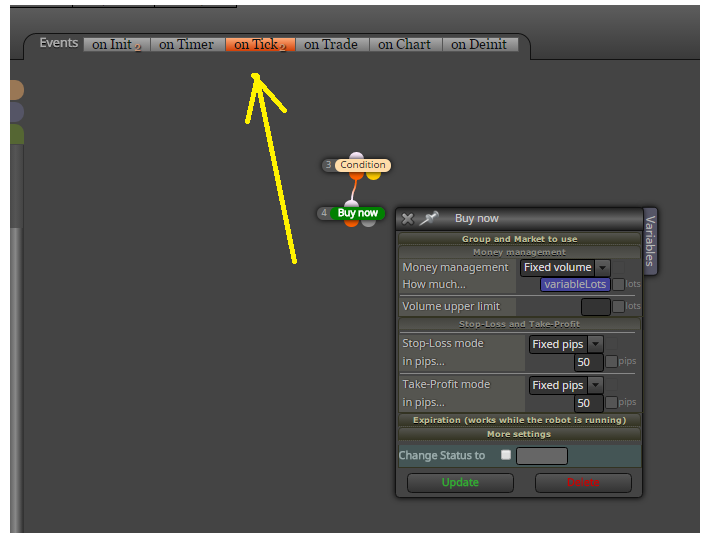
dont use this "Check input" box ... when you use "Constants" in field, they are actually input parameters in EA (you dont need select Check box) ...
-
RE: Cannot load and/or export ex4 normally anymore (web version)posted in Questions & Answers
you need wait few seconds ... or another way for big project can be this:
- generate mq4
- open metaeditor
- in metaeditor open mq4 file
- click Compile button
... and your ex4 file is generated
-
RE: Indicator average value & Ichimokuposted in Questions & Answers
test it with ichimoku, sure there is minus in ID but you need test it to find which value ...
...
and if you need find highest or lowest value from candle price, there is function in block for it (but only for candles, not indicator, indicator try with my tip using loop) ...this is integrated in fxdreema blocks (for candle prices):

-
RE: how i can do this in fxdreema ?posted in Questions & Answers
use candle ID to select which candle into history you need compare ... in your example above you skipped one candle between 1-2 and one candle between 2-3 ... so right counting is like
5-4-3-2-1
or if you need current candle (which is 0) :
4-3-2-1-0so opening trade for your "request" can be like:
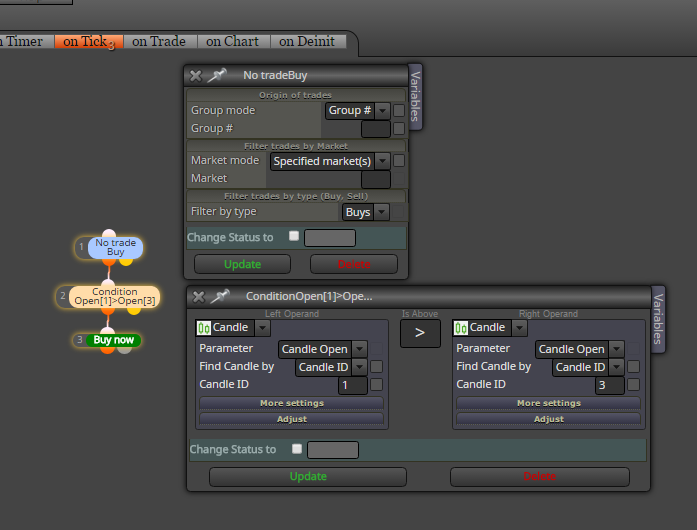
or like this if you skip these candles:
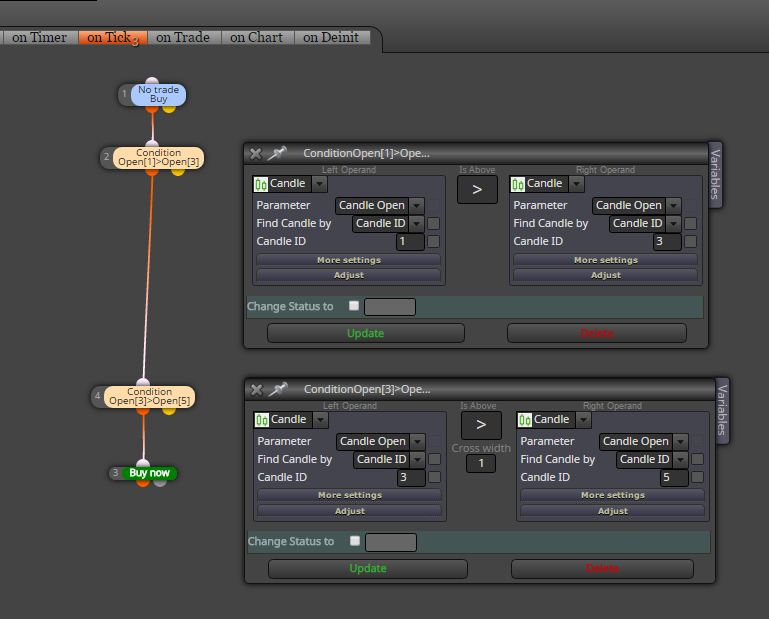
just play with these IDs .... or if you need all candles bullish (or bearish) add more conditions for it
-
RE: Indicator average value & Ichimokuposted in Questions & Answers
here fast tutorial how to do it with blocks (only how to find min max atr):
-
Tutorial Loop [advanced?] - find and save specific value from indicator historyposted in Tutorials by Users
fast tutorial how to find specific value in indicator history
my tip is, use Loop blockoriginal project: 0_1488923868468_tutorial_loop.mq4
link: https://fxdreema.com/shared/CS0MvwQSchere was question, how to find atr max/min values in specific period
https://fxdreema.com/forum/topic/4507/indicator-average-value-ichimoku
so we will find atr max and min and save it into variables for further calculation-
create few inputs:

and variables:

values are saved into variables atrMax and atrMin
variable atrNew is needed for temporary saved atr value and variable incr is needed for incrementation candle ID
input lookBack is period where are you looking for values min max and atrPeriod is period of atr -
next create this block connections:

firstly you need null variables before loop start, atrMax is 0 but atrMin is "nulled" into high value because for further comparison
block Loop have in parameter lookBack period - it is, how many times is this loop repeated

next is save atr value from candle ID (variable incr) into variable atrNew:

block Condition for comparing if atrNew is > as atrMax:

if that is true, save atrNew into atrMax (atrMax=atrNew)

the same logic is for atrMin with slightly change in Condition:

-
after that atrMax and atrMin are saved and if loop find on lookBack period new atr which is higher/lower as previous, it is saved ... in that case dont forget for candle ID incrementation which is done with incr variable in next block:

-
with Comment check if it is working:

see, it is working:

...
the same logic you can use for moving average, RSI, stochastic, macd, custom indicator and all others
-
-
RE: Profit/loss of last tradeposted in Questions & Answers
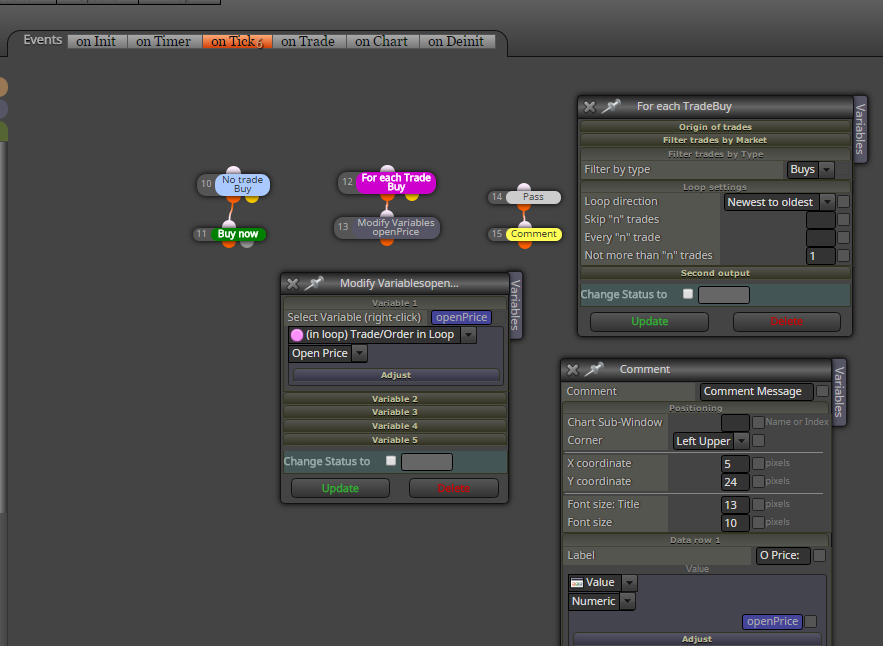
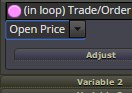
see my picture above, and where is Profit under pink point, change it to Open Price
-
RE: Indicator average value & Ichimokuposted in Questions & Answers
values save into variables you can do like this:

but you need something specific which I can do only using custom code, like this for your atr:
https://fxdreema.com/shared/RZ0wzsNne

there is other way how to look back and you gave me idea for new tutorial
maybe I do it in few days ...and for this ichimoku yes, you need negative ID for some values, its ID depends on period, but not sure how
test it ... -
RE: Profit/loss of last tradeposted in Questions & Answers
which value? profit? the above example is for that