Have a look at the 'Check Distance' block and create a condition where it can check the price is 100 pips away........
Not Grid but you could try using the Pending Orders in Grid to place Pending Orders at 100 pip intervals.....*

Have a look at the 'Check Distance' block and create a condition where it can check the price is 100 pips away........
Not Grid but you could try using the Pending Orders in Grid to place Pending Orders at 100 pip intervals.....*
I'm not 100% percent sure, but try using no Candle IDs....or try 'Is Above/Below' with Candle ID 1 rather than crosses Above/Below.....
It's just a matter of trial and error....and a truckload of patience..... 
I've been here a while and I'm still a noob :))
No...Top left of the Builder...>>
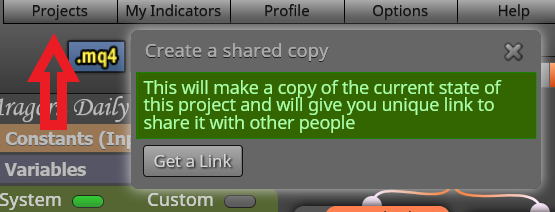
Can you click on Projects>Create a Shared Copy and post it here.....*
No problem. Keep practicing :))
Just connect three Buy or Sell blocks to the same Condition block*
OR. you could just open three trades with the different lot sizes and Take Profits....?
I'm not exactly sure apart from using Candle ID 1....?
Try using the 'For Each Object' block above the Condition block. And in Condition, change to 'Picked in Loop'.....
Yes but if you are using Price Level with Candle ID 0.....That price is constantly changing until that candle has finished*
No worries. Or you could try something like this in the 'On Trade' section..>>
Or use 'Check Age' to delete pending orders in stead of expiry.
But still, in backtesting, it didn't seem hugely profitable....unless I'm missing something? I tried 15m and 1H on EURUSD and GBPUSD....
Regards*
@l-andorrà said in Profitable EA:
@GINGI-bot What's the point of those blocks in the 'on trade' tab?
Following up from this: The way you have it set, as soon as the Buy or Sell hits the stop loss it immediately cancels the Pending Order...In that case there is no point having that Pending Order....?
You would need a For Each Object/Condition first no? To say that price has breached your chosen object...?
Also I think channels etc are constantly redrawing so you would need to use Candle ID1....?
You can try to use the 'For Each Trade' and set it to register every 5 trades....Then set a Formula to increase the lot size as you want*
i cant download it it asks me to pay
Sorry Polo. I thought you didn't want to pay for download and left....
Anyway, did you manage to build something...?
Regards*
Sorry I mentioned MT4....I see now that you are using MT5....
So no, it won't work on MT4.....
So keep at it on MT5* :-))
Yes looks ok....Does it work in the MT4 Strategy Tester....?
Regards*
You would have to try Candle Closes Above/Below Moving Average, rather than 'Crosses Above/Below'....
You have Candle ID 2 but crossing ID as 1.....
Also I don't think you need the Close Trade block under the Trailing stop, because trade will close if it hits the trailing stop anyway....
If you want 2 candles closing Above/Below Moving average you need two Condition Blocks.
One with Candle ID 2 and then one With Candle ID 1....
See if that helps...
Regards*
I don't think Parabolic SAR measures Highs and Lows.....I think it works more on strength, volume and/or movement of price....
You might want to continue trying different settings for the PSar Indicator....
Regards*
Perhaps you need to use the Check Distance Block....to check the distance between trades....*