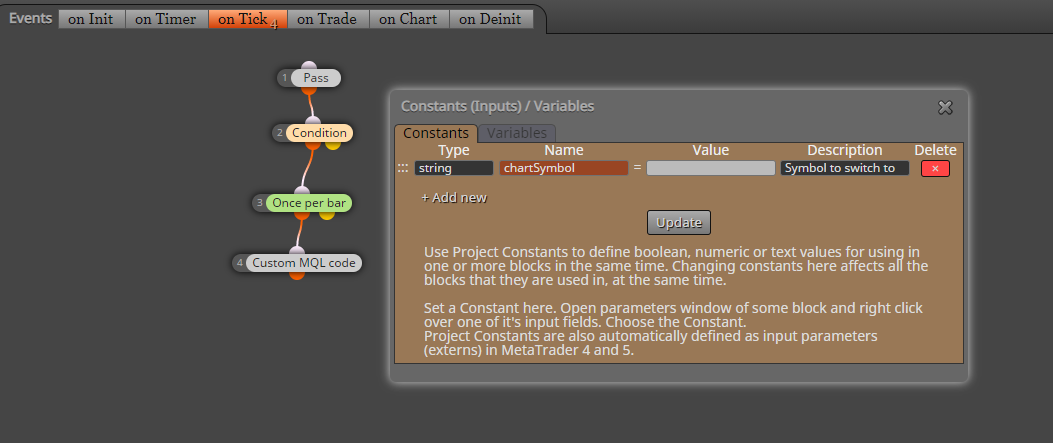
I really don't think it's possible to change a terminal properties like Trade permission, why not store profit target in a variable then use it in a condition block?
P
Posts made by padletut
-
RE: How to EA- turn off Auto Trading disable after profit got hitposted in Questions & Answers
-
Let user select Money Manager in EA propertiesposted in Tutorials by Users
Just a small tutorial on how to let user select Money Manager
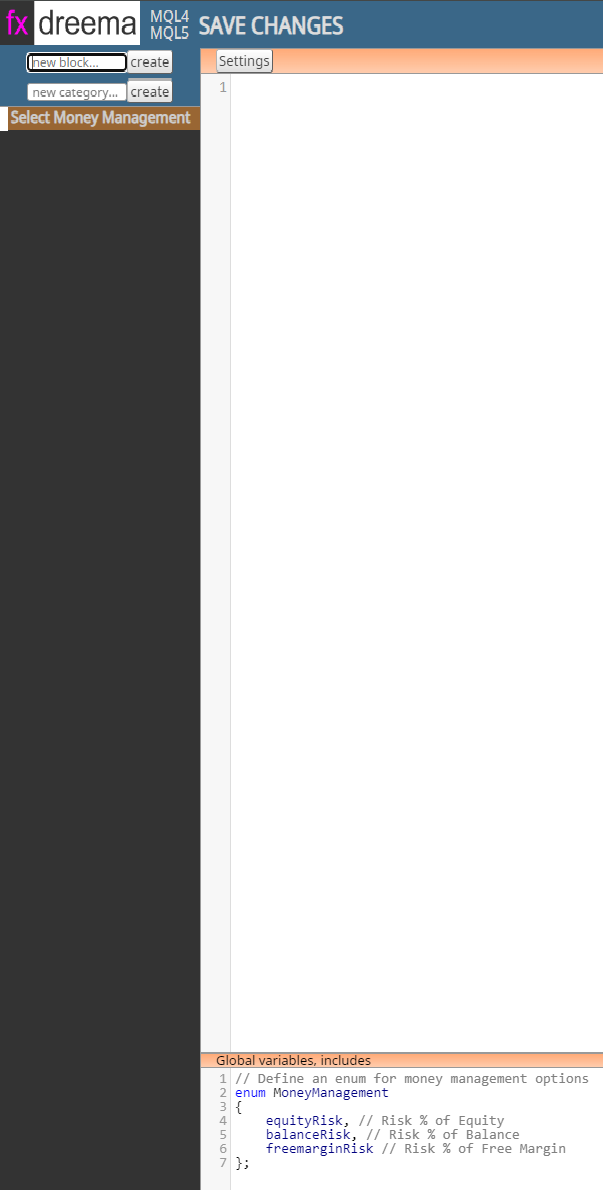
First create a custom block in fxdreema studio
How to create the custom block:
I named the block Select Money Management but you can choose the name you ever want to.
Select the created block, add the following code in Global variables, includes window:
// Define an enum for money management options
enum MoneyManagement
{
    equityRisk, // Risk % of Equity
    balanceRisk, // Risk % of Balance
    freemarginRisk // Risk % of Free Margin
};
Save Changes
In your fxdreema project
Create a constant following
Type: MoneyManagement <- The enumeration we created in fxdreema studio
Name: selectMoneyManager or what name you want...
Value: one of the values we defined in MoneyManagement enumeration, example: equityRisk
Description: Money Manager or whats on your mind....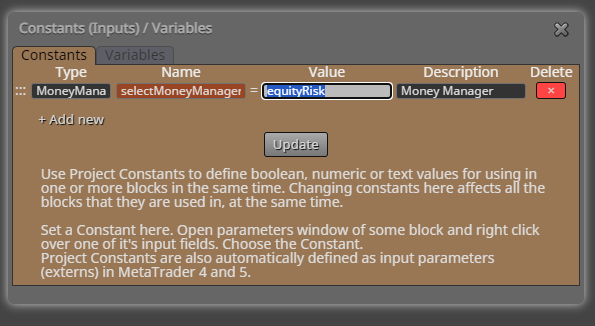
Next step is to create a variable where we later is storing the selected money management string name
Variable
Type: string
Name: selectedMoneyManager or whatever you choose...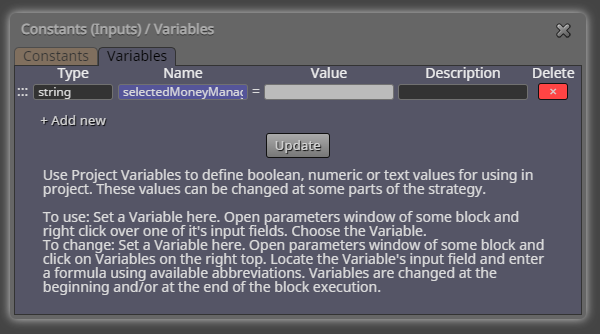
Next step is to add the blocks:
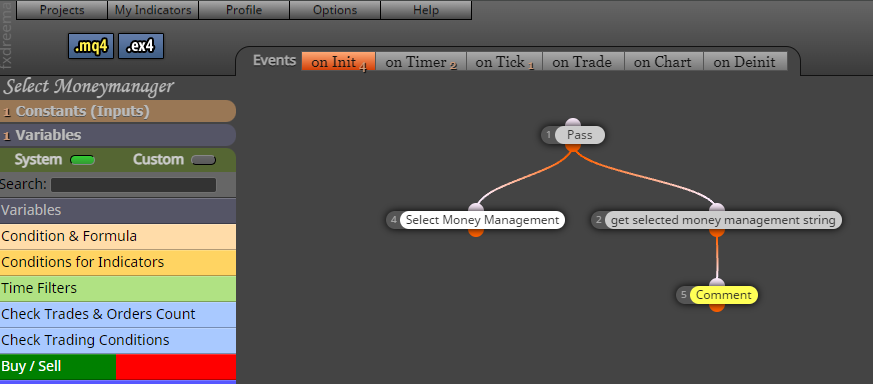
Add the custom block you created "Select Money Management"
Add "custom MQL block"Code for the custom MQL block:
switch(selectMoneyManager)  // <- Name of the constant you created
				 {
					  case equityRisk: selectedMoneyManager = "equityRisk"; break; // Save to variable
					  case balanceRisk: selectedMoneyManager = "balanceRisk"; break; // Save to variable
					  case freemarginRisk: selectedMoneyManager = "freemarginRisk"; break; // Save to variable
				 }
In the Buy/Sell block:
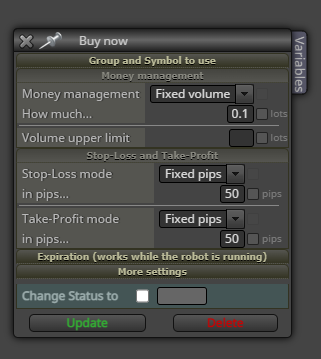
In this case I have choosed Risk % managements as you can see in enum MoneyManagement
First select one of the Risk % management
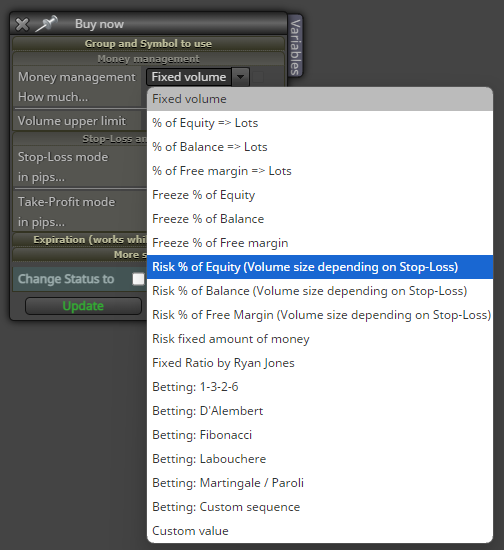
Example Risk % of Equity selected:
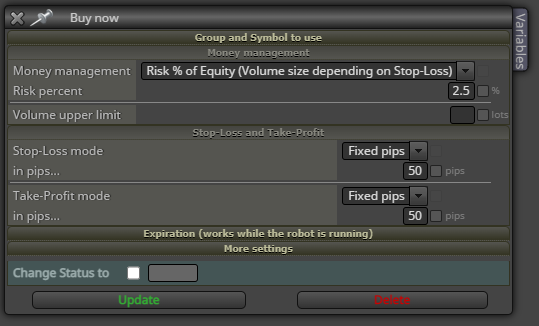
Now rightclick at the Money management field and select the string variable you created (selectedMoneyManager)
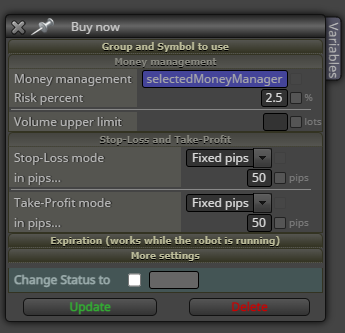
That's all!
It should now be possible to change the EA Money Management in MT4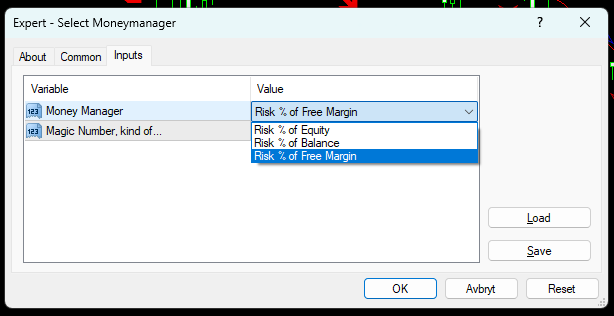
Example project: Select Money Manager
-
RE: Backtest newsfilter MT4 (Tutorial) (CSV)posted in Tutorials by Users
@l-andorrà Thank you
 Sharing is caring
 -
RE: Backtest newsfilter MT4 (Tutorial) (CSV)posted in Tutorials by Users
I forgot to delete the "Chart symbol for news" it's not in use, it reads the value from the chart. You can delete it.
-
Backtest newsfilter MT4 (Tutorial) (CSV)posted in Tutorials by Users
Hello, I was really missing newsfilter for backtesting EA.
So I figured out how to make a newsfilter for backtesting, the newsfilter is reading a csv file and plots the news in the backtester chart.Link for the project: https://fxdreema.com/shared/iz0WMIVJd
Source code of the project: 0_1620495687291_Backtest newsfilter.mq4A screenshot of how it looks like in backtester:

If you use the project share link and not import the source code, here's the Constants and variables to add in pictures below:


Now you will need to download the news from FXStreet
First you choose the period for news, it looks like max period at time is 3 months. So if you want more than 3 months historical data then you will need to download all periods and merge it to a csv file.

After you choose period for news you will need to download the list, like in picture below:

After the newslist is downloaded, you will need to edit the list. I am using EmEditor for that.
Open your csv file in EmEditor (Ctrl-O)File open in editor:

First thing to do is to delete the first column, right click on the top of the first column and select delete column

Column deleted:

Now we need to split the date and time column, rightclick on the Date time column and select "Split column"

In the Split column window, make one space(spacrebar) in Seperator entry and click Ok button

The Date and Time(hours) is now splitted into 2 columns

Next step is to convert the Date format so MT4 can use it, open replace window (Ctrl-H)
In the "Find" you write exactly this string: ([0-9]{1,2})/([0-9]{1,2})/([0-9]{2,4})
In the "Replace with" you enter exactly this string: \3.\1.\2
Choose regular Expressions and click on "replace all" button.
The list now looks like this:

Now select all columns in the first row, then rightclick and select "Delete" from the dropdown menu.

Ok!
The list is now finnished, you can now save it.
You need to put the list(csv file) in your terminal ./tester/files/ folder

In MT4 backtesting Expert properties remember to write in the file name for the file you just putted in the tester/files folder.

That's it, I hope you enjoy my newsfilter for backtesting
-
RE: Finally , Integration of News Filter :) [ MT4 Only ]posted in Tutorials by Users
I guess you need to make the block in the custom block maker first
-
RE: Triple MACD cross confirmation (Please help)posted in Questions & Answers
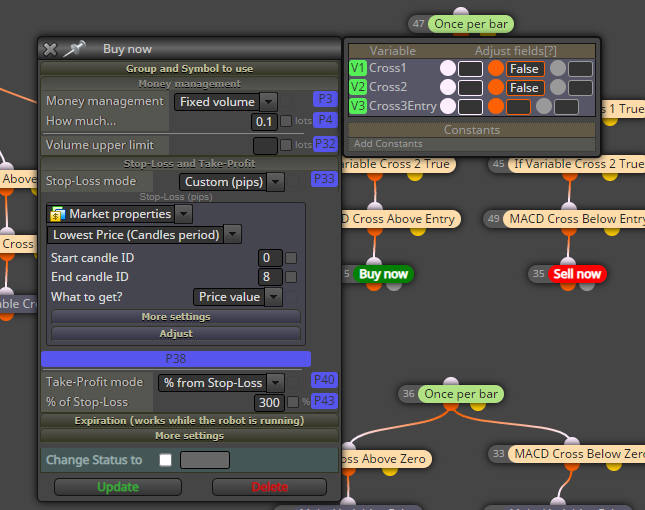
Because yout block 36 is running before your block 47 and variables "cross1" and "cross2" will always be false when you run block 47.
I would changed the variables in the "Buy now" and "Sell now" block instead.
-
RE: Time interval between operationsposted in Questions & Answers
By using block "Once per minutes"
-
RE: Help neededposted in Questions & Answers
Remember CandleID 0 is the current open candle, you are trying to define a candle who has not closed yet.
-
RE: Trying to make this algo function properly need help please. Thank you.posted in General Discussions
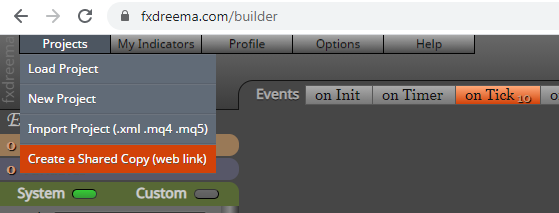
You must Create a shared copy of your project so we can see it and help you
-
RE: Pls can someone convert this indicator to eaposted in Questions & Answers
The arrows redraws color from blue or red, cannot ignore grey arrows.
The exit sign also redraws sometimesLink to project:
-
RE: Tip: Copying and renaming an entire projectposted in Tutorials by Users
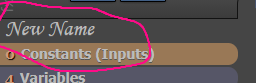
You can easy change the project name by left mouse click on the project name in the builder:
-
Tutorial on how to get locale and broker GMT, and calculate the GMT Offsetposted in Tutorials by Users
Hello
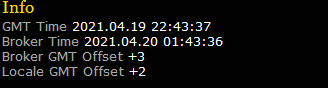
I made a small MQL4 project to get and display the GMT time, Server time and the locale computer time. Then calculate the GMT Offset and display it on the charts.
There might be a more easy way to do this? Well here's my solution anyway
Screenshot of how it looks like on the chart:
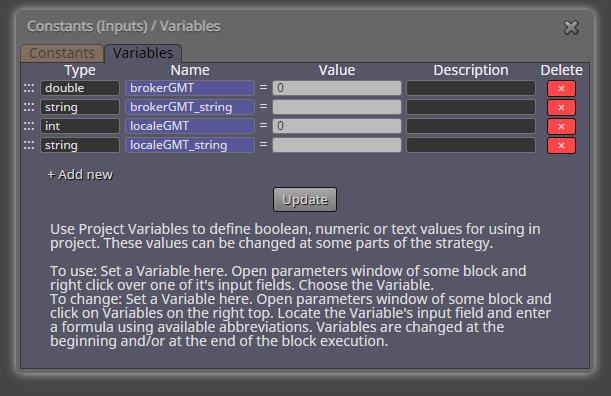
You need to add the following variables into the project, showed in picture below:
Link to the project: https://fxdreema.com/shared/S7pIRQj6d
I Hope you enjoy it
-
RE: Finally , Integration of News Filter :) [ MT4 Only ]posted in Tutorials by Users
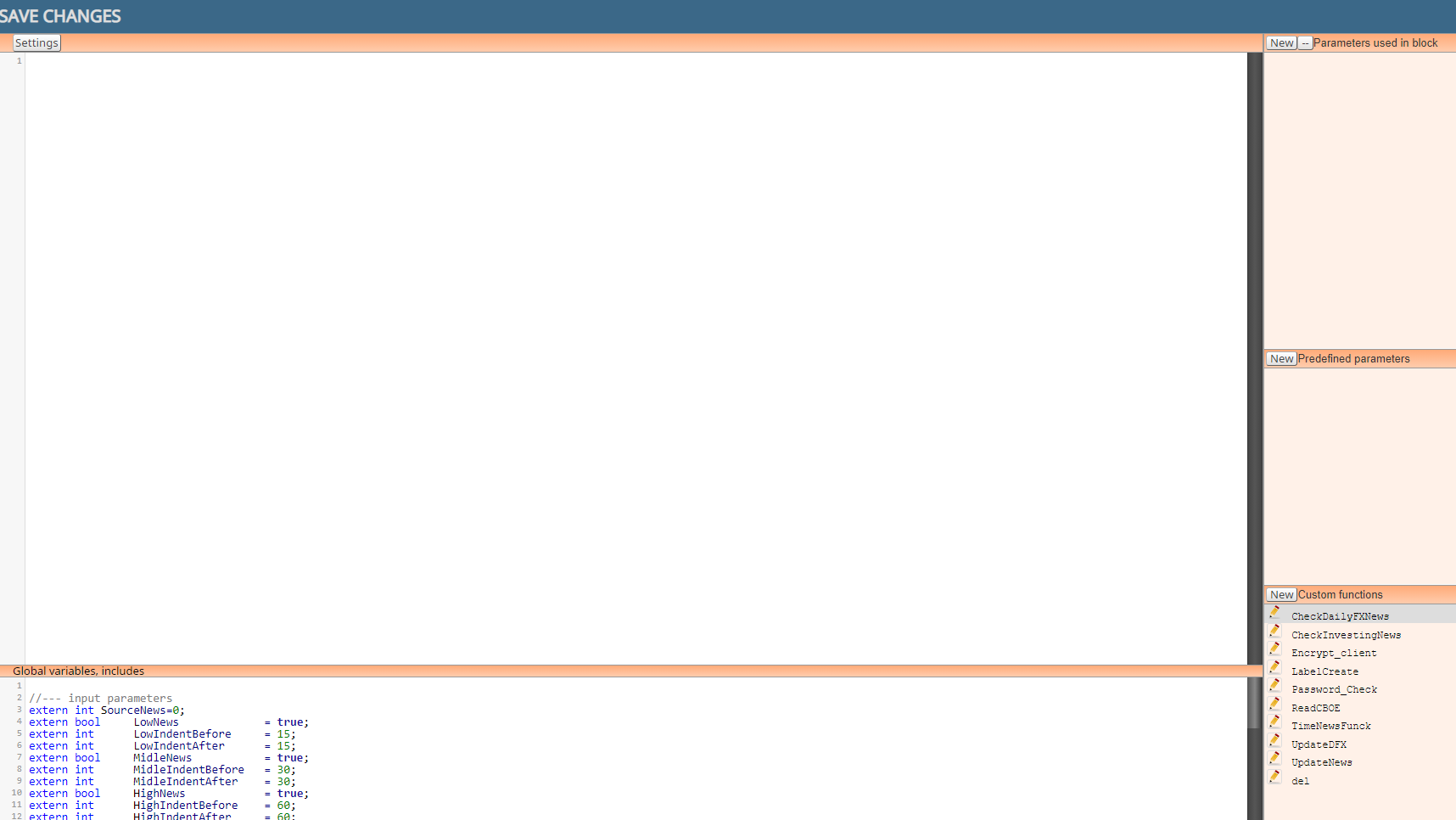
Created custom block for news filter, so I can compile it in FXDreema
https://fxdreema.com/shared/LCnSF6OCd
-
RE: example: Save variables into file and read them back [advanced]posted in Tutorials by Users
An old post, but Thank you again @miro1360

-
RE: Custom Indicator Helpposted in Questions & Answers
1 - Yes you can leave it empty if you don't want to change any standard inputs
2 - I was using Trace and looking where the value was triggered on chart
3 - Yes -
RE: Custom Indicator Helpposted in Questions & Answers
This is the output buffers i found:
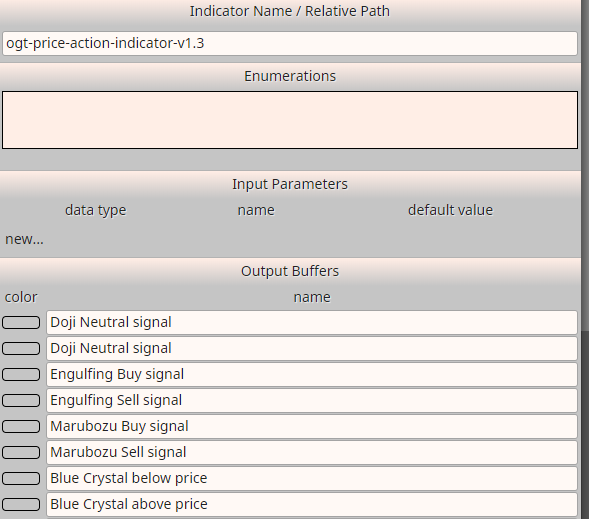
An example buying and selling on engulf signal:
-
RE: I don't know why it didn't open? Is there anything wrong?posted in Questions & Answers
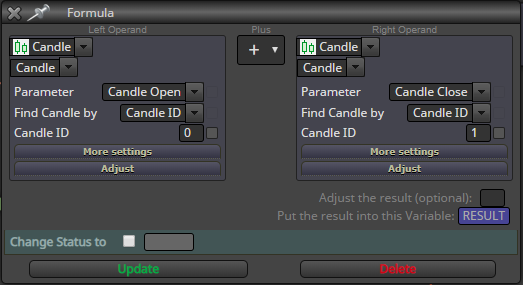
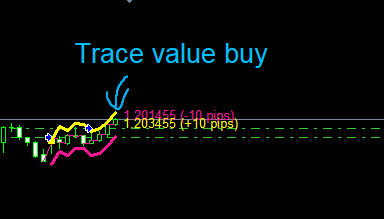
I guess the value for buy was not 21010 after it raised up again, because the value is calculated continous on candleID 0 and 1. I think you could see that on chart on the Trace buy value?
Maybe you could add a variable to save price level of last buy/sell trade, then make a second rule to open a new trade if the price retrace to that level again?
-
RE: I don't know why it didn't open? Is there anything wrong?posted in Questions & Answers
I'm not sure, did you look at the "Journal" tab in MT4, is there any error opening trade?