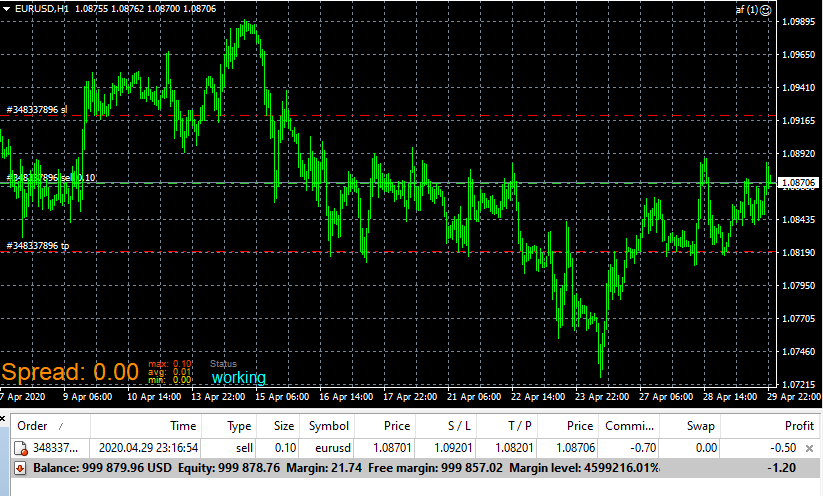
@trader-philipps I try to avoid them as well, but in this case it could be the most straightforward solution...
There's that name contains field, you could put your order ID there.
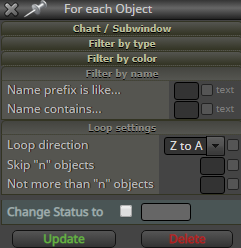

@trader-philipps I try to avoid them as well, but in this case it could be the most straightforward solution...
There's that name contains field, you could put your order ID there.
@cheaponreay01 Make these variables:
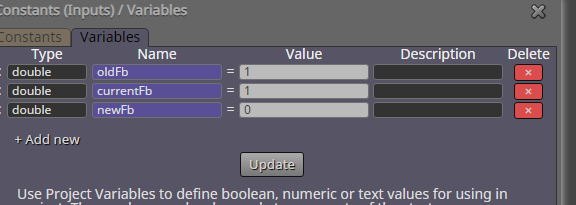
Now you can generate fibo numbers with this piece:
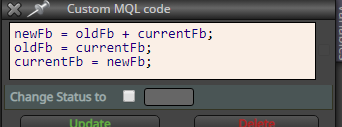
https://fxdreema.com/shared/pS0K9GwD
@l-andorrà said in Lot Size Fibonacci:
Ok. Now I catch it. But why calculating it every 3 ticks?
He wanted increase every 3 trades. Note that the tick filter doesn't count each "market tick", because it is not on top.
It only counts when the block is able to run its code
@traderline So the time between 2 condition passes must be less than 6 candles?
@trader-philipps just to illustrate where the "* 1 usd" will come into play, and that there you can also change the dollar amount to "OrdersTotal() * 2", for example.
@kriordan By default, the indicators use ID 0 values - those change as the candle develops, and thus you cant always see the cross in the final value.
Its usually best to use candle ID 1 on all cross conditions. You can find the ID setting from the "More settings" button.
@khalids222 You want to check if candle crosses 10-MA?
Don't use candle body size, or candle total size.
Those are sizes, not levels.
If you want to take action when a candle touches moving average, a solution is to use two conditions:
if candle open > MA, then
if candle close < MA
-> take action
another case:
if candle open < MA, then
if candle close > MA
-> take action
@titangeorge This is pretty much how I would do it
@yarzu25 Use a counter block right before opening your trade. This opens a trade on every 3rd candle:

@fxgjg Period doesnt matter, you must understand how the indicators are updated to the chart. Your EA is trying to make the comparison before the data is there (at current candle time):
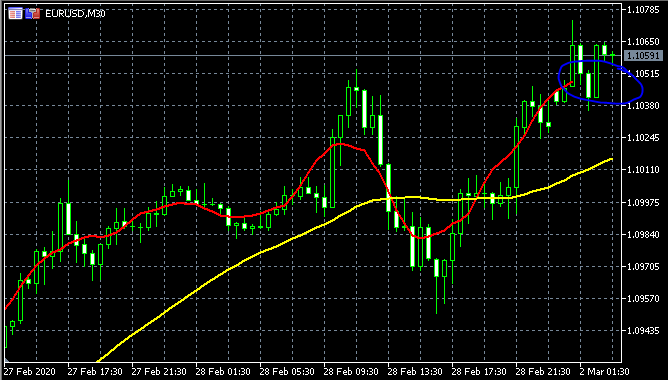
@trader-philipps Oh, right, OrdersHistoryTotal() is the way to go here!
I was thinking about the total lifetime profit so that he could put AccountBalance() to OnInit tab and then run it again in OnTick to get the difference
I dont speak elvish, but I think the RSI and stochastics indicators are very close to what is pursued here
You must select a trade before reading its properties. So put the "for each trade" block before drawing the line.
Put the spread into a comment block and see what it outputs
@chicrala said in 3rd candle of the day:
Hi, how can I identify that "this is the 3rd candle of the day" to start an action (buy for example)?
Create a variable that counts candles, reset it once each day, then check if variable == 3.
@leventecsibi here:
https://fxdreema.com/shared/yZovgxaae
It calculates the average for close prices, you can change the indicator to your liking, just remember to set the candle id and adjust like I did.
This is not the best solution, though, because on every new bar, the EA must calculate all 200 values again and again. If you want to get more efficient, learn arrays.
That pips away block always gives problems lol 
Here's how to do it without the troublemaker:
https://fxdreema.com/shared/lmSgKgfhb
This also looks a bit like trailing stop, that block could be 3rd option..
@nico1397 open the adjust box and type this:
*1.5
@cbot-0 just try it, 99% of the blocks copy without any error
Take this EA:
https://fxdreema.com/shared/hCsoFD9xb
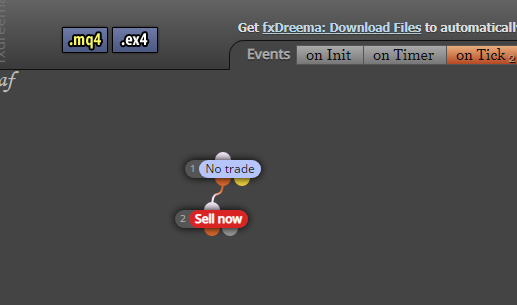
I put it into a chart, it opened a trade.
Then I closed the chart, closed mt4, and then put the EA on again.
It does not open any new trades.
So the conclusion is that the EA does find its earlier trades