What error are you getting, exactly?
If its the 'x' - undeclared identifier in your latest shared, its referring to your constants list - x is not a number. I believe you can delete those symbol constants anyway.


What error are you getting, exactly?
If its the 'x' - undeclared identifier in your latest shared, its referring to your constants list - x is not a number. I believe you can delete those symbol constants anyway.
@gooseman where do you populate the array with symbols? If its block 25 in your screenshot, there must be some connection with that block - alone blocks never execute on fxdreema, they are essentially disabled. So you can just make a dummy connection to a pass block.
Also, the array populating must be done before the main system does its work, so its best to do it On Init
@gooseman the array just needs to be string datatype (not int), just as your individual market variables are.
Tip: when copying a shared project, you can download the .mq5 file and then import it back to your builder. You will get all variables automatically.
just delete the code which is making a problem
I wish every coding problem could be solved like that lol
@gooseman the sym_array variable needs to be an array (stores multiple values at once). This is denoted in the variables list by putting square brackets after the name, like this
sym_array[]
@Jim67 that works. Remember to set the variable false again, after successful buy. You can use the quick variable adjust window to set the variable true or false, "modify variables" block is never needed for boolean variables.
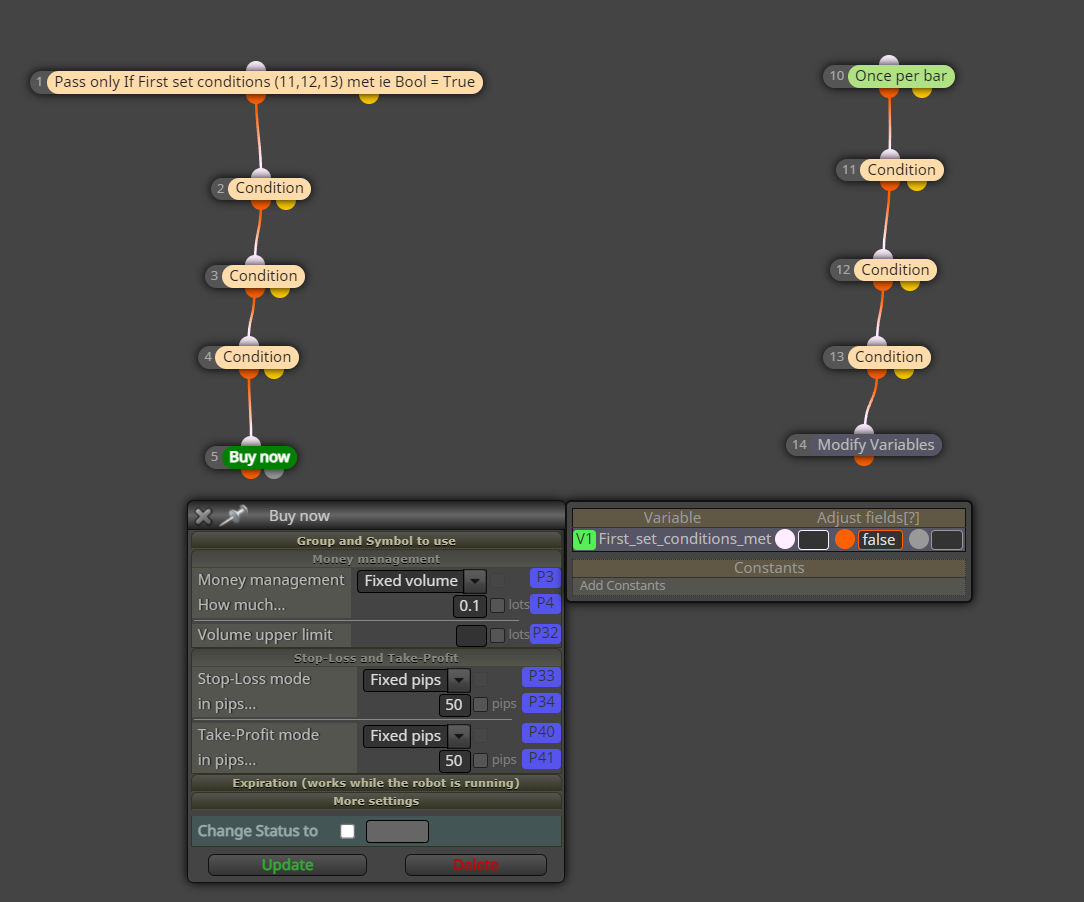
This might work. I dont use "turn on/off" blocks myself, a boolean variable does the same thing
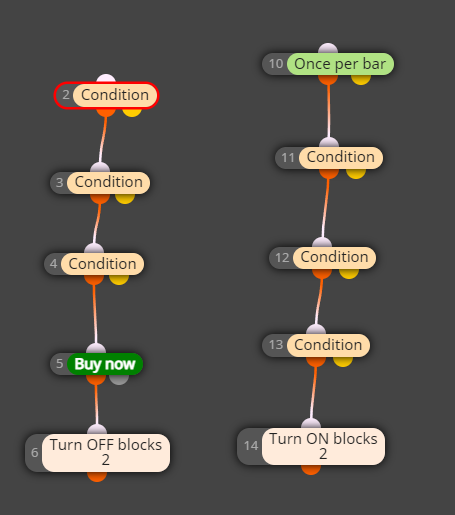
@cyberspace you need to change your candle id value in a loop.
Here is a simplified example https://fxdreema.com/shared/xeDNx924e
@Jim67 block 2 is turned off again and again on every tick
You can just use the seconds filter block, allow seconds from 2 to 60... But its weird that the EA sometimes uses ID 3 and sometimes ID 2, the real problem might be elsewhere
@Tulefi either way will work the same. Difference is that the MA shift will visually move the MA line
You can also use raw values and type for example "20*_Point" to get 20 points every time, regardless of your broker, trading instrument or pips settings.
@Jim67 you can execute other blocks at any point with this bad boy here
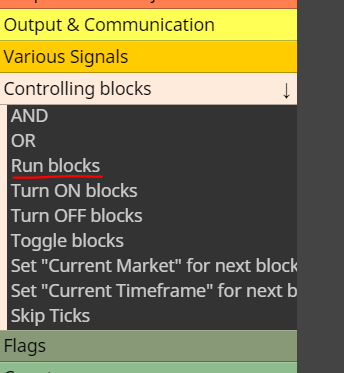
@andrewfrank remember to reset the variables every time
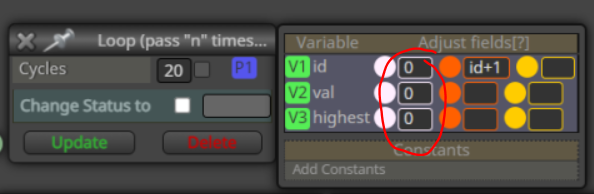
@gooseman that works. If you want to get fancy, you can put the symbols into an array and loop through that array. This might be easier managed version, as you can make the symbols list in excel. I have ran 2000+ symbols that way.
Check OnInit tab
https://fxdreema.com/shared/VwmyF0FAd

@gooseman well if you have many targets for rsi, maybe there should be some variables, like tgt1 tgt2 etc, or an array... But it might be unnecessarily complicated that way.
Why do you need to check multiple levels in the first place? Surely, if RSI is not above 60, there is no need to check if RSI is above 70. So, we could just use the smallest target.
I'm not sure where the sleep loop error comes from, can't test with those symbols myself. Try some smaller list of symbols, maybe there is just some limit in the symbols loop (if so, there's another structure to do, of course hehe)
@gooseman why do you have the same symbol repeating multiple times there?
So you need to add this "id" variable to your variables list?
https://fxdreema.com/tutorial/builder/constants-and-variables
@joseanrod the total number of bars is in variable called Bars.
But the indicator probably needs some history before it can start calculating the indicator results, so you can try something like this:
i = Bars - 100;
