@forexbob-0 the EA probably gets stuck at some point of testing, printing infinite error messages.
Do you use "Close positions" block?

@forexbob-0 the EA probably gets stuck at some point of testing, printing infinite error messages.
Do you use "Close positions" block?
@l-andorrà ok, so the loop is getting the candle ID (server time) using a local time. That will cause problems. But its easy to fix, just convert the closing times to server time before using the candle ID condition; add the timezone difference to your close time variable, then use iBarShift() function instead of the basic candle ID dropdown.
There might be some easier options too, for example this type of check might automatically take the timezone into account:
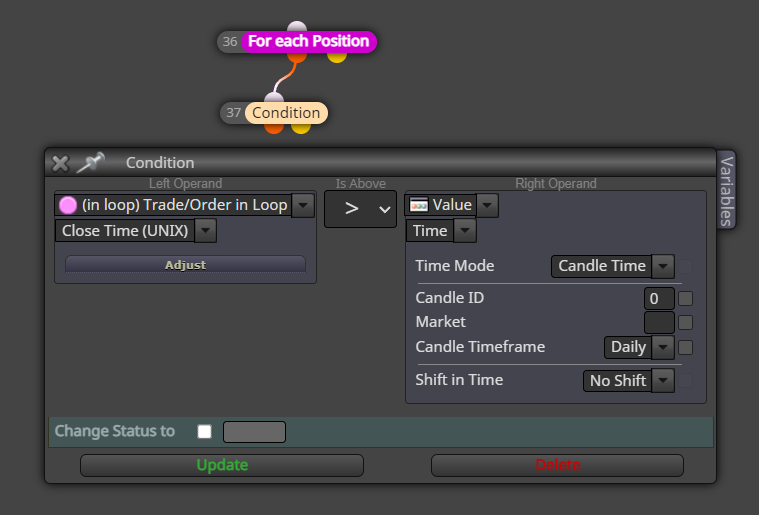
@l-andorrà you dont have to guess, just look: get the close time of that order, put it in a variable and see what the value is
@kavmasayuki my example should work fine.
I dont use this feature myself, but this is how I understand it.
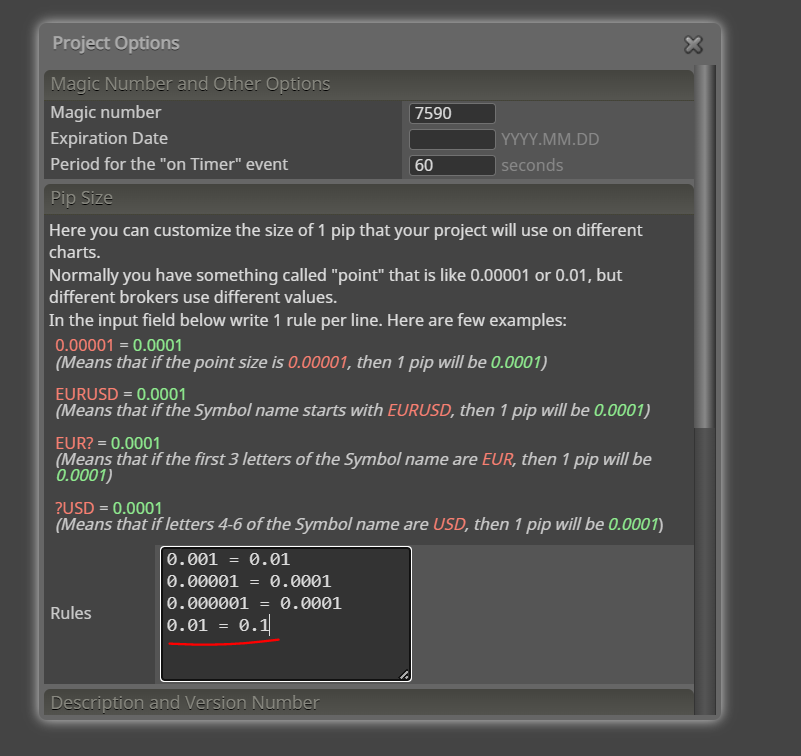
@kavmasayuki you need to put a new rule in the point format rules in project options.
@l-andorrà can you elaborate, how the loop block uses local time?
In your example, you just check that the candle ID is 0. Candles are always server time...
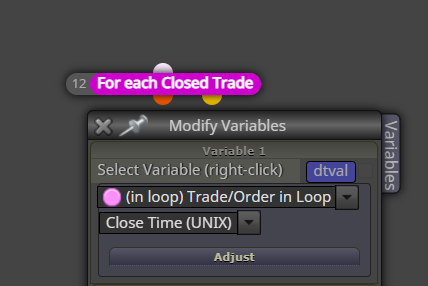
Can you test by printing out the "Close Time (UNIX)" variable from each closed trade, so we see what timezone those values will be?
I would test myself, but I have the same timezone as my broker..
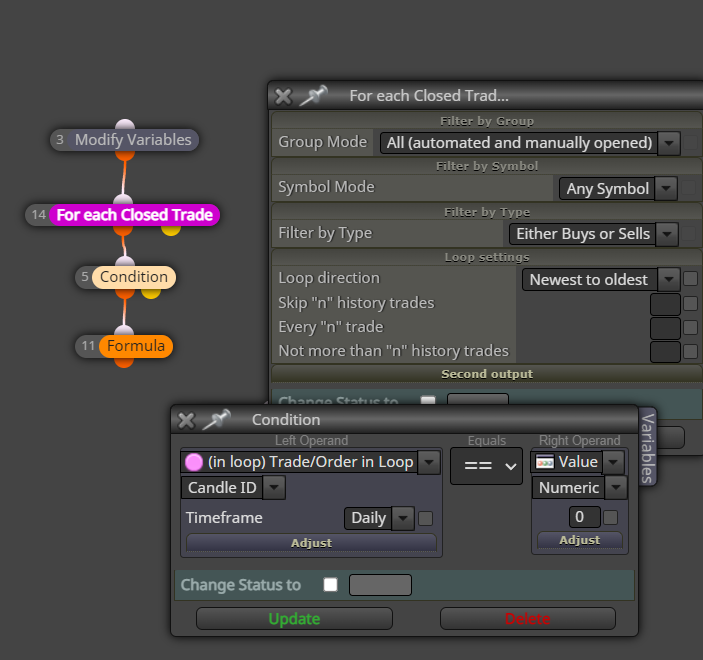
Do it like this. The custom code block doesnt do anything if you dont save the result.
Oh, and dont put semicolon in this case.

Mimicking the human eye and catching trendlines automatically has long been very interesting to me. Well, today I wrote something up to detect resistance-side trend lines. It seems promising, also my "scoring" system for each line seems to be in the right direction.
I will put the indicator here for anyone interested to test it.
Won't add the source yet, because its such an embarrassing mess lol
I would be interested to know if there are any similar indicators, how effective they are...

@tec-nacks most news filters dont support that.
Technically its possible, if you get some kind of database of old news records. In fact, I'm willing to code it for you, if you really find such database.
Maybe some buttons accidentally use the same name?
The same blocks as usual, just change the group filter.
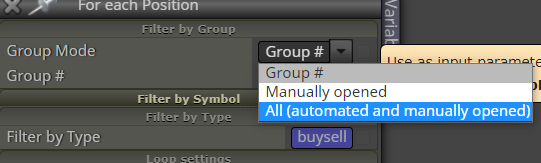
@l-andorrà yes, you can use the time value of trade open or trade close inside the ibarshift function
@OntradingX I dont know what to tell you man, I tested it and it sure seems to work.
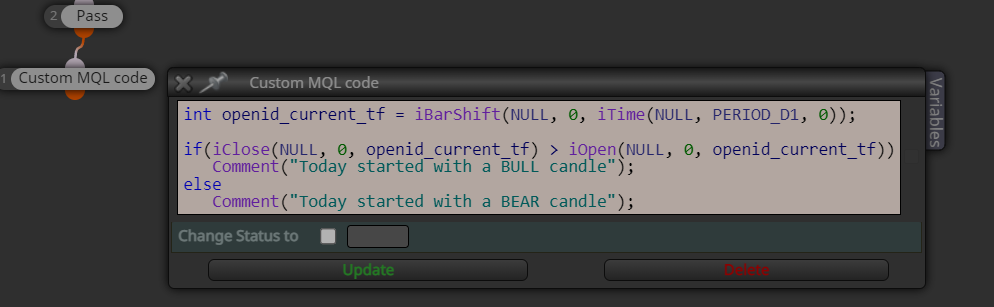
This code doesnt rely on some specific execution time, you can run it at any point of the day, and it always tells the correct candle.
@OntradingX I tried to use current timeframe, but there was an error with the quick example I made.
Here's corrected code:
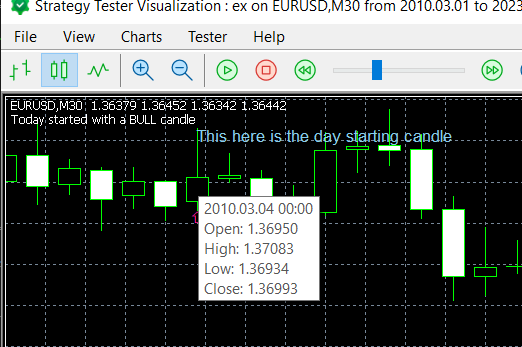
int openid_current_tf = iBarShift(NULL, 0, iTime(NULL, PERIOD_D1, 0));

if(iClose(NULL, 0, openid_current_tf) > iOpen(NULL, 0, openid_current_tf))
	Comment("Today started with a BULL candle");
else
	Comment("Today started with a BEAR candle");
iBarShift() is an important function that fxdreema should include in the drop-down menus.
Here's the raw code:
iBarShift(NULL, PERIOD_D1, D'2021.12.31 00:00') - iBarShift(NULL, PERIOD_D1, D'2021.01.01 00:00')
Fxdreema objects are always linked to the chart EA is on.
If you want to draw objects to other charts, you need to use custom code instead of the default blocks.

@l-andorrà I can't follow your reasoning there... If you think the problem is inside the loop block, can you make a simpler example with just the loop system? No need to complicate with the whole profit checking system, just a minimal loop example.
I still think the final culprit will be dates and timezones. Why? Because the problem doesnt appear in backtest, and the main difference between real chart and backtest is the timezone handling.
There are two useful functions to locate candles: iTime and iBarShift.
This should work
https://fxdreema.com/shared/PLxU6Cwed
You have to draw a rectangle object in another block ...and its going to introduce many more problems with z-order.
@forexbob-0 download the .mq5 source file, open in metaeditor, try to compile, go to line with error, scroll up to see fxdreema block number.