@jsauter86
The brut force optimizer can turn a random EA into a profitable one(especially if there are a lot of parameters) on a backtest.
But since the optimizer knows the data in advance it is cheating. The way you can verify either the robot WILL be profitable(with a certain probability)or not, is by running it on a period it hasn't been optimized on.
I just know some brokers offer good quality data
S
Posts made by seb 0
-
RE: Strategy Results, Good? Bad? Okay?posted in General Discussions
-
RE: Strategy Results, Good? Bad? Okay?posted in General Discussions
@jsauter86
Nevermind, the EA is built to act only once per bar, running it on every tick doesn't change the final result at all. -
RE: Strategy Results, Good? Bad? Okay?posted in General Discussions
@jsauter86
You are right about the fact that I should test the EA on real ticks instead, it gives more accurate results.
Ill tell you. -
RE: Pre-Run EA in Live Market/ Start EA from past to also consider older price levels in Live Tradingposted in General Discussions
@umbrellamaker
In this example, you have 3 variables that will take the value of the 3 last tops preceding their relative MA cross:
https://fxdreema.com/shared/CcPfiN0me
This loop "search" in the past once. -
RE: Pre-Run EA in Live Market/ Start EA from past to also consider older price levels in Live Tradingposted in General Discussions
@umbrellamaker
I guess you need a closed loop to check a certain amount of past candles, which will pass once when you launch the EA. And as much variables as price levels, to load their value.
Do you have a predefined number of price levels ? -
RE: Pre-Run EA in Live Market/ Start EA from past to also consider older price levels in Live Tradingposted in General Discussions
@umbrellamaker
You can do it with the "pass once" block on tick tab. Give it block id 1.
So your EA will have 2 entries : 1."pass once" and the other filter you choose like 2."once per bar". -
RE: Strategy Results, Good? Bad? Okay?posted in General Discussions
@jsauter86
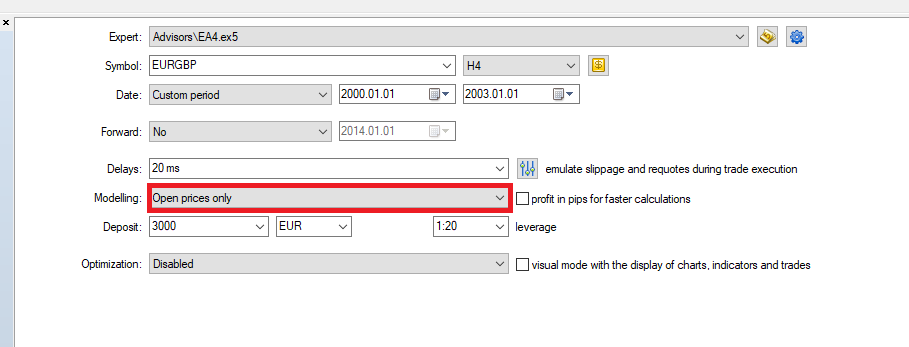
Are you running the EA on "open prices only" ?
-
RE: Strategy Results, Good? Bad? Okay?posted in General Discussions
@roar
Behavior*
I see thank you for the advice! -
RE: Strategy Results, Good? Bad? Okay?posted in General Discussions
@jsauter86
5 seconds is about the simple test, not the parameters optimization, to be sure we are talking about the same thing.
And yes I am running it on MT5 real pip. The 3% bad quality is on a really short period out of 21 years so..
Also I am on FxPro as a broker, they are supposed to be specialized in this field, must be serious.
Finally the draw down is relative, which means I can lower the %DD by decreasing the lots, or by increasing my balance.

@miki @roar
Yes I was thinking that if possible, it would be better to run the EA on 2 uncorrelated instruments, rather than correlated ones. I am interested in the Sp500 ideal investment, however I tested the EA on the Sp500 and it behaves far as well as on the EURUSD.
When you are saying "the Sp500 and my EA are not correlated", do you mean 1.the behave of my EA on the Sp500 is uncorrelated to 2.the behave of my EA on any other instrument ?
Thank you tho -
RE: Strategy Results, Good? Bad? Okay?posted in General Discussions
@roar
I was planing to run the EA on 2-3 instruments for diversification, but on Forex only.
So you recommend me also to go long on the sp500, not through the bot ? -
RE: Strategy Results, Good? Bad? Okay?posted in General Discussions
@l-andorrà Thanks! I never use this website, Ill have a look at it and update you if I do
@jsauter86 It takes only 4 seconds to test because it is pretty simple strategy using buffers, with no heavy calculation. Also you should select "simple" instead of "display" in the general tab of the tester, for faster test.
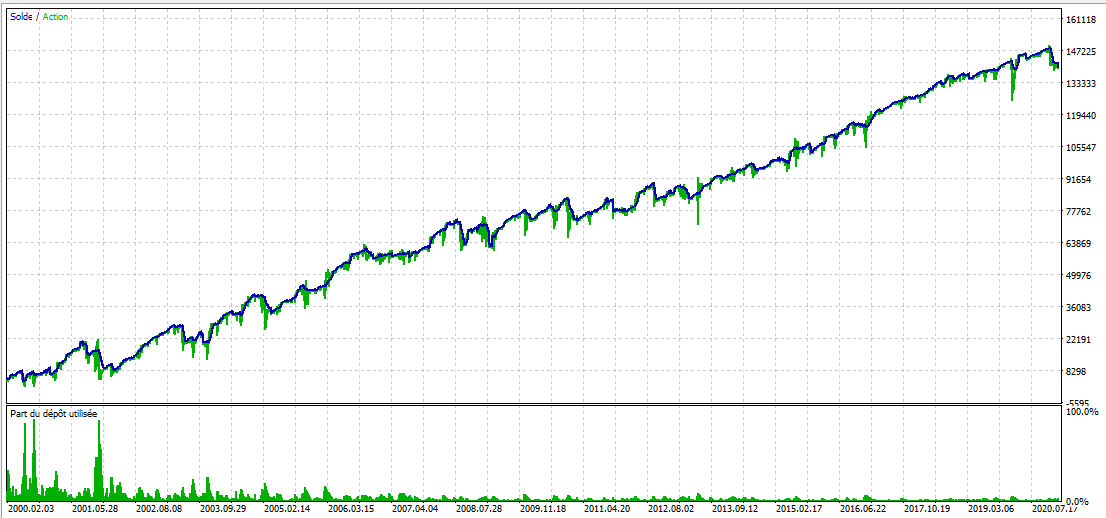
Here is the balance graph going from 5000€. I must start with as much not to blow my account, with a fix amount of lot at least :
-
RE: Strategy Results, Good? Bad? Okay?posted in General Discussions
Here are the results of my current EA.
I tested it on EURUSD, from 2000 to 2021, on timeframe H4, forward on 1/3.
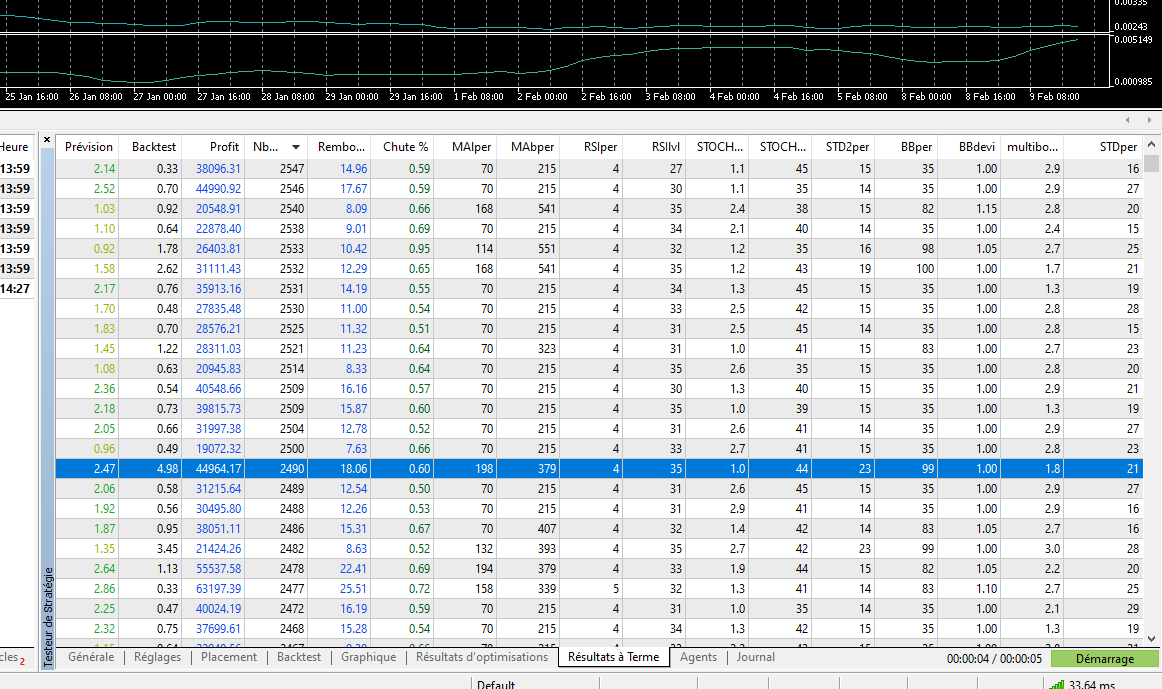
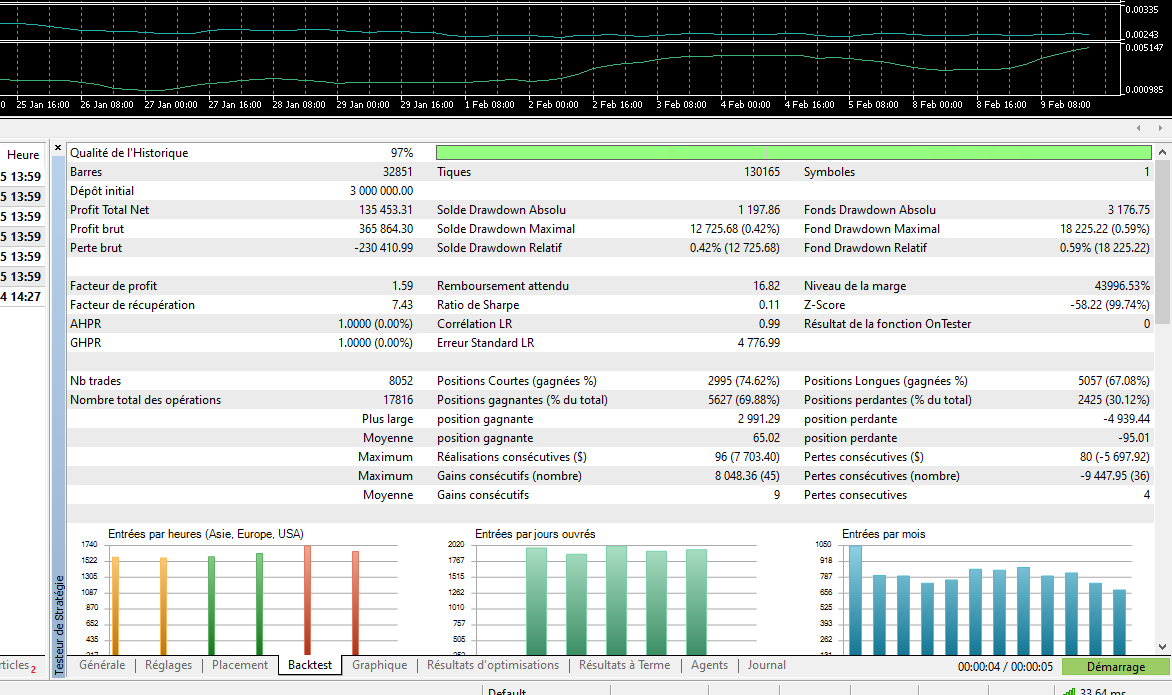
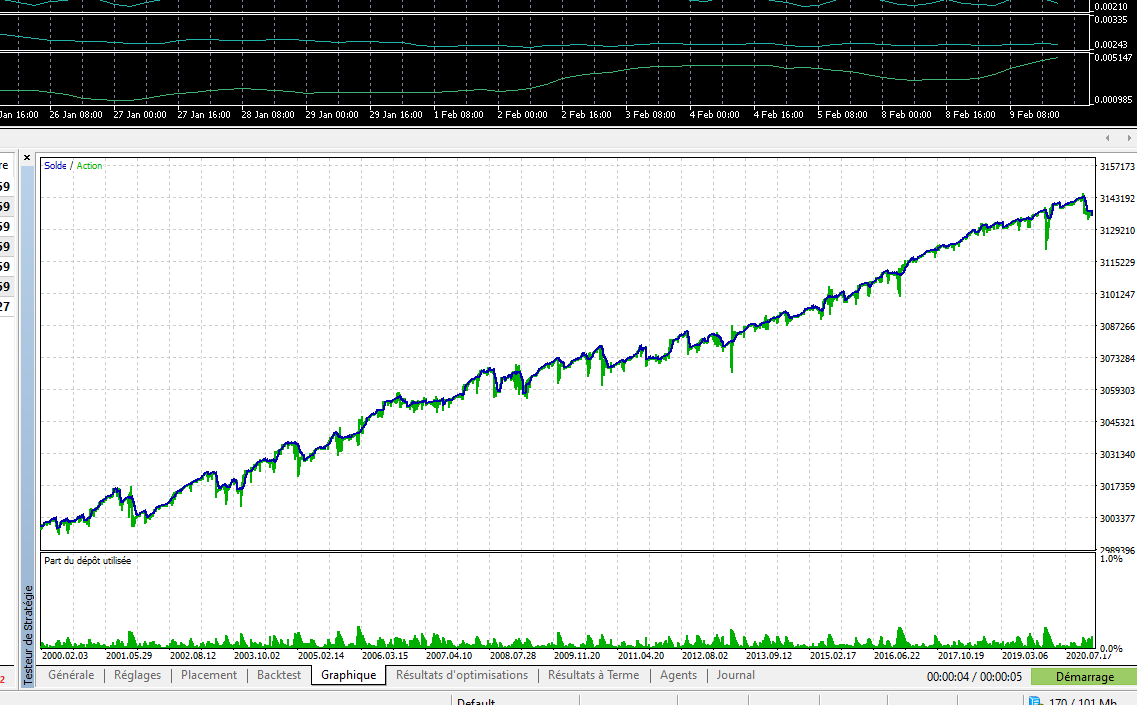
I think these are some pretty correct results because : I tested it on a long period; the number of trades is pretty important; and the majority of the backtest/forwardtest results were positive.
Just wanted to show you that -
RE: Standard deviation channelposted in Questions & Answers
@roar
I see thank you.
I see a lot of simple linear regression channels on the market, however this way, with a calculation of a fixed number of bars, I don't think you can go anywhere.
It should be part of a bigger system which could find a relevant anchor point at least.
What way would you use this kind of tool ? -
RE: Standard deviation channelposted in Questions & Answers
I takes so much less blocks and probably time to build a reg line the code way.
Here is my regression channel in mql5 : https://fxdreema.com/shared/NWfNacSPc
Does yours work the same in mql5 ? My tester draws a vertical line :

-
RE: Open reverse trade when current candle closes above previous candle open, ONLY ONCE.posted in Questions & Answers
@drewliedadeuce
Hm I believe everybody answered you well -
RE: Simplest way to make EA follow trend???posted in Questions & Answers
@gtoat777
There are the Ichimoku and the ADX indicators which are also trend indicators.
But the trend can also be detected with the RSI with an important period(14+) above or below 50; or the moving averages applied on the accumulation/distribution volume indicator.
For example -
RE: Robot with great backtest result bombs on live demo?posted in Questions & Answers
@mikehzzzz
I can't even see the equity green line, I suppose you are using very tight TP.
In this case the spread and latency have a lot of importance on the profitability of the trades. And you can set them, in the tester, smaller than in real conditions. -
Constant unexisting in blocksposted in Bug Reports
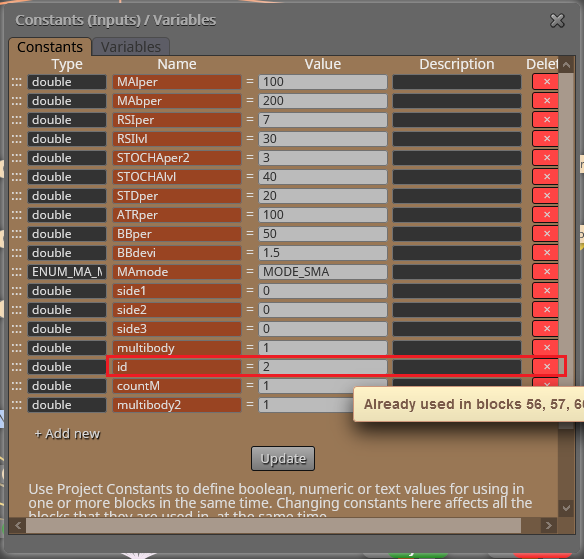
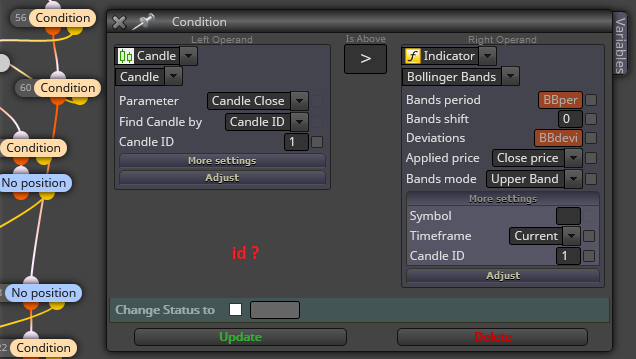
It seems to be a bug because when I try to delete a constant, the builder says it is impossible cause already existing in some blocks. However I don't see this constant in the blocks.

-
RE: Wrong timeframe close for candle conditionposted in Questions & Answers
@drewliedadeuce
Yes Im talking about this situation. When you attach an EA on two chart on the same instrument, the operations made on one chart window are made on the other. And in this case your EA will work confusingly on 2 different timeframes.
You could have things like : open a trade on one timeframe, close it almost instantly on the other one.
I would implement a "set current timeframes" block and assign different group number to the part of the EA which is on M15 and the one on H1(for opening and close trades).