fxDreema

    • Register
    • Login
    • Search
    • Back to the main page
    • Categories
    • Recent
    • Tags
    • Popular
    • Search
    1. Home
    2. SydneyFox
    3. Posts
    S
    • Profile
    • Following 0
    • Followers 1
    • Topics 29
    • Posts 121
    • Best 3
    • Controversial 1
    • Groups 0

    Posts made by SydneyFox

    • RE: Dukascopy Data - Array out of range

      Thanks @miro1360

      I was able to get an EA to open trades when using standard indicators but not with custom indicators. I have now managed to get some to work which of course has led to more questions. But still not all are working?

      Because I'm using downloaded data, say for the period 1 January 2016 to 31 March 2019. If I am using a 50 period MA then the test needs to run for at least 50 days from 1 January 2016 before the 50MA provides a calculation. I assume what I need to do if wanting to test from 1 January 2016 is to download data from say 1 January 2015 so that I have previous history for my indicators to use in their calculations?

      What I really don't understand though is the following:

      • When running a test from 1 January 2016 using a custom indicator that requires say 50 days of data to make a calculation. The tester shows no transactions for the whole period of the test even though the indicators should meet the condition for a trade in say August 2016 (and many more after this date).
      • But if I run the test with a starting date of say 1 July 2016 then the August trade (and ones after this date) are taken by the tester.
      • Why should it matter what date the test is run from?
      • And it doesn't necessarily work if I start the test from exactly 50 days after 1 January 2016 or for the next X number of days but then starts working when I start the test from some undefined (seems to be undefined to me) date after 1 January 2016.? Is there any logic I should be looking at to see why this is the case?
      posted in Questions & Answers
      S
      SydneyFox
    • RE: Dukascopy Data - Array out of range

      Also, this happens on both Dukascopy data and metaquotes data.

      posted in Questions & Answers
      S
      SydneyFox
    • RE: Dukascopy Data - Array out of range

      Thanks @miro1360 for your reply. Replacing the once per bar block with your custom code has fixed the error I was getting. I have another issue with it now.

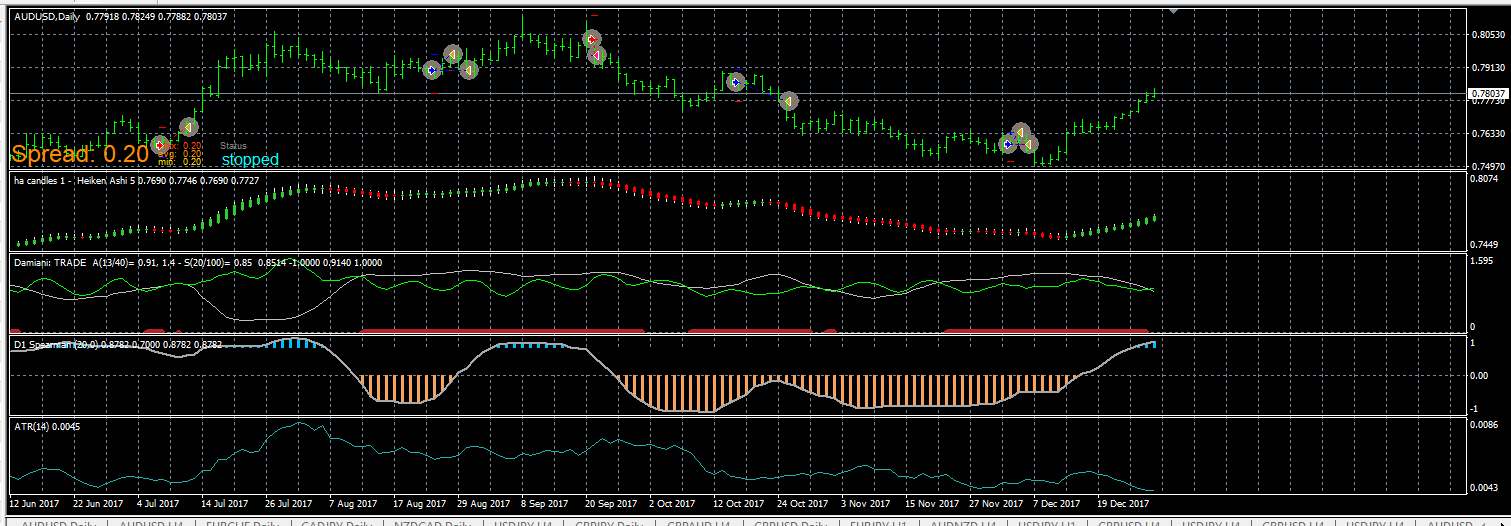
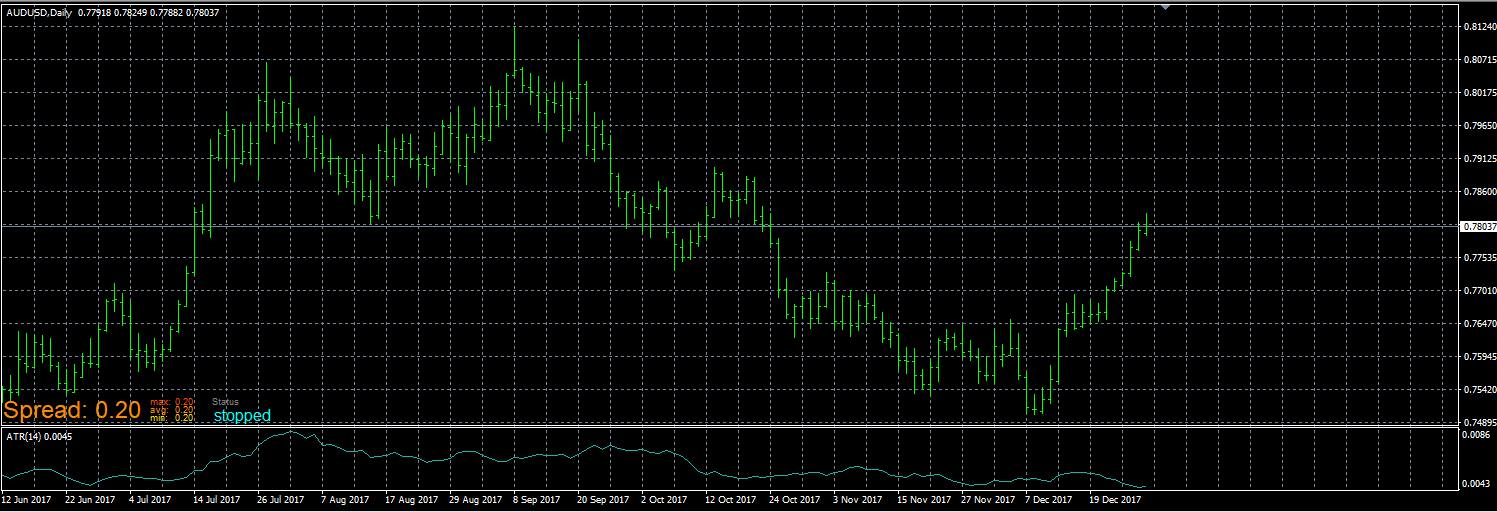
      When running the EA I now get no trades taken. The only thing I have done is to replace the once per bar blocks with the custom code. When I run the test in visual mode, and the test completes, my custom indicators are not shown on the screen. Whereas when I run the test using the EA with the once per bar blocks and the test completes the custom indicators are shown on the screen.

      Test with custom code:
      0_1555306656622_037daa77-bd97-4159-95ae-ac174294a1f4-image.png

      Test with once per bar blocks:
      0_1555307885162_b4f6a9ee-261d-4498-9c67-4fb7420efc65-image.png
      This shows Spearman, Damiani, HA Candle indicators. These are in both EAs.

      Is there any reason why the change to custom code would impact on using custom indicators? What do I do next?

      posted in Questions & Answers
      S
      SydneyFox
    • RE: Dukascopy Data - Array out of range

      I have tried another EA that I made. This time not using custom indi's but still get thge same error message. The line in the code I think it's telling me where thye error is i.e. 707 is as follows:

      0_1555199219272_32bb64a1-d4dd-483d-9aa7-37a266ba5c3d-image.png

      This line of code is the same in both EAs that have the error message?

      posted in Questions & Answers
      S
      SydneyFox
    • Dukascopy Data - Array out of range

      I am getting an error when trying to backtest fxDreema EAs when using downloaded Dukascopy data.

      My EA tests on the broker/metaquotes data but not on Dukascopy data. The mt4 inbuilt EAs, MACD Sample and Moving Averages both work so I can't see that it can be a data issue. As the EA works on the metaquotes data I can't see that my EA has a 'critical error' as the journal says.

      0_1555197557192_9d72f18b-eb59-4f34-a3ed-f8335ade7438-image.png

      I have searched fxDreema for other similar errors. It appears that they are happening when using Dukascopy data. But there doesn't seem to be any explanations given?

      @fxdreema @miro1360 Do you have any explanation? Or solutions for me?

      Do any other users test with Dukascopy data? Any solutions or suggestions for me?

      posted in Questions & Answers
      S
      SydneyFox
    • RE: Trigger on buffer change of color

      @willstar44 This should give you anytime the indicator is not magenta. Not a change in colour.

      What ambrogio suggested should also work.

      I often struggle to get these change of colour indicators to work.

      posted in Questions & Answers
      S
      SydneyFox
    • RE: Trigger on buffer change of color

      You could try having two condition blocks:

      1. CandleID2 = magenta
        and
      2. CandleID1 != magenta

      Therefore when it changes from magenta to another colour it should buy/sell. At the moment it would perform the task on every candle where colour != magenta.

      posted in Questions & Answers
      S
      SydneyFox
    • RE: Trying to set buy/sell at candle close not working right

      If you attach a link to your project someone may have a look at it for you. Hard to help without seeing the blocks.

      posted in Questions & Answers
      S
      SydneyFox
    • RE: how do i make my EA wait until the next crossing before it takes the next trade

      In the condition block change the '>' (Is above) to 'x>' (Crosses Above)? https://fxdreema.com/shared/nReiXcWpc

      posted in Questions & Answers
      S
      SydneyFox
    • RE: Simple Program Example (Buy-Sell-Buy-Sell on opposite conditions) Question

      If you have a look inside the No trade blocks you will see that there is a condition used in each of them.

      The one in the row above the Buy now block is looking to see that there are no buy trades open. i.e. there can be sell trades open.

      The one in the row above the Sell now block is looking to see that there are no sell trades open. i.e. there can be buy trades open.

      posted in Questions & Answers
      S
      SydneyFox
    • How can I read the Buffer outputs of this indicator?

      I have a custom indicator that I am trying to test by taking trades when the indicator changes colour or changes between buffer 0 and buffer 1.

      I have tried 4 different methods of getting the change in values:

      1. Buffer 0 equals or doesn't equal buffer 1
      2. Buffer 1 equals or doesn't equal 0
      3. Buffer1 appears or disappears
      4. Buffer 1 is visible or invisible

      A copy of the EA can be found here https://fxdreema.com/shared/7bJ36QP9b

      Method 3 works most of the time (sometimes the sell trade is delayed by a bar) and method 4 works some of the time (usually the buy trade not often the sell trade).

      The indicator is here 0_1547651411834_Dynamic Cycle Explorer of averages.ex4

      Can anyone explain if I have something wrong in my logic or why the trades aren't being taken as I think they should be? @miro1360 @fxDreema

      posted in Questions & Answers
      S
      SydneyFox
    • RE: My Indicators - Adding ex4 file

      Thank you. That helps.

      posted in Questions & Answers
      S
      SydneyFox
    • RE: My Indicators - Adding ex4 file

      That's what I thought. I was hoping for some help in doing that?

      posted in Questions & Answers
      S
      SydneyFox
    • RE: My Indicators - Adding ex4 file

      Thanks for your help. So it's not possible to use this indicator?

      posted in Questions & Answers
      S
      SydneyFox
    • My Indicators - Adding ex4 file

      I have been able to add indicators using the mq4 file but not using an ex4 file. I would like to use the attached indicator in an EA I'm building.

      Could someone show me how I add the Input Parameters and Output Buffers? @miro1360 @FXDREEMA-0 Your help would be greatly appreciated.

      0_1547247839782_Dynamic Cycle Explorer of averages.ex4

      posted in Questions & Answers
      S
      SydneyFox
    • RE: How can I set max price trade can open at?

      Not specifically about slippage. I was thinking initially about wanting to limit the price in a fast moving market so that my entry price isn't too far away from the level I want to enter at. i.e. I want to enter once price is above 0.7063 but don't want the trade to execute if the price I am going to be filled at is above 0.7068.

      But maybe this is actually slippage? Do you have any suggestions as to how I can do this?

      posted in Questions & Answers
      S
      SydneyFox
    • How can I set max price trade can open at?

      I have a level + buffer that if price trades above I will enter a long trade. eg. audusd level 0.7060. If price trades above 0.7063 I buy long at market order.

      How do I enter a level that will limit the price I am willing to pay of say 0.7068 (5 pips). Usually my entry price is near the price level I have set but occasionally in a fast moving market my entry might be at say 0.7088. And I don't want to buy at a price that is too far from my level.

      Any suggestions welcome.

      posted in Questions & Answers
      S
      SydneyFox
    • RE: Modify Variables Block

      Would this work?

      https://fxdreema.com/shared/9jq8lswde

      posted in Bug Reports
      S
      SydneyFox
    • RE: A candle above or buttom a MA...

      I'm sorry but I'm not exactly sure of what you are trying to do. But maybe you could have a condition that on the bar before the signal that the signal is not valid?

      i.e. for buy, candle low (2) < MA7 or candle low (2) < TEN.

      Not sure if this is what you are after?

      Also, why do you have a 'once per tick' block?

      posted in Questions & Answers
      S
      SydneyFox
    • RE: A candle above or buttom a MA...

      Something like this?

      https://fxdreema.com/shared/KsEp93Opc

      posted in Questions & Answers
      S
      SydneyFox
    • 1
    • 2
    • 3
    • 4
    • 5
    • 6
    • 7
    • 1 / 7