fxDreema

    • Register
    • Login
    • Search
    • Back to the main page
    • Categories
    • Recent
    • Tags
    • Popular
    • Search
    1. Home
    2. trader.philipps
    3. Posts
    T
    • Profile
    • Following 3
    • Followers 38
    • Topics 20
    • Posts 1001
    • Best 91
    • Controversial 2
    • Groups 0

    Posts made by trader.philipps

    • RE: how i can to separate the sell quantity and the buy quantity separately ?

      @moon Actually that is a good question and I have something in mind, but haven't tried it yet with fxdreema. If you want to divide the trades by different timeframes, you need to use different magic numbers in order to keep the EA's seperataly trade their strategies. So my idea is to have something like a base magic number you specify in fxdreema and than add the timeframe in minutes to it.

      Example:

      Base magic number: 100
      M1: 1001
      M15: 10015
      M30: 10030
      H1: 10060
      H4: 100240
      D1: 1001440

      I haven't proofed it yet, but I think that using groups do something similar. Maybe someone can confirm this.
      If that is the case you might use a variable as group number that contains your timeframe in minutes.
      posted in Questions & Answers
      T
      trader.philipps
    • RE: EA with object on the chart

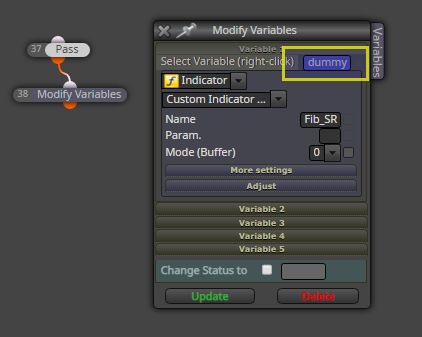
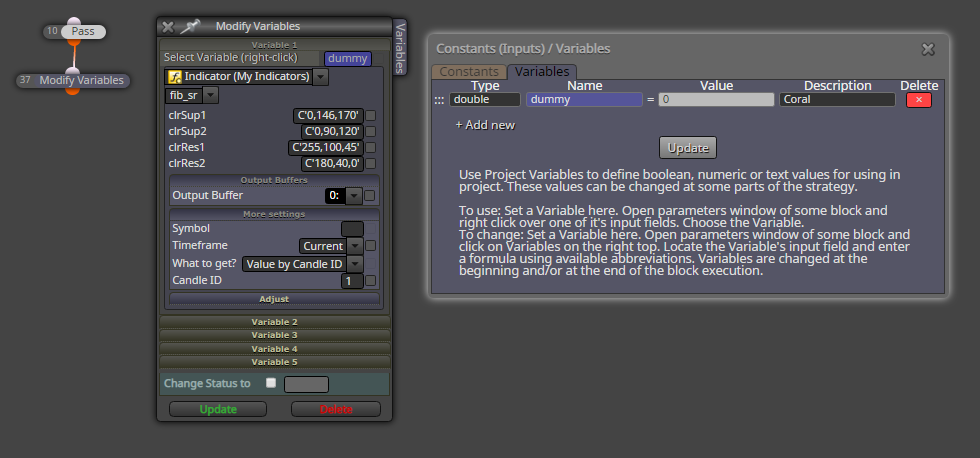
      @biztet In the Modify Variable block you need to specify a variable. Itseems that the indicator is not loaded if you don't do so

      0_1582646574908_42283307-c48f-4fd3-b131-2ffcc6e7ceb5-image.png

      posted in Questions & Answers
      T
      trader.philipps
    • RE: EA error for no stop loss and no take profit

      @fxgjg what is your money management? If you are using one that is sl based such as risk % of something, you need to set SL otherwise you'd see a zero divide in the log while ea is trying to open a trade.

      posted in Bug Reports
      T
      trader.philipps
    • RE: EA with object on the chart

      @biztet can you share your project once more, please?

      posted in Questions & Answers
      T
      trader.philipps
    • RE: EA with object on the chart

      @biztet Easy as I wrote before. You just need to import your indicator to fxdreema as usual. Than have a block that uses the indicator. I tried to do so like this ..

      0_1582533320634_c94055c1-ee3b-49a0-b0b6-c1dd0a7dead6-image.png

      Works fine.

      0_1582533351013_b80dd06c-d39c-4408-9cda-cc3aa97464ee-image.png

      Btw. I managed to get your indicator to work, It looks like it takes a day in order for it to draw something and I was just too impacient or an too low timeframe.

      posted in Questions & Answers
      T
      trader.philipps
    • RE: i need help backtest

      @traderscornerph Are you on MT5 or MT4?

      posted in Questions & Answers
      T
      trader.philipps
    • RE: Turning Exit Rule Blocks off with button on chart.

      @titangeorge Well, the issue ist that the google block or turn Off/On blocks didn't show any message in the journal that the defined block turned off. That's why I used the flags. One could also just define a boolean variable and check it's state which is set by button click.
      I think there are several options once the buttons work well.

      posted in Questions & Answers
      T
      trader.philipps
    • RE: Fuzzy and Illogical

      @titangeorge Same for me. However, the logic seems to be a multiple zero line cross. The first screenshot only shows 2 lines and the 2nd one 3 lines. My guess is that all have to be above the zero line or below at the same time. But that's only a gues.

      posted in Bug Reports
      T
      trader.philipps
    • RE: Turning Exit Rule Blocks off with button on chart.

      @pan4pips Ok, I just build it. I couldn't manage to use the toggle block or at least there were no messages in the journal. So I decided to use flags.

      First I created a button on the On Init tab.

      0_1582517438441_4942aedd-5178-45ca-ae17-8039712a83cf-image.png

      Then on the on Chart tab I did the following ..

      0_1582517460818_62559a1b-e732-4e06-a323-2d12603b7ea2-image.png

      In order to display the message, I created a boolean variable and it is set to true if block 332 is passed and to false if block 331 is passed. The result I display in the alert text.

      Now, on every click on the button I receive a message .. it toggles the flag ..

      0_1582517610391_ddb7f5fd-9e1d-4c78-9f2f-2c611fa04a09-image.png

      So, for your issue, you'd use the same check flag block with the desired condition /true or false to check) and place your exit logic behind the corresponding dot (orange or yellow depending).

      posted in Questions & Answers
      T
      trader.philipps
    • RE: EA with object on the chart

      @titangeorge Didn't work for me. There were nothing shown from the indicator.

      posted in Questions & Answers
      T
      trader.philipps
    • RE: EA with object on the chart

      @biztet Looks like your indicator has an issue when working in the tester. Didn't get it to work even if I put it on chart manually.

      posted in Questions & Answers
      T
      trader.philipps
    • RE: how i can to separate the sell quantity and the buy quantity separately ?

      @moon Let's first check if I get you right. You want to know how many lots of Buy orders for a specific symbol are open and how many Sell orders. Did I get you right?

      posted in Questions & Answers
      T
      trader.philipps
    • RE: Actions at a specific time everyday

      @bluemoon In that case once a day block will do the trick. I prefer server time as time offsets might be different due to daytime saving gaps.

      0_1582507111343_84a7fee3-2896-48a4-89f0-53fd261df46f-image.png

      posted in Questions & Answers
      T
      trader.philipps
    • RE: Story with saved files

      @alphaomega Check your path settings. In Chrome it will (if set correctly) download the files to your MQL/Experts directory. Don't know if that also works with Firefox.

      posted in Questions & Answers
      T
      trader.philipps
    • RE: Tutorial Expert Advisor with some recent issues solved

      @alphaomega Well, most things are self-explaining I hope. I tried to make it into logical blocks in order to make it understandable. Most things have a switch on EA paraneters that are defined as constants. Then on the on Init tab I check if a specific function was enabled/disabled in the settings and set flags or switch ON/OFF the corresponding blocks on the on Tick tab. Having this in mind, I think the logic is not that hard to get.

      If you have any question on a specific funtion, just post it here and I will try to explain.

      posted in Tutorials by Users
      T
      trader.philipps
    • RE: Turning Exit Rule Blocks off with button on chart.

      @pan4pips Well, if the button executes the blocks correctly, you might use one of the Switch ON / OFF or Toggle blocks. If you don't like the output in the logs, you might use flags for achieving the same.

      posted in Questions & Answers
      T
      trader.philipps
    • RE: News time filter

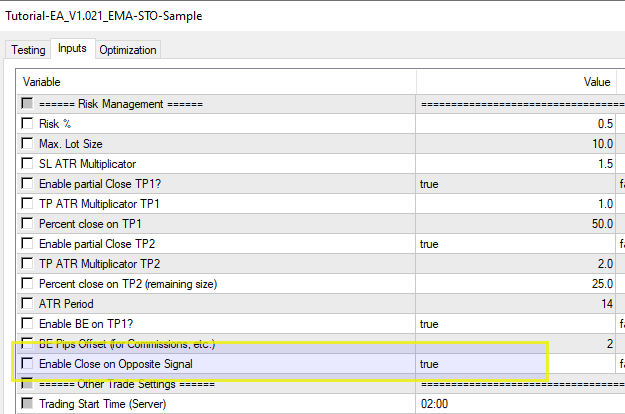
      @jzfusion I just made a new version that allows you for switching of that path in the EA's parameters.

      0_1582505724166_Tutorial-EA_V1.021_EMA-STO-Sample.mq4

      0_1582505826116_b75b1359-fb8b-49e2-9117-745963c87253-image.png

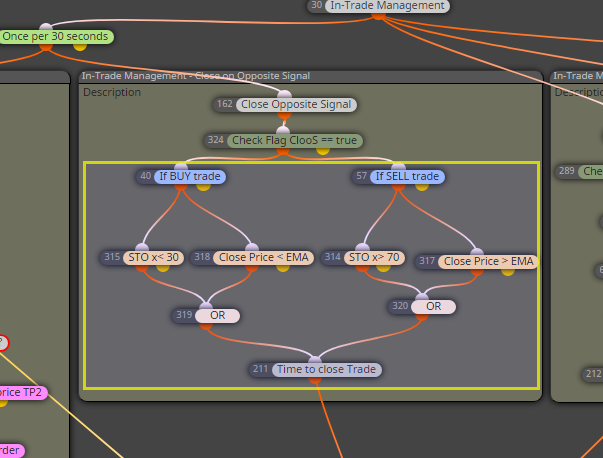
      You might delete all below block 324 if not needed.

      0_1582505926413_6ad9a7d1-99b2-4af5-a5e6-6deab5db32f5-image.png

      posted in Questions & Answers
      T
      trader.philipps
    • RE: EA with object on the chart

      @biztet Looks like the issue is that there is no indicator loaded and hence there are no objects on the chart - at least if you run it in tester. You may try to call it by an is indicator visible block for instance and check if tester picks up the values from the chart now.

      posted in Questions & Answers
      T
      trader.philipps
    • RE: One volumes constant in all cases

      @khalids222 In that case just specify a fixed lot size on Buy and Sell blocks. use a constant if you want to make it adjustable from the EA's parameters.

      posted in Questions & Answers
      T
      trader.philipps
    • RE: How to detect and calculate with next Timeframe?

      @gannyyo8 Check this thread

      posted in Questions & Answers
      T
      trader.philipps
    • 1
    • 2
    • 3
    • 4
    • 5
    • 6
    • 50
    • 51
    • 4 / 51