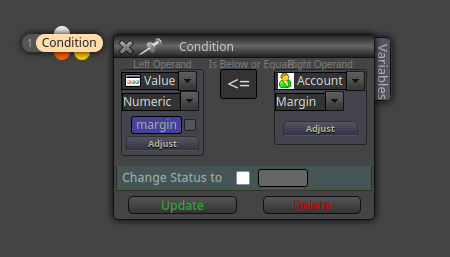
@doeveR All those variables were created because their boxes are ticked like this:
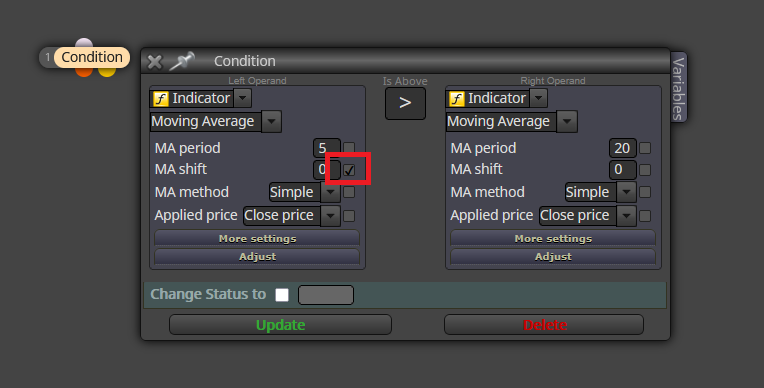
Just untick them and they will disappear.

@doeveR All those variables were created because their boxes are ticked like this:
Just untick them and they will disappear.
Brokers do that very often. They offer 'perfect' trading conditions on demo accounts that don't match 'real' conditions on real markets.
I'm afraid you will need some custom code for that. I hope jstap can be more helpful here than me, sorry.
@Pheaktra-Capo This is the general structure you need for losses. Just adapt it for profit:
Another important factor is the number of trades per time period. A bot can be very successful for 10 years by opening no more than 2 trades per month, for example. The higher the number of trades you want, the riskier in general.
@ivyzhao Yes, you can use this blocks:
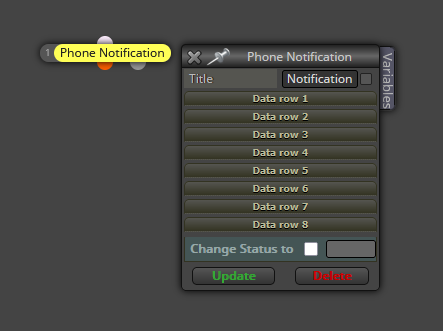
I already looked at you project and I saw you are requesting all conditions to happen at the same time. This is why I recommended a cascade structure with variables. Are you familiar with variables?
The only I found was asking them directly. If they don't reply or simply lie, I quit using them. PS.: there many of them. 
Considering you are using the exact same percentage to increase on both buys and sells, just use one same 'for each trade' block tree including both buys and sells. Additionally, you should deselect (untick) the 'Volume upper limit' box at the end of the block. Then try it again.
Those are many questions that need long answers.  I'll glad to help but a slow pace. Let's begin with question 1. Those empty boxes on the variable tab can be used to modify the value of the variables listed on the left. The white dot means the value will be changed when 'entering' into the block from the top input white dot. Please notice that all blocks have a white input dot on top. The other two output dots (orange and yellow) mean the variable will be changed after the block settings have been executed and the action is passed to the following block either from the orange or yellow output dot. Again, please notice all blocks have got an orange output dot and most also have a yellow one.
@duanvillanueva A few quick notes:
Now on your question. If I understand correctly, your fibo should determine when the trade is open, right? Is the bot removed from the chart with open trades and then reconnected later maybe?
I'm afraid not. You will have to create a 'for each position' structure doing that.
If I understant it correctly, the bot is simply checking the highest price of the previous three closed candles and then adding + 1pip, no matter what shape those three candles have. Is that correct?
I decided to experiment with global variables (terminal variables in fDreema language) and the best way to do it is by creating an fxDreema based copier. I tried this initial structure but it doesn't work. Could someone please gove me a hand on this? I I can make it, I will share this as a tutorial on the forums:
Sender:
https://fxdreema.com/shared/bjvBbIpH
Receiver:
https://fxdreema.com/shared/9ibUnxQY
The information shown on the receiving MT5 platform has nothing to do with the value the the sender is supposed to store into the variable.
Agreed. You need to use the 'For each position' loop structure.
In block ID 1 you selected the HA close price instead of the low price, as requested by your strategy. On the other hand, I don't see how your logic can look for pullback condition up to 4 candles. Shouldn't you use 4 conditions blocks instead of 2 like now, one for each possible candle?