@jacky101 Does that indocator repaint? Because if it does, that will ruin the EA.

@jacky101 Does that indocator repaint? Because if it does, that will ruin the EA.
@geitec Yes, you can. But then you need to create a specirfic structure to simulate the EA stoppong working from one day to the next one. Basically, you need to create a fully automatic EA to backtest it.
@unworthypip Do you mean a semiautomatic EA? Apparently you want to modify manualy the next trade. Is that correct?
@ontradingx Well, I'm not sure that is possible with fxDreema. At least I never consider it. AFAIK you can specify the distances in pixels from any side of the chart, but I don't think any other modification like that is possible:
@geitec Then here you have an example for buys only. Obviously, you can use one for buys and another one for sells.
@karofx Can you please share the link to your project? I will take a look at it.
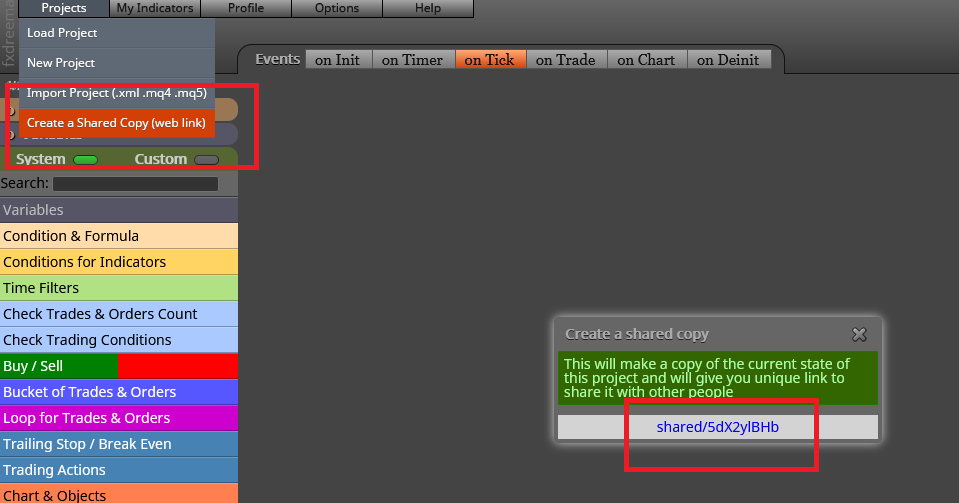
@criptofuture Can you please share the link to theproject instead of uploading the file? That would help much.

@pipsmagnet Just curious. Why is it calles boom and crash? I just see some RSI crossings there.
@ontradingx AFAIK that is only possible with custom code, not with the standard fxDreema blocks. Can someone else please confirm?
@thedisliked Then you need three separate block trees and not one as per your example. One to check when the crossing happend and then activate a true/false variable. Then a second one counting bars with a second variable and finally a third one launching the trade that should include both previous variables.
@ibrahim-3 Yes, you can. Here you have two useful tutorials showing how to do it:
https://fxdreema.com/forum/topic/4208/tutorial-06-my-indicators-in-fxdreema
https://fxdreema.com/forum/topic/9105/tutorial-working-with-ex4-ex5-indicator-file
@binarykungfu Then the best option is listing the conditions and then buid it here from scratch. However, you ned to be sure you know ALL entry and exit conditions, as well as all indicators involved.
@fideld003 The second image is the way to do it. You just forgot to add the variables on the right at each 'label' level.
@geitec So if I understand correctly you want to insert different initial and final trading hours for the EA to trade. Right? That is very easy to do if the EA is to be removed from one day to the next one, but certainly more complex if it is supposed to be running all the time. Would you work with the first option?
@tkpea Your initial Constant configuration was right. You just need to untick it. It is wrongly ticked now:

@tre jstap is right. Finding a custom indicator with buffers that can be used by fxDreema is by far the easiest way to create that EA.