@nico1397 ATR is an indicator that gives a value, so do you mean that at a certain ATR value you want 50% closed?
Q
Posts made by q8carpenter
-
RE: Take 50% of profit off at ATR, let 50% run till exit conditionposted in Questions & Answers
-
RE: need help creating Equity conditionposted in Questions & Answers
Use this only as a guideline to understand how to approach this problem.
- The formula block calculates part of the percentage equation. is its a loss then it will give a negative value.
- the condition block left side will have the equity variable and at the bottom it is adjusted to (*100) multiply by 100 to give you a percentage. still the value will be negative is it's a loss,,,
- that's why in the condition block i had it set to equity variable (less than) -10 due to the negative value of a loss.
if you want a positive value, then you may need to create another formula that multiplies by -1
This is how I do things. maybe someone has a simpler idea.

-
RE: EA not running as designedposted in Questions & Answers
@ophney-mbedzi
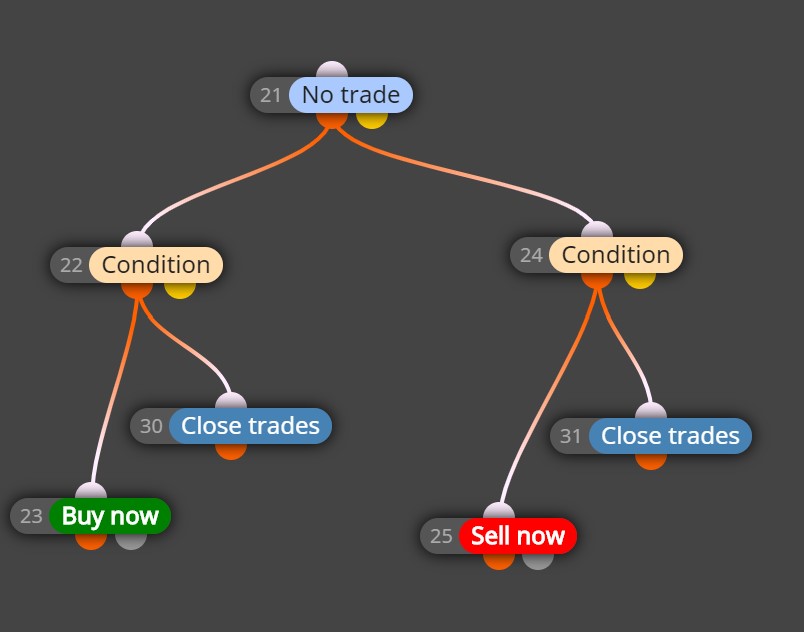
try connecting the blocks this way
-
RE: Closing the buyposted in General Discussions
@brucem
in this example I assumed your trade started above the MA20 line. so I have set this so that when the candle becomes less than the MA20 line it closes buy trades. (I was supposed to have the midle setting be =< equals or less than. try not to use equals since it is sometimes not exact)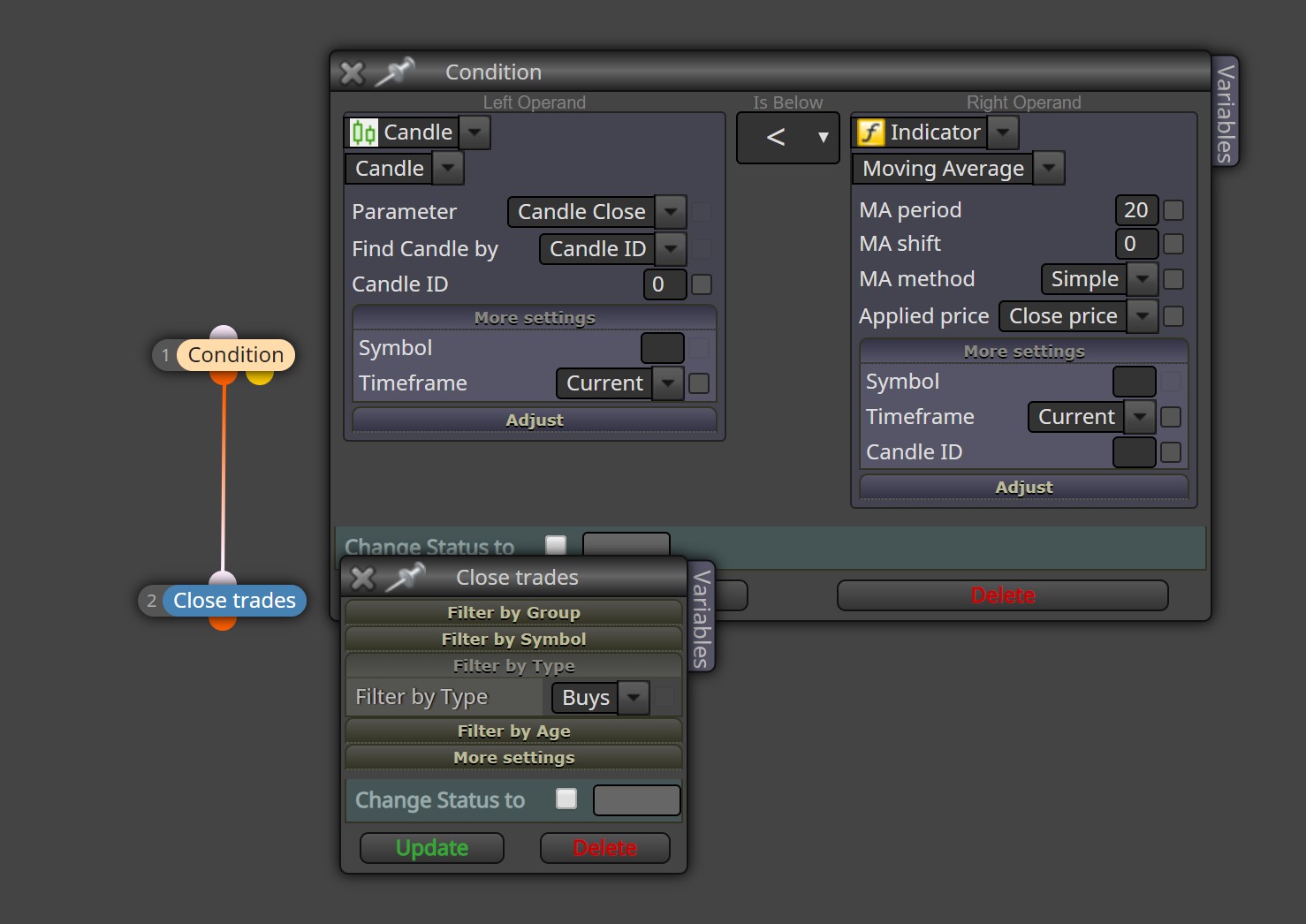
-
RE: I AM NEW HERE, NEED HELPposted in General Discussions
@junpatz23
use the candle template and create your own candle signal inputting your preferred sizes. here is an example of a doji candle with 1 pip body size max

-
RE: rehaser en el programa los bloques eliminadadosposted in Questions & Answers
Esto debería ayudar. haga clic en el punto que desea restaurar
-
RE: EA not running as designedposted in Questions & Answers
@ophney-mbedzi
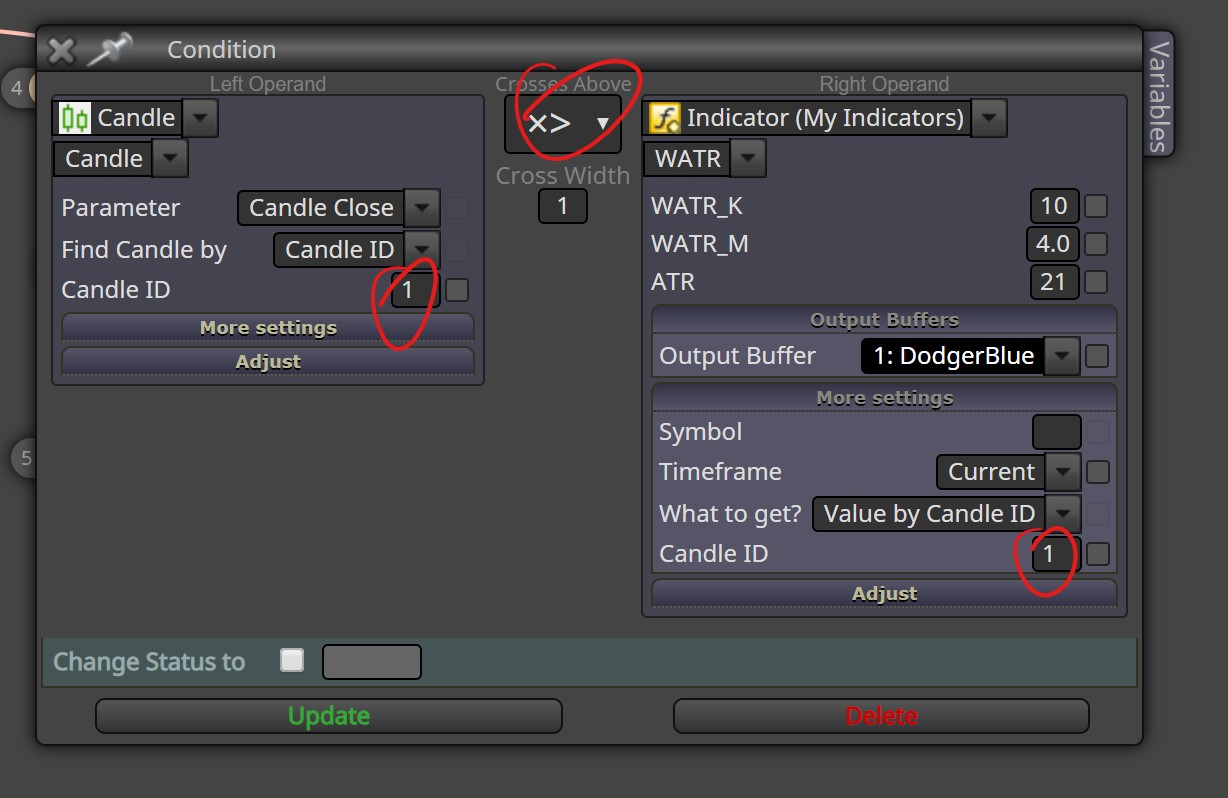
I'm not sure about your custom indicator, but you may want to try this. it might help.
-
RE: How to set a buy and sell limit pending orderposted in Questions & Answers
@bayojoseph42 for buy pending orders, in the price offset settings, positive values will mean above and negative will mean below. for sell it's the opposite.
-
RE: How to set a buy and sell limit pending orderposted in Questions & Answers
@bayojoseph42
hello,
you don't need to set up "limit" or "stop". depending on where the price is, it will be automatically set up. -
RE: Custom indicatorsposted in Questions & Answers
hello. it could be one or many things that are wrong. we can not know unless we see what you have created. you can share a link of the project here and you'll hopefully have people lining up to help
-
RE: Close All trades Buttonposted in Questions & Answers
@dscalperz ok. this is gonna be simple.
https://fxdreema.com/shared/cbgiEQnje
i made a script that when launched, will close all trades. download it and place it in the scripts folder of the MT4 platform and test on a demo account. open as many trades as you want and then launch this script and it is supposed to close all the trades.
-
RE: Orders Trigger Over SMA?posted in Questions & Answers
@zereleth said in Orders Trigger Over SMA?:
"I’ve also modified it a little bit, by inserting a 21 MA on the chart, and only put the buy if price closed above the 21MA, and sell stop order if price closed below 21 MA line"
If this is what you're trying to do, then doesn't that mean that only one pending order should be placed?
-
RE: Close All trades Buttonposted in Questions & Answers
@dscalperz this is gonna take a few steps if you wanna build an EA that draws a button that closes all trades.
I haven't created a script before but my assumption is that if you create a script that when launched closes all trades, it will serve the same purpose.
just add the block pass then link the block close trades. that's supposed to work
-
RE: Set Order Level as Variableposted in Questions & Answers
@kriordan
I actually made a mistake on the first block. here's a screenshot for the fix. and yes you can do the same for MT5 just don't copy and paste the project cuz I remember that wasn't something that used to work before.
-
RE: hi .i want to create robot hedjeposted in Questions & Answers
@mustapha your image did not upload fully
-
RE: Set Order Level as Variableposted in Questions & Answers
https://fxdreema.com/shared/XItjXbqtd
this may help get you started. It just doesn't include a way to figure out (not greater than 10 candles) for the (proposed buy candle).
open up the blocks and check what I made. test it out and modify according to your requirements.
-
RE: Drawing 2 nearest horizontal lines (help)posted in Questions & Answers
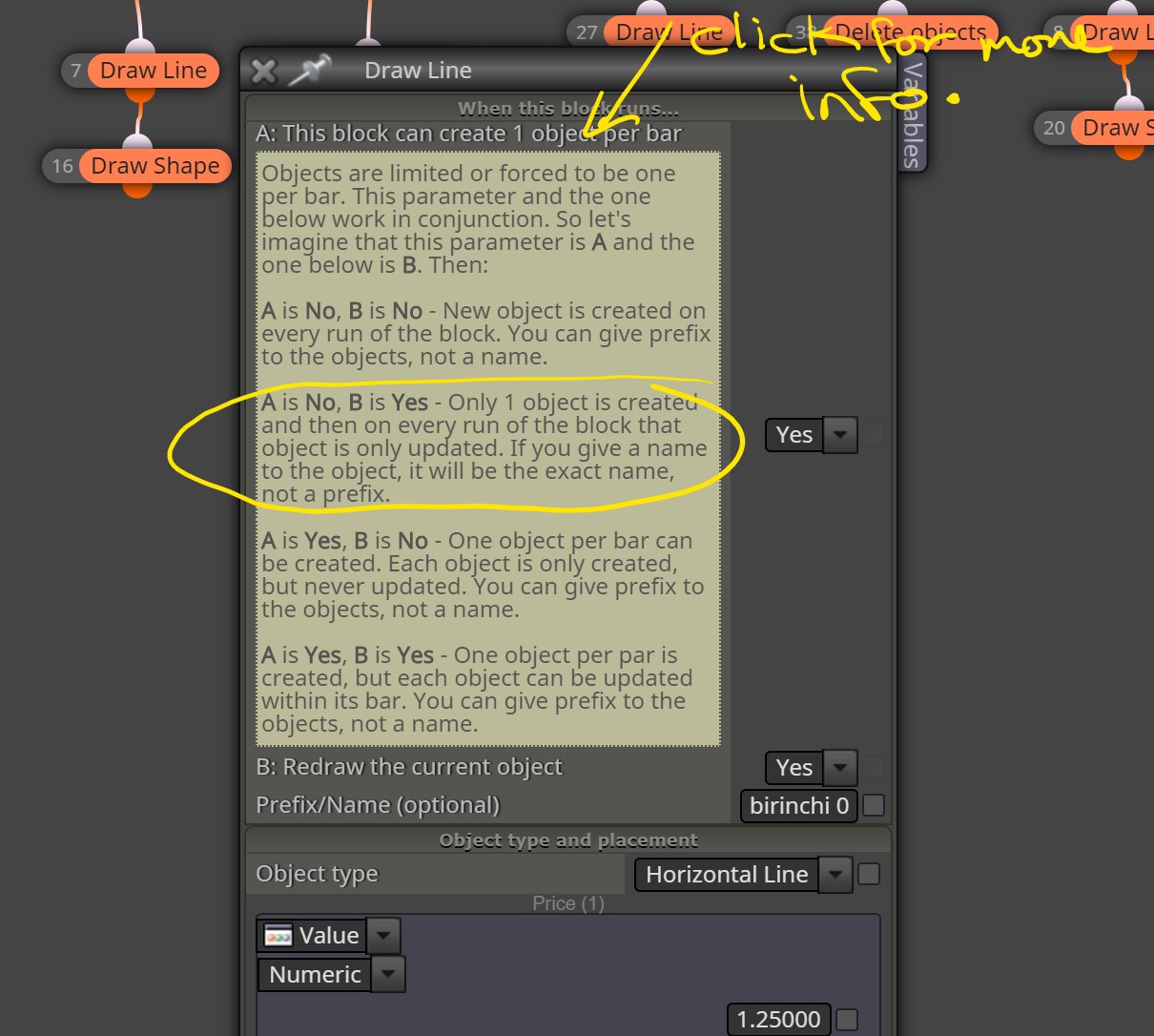
in the draw object and draw line blocks, on the top, for A: choose "no" and for B: choose "yes"