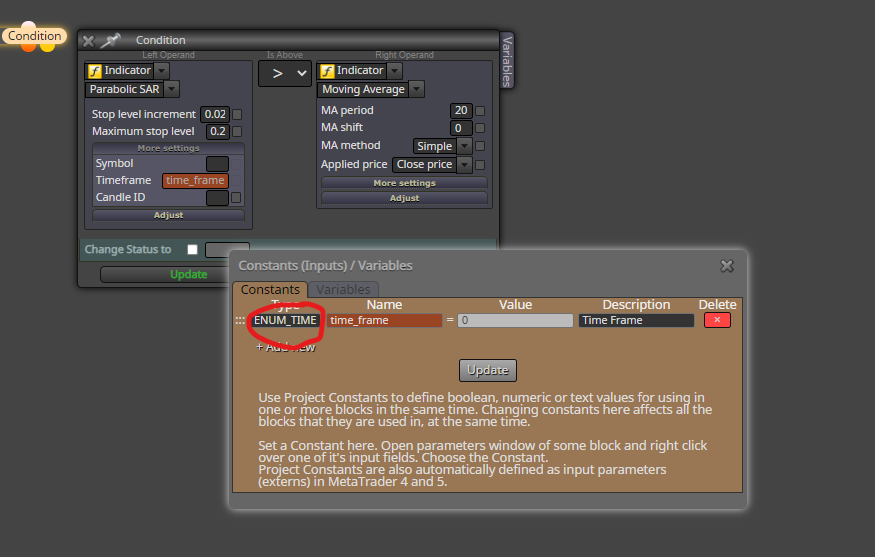
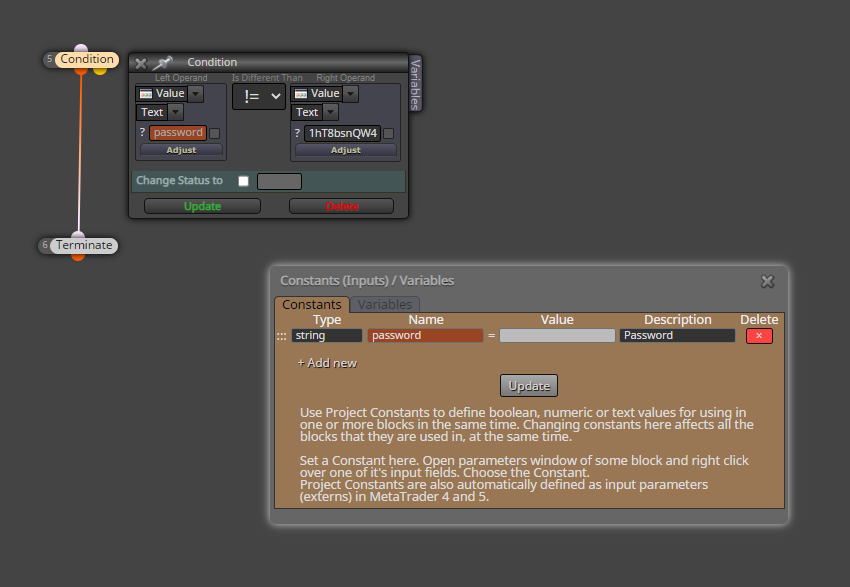
@vish does that open a new chart or does it change the current chart to that new symbol?
Q
Posts made by q8carpenter
-
RE: Changing symbol without opening a new chartposted in Questions & Answers
-
RE: Open New Trade every X Pips from last open tradeposted in Questions & Answers
@darekl Hello,
First of all, add once per trade to not have it open many trades at that distance. Second, for the trades against you, the distance should be negative.

-
RE: News Indicatorposted in Questions & Answers
@darekl Oh yes and another thing I forgot to mention is that you will need to copy what on the On Global Scope block to the code of your EA manually in metaeditor.
As you can see here everything is connecter to true OR false OR either.

-
RE: News Indicatorposted in Questions & Answers
@darekl Hello,
I actually have this working. You may be missing something.
Remember that there are 2 block On Init and another two On Deinit plus the variable that needs to be created.
After that, make sure that all of your starting blocks are connecter to either true or false. They all have to be connected. The ones connected to true will be disabled on news events and the ones connected to false will will work during news events. I sometimes have blocks that are connected to true and false to work all the time.
This will only work on MT4. Investing.com is the only source that will work and you will need to allow the http://ec.forexprostools.com/ in MT4.
I have it working.

-
RE: Manual Grid Martingale EAposted in Questions & Answers
@amincgi Hello
To have someone see your message, you will need to tag them @amincgi
Look at the image. I assume that you want a trade to open once the price moves against your initial trade. Use a negative in that field.

-
RE: Changing symbol without opening a new chartposted in Questions & Answers
@l-andorrà Hello,
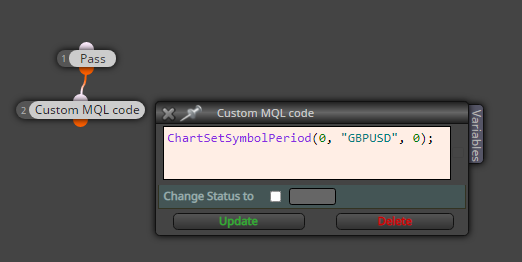
This image will show you what to add. just change GBPUSD with your constant and make sure the constant is a string. Place the blocks of my example On Init and you will see that any chart will change to GBPUSD.
Yes and thank you for asking as I have been wanting to do this but never tried to until you asked. Now I know that its possible

-
RE: How to draw a rectangle (BOX)?posted in Questions & Answers
The way I know how is to change A: to YES and B: to NO but because that will draw a rectangle per tick, you will need to precede that block with a once per day block and set it to 04:00 which is equal to the end time. But in this case, the rectangle will draw it at the end of the time period.

-
RE: Hi I wana ask some question where is the absolute count in trade statistic consecutive losses count?posted in Questions & Answers
Actually if you look at my screenshot, block 8 will take care of that reset. I have placed it to do so. When any trade closes in profit, the variable will be set to 0.
-
RE: Hi I wana ask some question where is the absolute count in trade statistic consecutive losses count?posted in Questions & Answers
@zarbitz Hello,
I can think of one way to get the results you need. Create a variable and with every closing trade, add 1 to it, and after a winning trade modify it to reset. In the following image is an example which you may need to fix.

-
RE: Define VWAP indicator in FxDreemaposted in Questions & Answers
@rasekh68 Hello,
First you need to get the VWAP indicator for MT4 or 5 (whichever you're using) which will probably be an easy google search to get a free version, and then add it as a custom indicator in fxdreema.
-
RE: Visible indicatorsposted in Questions & Answers
@azzazel Hello,
I believe that is a function only available in MT5. With MT4 you will need to let the EA run a template. Just make sure the template is saved with the EA on the chart initially.
-
RE: magic numberposted in Questions & Answers
@max-c Hello.
Yes that is possible. There are just some things that you need to be sure of like that the other EA is actually working on the same market as well. Another way would be to develop it to work on all manually and automatically opened trades and on any symbol. These options you can choose within some blocks.
-
RE: Heiken Ashi of fxDreema?posted in Questions & Answers
@newscin Hello.
I use the MT version and it works fine with fxdreema. This may have been an old message that can be disregarded.
-
RE: add to positionposted in Questions & Answers
@piptheripper In this case, don't place a (add to volume) rather place a normal buy block
-
RE: number of open transactionsposted in Questions & Answers
@ladydolares what I meant was to add the part in my last image to the part that opens trades based on your conditions from your list. What will happen is that trades will open based on your conditions but then for each closed trade, another new one opens.
Unless I misunderstood you, that should do the trick.