Buffer 4 != 0 >>>> Buy Signal
Buffer 5 != 0 >>>> Sell Signal
Try that for the DJX6 LOCK Indicator
Buffer 4 != 0 >>>> Buy Signal
Buffer 5 != 0 >>>> Sell Signal
Try that for the DJX6 LOCK Indicator
@gozey The way it worked with me was:
Buffer 1 != 0 >>>> Buy Signal
Buffer 0 != 0 >>>> Sell Signal
That is with the foreex indicator. this image you have of another indicator that I didn't test to be honest. give me a few minutes to check it out for you
@zedeai2 Hello,
Try a condition block where you have buffer 0 != 0 for buy. That sometimes work. You will need to figure out the buffer values to make it easier. Have them show in a comment block to know how to figure this indicator out. Sometime the buffers and these colors do not match. This is something I noticed as well.
@ankhael Hello,
It depends based on what?
Example: Close trades in order of most profitable.
You may have your own rules to which you want to close first.
It is working with me. I downloaded your shared link except that I had to change the name of the indicator to match the exact name that is in my indicators folder. As you can also see in the screenshots, the file is directly in the indicators folder. The screenshot attached also shows a visual backtest where it works.
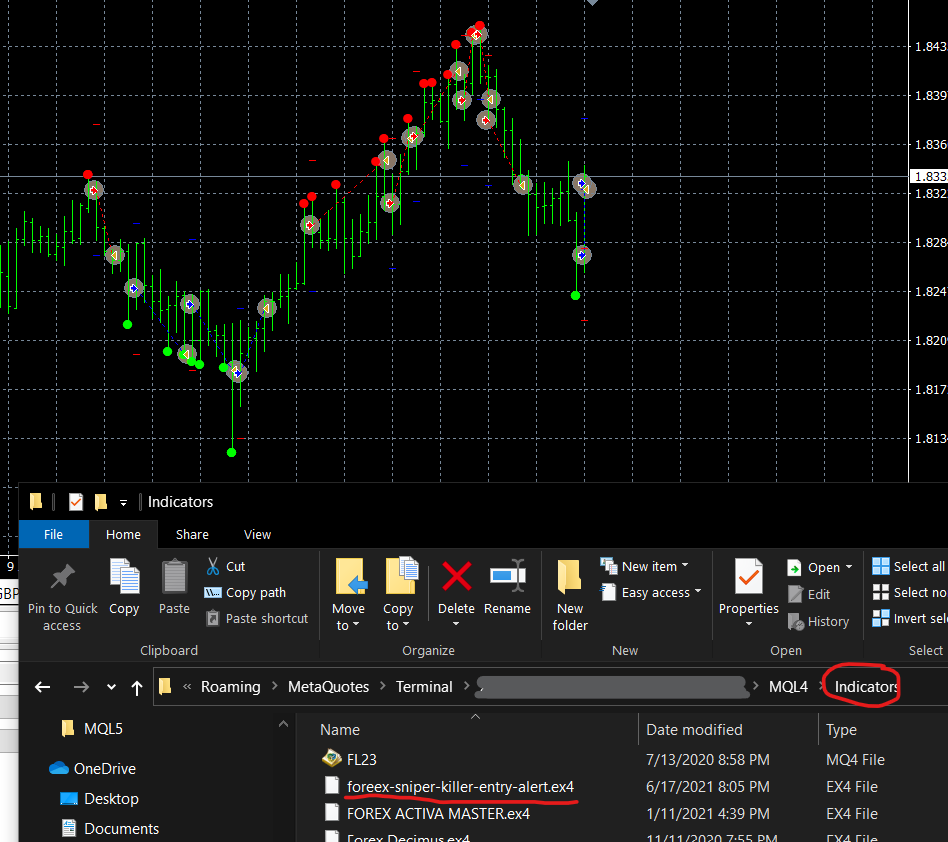
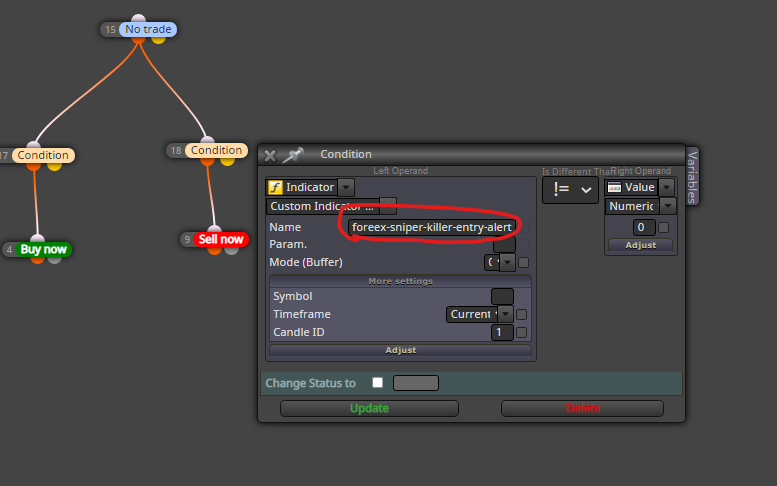
@johann-0 Hello,
If you meant that you want the order to be deleted at the open of the new candle, then here is a way that I use. As you can see, I have the delete order connected to the same once per order block but the block number precedes the condition and pending buy blocks.

@gozey ok I see now. I will write you steps the fastest simplest way to get this specific indicator working. (Foreex Sniper Killer)
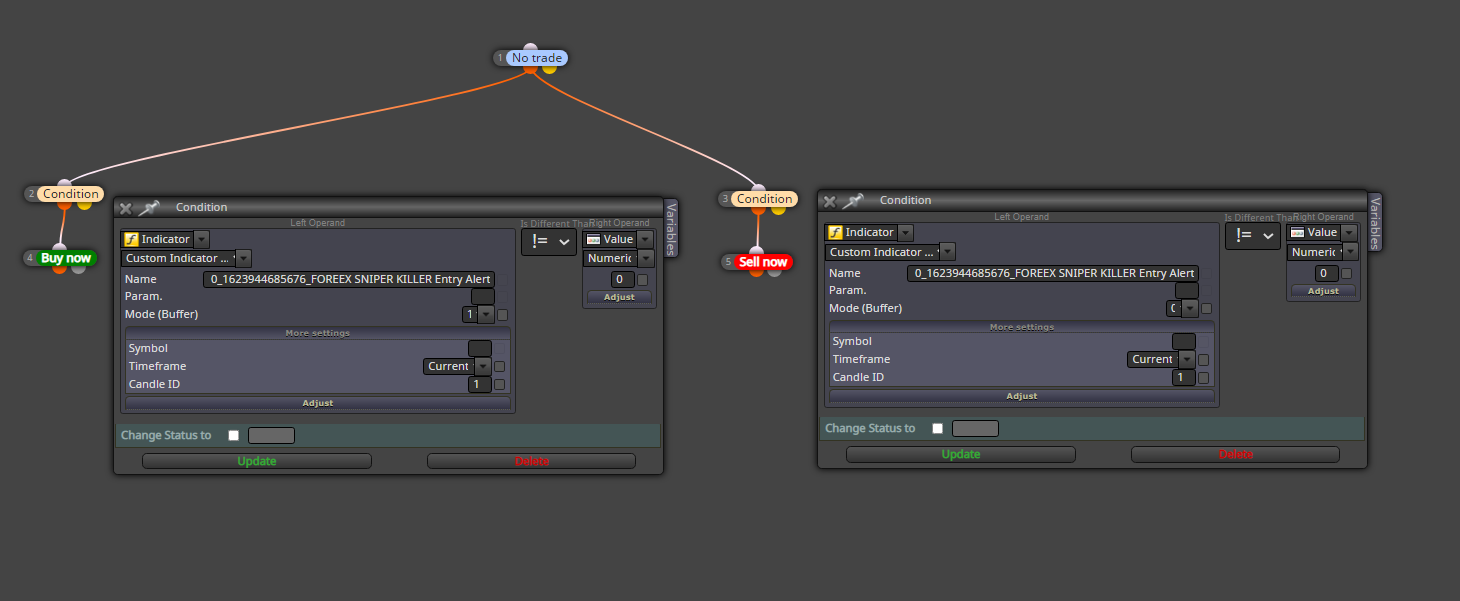
@gozey a no trade block can be added before the buy now block.
I was wondering if you are able to share the indicator here, as each indicator with fxdreema works a bit differently.
@gozey
Then try something like this. you can get the name of the object by double clicking on it on the chart.

@saeed-2 Hello,
I worked with the assumption that you want the High of point A with the low of point B. After that, if the BID Crosses that line downwards, a BUY trade opened. I have attached a screenshot based on that which will be a great starting point. you can alter any part and candle IDs to suit what you exactly need.
Hope this helps

@darekl Hello,
I'm not sure if there's a simple block solution but here is an example of how I would do it. The blocks has to be in a specific order to work correctly.

@gozey Hello,
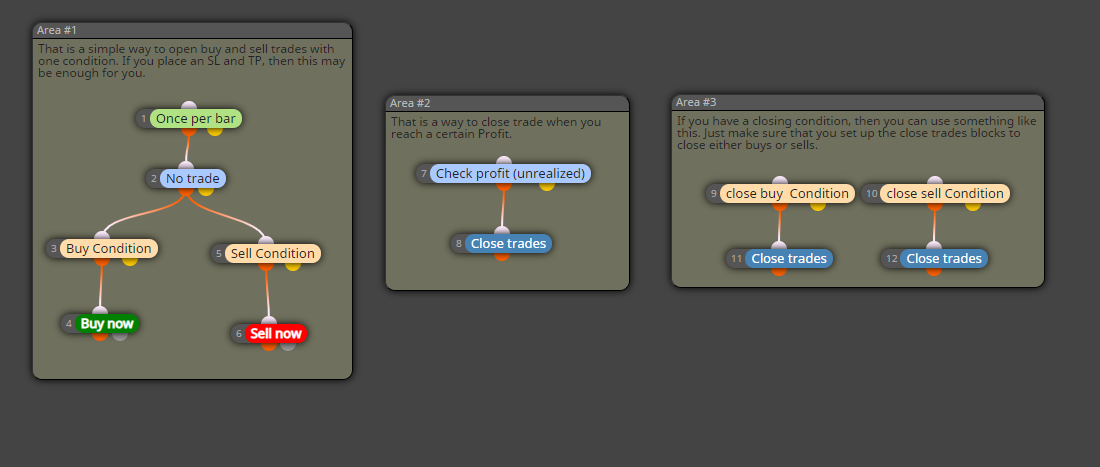
The set up may change depending on your precise requirements and first thing you need to do is make sure that your indicator buffers are set correctly when you upload the indicator to fxdreema and know which buffer is for what signal. You also need to have the indicator in the right folder in MT4 or 5 . Other than that, the screenshot below shows some simple strategies from open to close where your indicator is placed in the condition blocks. Usually buffers are number values so an example of a condition would be (your indicator buffer 1 is not equal to 0)
If you wanted to open trades based on the objects on the chart, then that is a different story.
@gozey I'm not sure why but when I copy this link, nothing is opening up
@hjmr I'm gonna have to test this out and see but beforehand, did you try drawing the rectangle on init?
@bmcghee Hello,
Make sure the (AutoTrade) button in MT4 or the (Algo Trading) button in MT5 are turned ON. Another thing may be is that there are not enough funds. You can be sure of the problem in the experts tab or journal.
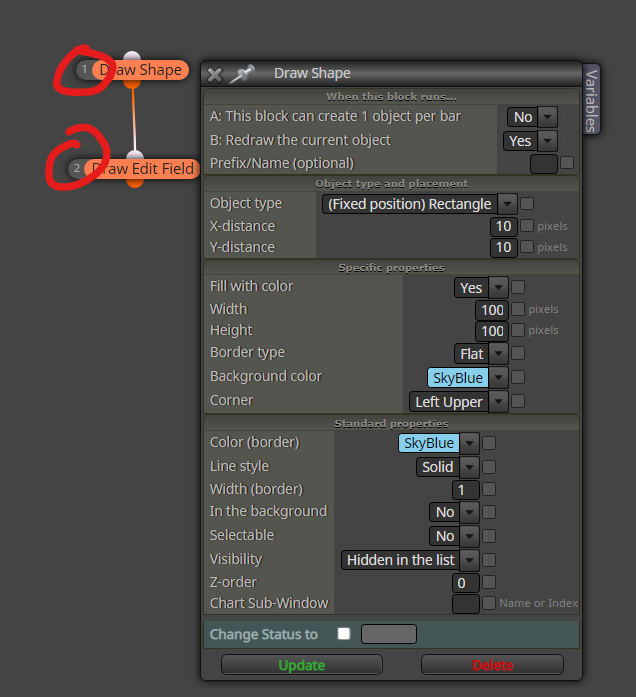
@hjmr Hello,
Here is an example. To have the edit field be above the rectangle, make sure they are drawn in the order from back to top. you can do that by changing the block numbers.
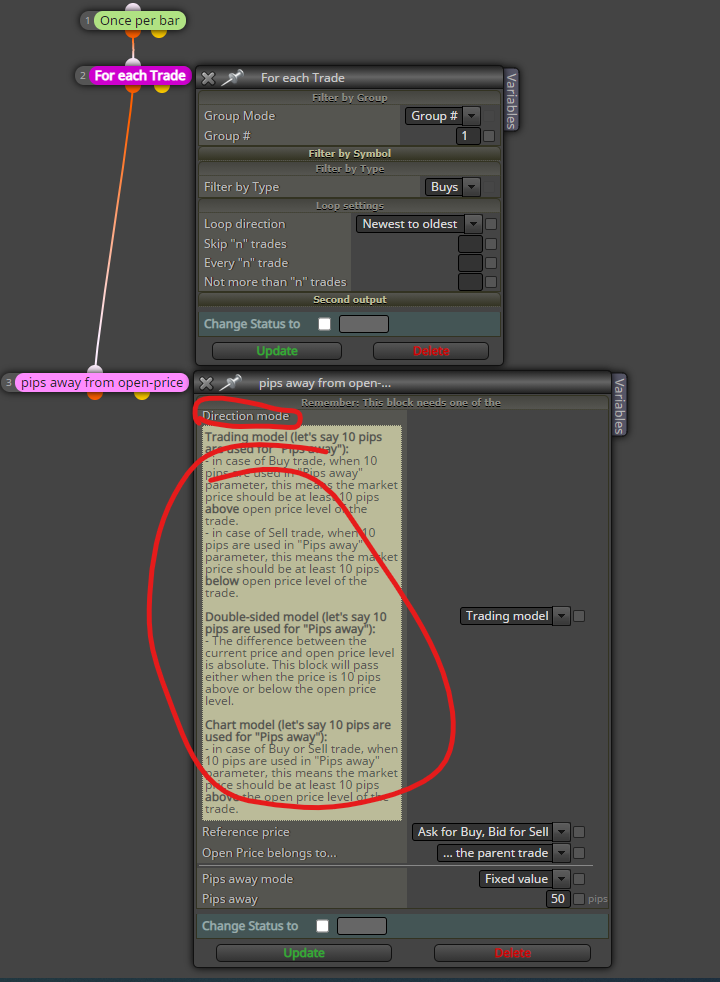
@drrohit7b Hello,
Start with this and adjust the pips away block accordingly. Then connect the action you need to block 3. This is for group one, and you will need to duplicate but set another to group 2.
@jstap Hello,
I'm not sure in what part of a strategy do you wanna add this, but there are most of the times workarounds with blocks where no custom code is required. I mean here is an example of where you can start with what you asked in the post.

@gozey this is not a shared link my friend. To do that, click on projects on the top left hand side and create a shared link
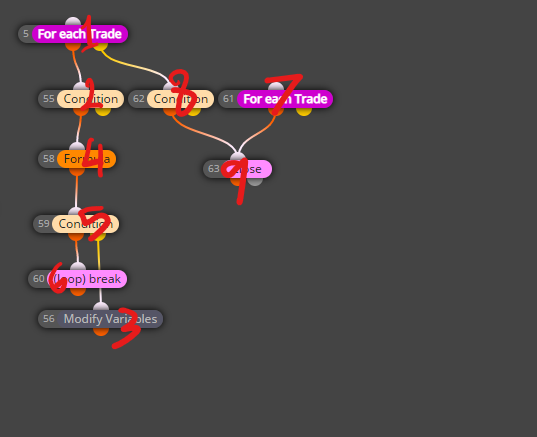
@l-andorrà said in Not sure I fully understand the 'For each trade' block as it is:
On the other hand, block ID 62 needs to be executed AFTER block ID 5 so it should work.
Yes my friend but the thing that I feel is wrong (and I'm maybe wrong here), is that in the way you have set up the order, I feel that 61 and 63 will run before 56, while 61 has a variable that requires to be updated by 56.