@hanisheikh Hello,
In the buy and sell blocks, click on more settings at the bottom and you will find it.
@hanisheikh Hello,
In the buy and sell blocks, click on more settings at the bottom and you will find it.
@l-andorrà Hello,
To be honest, I'm not able to follow exactly what is supposed to happen here but I have a way that you may be able to follow the error. It seems to me that it may be that one of these variables are not being calculated correctly. Just place a comment block with all these variables and visually follow through a backtest while seeing exactly the values of these variables in the comment panel.
Other than that, the block orders may be the problem here. I think that these changes may work.
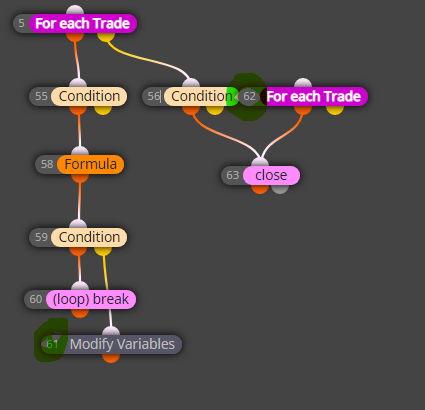
@saeed-2 Hello,
I would say first, you don't need the (for each trade) block. Other than that, The other two blocks should do the trick if all the trades are on the same symbol
In my example, the trades will close but no new trade will open. Did you want a trade to open as soon as the other closes?
@saeed-2 yes my friend this looks correct to me.
You can set the flag on init and check the flag on tick
If this is the results tab and my understanding is correct, then I get why this is frustrating. I can't imagine that this is an EA issue though ... Did you try reinstalling MetaTrader?

@saeed-2 Sorry for the wrong reply earlier. I just edited the post
@jpsam Hello,
I always get the results tab without doing anything extra so I'm not sure what you mean.
@kevdiaz Hello,
That would be to close a buy trade the way you said. But this would also mean that the buy trade was the last trade opened. If your EA has many trades then you will need some other approach.

@gozey Hello,
Maybe you flipped them. Would you share the project? It would be easier to know why that way.
@didymario7 Hello,
Does that mean that you want the EA to trade all the time except on Friday from 8pm to 10pm?
If that is the case, this may help you:
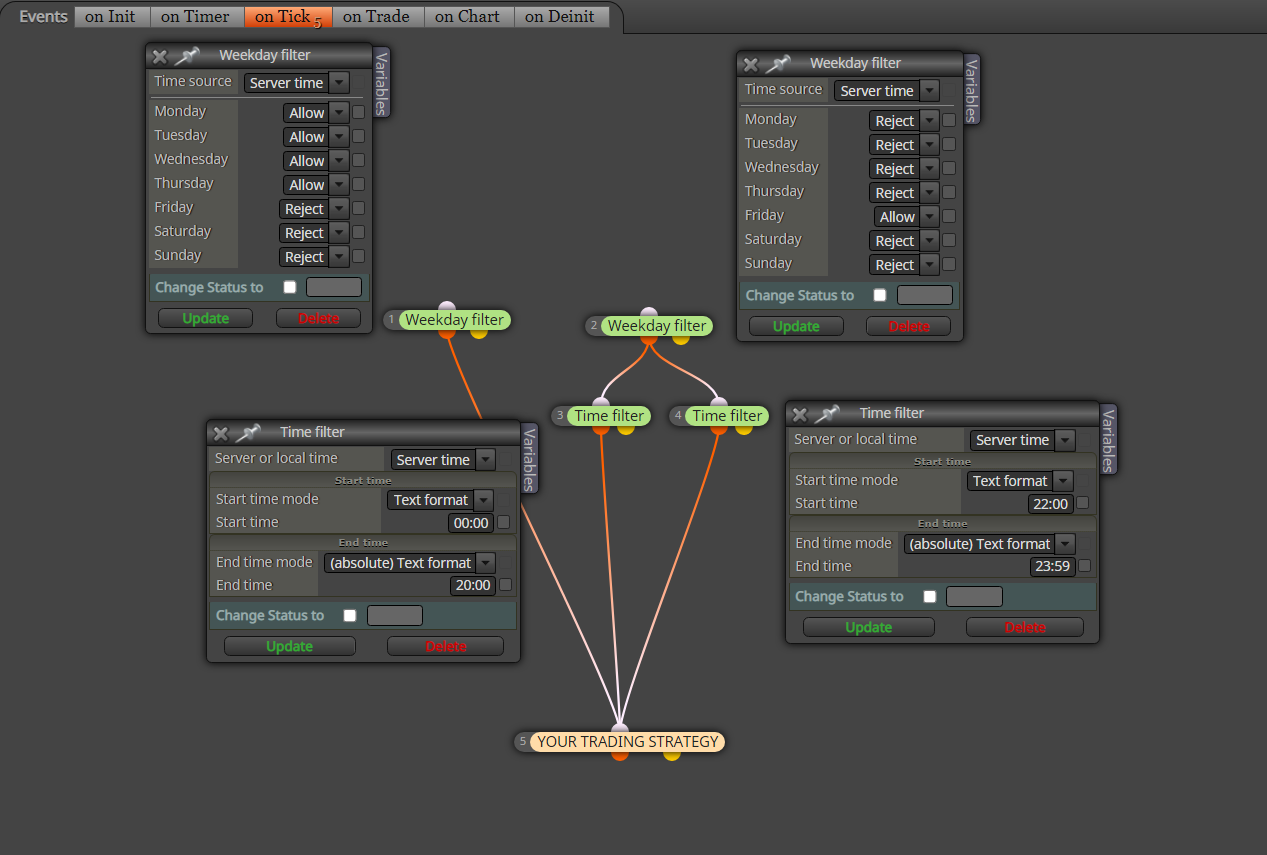
@anjeroca Hello,
You can start with something like this and tweak it in accordance with your EA. The (Modify Variables) blocks will be the Lot sizes you wanna place. you can also place a formula block if you wanna use a lot multiplier or something like that.
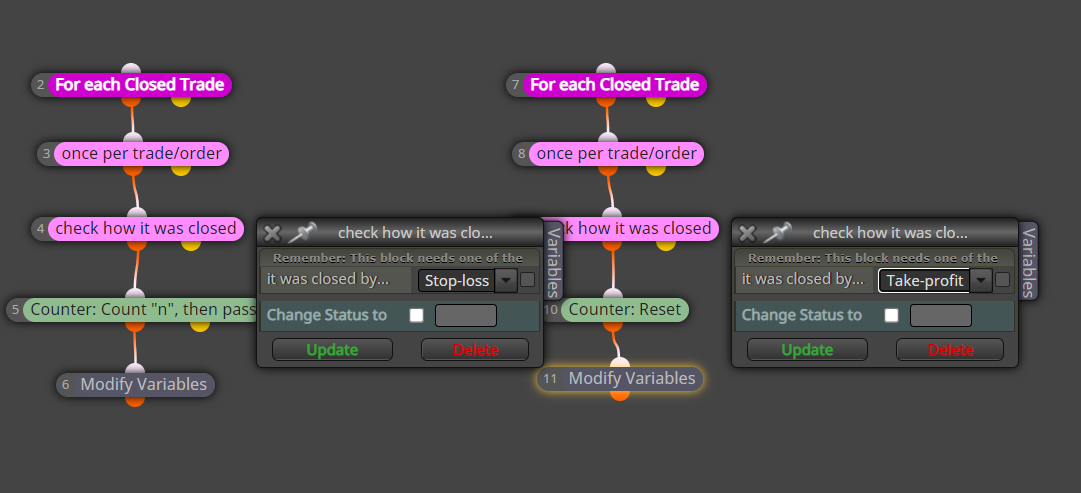
@volkerhmb Hello,
Here is an example where I created a formula to get the body size of the current heiken ashi candle. the high and low of the body are the open and close.

@didymario7 Hello,
I would say that within your chain you do something like this where you place the delete pending orders before creating a pending order so that the previous be deleted. Here is an example:


