Q
Posts made by q8carpenter
-
RE: number of open transactionsposted in Questions & Answers
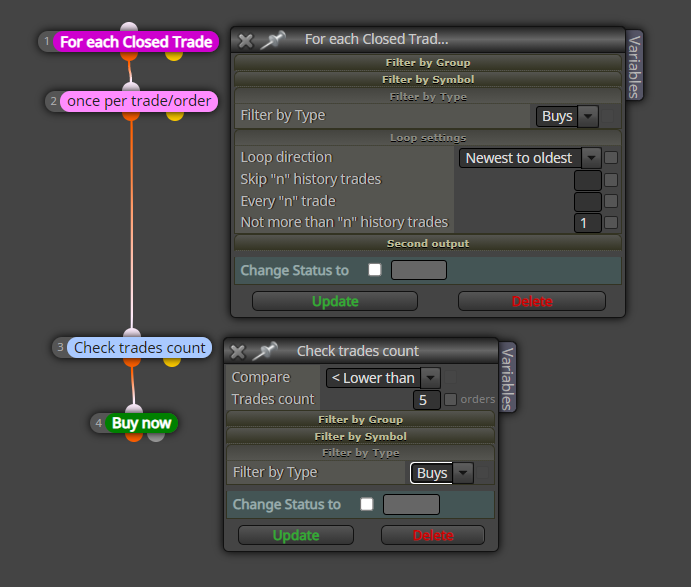
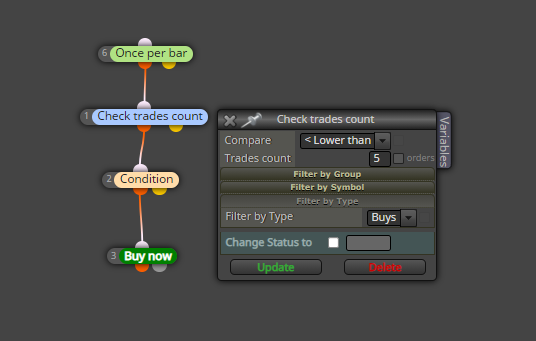
the example I gave was only for buy trades. duplicate it for sell trades and it should work with 5 buys and 5 sells.
The thing is that with this way, the trade will open with the condition you set. Did you want a trade to open as soon as the trade closes regardless of the condition?
-
RE: Tester run step by step.posted in Questions & Answers
@kiwi789 Hello,
There is a way. If you are aware of virtual stops, what they do is instead of placing an SL and TP, they replace them with lines drawn by the EA to hide the stop levels from your broker. And as they are OBJECT lines, whether live or backtesting, just double click on the line and when selected you will be able to move it.


-
RE: One source for settings.posted in Questions & Answers
@azzazel Hello,
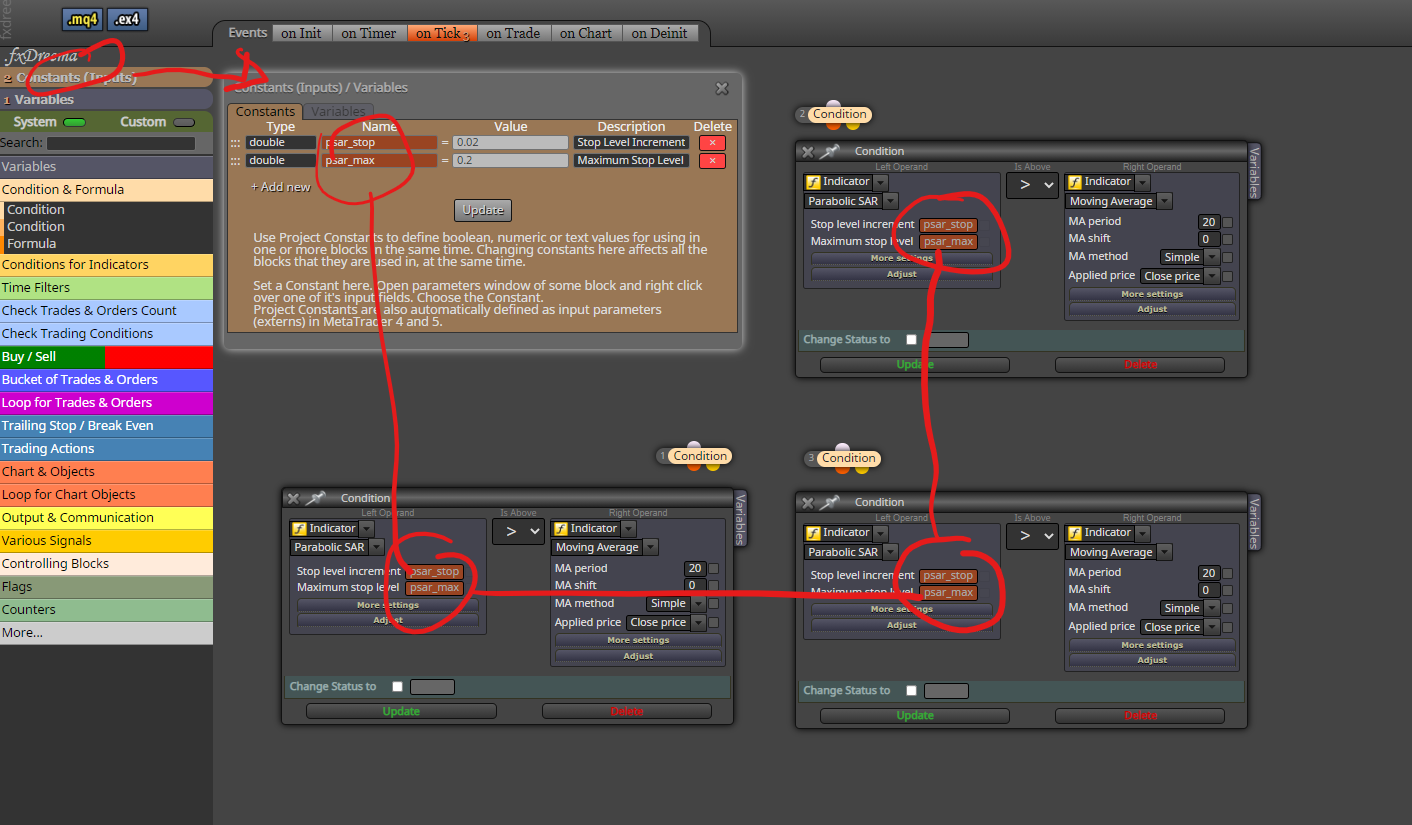
Is the following what you need? where when you change the constant inputs, the PSAR settings change for all blocks?
-
RE: Pips per second/minute/hourposted in Questions & Answers
@wezil Do you have it set up exactly like that?
Please have a look at the attached images. I wanted to upload a video but it was too large. I have it count per hour and reset with each new hour bar. For the backtest model I chose every tick and backtesting on the 1 hour time frame.

-
RE: Pips per second/minute/hourposted in Questions & Answers
@wezil
This is one way to do it. I used the round number detector to see whenever the price is at 1 pip levels and pass to the formula block which will add 1 to the variable (var_1). the variable will be reset in this case once per hour, but you can connect one of the other green blocks to have it reset per second, minute or day. You will see the comment block display the pips as they update with price movement.Backtest this EA using every tick model and you will see what I mean.

-
RE: TRAILING STOPposted in Questions & Answers
@jpsam hello,
How about you make things a bit simpler.
Disconnect the trailing stop block from the no trade block and instead place a (pass) block before the trailing stop block and both these 2 disconnected from the rest. This way the trailing stop block will always work regardless.
-
RE: Pips per second/minute/hourposted in Questions & Answers
@wezil Hello.
There's something I need to understand first. Let's say you wanted to calculate pips per day and the day started with the price of 1.0000, then moved down to 0.9990 and went back up to end the day with 1.0010 . To you, does that count as:
- Pips per day is the difference between start and end making a total of 10 pips?
- Or is it being down 10 then up 20 making a total of 30 pips?
- Or is it every pip moved whether up or down throughout the whole day which will be in the 100s or 1000s of pips?
-
RE: simple strategyposted in Questions & Answers
@runegg Hello,
Here is a simple example for what you need. If you see in the candle ID I placed 1, and what that will do is wait for the candle to close before opening a trade.

-
RE: MQ5 file not auto-filling the enum and data fields. Getting 4002 error.posted in Questions & Answers
@coinmaster hello,
Adding your custom indicator does have some bugs and this is not the only bug I have faced in the past. If you have the source file, you can add the enumerations in fxdreema to your indicator yourself or you can even add them to the fxdreema file that you have downloaded in the empty enumerations section.
-
RE: Draw lines at price Levelsposted in Questions & Answers
@mmbinvest Just a note, for me to get notified with your reply, you will need to tag me @q8carpenter
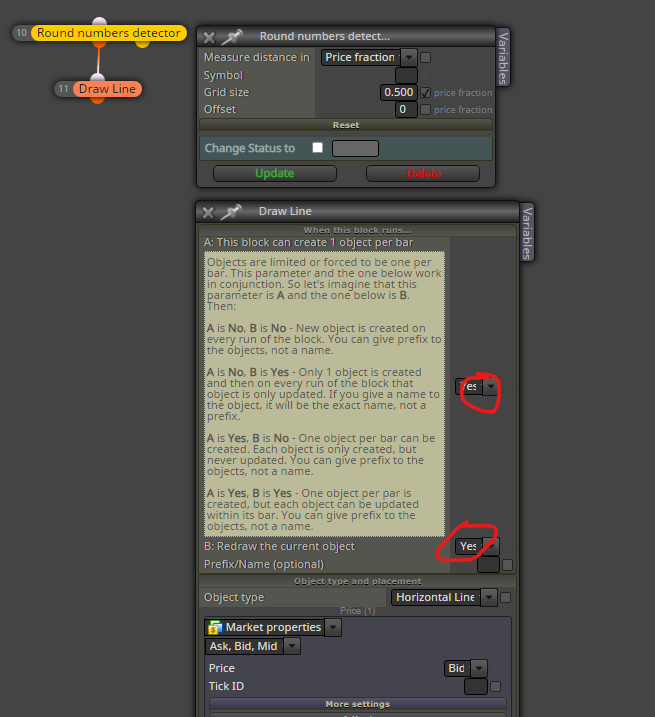
As for your idea, let me show you a simple way that i would do the drawing part without the rest of your strategy and you can go from there.
As you can see in the screenshot, if you chose YES and YES, then the line will be drawn as soon as you pass .000 or .500 , but if you chose NO and YES, then the same line will be redrawn keeping only one line on the chart.
Now that on my image I have visually backtested tested and it works. As I don't know what exactly you want for the rest of your strategy, I can not say what you should do but if this doesn't work for you, then there must be a problem with another block in your chain where it is not passing.
-
RE: Draw lines at price Levelsposted in Questions & Answers
@mmbinvest hello,
So how many lines did you want and what are they relative to?
I mean is it only the .000 and .500 above and below the line? Or is it every .000 and .500 on the chart? -
RE: Average take profit times no positionsposted in Questions & Answers
@biztet the 10 pips that you multiplied by the # of open position
-
RE: Please Help!! Enter trade based on line crossing a plotted horizontal lineposted in Questions & Answers
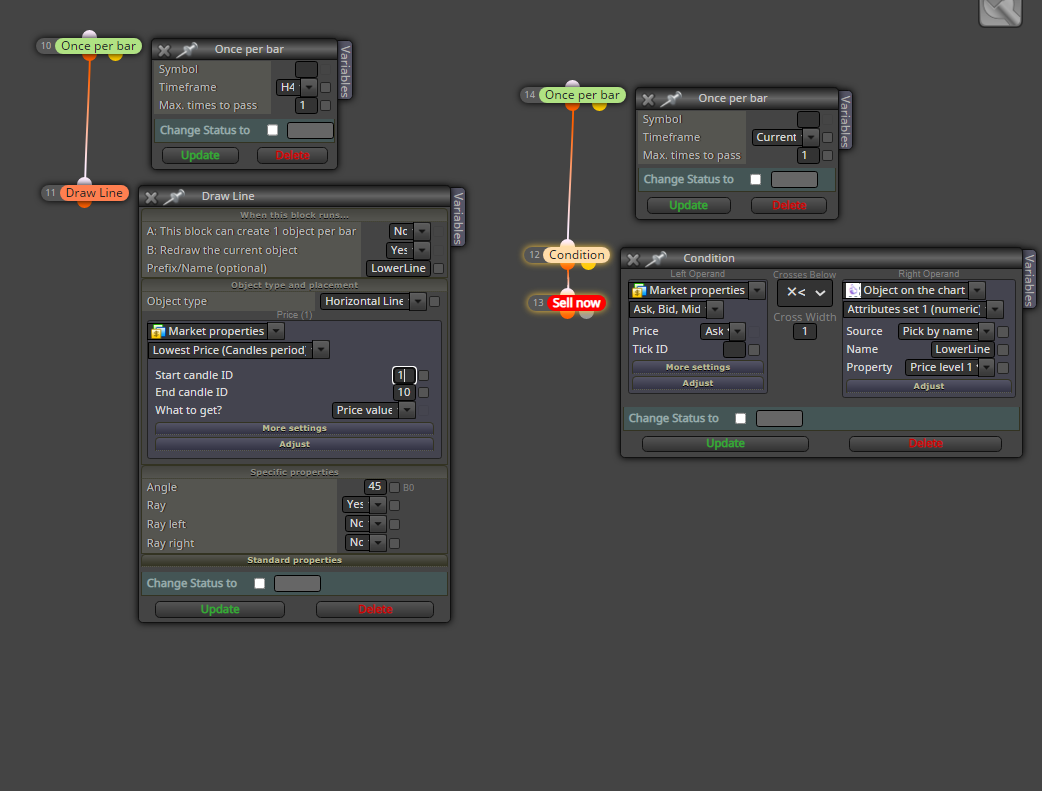
Ok So will the strategy be something like this?:
- draw a line at the high of the past 10 bars and a line at the low of the last 10 bars on the current time frame.
- re draw these lines every 4 hours
- buy and sell when the lines are crossed