fxDreema

    • Register
    • Login
    • Search
    • Back to the main page
    • Categories
    • Recent
    • Tags
    • Popular
    • Search
    1. Home
    2. Sauce
    3. Posts
    • Profile
    • Following 0
    • Followers 1
    • Topics 5
    • Posts 107
    • Best 0
    • Controversial 0
    • Groups 0

    Posts made by Sauce

    • RE: Using a Constant within a Terminal Variable name

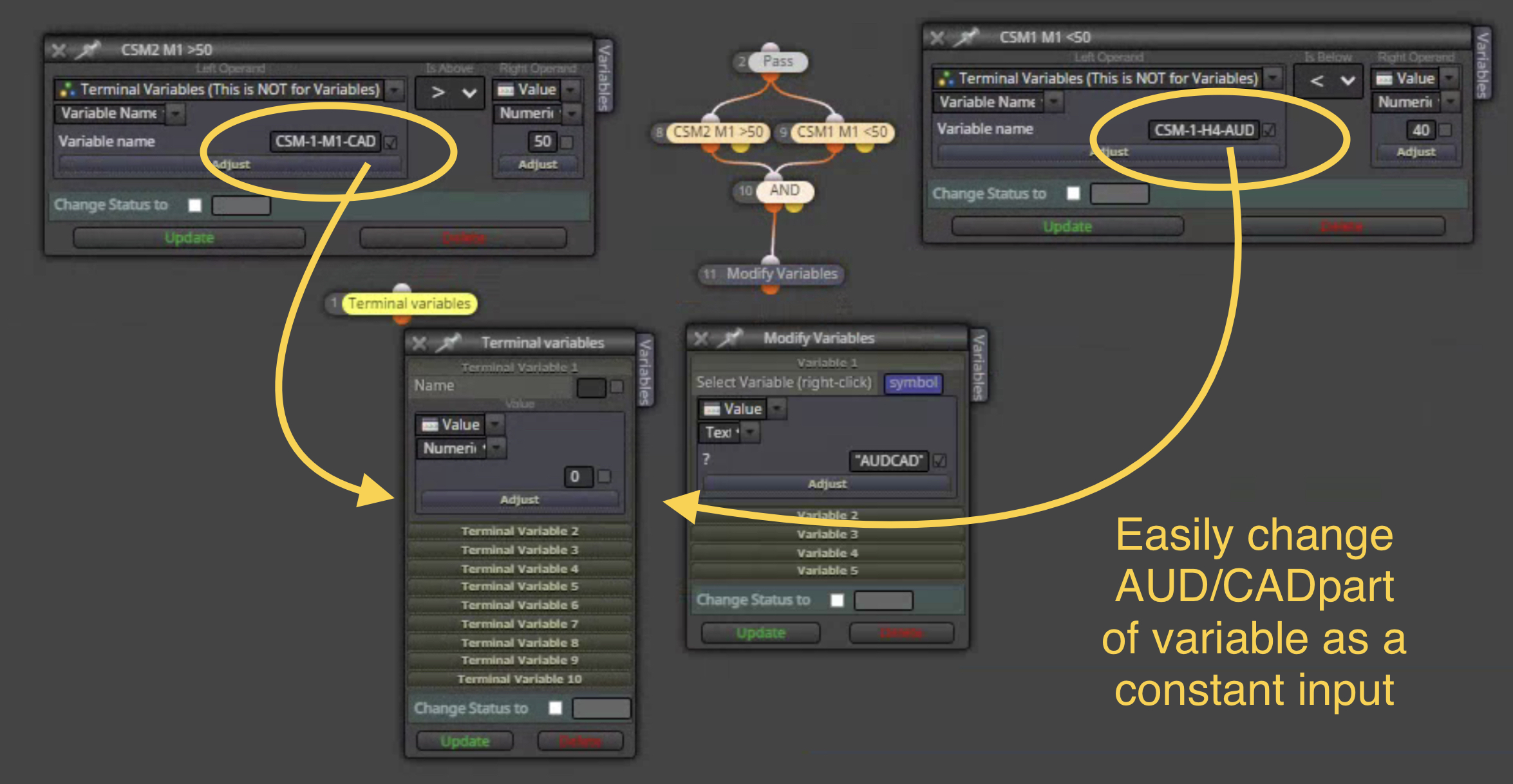
      @jstap can you show me how do this? It currently uses modify variables, but this is too complicated for me now.

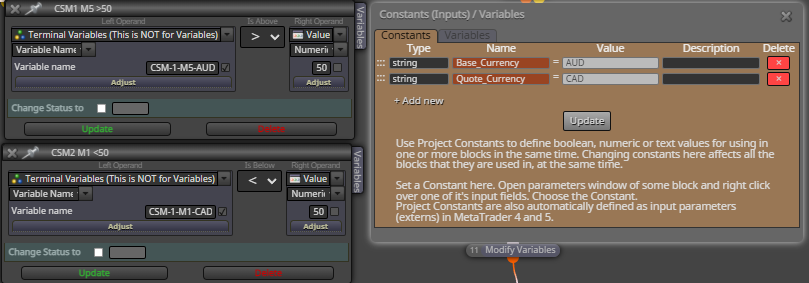
      I’m looking at all 28 FX pairs on multiple timeframes and I don’t want to have to change “AUD” and “CAD” 100 times for each timeframe on each pair. My goal is to just type/select which pairs as a constant.

      Shared link:
      https://fxdreema.com/shared/DKSiVhlmc
      Screenshot:
      0_1646333729599_52B5F30A-1264-40FA-A7AE-9735F71AB41B.jpeg

      Thanks for the help!

      posted in Questions & Answers
      Sauce
      Sauce
    • Using a Constant within a Terminal Variable name

      Hi,

      I'm trying to make my life easier by being able to change the variable name in a Terminal Variable by using a constant. This would save me a lot of time rather than having to update many blocks with different currency names. Please see screenshot below:

      I would like the "AUD" part of the Variable name to be the constant "Base_currency" and likewise for "CAD" part being "Quote_Currency" constant if possible, but I'm not sure how to do this?
      0_1646258654947_892b824d-072d-4203-a96c-e785cd434d9a-image.png

      This would make it easy to switch between different pairs via just changing the constant, if possible.

      Thanks,
      Cody

      posted in Questions & Answers
      Sauce
      Sauce
    • RE: Custom indicator values

      @jstap but in data window, it shows a value. There’s no way to retrieve that value and use for conditions?

      posted in Questions & Answers
      Sauce
      Sauce
    • RE: Custom indicator values

      @jstap what would I have to do to get the ZL to show a value? Is there something I could edit in the code? I mean there is a line so there must be a way to have that line show a value, right?

      posted in Questions & Answers
      Sauce
      Sauce
    • RE: Custom indicator values

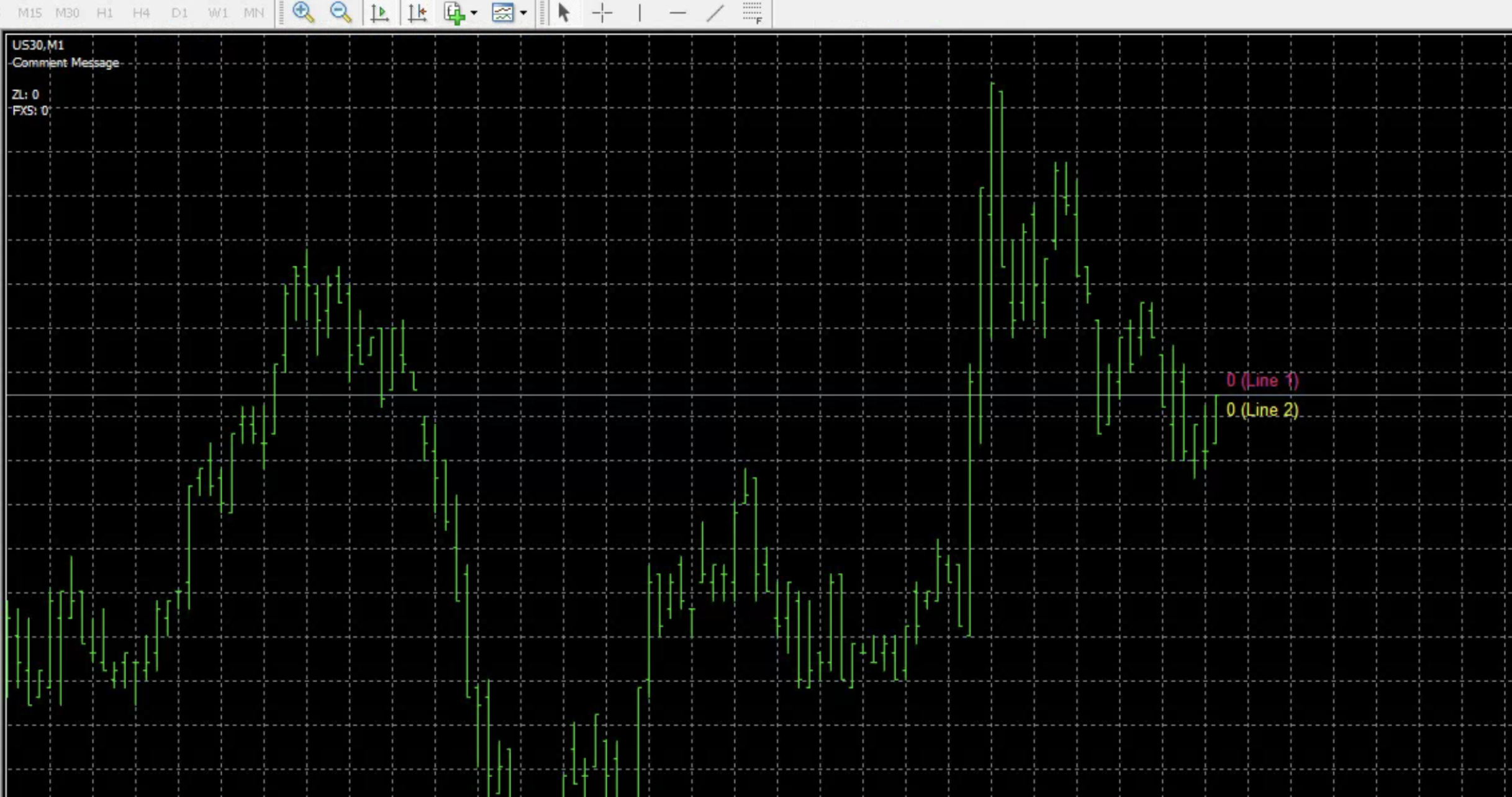
      @jstap @l-andorrà thank you both for your help! I removed the once per bar block. i added the comment and trace blocks but im not seeing anything listed for values? can you see what i did wrong?
      updated shared project: https://fxdreema.com/shared/y556nZkrb
      0_1640189952516_D7AF2D36-2203-436E-8CA1-36AD26227FFC.jpeg

      posted in Questions & Answers
      Sauce
      Sauce
    • RE: Custom indicator values

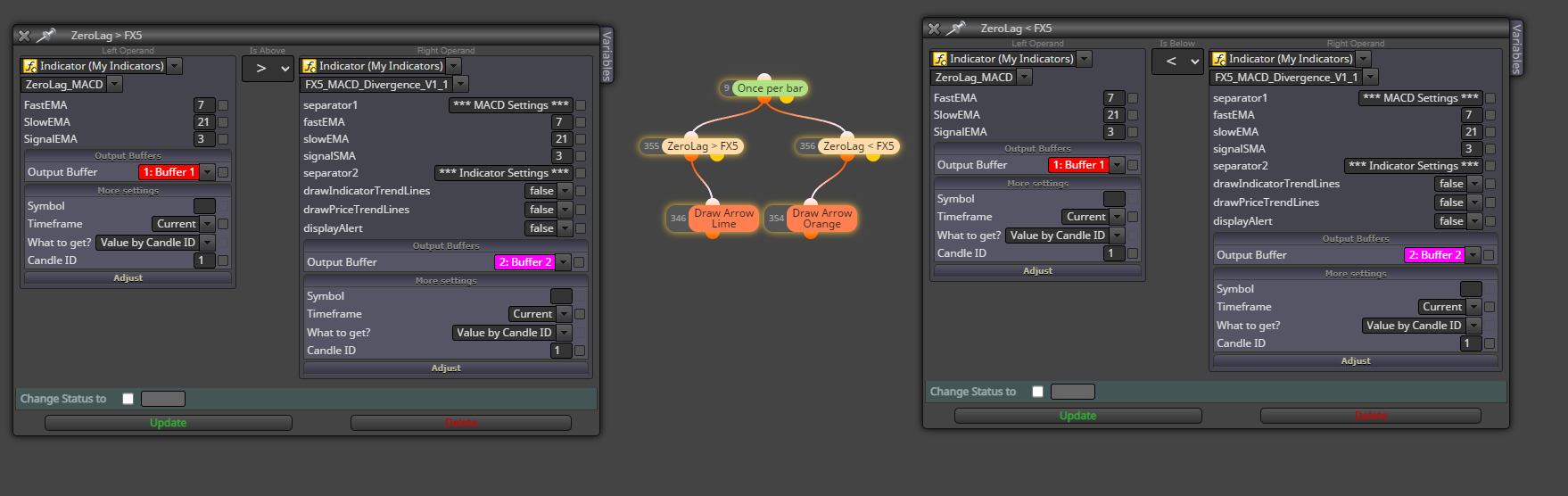
      @jstap I'm trying to compare two other custom indicators with their buffers like we did above but they are not working. (I've even tried comparing the buffers separately by drawing arrows if >0).

      Objective:
      if ZeroLag buffer1 > FX5 buffer2 = Draw Green arrow
      if ZeroLag buffer1 < FX5 buffer2 = Draw Orange arrow

      Same problem as before. We have buffer values, but they are not comparing values successfully for me. Not sure why this won't work with how I've set it up. Thanks for the help!

      Shared project: https://fxdreema.com/shared/AtHctCUwc
      ZeroLag Indicator: 0_1640140568524_ZeroLag_MACD.mq4
      FX5 Indicator: 0_1640140584292_FX5_MACD_Divergence_V1_1.mq4

      0_1640140660066_0c9c93dd-4b6f-443c-b5e5-7101c225b365-image.png

      posted in Questions & Answers
      Sauce
      Sauce
    • RE: Custom indicator values

      @l-andorrà @fxdreema see below post, any advice?

      posted in Questions & Answers
      Sauce
      Sauce
    • RE: Custom indicator values

      @jstap what I’m asking is for future custom indicators, in order for them to work I need a “comment” and “trace” blocks if buffers don’t work the traditional way?

      Basically is the EA pulling the values from the trace and/or comment blocks? I’ve never used those before and I don’t understand the description of them

      (Trying to understand how EA is pulling the buffer values so I can avoid future posts)

      posted in Questions & Answers
      Sauce
      Sauce
    • RE: Custom indicator values

      @jstap success! I switched to a different MT4 terminal and it worked on there. (not sure why it didn't work on my other terminal, but oh well, glad I got it working)

      Can you explain what the EA is doing here just so I know for future reference? How does the comment and trace work for the EA to see the line?

      posted in Questions & Answers
      Sauce
      Sauce
    • RE: Custom indicator values

      @jstap thanks again for working this thru with me!

      Before I set it up with all the conditions, I''m just sticking to a basic if current high > upper band = draw arrow

      heres a shared link: https://fxdreema.com/shared/3znsAbiRc

      posted in Questions & Answers
      Sauce
      Sauce
    • RE: Custom indicator values

      @jstap what I’m saying is you’ve created a No Trade Block and Buy Now block because the condition is passing regardless because it is not reading the buffer. It should only pass when high > upper orange line. How do we get it to read the line properly? Just comparing to buffer does not work.

      posted in Questions & Answers
      Sauce
      Sauce
    • RE: Custom indicator values

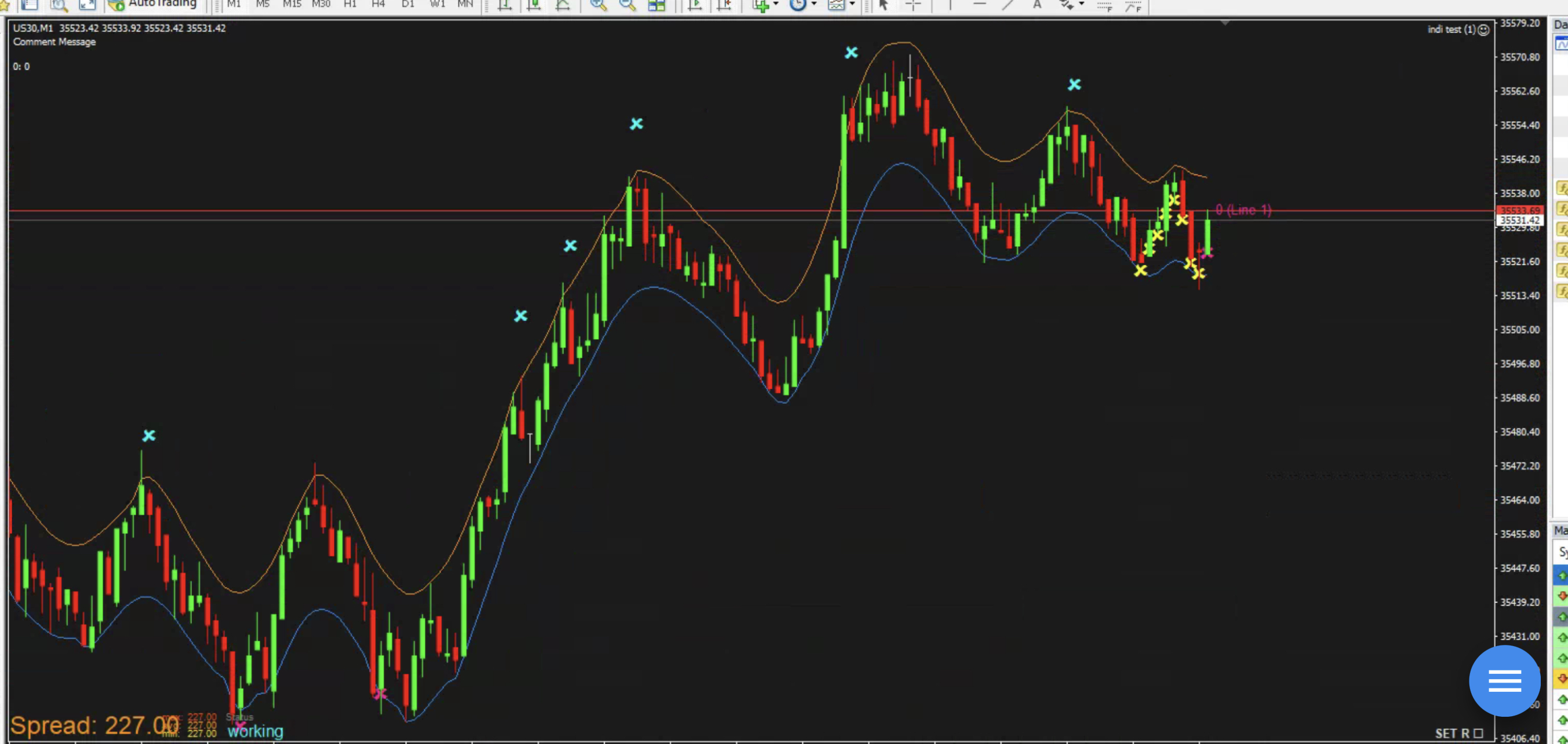
      @jstap no, I’m saying that it is not working correctly, it is not following the condition, you said it only opens a trade because you have a no trade block. it shouldn’t take more trades if the condition block is not met, the condition states when high is above the upper line. Yet it continues opening trades when high is NOT above upper line which means it’s not reading the condition at all. See my screenshot above, notice how it drew yellow X’s even though the high is not above the upper orange line? That is incorrect.

      posted in Questions & Answers
      Sauce
      Sauce
    • RE: Custom indicator values

      @jstap im not sure what that means, can you try having it draw an arrow on chart instead of a buy trade

      Or Remove the No Trade block and i bet it will take a new buy order every candle, regardless of condition

      posted in Questions & Answers
      Sauce
      Sauce
    • RE: Custom indicator values

      @jstap unfortunately that does not work. it is passing on every candle and ignoring the condition same as before.0_1639592226895_CCBE0113-F8CD-4648-B968-C3B880E3D6D4.jpeg
      In this example I tried draw an X instead of buy block. You can see it passes on every candle even though the condition is current candle high > Buffer1 (the orange upper line)

      posted in Questions & Answers
      Sauce
      Sauce
    • RE: Custom indicator values

      @jstap if look above, that was my original problem basically, it does not work the way it should. I'm unable to get it to draw an arrow when high > indicator buffer. @l-andorrà can agree with this from a previous post with using the custom indicator buffers. @jstap can you see if it works for you?

      posted in Questions & Answers
      Sauce
      Sauce
    • RE: Custom indicator values

      @fxDreema @jstap thanks for taking the time to look into this for me. So, for a newbie coder/fxdreema user, I want to be able to take Buffer1 and Buffer2 current line value and compare that with price. (i.e. current candle high > buffer1)

      How would I do this with blocks in fxdreema?

      posted in Questions & Answers
      Sauce
      Sauce
    • RE: Custom indicator values

      @jstap can you share that project please? I cant see how i should create variable indi_a. what is this doing exactly?thanks for the help!

      posted in Questions & Answers
      Sauce
      Sauce
    • RE: Custom indicator values

      @jstap here's some basic idea of what I'm trying to do on FxDreema with this custom indicator
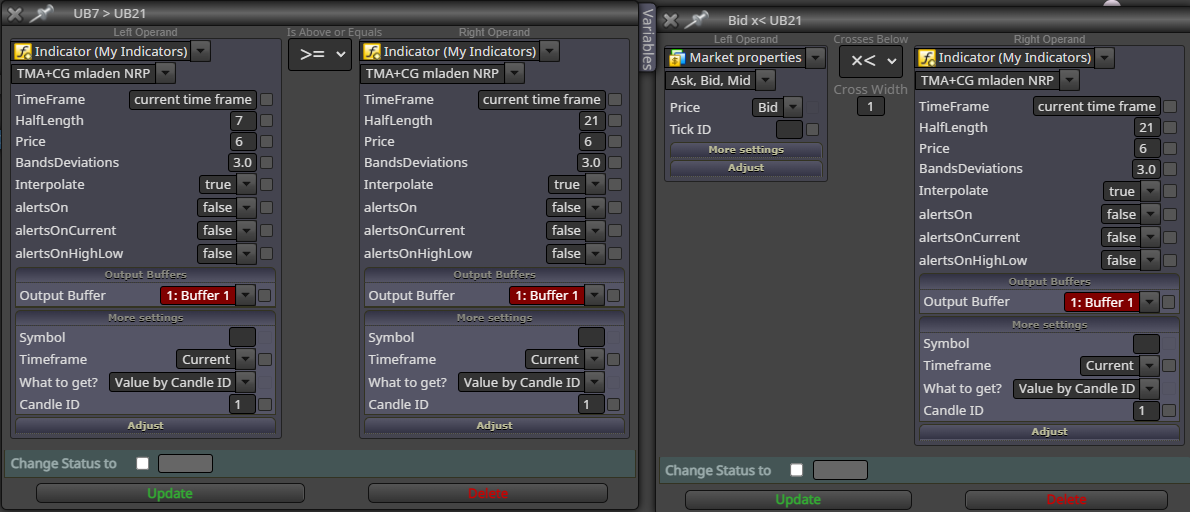
      0_1639340581872_6ccf37e1-1d4e-4ac0-a140-8d9c64733249-image.png

      posted in Questions & Answers
      Sauce
      Sauce
    • RE: Custom indicator values

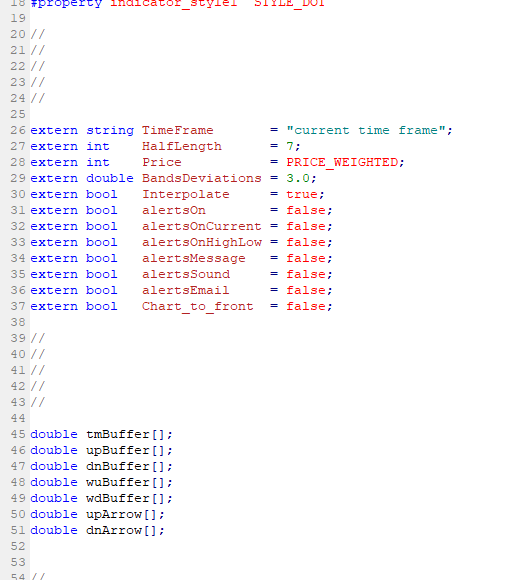
      @jstap so I see doubles of the buffers (tmBuffer[];) but the Data window shows it as "TMA+CG Ednineball 1"

      I'm not sure what a comment block is and when I type variable = TMA+CG Ednineball 1 it's just text not variable. Let me know what I should type, thanks for your help!

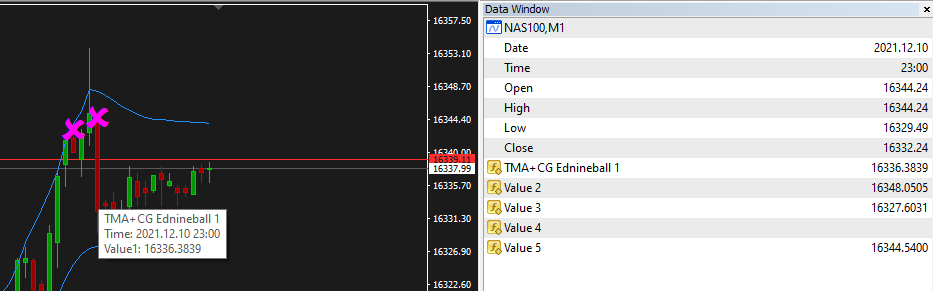
      TMA+CG is value 1 which is a middle line between the channel (currently not shown)
      Value 2 = Upper channel line
      Value 3 = Lower channel line
      Value 4 = Lower X
      Value 5 = Upper X

      0_1639339906169_d5749f54-24bd-46e7-9248-c25f0a6ec943-image.png

      0_1639339883668_0ab07482-e740-420b-a29c-23a4a4716754-image.png

      0_1639340262862_TMA+CG Ednineball 1.mq4

      posted in Questions & Answers
      Sauce
      Sauce
    • RE: Custom indicator values

      @jstap so I tired doing this, but like I said before, I'm not a coder... after spending a couple hours trying to work this out I've come to the conclusion that I have no idea what I'm doing typing this code, haha. Any coding help would be appreciated!

      I'm trying to make it so the I can compare the values of the bands drawn relative to price values (i.e. candle low < custom indicators lower band). I'd like to be able to work with this custom indicator values in FXDreema so I can compare other values as well (i.e. Upper arrow is visible then buy... or something like that)

      Again, I'm not a coder so I don't really understand how to get the buffers to retrieve this information.

      posted in Questions & Answers
      Sauce
      Sauce
    • 1
    • 2
    • 3
    • 4
    • 5
    • 6
    • 2 / 6