I did and found the issue. I used a Custom MQL code block (instead of using the Custom Block I had created) and put in there as code: SpecialDayFlag = IsTodaySpecialDay(PlaceAtEOM); In FXDreema I created a bool variable named SpecialDayFlag that I now could access and that contains the correct value. Only a small change to the Custom function was sufficient.
Thanks for your efforts to help me !!
D
Posts made by doeveR
-
RE: How to return a boolean value back from a Custom blockposted in Questions & Answers
-
RE: How to return a boolean value back from a Custom blockposted in Questions & Answers
Ah ok, I run my EA on MT5 and see nothing
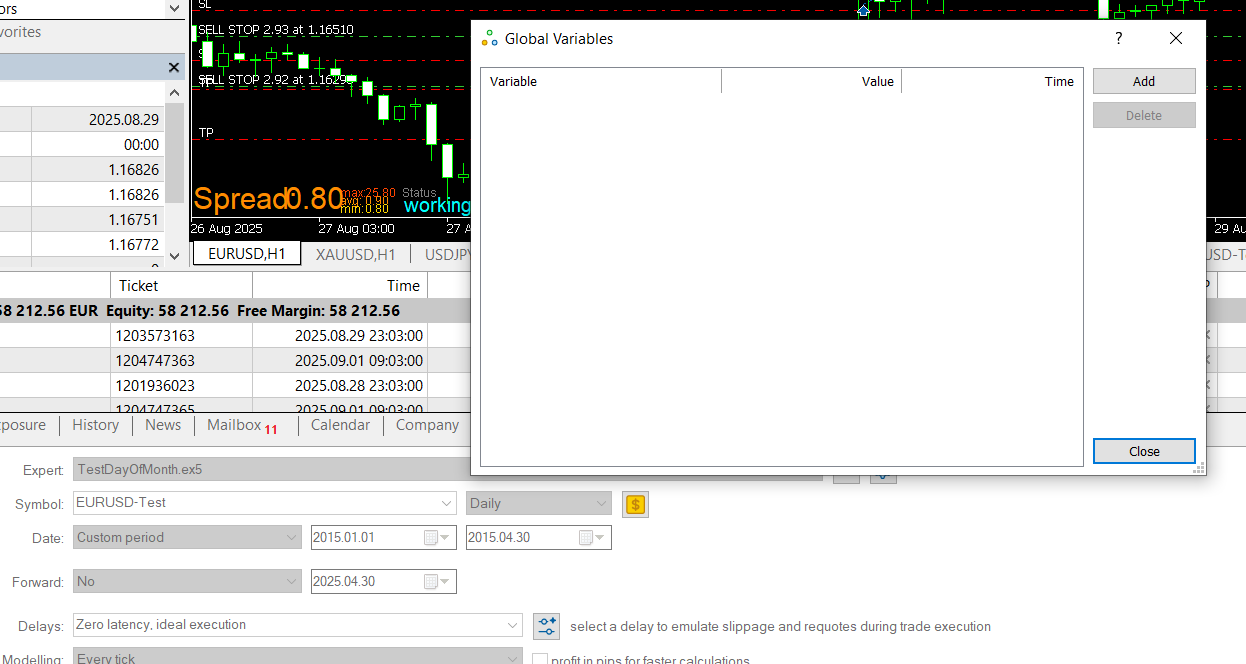
Never ever used this BTW. -
RE: How to return a boolean value back from a Custom blockposted in Questions & Answers
What do you mean with "your platform". Do you mean I should start the Meta Editor and press f3 - nothing happens if I press F3 in the builder or in de Studio or the Meta editor.
-
RE: How to return a boolean value back from a Custom blockposted in Questions & Answers
Much appreaciated. I need to ask something first because I want to do it right and not waist your time. If you say delete all current global variables: do you mean from the Studio or from the builder ? I assume you mean the studio because in the builder I have one constant defined which is the parameter to the custom block.
If I delete the Global Boolean definition from the Studio I get a compile error in MT5 (builder).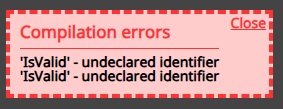
So were you saying if this happens add it as constant or variable via the Fxdreema builder ?
-
RE: How to return a boolean value back from a Custom blockposted in Questions & Answers
I have done some more reading. Should I have defined a Constant named IsValid instead of a Variable ? The main issue I have is that the boolean is set correctly in the Custom Block - I see the print output But this value is not visible/useable in the FXD builder.
-
RE: How to return a boolean value back from a Custom blockposted in Questions & Answers
Working with the Studio is new for me. I created the Global variable IsValid in the builder (see the buttom pane in the builder screenshot). If I remove that, building my EA gives an error on a missing variable with this name (IsValid). in my EA I have defined the varable with the same name as well.
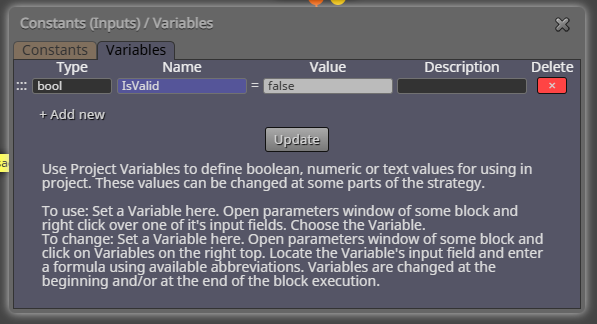
-
RE: How to return a boolean value back from a Custom blockposted in Questions & Answers
In the FXDReema builder I defined a variable with the same name as the Global variable in the Studio (see screenshot above)
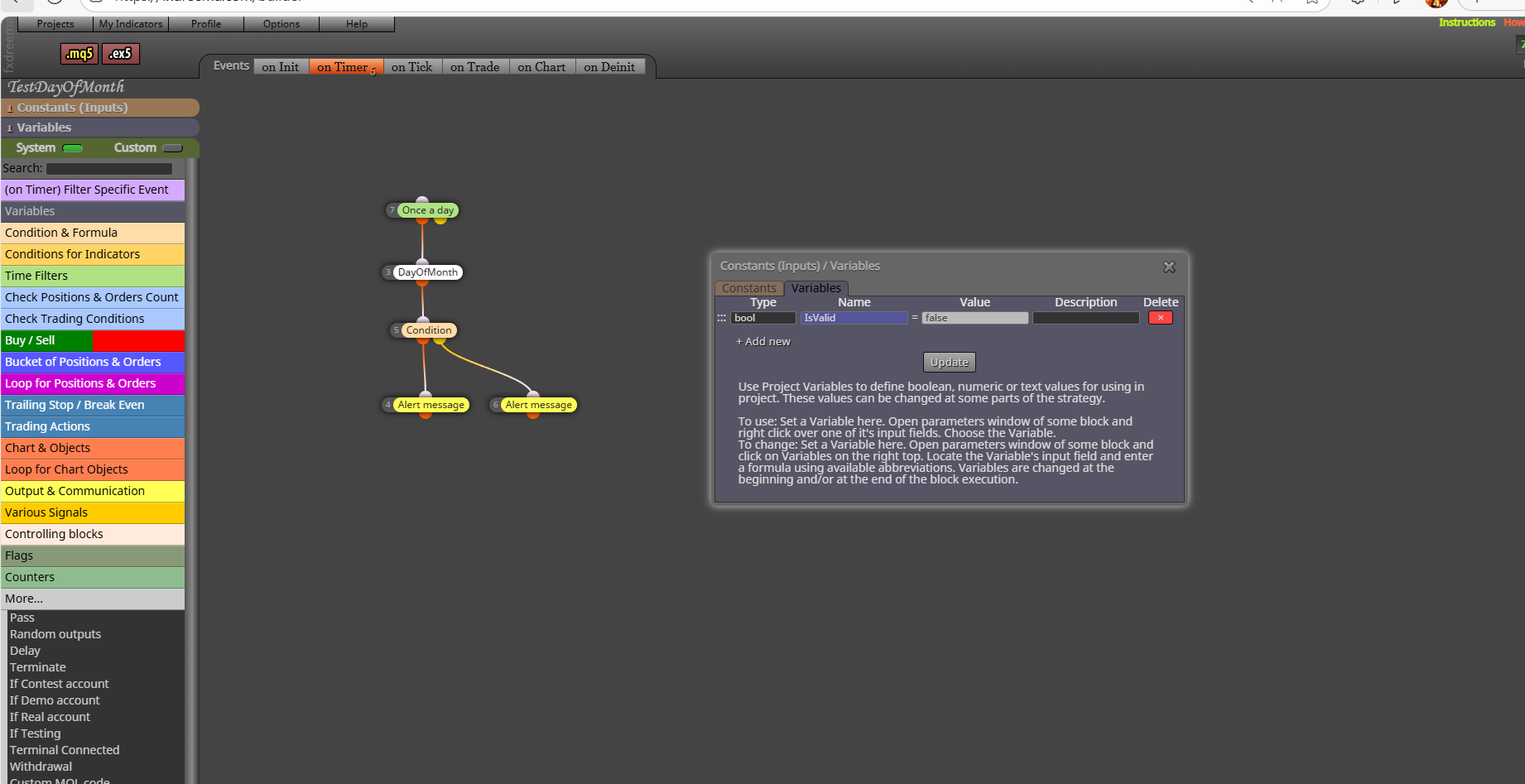
But it looks like the Condition block after my Custom Block DayOfMonth does not get executed. What could be the reason.
-
RE: How to return a boolean value back from a Custom blockposted in Questions & Answers
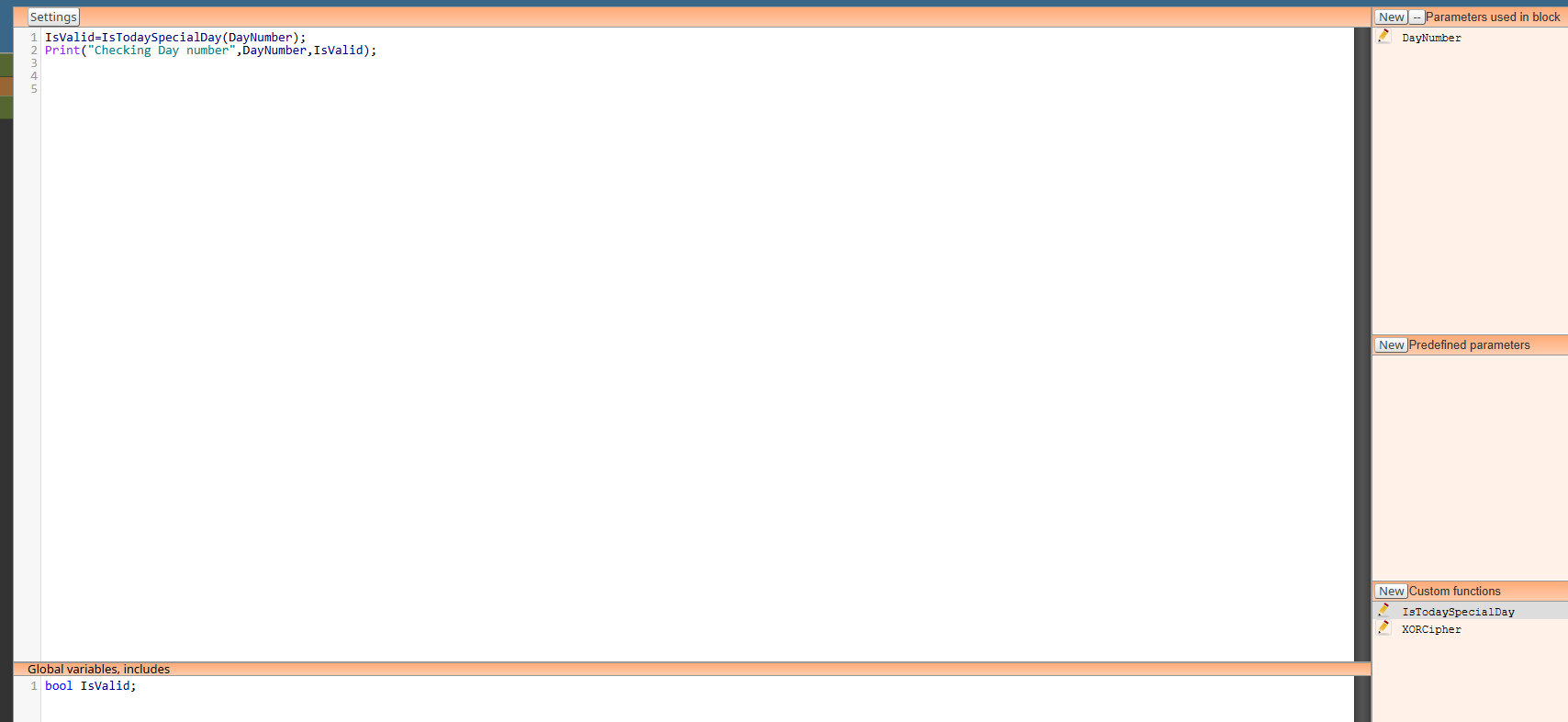
I tried to fix it by removing the boolean parameter and define a global variable with the same name. This variable name I also defined in the MT5 builder but no luck. It looks like after DayOfMonth block is executed it does not continue with the condition block. -
RE: How to return a boolean value back from a Custom blockposted in Questions & Answers
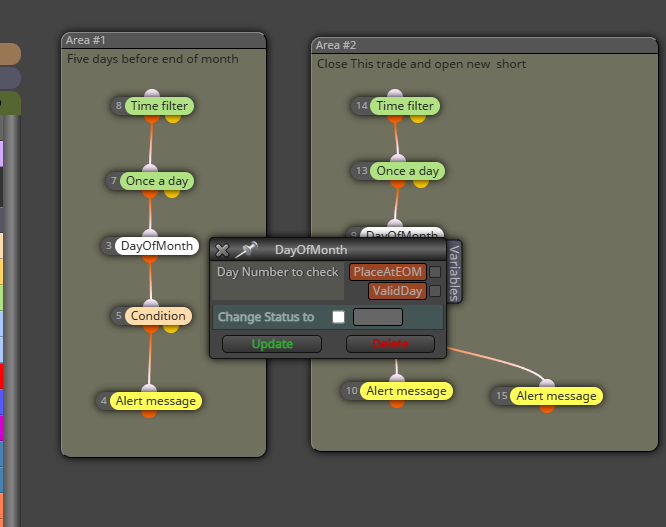
This is to show how I intended to use it but the Boolean is not changed, at least I can not "see" the change in my EA logic. -
How to return a boolean value back from a Custom blockposted in Questions & Answers
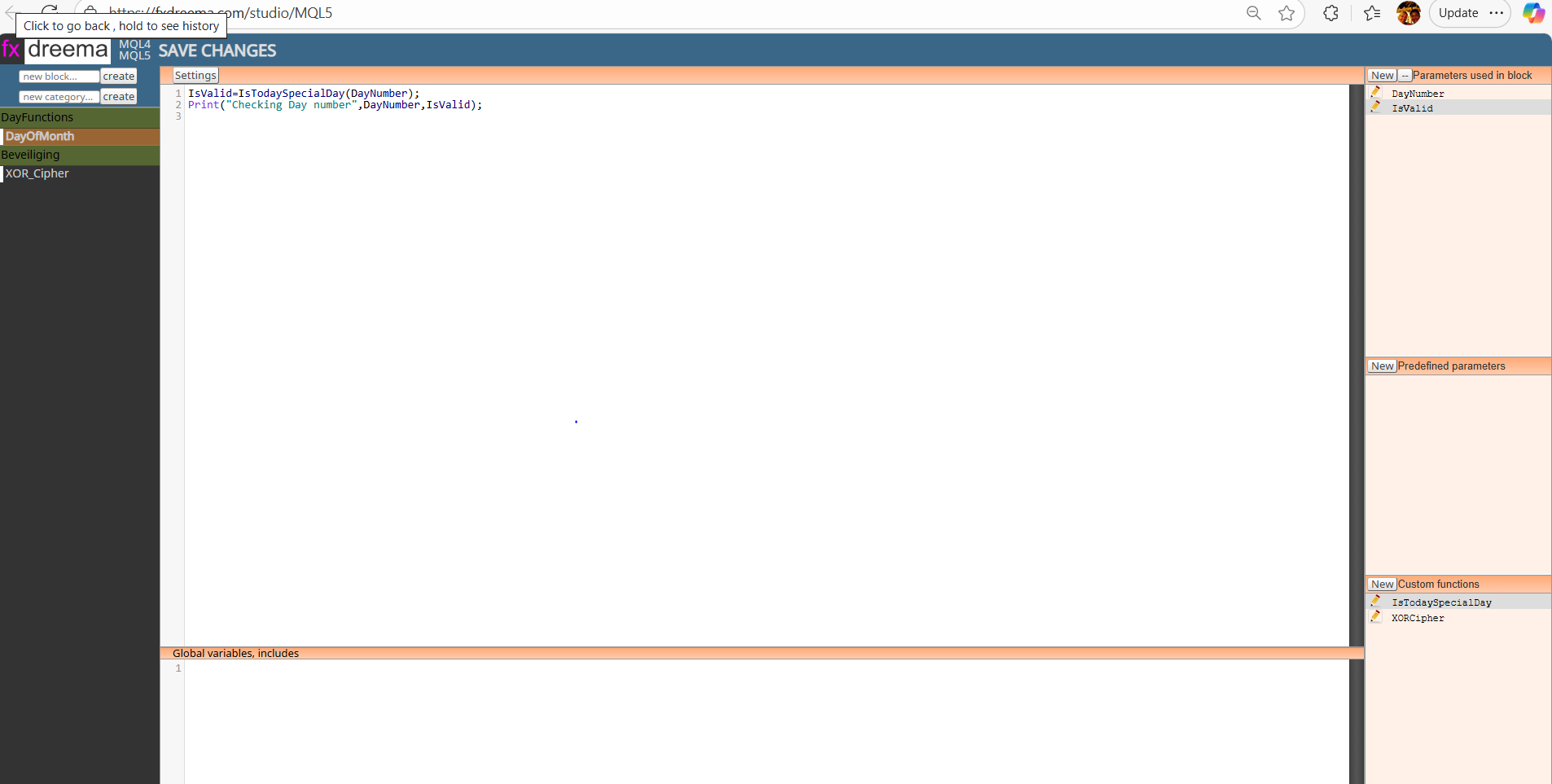
I have written some Custom code that works with parameter DayNumber that is passed in from the Custom block. I probably do this wrong but I defined a second paramter, a boolean named IsValid which in fact does NOT pass a true or false into the Custom Block but I do not know how to do this otherwise. Unfortunately, if the value is set into one of my Custom functions, I don't see this in the MT5 variable that I defined. So the question is how can I access the returned value that is set inside my Custome code block and use that value (true or false) in my MT5 EA ? Your help is much appreciated.
From the Print command within my Custom code block I can see the function does what I want but I can not access "The Result Boolean" from my EA code (so to speak). -
RE: Draw Object on different timeframe windows instead only on initial timeframeposted in Questions & Answers
I use the drawline that I want to draw on the timeframe of my choosing. The draw line block does not have an explicit timeframe option. It only has a chart sub window option but that is something else to my knowledge. I think if you make a simple EA that only does 2 things: the suggested block (using for example 15M) and then a drawline and start the EA on the daily, you'll see that that is where the line will be drawn (on the Daily TF). You should obviously also perform an operation that opens the 15M because of a TimeFrame direction.
-
RE: Draw Object on different timeframe windows instead only on initial timeframeposted in Questions & Answers
@l-andorrà I tried that (seen that suggestion in another post) but it keeps drawing the lines on the Timeframe that I started the EA on instead if the TImeframe that I specify. Any thoughts on that ?
-
Draw Object on different timeframe windows instead only on initial timeframeposted in Questions & Answers
I have seem similar questions but have not seen an answer. I start my EA on let's say the Daily Timeframe. In my EA I check for example the price level - let's say a candle high on the 1H timeframe. When the price breaks that hight (candle on 1H) I want to draw an Arrow on the 1H timeframe window that is opened beside my inital Daily TF windows. How can I draw the arrow on the 1H TF window instead of this being drawn on the Daily ?
-
Looking to use AES functions where can I find the AES.mqhposted in Questions & Answers
Hello, I want to use functions from a Custom code block like AESDecrypt and I need to have the AES.mqh file. Where can this be found and/or downloaded ? What location should it be placed in order for an #include to work ?
I am working on MT5.
Thanks for your input.
Ralph -
RE: Library Studioposted in Questions & Answers
I have found what I was looking for. Pls ignore my previous requests.
-
RE: Library Studioposted in Questions & Answers
is there a tutorial on using the Studio. I tried to define a simple Custom Block that actually does nothing. A block with 2 paramters as simple as this: string XORCipher(string input, string key) {} I defined two parameters; input (a string) and key (a string). Compiling this gives me more errors than the definition itself.
Compilation errors
'input' - unexpected token
'input' - unexpected token
'=' - declaration without type
function declarations are allowed on global, namespace or class scope only
'input' - unexpected token
'}' - not all control paths return a valueAny ideas what is wrong here ? and perhaps an example of a simple piece with parameters that works. For me as a starting point ?
Thanks! -
RE: Library Studioposted in Questions & Answers
How do you delete your code from Studio if you want it to be removed ?
-
RE: Check Market Closeposted in Questions & Answers
I tried to run this on MT5 but the Marketinfo is causing a problem as undeclared variable...... how can I fix this ?
-
RE: EA protection by license codeposted in Questions & Answers
ChatGP has helped me a lot but it tells me: Functions like Base64Decode and AES_decrypt should be declared outside the Custom Code block, in the global area of your EA (i.e., before the OnInit() or OnTick() functions). Do you have any idea what that means ?
-
RE: EA protection by license codeposted in Questions & Answers
Ah yes, that is correct. The public key would be the account number that is used in the EA that allows the EA user to use the EA on the account number they send me and the private key is generated inside the EA using the license code that is supplied. Is that correct or the other way arround
 ?
?