Hi all,
is it possible to add comment on screen from the constant?
for example similar like this below:
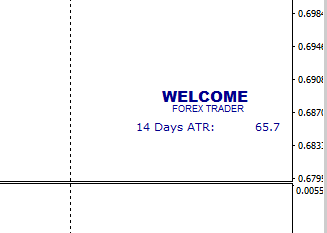
I'm using the setting like below, but apparently not working.
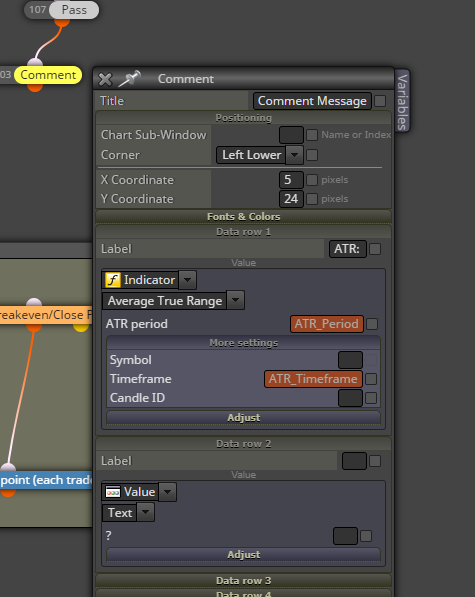
Any hints would be greatly appreciated.
Thanks!
Hi all,
is it possible to add comment on screen from the constant?
for example similar like this below:
I'm using the setting like below, but apparently not working.
Any hints would be greatly appreciated.
Thanks!
@ambrogio Ok. Thank you! will try with this setting.
@ambrogio
-Does it mean, would it also work if other EA opened pending order?
I mean, I have a pending order opened by different EA for NZDCAD, and then if I attached this particular EA to close delete pending order for NZDCAD
-If I use "all automated and manually opened" and "specified" for symbol mode, would this work?
@ambrogio
I tried again with your first suggestion but it did not work for manually opened pending order.
for your suggestion number 2, but it works only for manually opened.
Do you know what settings so I can use for both manually and automatically pending order?
@ambrogio ah ok...Thanks!
So I ll use the first one, because I'd use it for pending order both manually and automatically opened.
That should be okay, correct?
@ambrogio here is : https://fxdreema.com/shared/0gn1PJOHc
I tried the EA by open the pending order manually and it did not delete the pending order (when the conditions are met)
Thanks!
@ambrogio Thanks for reply.
I also tried this one. but it didnt work properly. it somehow did not delete at all..
Hello guys,
I have a question on using delete pending order.
I'd like to create a function where EA will delete pending order when certain condition met
For example if MACD above 0, delete the sell pending order and if MACD below 0, delete the buy pending order
https://fxdreema.com/shared/yI0C4FiNb
However, when I backtested, the EA is apparently deleting all pending orders.
So, lets say when I put the EA in NZDCAD and its MACD is below 0 level, then all buy pending orders (even not NZDCAD) will be deleted as well. I was expecting only NZDCAD buy pending order to be deleted.
I used the function "all automated and manually opened" as below. but whenever I changed it to group #, the EA somehow didnt function properly (does not delete at all).
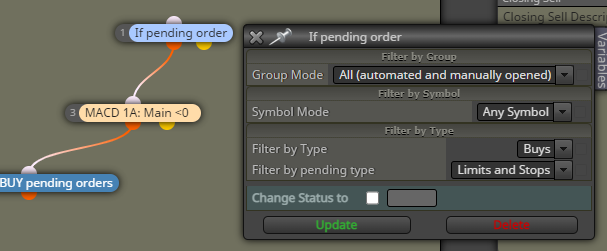
Could anyone help me out?
Thank you! 
@jstap ah ok. Sorry I am still trying to figure it out.
So basically if the loop will look the highest macd since the macd cross above 0, then
I have to change from this:
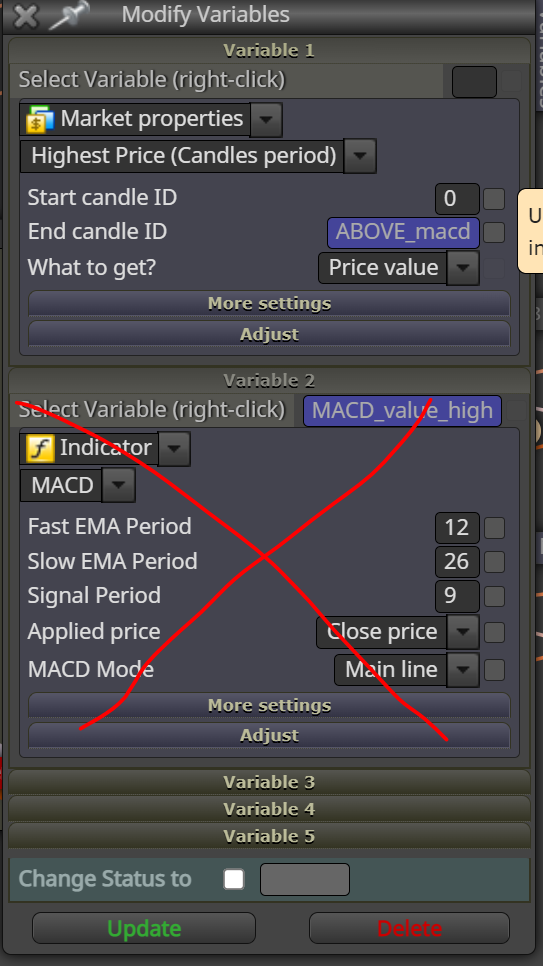
To this?
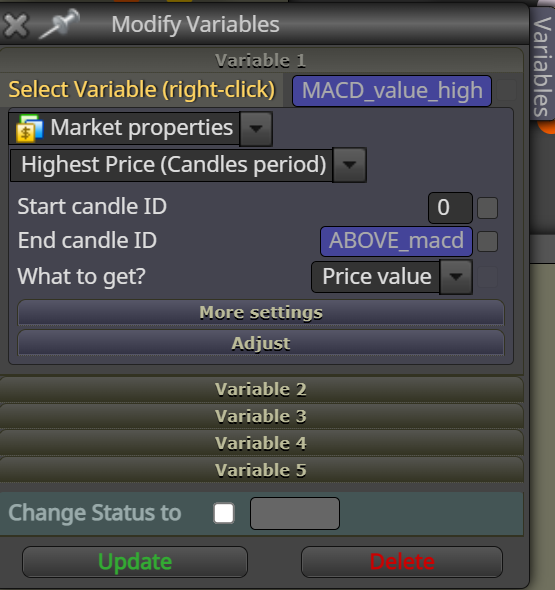
@jstap
hmm.. If I put the loop variable into end candle ID as below screenshot,
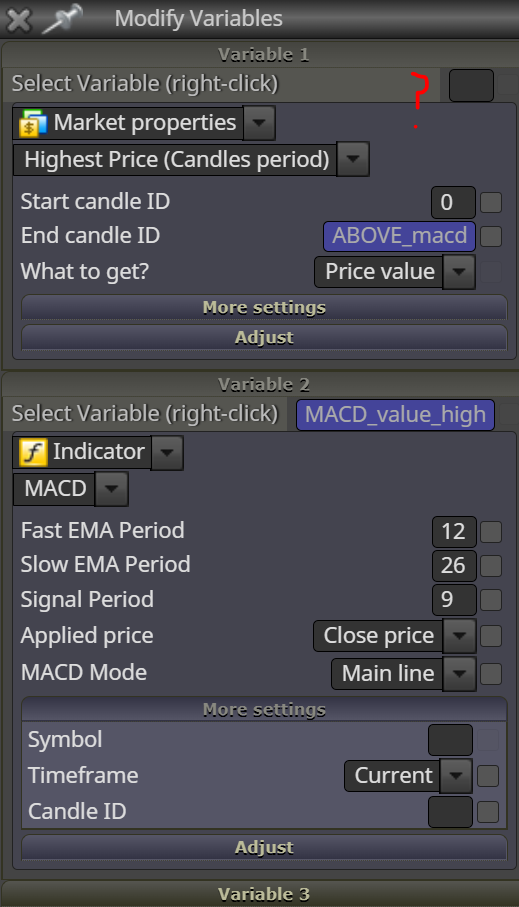
Thanks for the help!
@jstap ah ok. Did you mean like this?
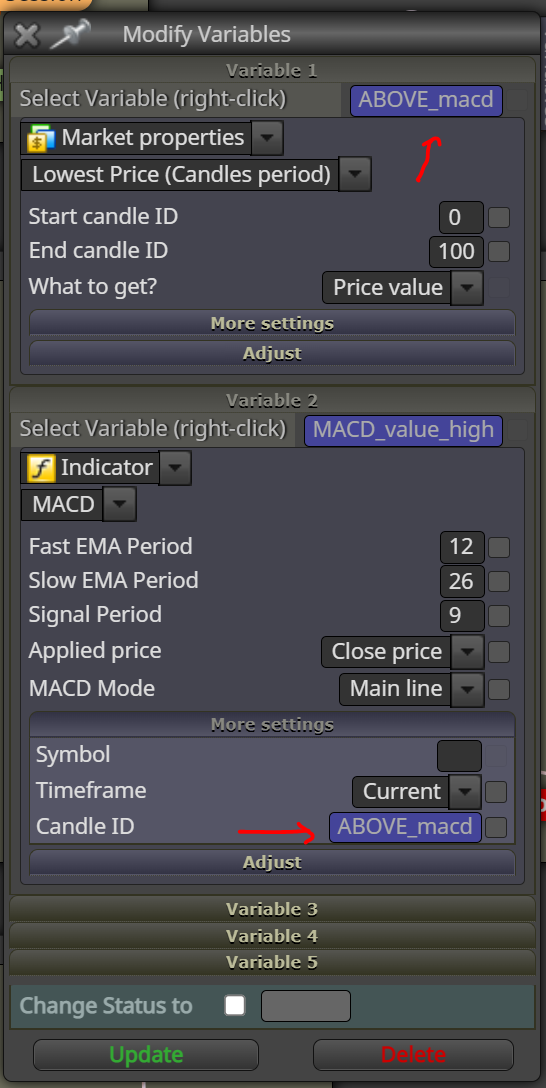
@jstap
Ok. Thanks!
Sorry, but I have to ask more questions:
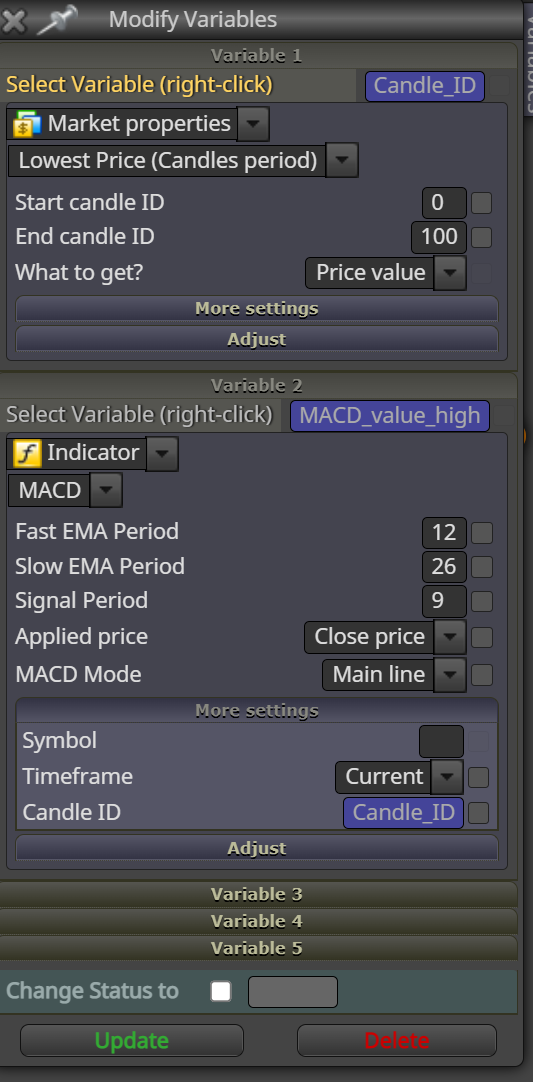
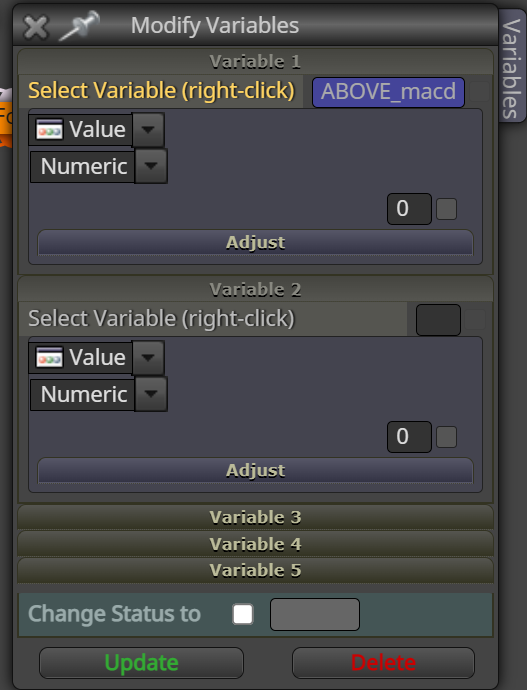
Here I set my project if you could look it up: https://fxdreema.com/shared/imdtPQcHc
@jstap Thanks a lot!
Follow up question: If I want to find the last high from the certain range, lets say last 100 candle stick, should I adjust your setting to this one below
Your setting:
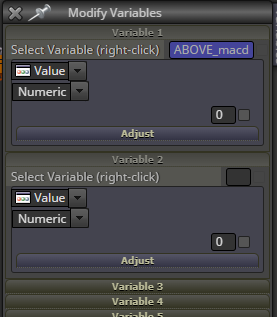
to this one:
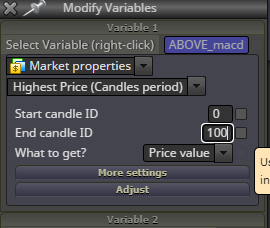
Thanks!!
@l-andorrà Thanks again.
the 100 candles are just the range. It should find the most current or the last one where it crosses the 0 level (or the highest).
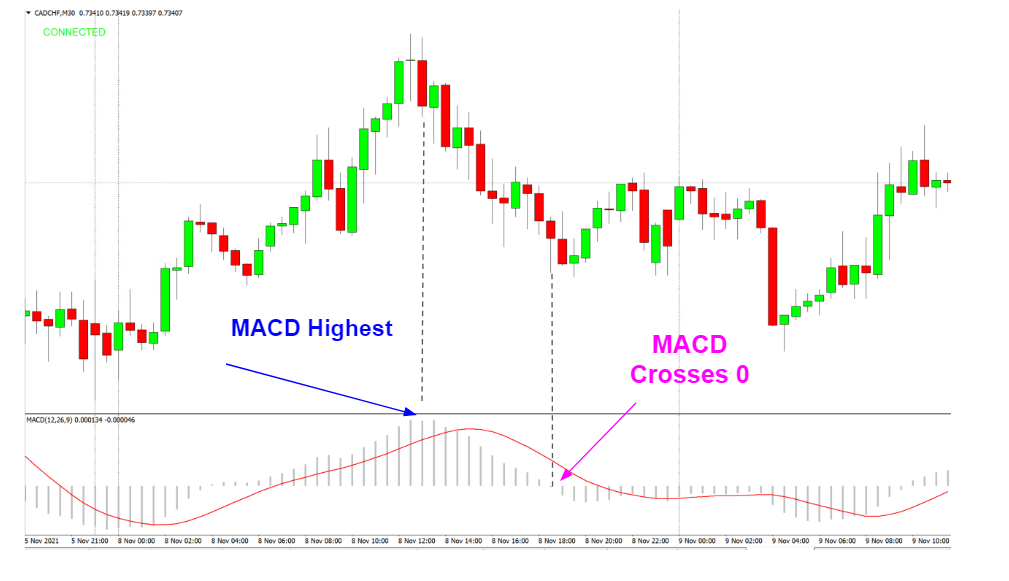
For example above, within 100 candles, set the pending order where the MACD crosses below 0 level, which is shown in magenta arrow.
Could you give me example or redirect me how to use the loop as you mentioned?
Thanks!
@l-andorrà Thanks for the response.
For the crossing 0, I was actually looking where the EA can look up the past candles and set the pending order where MACD crosses 0 from the last (lets say) 100 candlesticks.
So basically as in the example above, the EA will always look the last 100 candlestick to find MACD crosses 0 to set the pending order.

The same situation with MACD highest and lowest.
Lets say find where MACD highest from the last 100 candlesticks. and set the pending order..
Hopefully I explained more clearly this time.
Thanks!
Btw, I have seen some Q&A regarding this. but not sure I understood correctly.
such as: http://fxdreema.com/forum/topic/11074/how-can-i-found-cci-overbought-oversold-dynamic-high-low-value-by-candle-price-or-candle-id/16
And here's my project, if you could have some time to look: https://fxdreema.com/shared/nbNyERE5e
Hello guys,
I'd like to create EA where pending order will be opened based on MACD histogram highest or lowest or where MACD crosses 0.
So, for example as screenshot below, open pending order where the last MACD highest (from lets say the last 100 candlesticks). OR another possibility is to open pending order where the last MACD crosses 0.
Any helpful hints/tips highly appreciated! Thank you
ok. Problems solved. now it works again, so error was in strategy tester.
Hi guys,
Last night I edited my EA and used strategy tester with my EA and it was running as expected. (it took trades, etc.)
This morning I tried again, somehow it didint work as it didnt take any trades.
I am trying to use my other previous EAs but it also did not take any trades. (my previous EAs worked as I used in the last couple days).
Would it be possible that error is in strategy tester and not in my EA? because my new edited EA only has small minor changes and it my previous EA that has been running in the last couple days...
@jstap ah okay. Didnt know.
I thought everything must be connected.
I'll do the same with trailing stop.
Thank you once again!