It is not passed, but the seconds you have in the Tester are not accurate. The lowest timeframe is 1 Minute and all ticks inside that minute are generated. Their time is simply fake 

It is not passed, but the seconds you have in the Tester are not accurate. The lowest timeframe is 1 Minute and all ticks inside that minute are generated. Their time is simply fake
There is no % option, but the option is in money... dollars. As you probably know, you can use native MQL functions in all input fields. So the default value is 0, but you can put something like:
AccountBalance() * 3 / 100.
AccountBalance() gives you the current Balance, the amount of money you had before opening the trades. Let's say that the balance is 1000, then 1000*3/100 equals to 30 (dollars)
Isn't this a problem with the copier? Where do you use fxDreema EA in this scheme?
Because we communicated in email, I can say for the other people that the problem is from Norton. I had similar report before where some Norton extension for Chrome blocked one of the JavaScript files of the file and I saw the problem, but I could not find the reason. Well, I didn't tried so hard, but these days I will take a second look.
By "add to volume" I understand opening more and more trades and actually increasing the Buy or the Sell position. Normally this also has negative meaning, because it is well known that people often add more and more lots while losing, to cover their previous losses, which sometimes leads to margin call Otherwise pending orders are just potential trades in the future, they don't have actual volume until they are triggered.
This is what I was thinking - https://fxdreema.com/shared/A5VpH9l1e
Here is how one of my order is triggered, became a trade, then closed by TP, this triggered "on Trade" event and in "on Trade" a new pending order is created with the same parameters as the trade.
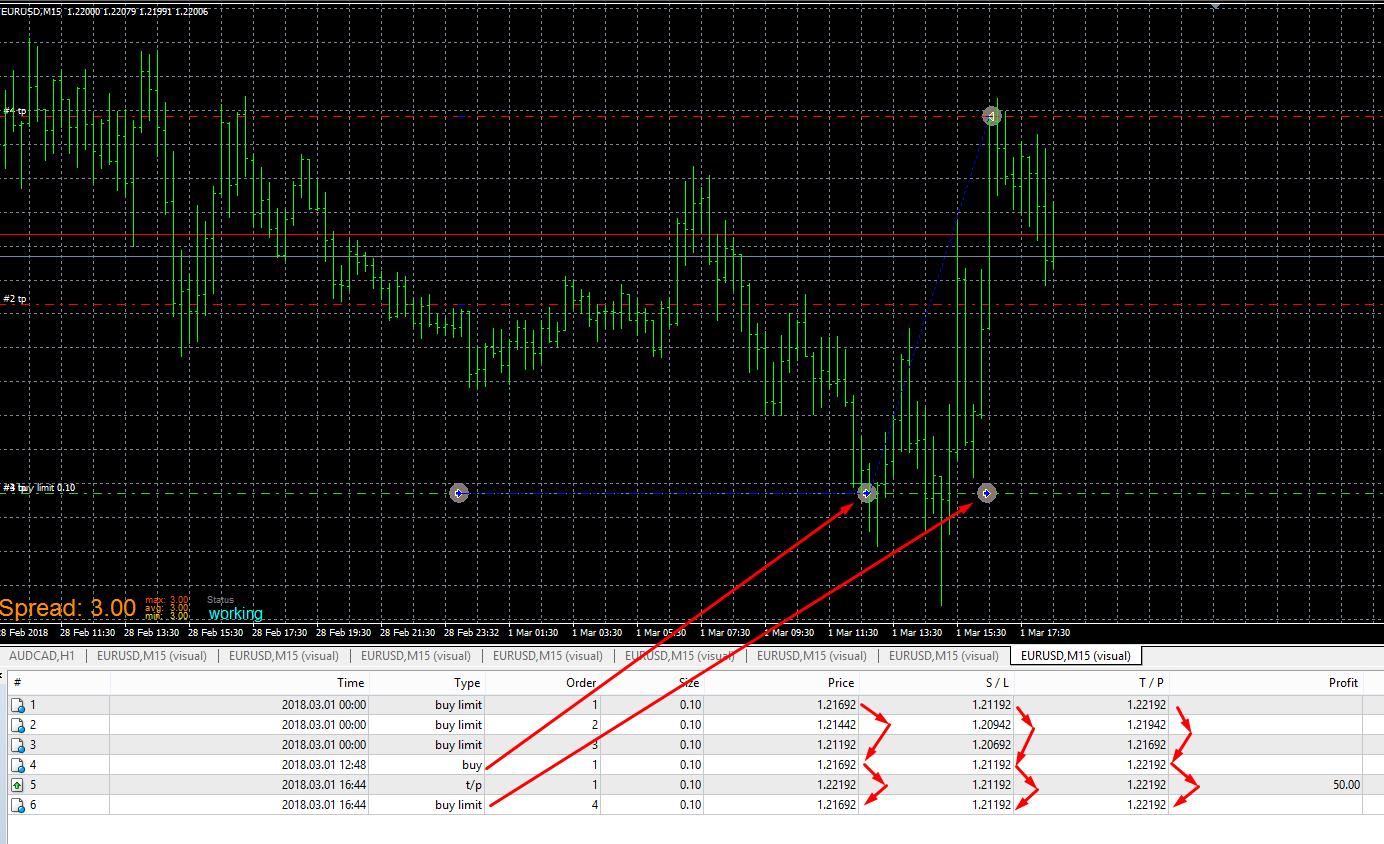
By "Demo" you also mean live, not backtesting? Do you have error messages?
Normally you see the Save As window asking you to browse to the folder where to save the file, the same as when you are downloading a file from somewhere else. Only for Chrome there is a plugin (extension, app, whatever you call it) designed to remember where the file is stored and automatically write it the next time without showing the Save As window again.
If for some reason you see only "compiling..." and nothing else, no Save As, nothing, then the problem could be that some extension in your browser is blocking some of the JavaScript files of the website. I had reports and I know that some people have this problem, but it's one of those problems that is harder to investigate.
Wait, it is Saturday and markets doesn't work. Does this happen in the Tester? And what Symbol is this?
Oh no, the stupid MQL5 again with its meaningless errors. I will see what can I do. What broker do you use?
If you have one of those "Custom" parameters, in the code you should use them like this:

This is actual code of the "Indicator is visible" block.
That ~datatype:Indicator~ thing is not necessary, you can use double or whatever you have. I think I use it that way only to remove some warning message. People are a little bit scared of those warnings
Why ~Indicator~? While in the previous example Parameter is just a variable name, here ~Indicator~ is replaced with an automatically generated function call, it links to another method somewhere in the code.
Parameters are only defined in that box top right, not in the code. In the code you only use them. Here is something that I did:

At the end the code looks like this:
``
// "test" model
template<typename T1>
class MDL__3066: public BlockCalls
{
public: /* Input Parameters */
T1 Parameter;
virtual void callback(int r) {return;}
public: /* Constructor */
MDL__3066()
{
	Parameter = (int)123;
}

public: /* The main method */
virtual void _execute_()
{
	Print(Parameter);
}
};
``
_3066 is the id of the custom block, this is automatically generated and you can change it from here:
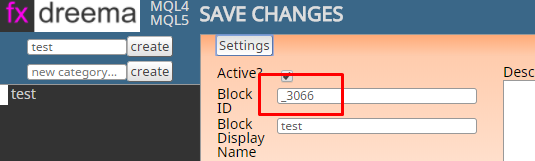
As you can see in the code, the parameter is defined just below that line with /* Input Parameters */
The code of the block is simply Print(Parameter); and you can see where this is located. So the variable Parameter comes from above, it is a public member of the class and it is automatically placed there.
You know, I have no idea. This "Withdraw" block only exists in MQL5, because only in MQL5 there is a function for that. But it is a simple function, so this block is very very simple. I checked it now, it shows some withdrawal action, but I don't know how it works when optimizing. You may find something more interesting in their website - https://www.mql5.com/en/search#!keyword=testerwithdrawal
This is actually in the project's settings, if you don't want it at all 
This is old topic, I don't know what was the solution. And I don't know what it is now, but you can send me your file if you want and I will check what is wrong with it
Long time ago there was a special block for candlestick formations, but I removed this block. I think that such things should be made with custom indicators, and I guess there are custom indicators for such formations. But yes, for a single candle there is this block Single candle template
But wait, what about this block 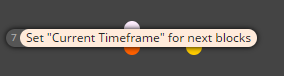
So, if one trade closes, you want to use its Open Price to make an order at that price? You can try this in "on Trade", something like this:

Above I was thinking about something else, like adding extra pending order to existing one. Now I don't think you want that. I think you want to replace a closed trade with a pending order.
The easiest way, but only if you want to work with the account profit, is to check Account -> Profit in the Condition block. Otherwise there is a block Check profit (unrealized) to check the profit made by a group of trades that are currently opened. Or, there is a block Check profit (period of time) that also includes the profit of already closed trades.
From what I understand, you want to check if there is an arrow somewhere in the last 8 candles. Only for custom indicators you have extra options in the Condition block. Try this option:
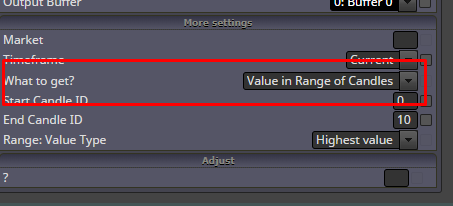
I didn't tested it, but it should work, because if the highest value is EMPTY_VALUE, the Condition block itself would not pass if either value equals to EMPTY_VALUE.
Otherwise you can try this block - Indicator moves within limits. This block and these special options in Condition are the only places in the EA builder where some indicator values in the past can be checked.