That wouldn't work. No ticket number is = 1.

That wouldn't work. No ticket number is = 1.
I knew that. Unfortunately you cannot choose which one by using 'For each Trade'. You can choose one, as is shown at your image, but not a specific one all the time.
I need to use several pink blocks but all of them must apparently work with a 'For each trade' block heading them all. That loads and checks all trades that are open on my chart. How can I specify that a specific trade (identified with its unique ticket number) is the only one for which all those blocks are applicable?
Looking at the examples I see I can create buckets of buys or sells. I would like to know if I can create a bucket including one only buy or sell and not including any other trade.
I recently learned that the 'Trailing stop' block will trail all stop of my orders no matter what. I would like to have the same options available on that block but applicable at a single order only (the one I decide). Has anyone created something like that? I haven't found any at the examples so far.
Thank you very much in advance.
Thank you very much for your explanation. Now I understand it much better. I will try what you suggest.
That indicator is not reliable. What you see on chart is not what happens tick to tick because it repaints previous segments dependenig on the position of price right now. More than probably those random trades are real when the indicator changes colour, but then it is repainted a few bars later.
I recommend you to change that indicator.
Could you fix the problem? This problem still persists 
Because all blocks are on the 'Init' tab. Simply move them to the 'On Tick' tab.
You can do it through your browser (ctrl+F) and then insert the number.
I did it as you suggested but it doesn't work properly yet. This the new structure now:
https://fxdreema.com/shared/oHOYeAtsc
Now all 'pink' things have a 'For Each Trade' above except on blocks 12 and 13. I don't know why but they already work correctly. The problem now is that blocks 48 and 49 are not catching the price levels they should. It is true that no more alien SL levels are taken from other charts. Now they are caught from the current chart, but incorrectly.
I show some examples. As you can see I added a comment block in which I show all relevant SL levels for the EA: the initial one, the one related to the MA and finally the one activated by the trail stop.
First example:
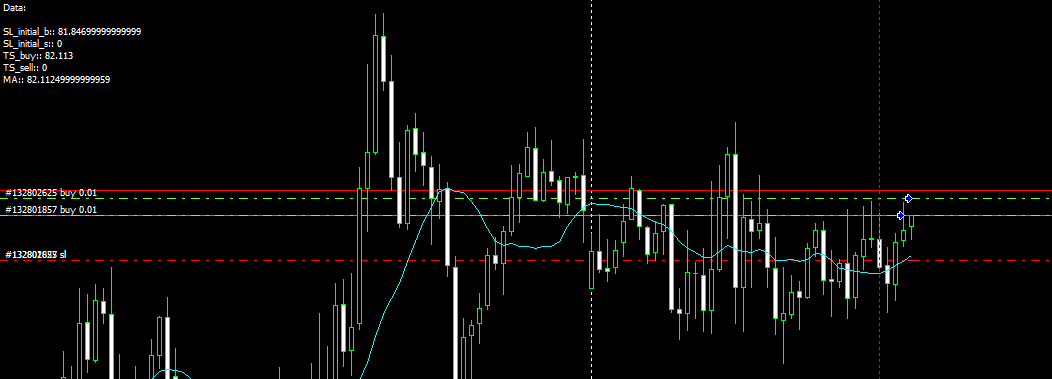
Here the trailing stop value is exactly the same as the MA one. As the trail stop conditions were not met at this point, it should be 0 but I took the wrong value.
Second example:
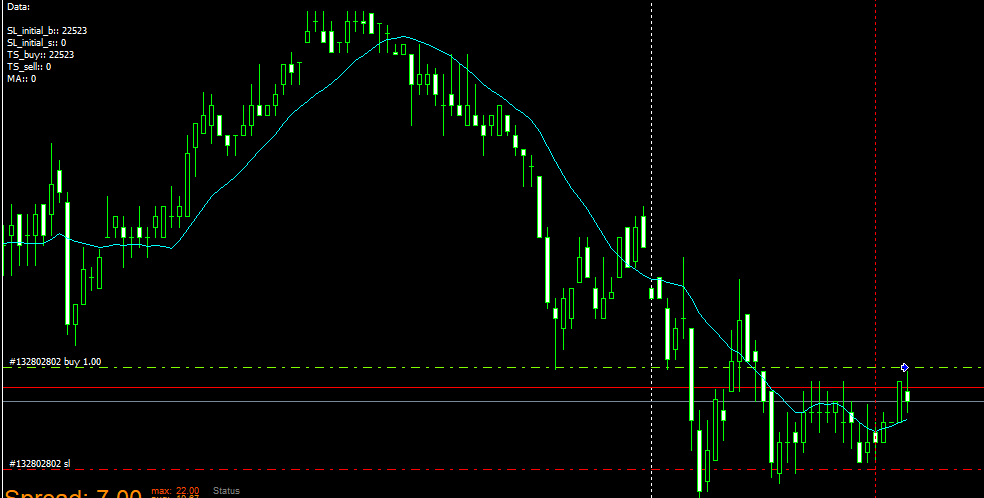
Similar situation, but in this case the value taken is the initial SL. As in the previous case, it should be 0.
Third example
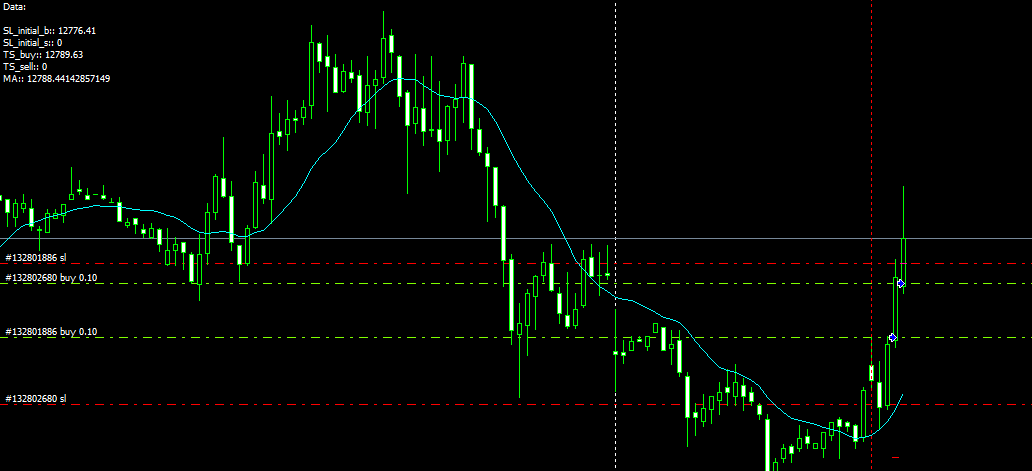
In this case the trailing stop effectively moves as required (upper red line), but the value caught is still the one corresponding to the MA.
All blocks are functioning correctly except those planned to take the real value of the Trailing stop.
Let's imagine the following scenario:
What I want to do is comparing both Stop levels for each new trade after the first one when opening it. I want to choose the shortest stop level comparing the current trailing stop with the fixed pips level for the new trade.
I know how the Trailing stop block works, but I have no idea how can I catch its price level now in order to do that comparison. Could someone please help?
Thank you in advance.
I don't understand what the blocks on 'On Chart' are suppoesed to do. Are you sure they work correctly on demo?
This EA I'm working with takes a random SL from one chart and then uses it for other charts.
https://fxdreema.com/shared/nievS41Hc
Look at this image:

The bottom trade was the first one to be opened with that stop level. As you can see its SL level was 'caught' I don't know why and then used in other two charts. However the EA worked well in all other charts. This is certainly a bug.
I found the origin of those weird numbers. They are the SL of another trade!!! 
Look at this:

The bottom trade was the first one to be opened with that stop level. As you can see its SL level was 'caught' I don't know why and then used in other two charts. However the EA worked well in all other charts. This is certainly a bug. I will copy this message at that subforum too.
A new version including substantial changes is now available:
https://fxdreema.com/shared/nievS41Hc
Two important features have been added.
This new structure has solved apparently my previous problems, but new ones have raised up.
Let's see the most serious ones:
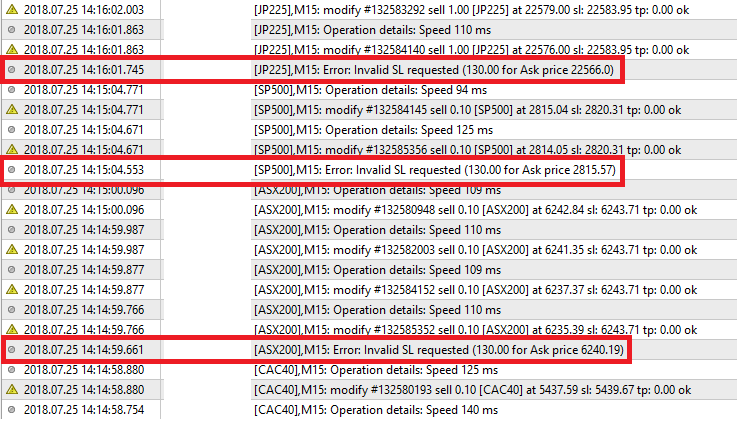
As you can see three different charts are requested to open the same weird SL level!! How can this happen if no terminal variables are used? I have no idea where they come from. This happens the more often the more trades have been opened for the day.

This happened repeatedly on a single chart. Why not in any other one?
Could someone please give me a hand on this weird behaviour?
I was wrong sorry. I think your structure should work. I don't know why it doesn't, sorry.
Your comment block is wrongly set. Look at the last example of this page to do it correctly.
You are useing the same variable for two different price levels. You should use different variables.