@jstap jstap looking properly at my trades. I can not confirm I was wrong. Additional pairs (apart from the first chart) are still opening at wrong calculations. When used in a single chart it's absolutely fine. 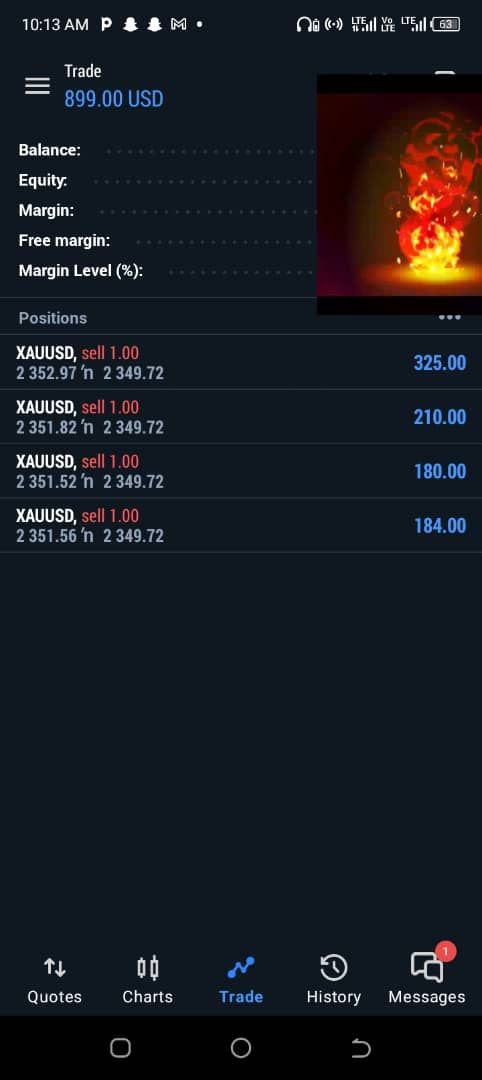

@jstap jstap looking properly at my trades. I can not confirm I was wrong. Additional pairs (apart from the first chart) are still opening at wrong calculations. When used in a single chart it's absolutely fine.
@Hiten7405 We understand your expressing your calculations but can you have not asked a question pertaining to it my friend!
@jstap PROBLEM SOLVED!
My block IDs were not in numerical order.
Some currency pairs were opening incorrectly due to varying size value (eg. GBPJPY @ 190.11 vs EURCAD @ 1.46)
Thank you for your time, help and Sincere Dedication!
@jstap hold on, could it be because the block ID numbers are not in numerical order!?
@jstap to be honest this might be the best way forward I've just tried to re-rig blocks before to rectify a strategy and sometimes the true output does not tally up.
In the past I've started afresh (with the same blocks and input values) and strangely it suddenly worked as expected.
Thank you for the advice!
@jstap my friend the closing bit I'm not too worried about...
My main concern is having an EA where it opens the pairs (that EA is dragged and dropped to) at it's correct calculation (position) and not some miscalculated figure 
When I do single chats, regardless of the pair it's opening at the correct figure.
When I put multiple pairs the first pair is correct but all other pairs open at some bogus figure.
@jstap https://fxdreema.com/shared/hbp0uTETc
The EA opens trades and closes them for all pairs...but their opening positions (entry values) are totally wrong
@ShahabRazavi add a "no trade" block above the "once per bar" block
@jstap I've decided to make the relevant changes as per your suggestions. Later orders for other pairs (apart from the first order) are still opening at wrong values....
I've tired re-routing the "Set Market Block" in several different ways to pick up the initial tick but still no luck.
@jstap made the relevant changes and got it plugged in but unfortunately cannot test (market closed)...
Will test out as per Monday post the outcome (thanks again)
@jstap ahhh! I think I understand. Thank you very much!
I shall try this later (when I have access to my PC) and give an update.
@jstap so according to your explanation (do forgive me if I've misunderstood)...
By placing the set market block before the initial orders (buy pending and sell pending blocks) instead of before the "no trade" then the issue should be theoretically resolved?
@jstap basically, one EA to be used on multiple charts (EURUSD, GBPJPY etc) but the calculations get merged and trades do not open at the right entry values (sorry if I came across aggressive in my previous replies)
@DragonZueloTrends Parece que una solución fácil es crear asesores expertos individuales para cada par. Es un proceso tan largo y, aun así, existe la posibilidad de que los cálculos se fusionen.
@jstap I've taken the time to explain my problem in detail yet your not sure what I'm saying. Not good lol.
What I'm saying, in a very basic way for you to understand is that I want to use my EA on multiple charts. Trades open with mixed calculations. I hope this is simple enough for you to understand 
@DragonZueloTrends Es un problema constante que enfrentan muchas personas.
Hi...
I've been trying to use my created EA on multiple charts using drag and drop. I would like to set individual settings for each pair (chart)
I've tried changing the magic numbers, trade entries get merged.
I've tried using the Set "Current Market for next blocks...after my no trade block, results get merged.
I've then used a use input for set current market for next blocks and used individual pair input for each chart (example typing EURUSD for that setting for that pair) and assigning different magic numbers.... results get merged.
Is there no conquering what should be something so simple!!!
@jstap If I remove the once per object blocks...T4 and T1 are in par with support and resistance values and change with them.
If I have it as is currently, T4 and T1 are deleted but for some strange reason are never re-drawn EVEN THOUGH I have a no trade block above it!
@jstap The buy/sell PENDING orders pick up the values from the Support and Resistance line values, redrawn as T4 (The Resistance Value) and T1 (The Support Value)
Pending orders are offset from T4 and T1 and T4, T1 are deleted to make way for a new trade and new values!
After trades are closed or pending orders are deleted I want to RE-DRAW T4 and T1
I'm simply trying to re-draw the support and resistance values as individual lines once there are no more trades