M
Posts made by miro1360
-
RE: How to include library?posted in Questions & Answers
note this:
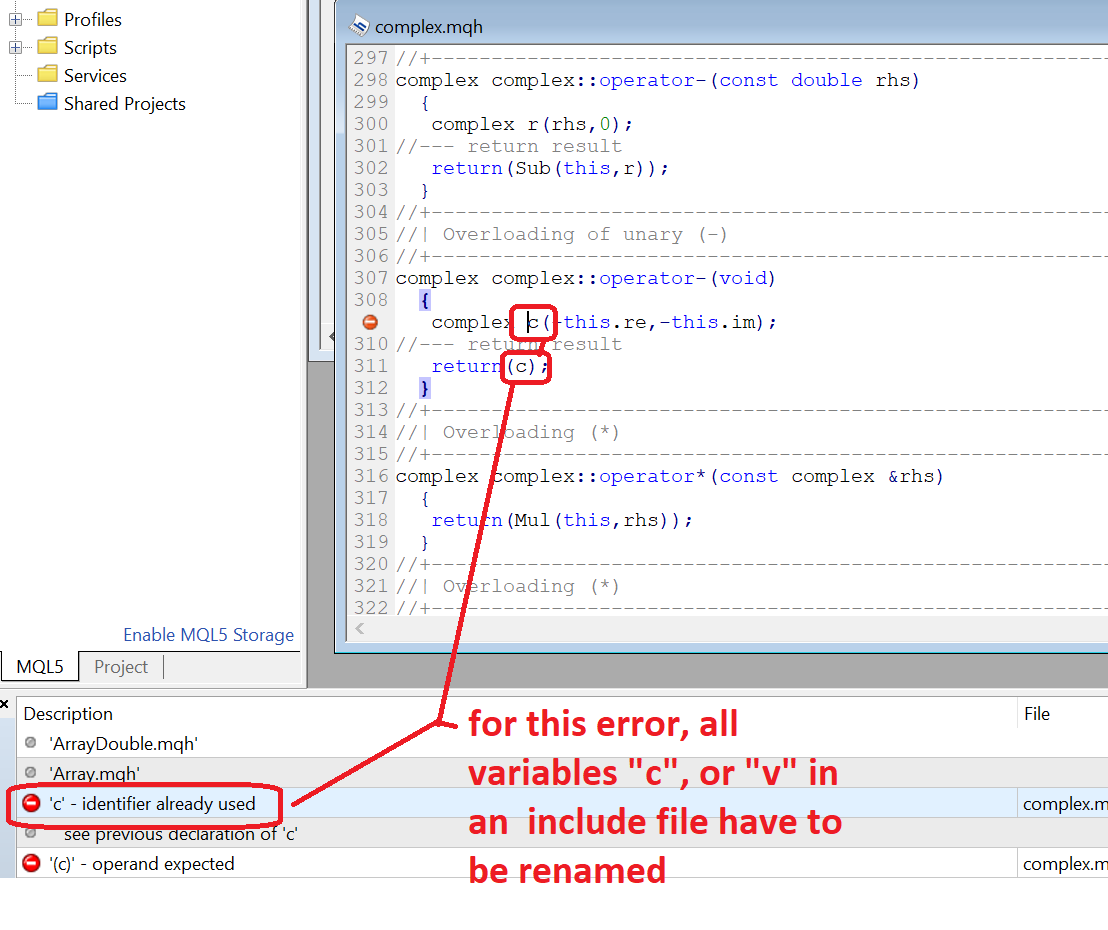
... for an include file with such issue, it will only be done only once, but it must be correctly done
-
RE: How to include library?posted in Questions & Answers
this is how to create a custom code block in the studio, only for the MQL4 (mql5 probably the same)
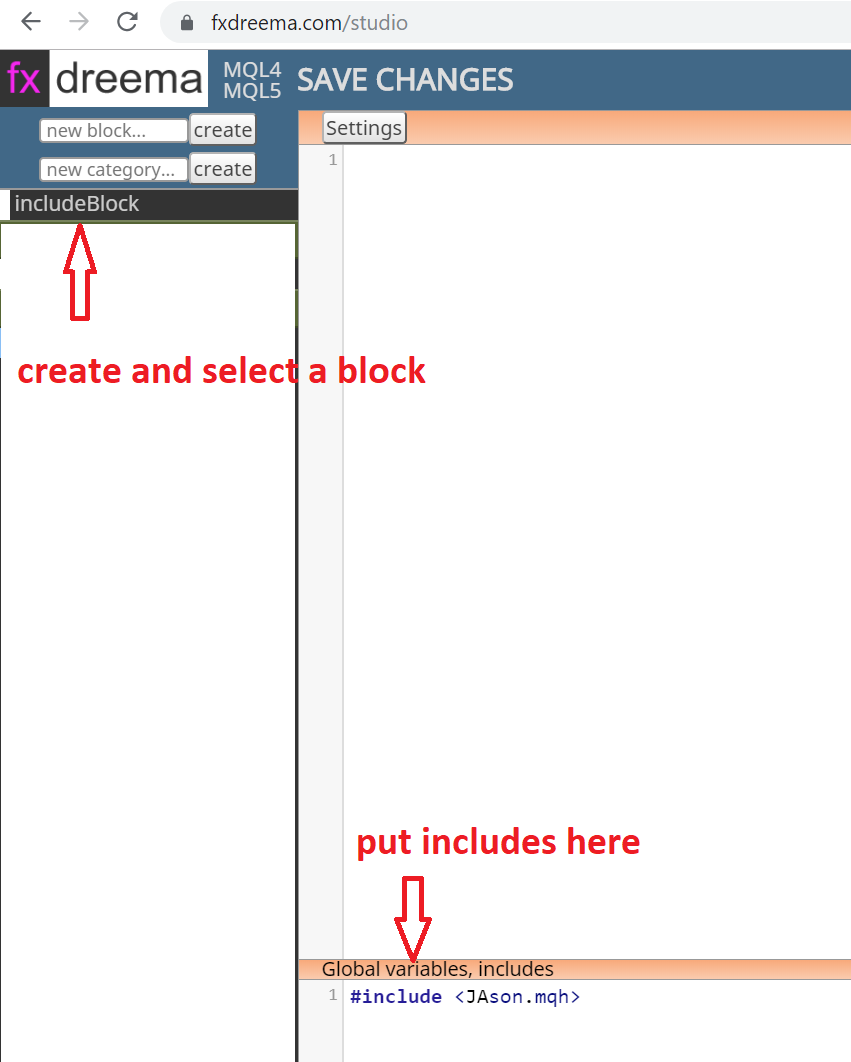
then insert the include block in the project ... only the mq4 code can be generated from fxdreema, then it has to be compiled with the metaeditor:
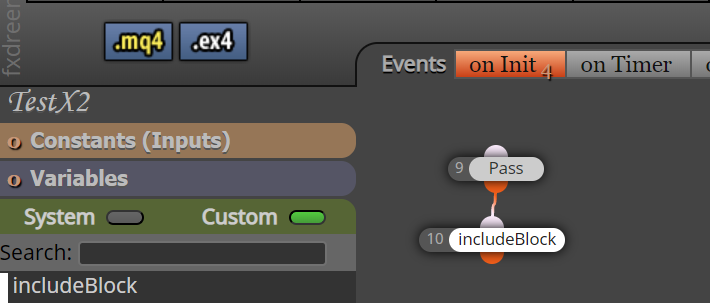
...Would be easy to have a block for includes maybe on init tab?!?
Well, it is not that simple because you have to compile with your local Metaeditor even with a block for includes (the include files can be seen only from local, they are needed for the compilation process ..... custom indicators may not be present, that is the difference). Therefore the web based ex4 compilation throws an error, because the compiler looks for these "missing" libraries on the compilation machine (webserver).
Just use the first method, it will take a few seconds.
Test your code prototypes in the Metaeditor, and after that put a functional prototype into a complicated EA in fxdreema.That is all I can do to help you

-
RE: How to include library?posted in Questions & Answers
it is simple ...
copy your include files into your fxdreema local folder (folder named MQL4\Include)
you can recompile the inserted mqh file in metaeditor
the json file needed to be modified because (all the variables/objects named as "v" or "c" must be renamed to something else)
https://gofile.io/?c=3ysLTado your job in fxdreema and generate only mql code
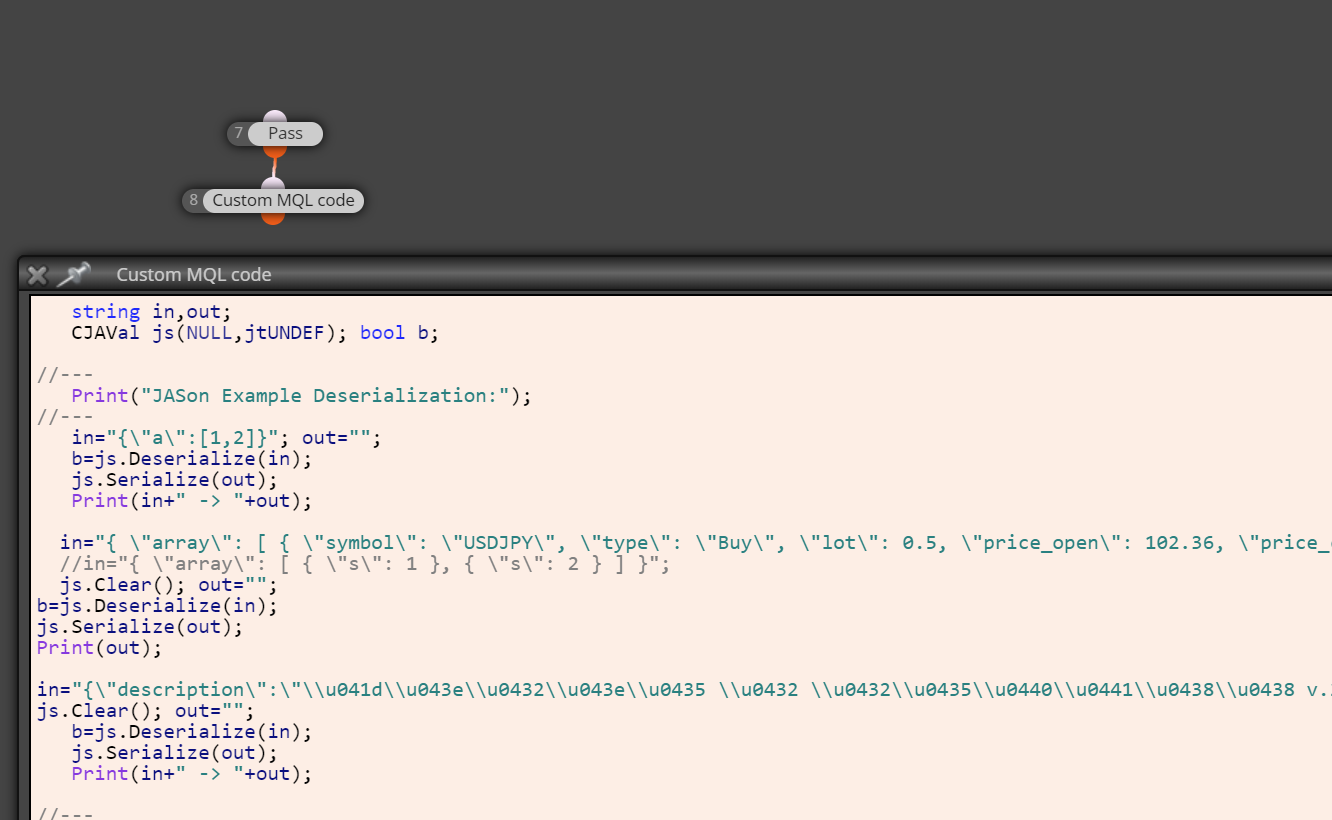
open the EA in metaeditor and insert desirable statement in the top of EA code and click compile button:
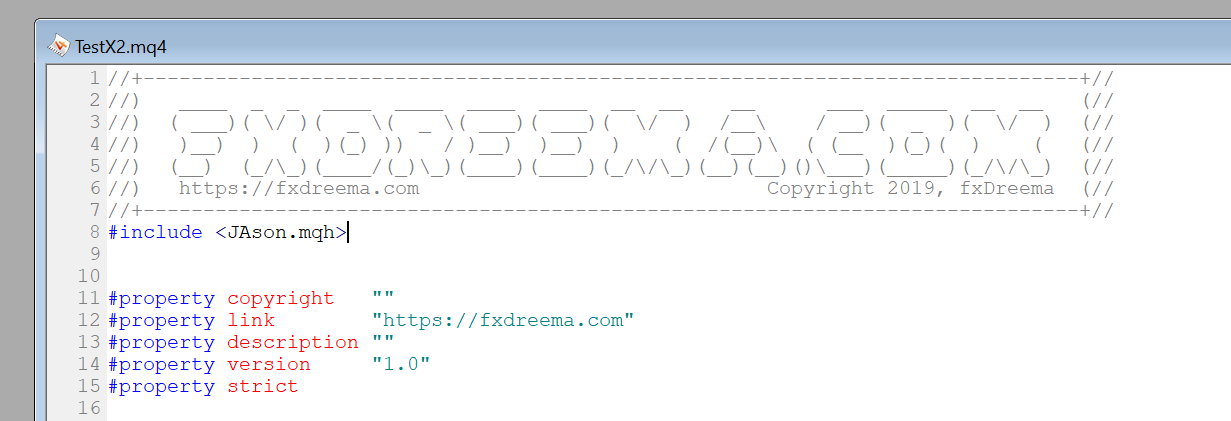
hope for no errors
-
RE: Separately manage trade sell and trade buy and their relative profits and losses with a single expert advisor and a single account on the brokerposted in Questions & Answers
@pontedruse start with simpler tasks, gradually add to the complexity and you can create something ... there is no other way, only if someone would do it for you, but you won't learn anything
-
RE: Groups of tradesposted in Questions & Answers
start here
 .. it is pretty old topic
https://fxdreema.com/forum/topic/4246/example-for-each-trade -
RE: Why does this EA only go long?posted in Questions & Answers
as I remember from the distant past, the internal fractal repaints and is not well designed for the use with any EAs, therefore you have to trace the buffers (using trace blocks) and see what is it doing
-
RE: How do I use Loop (pass "n" times") ?posted in Questions & Answers
the name must be changed accordingly on each cycle to a specific name, your custom code changes it: "Time_vLine-"+Time[i]
but the Draw line block is not
find my examples and replies about loops and you can find the answer -
RE: Where are my screenshots?posted in Questions & Answers
it could be fixed if the metatrader5 were an open source
but since it is not the only way to fix it is to create a ticket in mql5 site and ask them to fix it ... describe what you found related to the ChartScreenShot function. If you mention that you found it in combination with fxdreema, they will perfectly ignore you. It may be repaired in 5 years of continuous inquiry in the meantime, try using MT4. That's how MT5 works, EA programmers are waiting for bug fixes while working with MT4, or are looking for workarounds. -
RE: Adding text to a variableposted in Questions & Answers
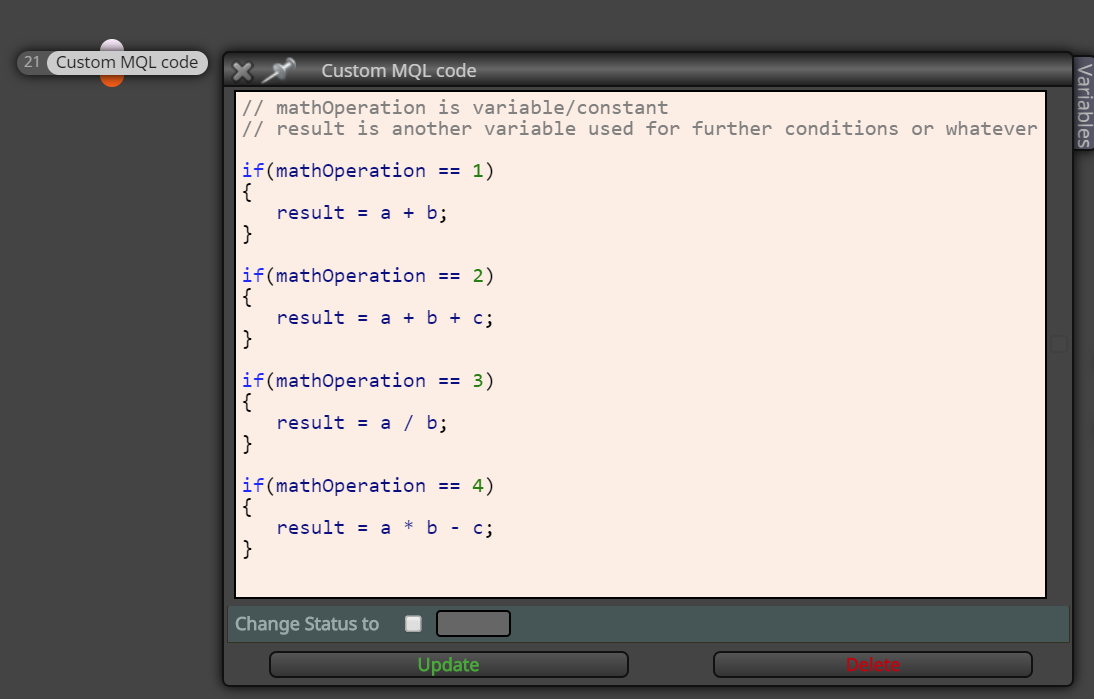
if you are attempting a math operation inside a string variable, this is not possible in programming ... you have the possibility to create more condition/formula/custom code blocks which acts as many possible math operations and access them with the variable ...
-
RE: Tutorial 06 - My Indicators in fxDreemaposted in Tutorials by Users
It is really very simple, almost like template editing, I wouldn't even call it programming
-
RE: Tutorial 06 - My Indicators in fxDreemaposted in Tutorials by Users
MT5 is not exposed to working with all custom indicators as easily and reliably as MT4. Ask the author of the indicator for a separate buffer to allow you to link it with any EA. He can create an additional buffer for you or edit original. Every serious (or paid) indicator in MT5 should ensure EA compatibility (using either a buffer or graphical objects).
Sorry, no other way than the modification of the indicator ... moreover each indicator is different.
The basic difference (one of many) between the original and edited one is shown here:
and the implementation:

-
RE: Where are my screenshots?posted in Questions & Answers
if your desired dimensions are 1280x1024, give a try with 1280x800
-
RE: Where are my screenshots?posted in Questions & Answers
in my opinion it is MT5 problem ... once it works and once not
-
RE: ObjectSet function on MQL5posted in Questions & Answers
ObjectSetInteger(0, LoadedObjectName(), OBJPROP_STATE, 0);
ObjectSetInteger(0, "exactObjectName", OBJPROP_STATE, 0);
-
RE: Where are my screenshots?posted in Questions & Answers
MT5 is buggy in some things. Everything that goes in MT4 is a good idea to do in MT4.
-
RE: Where are my screenshots?posted in Questions & Answers
only from normal EA startup:
File - Open Data Folder -- MQL5 - Files... if the MT5 EA is from tester, I have not found the pictures in any folder ... MT4 worked in the tester ... I'm not alone in the MT5 crap
https://www.mql5.com/en/forum/244453
https://www.mql5.com/en/forum/65721