Hi, can you show your project, and a pic of it in mt5 please ?
S
Posts made by seb 0
-
RE: 10 pips in fxDreema are 100 Points in MT5posted in Questions & Answers
-
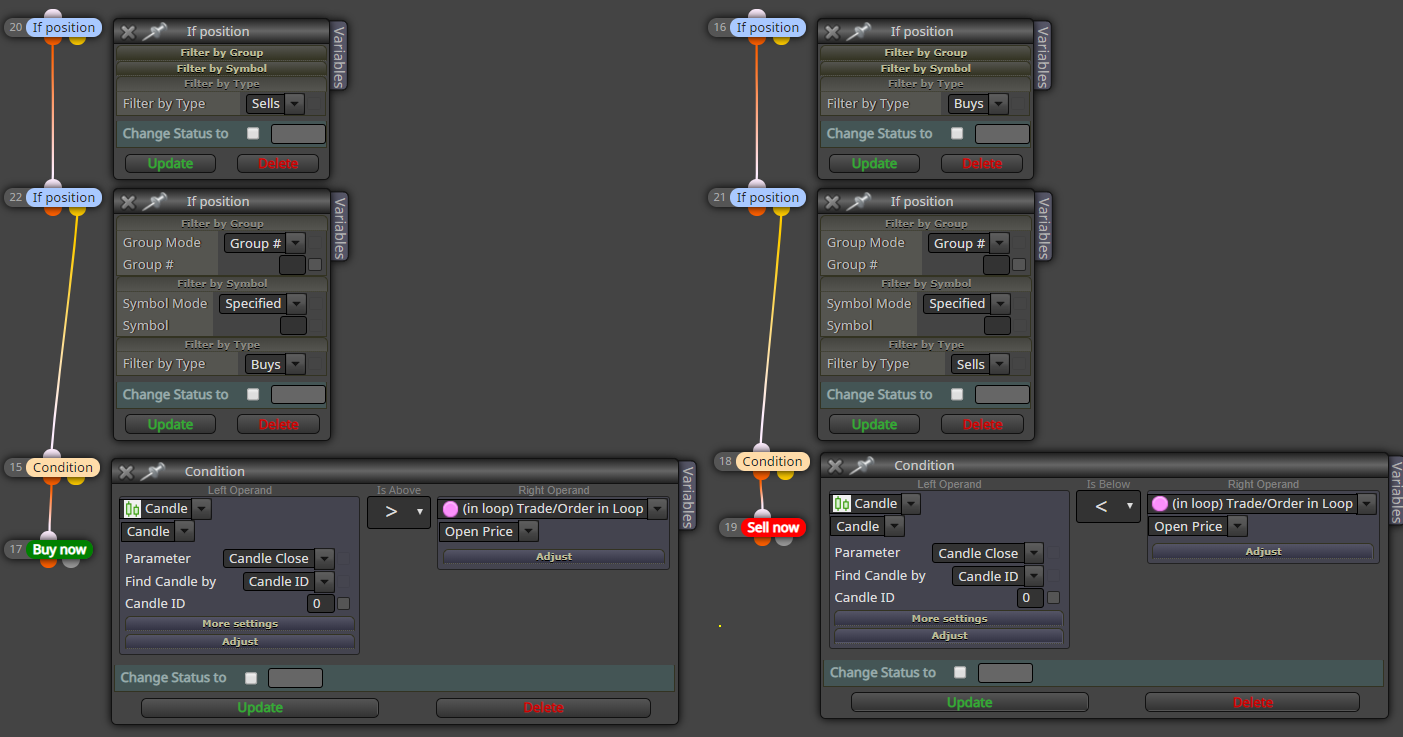
RE: hi, i need help, i would like you to open only one operation each change of trend hpw can i do?posted in Questions & Answers
@dadi
Hi, here there is a tuto "buy-sell-buy-sell" : https://fxdreema.com/howto#Simple-Programs -
RE: Minimum Distance between two MAsposted in Questions & Answers
@siggi
If the condition is : ""ma8"" > ""ma 50 |adjust:+30 pips|""
The condition is true when ma8 is at least 30 pips higher than ma50. -
RE: Stop Loss did not work during trading periodposted in Questions & Answers
@tedhor07
This branch will close the buy position as soon as a bear has formed, no matter if you are loosing or winning. And i don't think the old way is relevant.
But you still can fix TP or SL with fix pips in this buy block. So position will be closed whenever either pips are reached or bear formed. -
RE: Stop Loss did not work during trading periodposted in Questions & Answers
@tedhor07
SL, TP set in this block are fix, so when a buy position is opened, there is a stop-loss which is fixed at the level you selected : the close of the actual bear candle (if candle id = 0), if it is a bear, and if it is different from the previous one. As it is never the case, you dont have any SL and all your trades are closed winning.
You should do that instead : https://fxdreema.com/shared/sSfCm4z1d -
RE: Minimum Distance between two MAsposted in Questions & Answers
@siggi
Hi, there are 2 ways to prevent this kind of issue :- In condition block -> in more settings -> in candle ID, write 1. So instead of passing when the ma8 > ma50 on the current candle (by default "empty" equals "0" as ID), the condition will be true when the ma8 > ma50 on the previous candle (ID 1).
By that as the candle 1 is closed, the MA will not move anymore at this candle. Unlikely the candle 0 (empty) which makes continuously move the MA until this candle closes, which can give false signals. - In condition block -> in adjust -> write +30 pips. And you can decide setting the candle ID you want.
Pips value in blocks, should be the same in backtest.
- In condition block -> in more settings -> in candle ID, write 1. So instead of passing when the ma8 > ma50 on the current candle (by default "empty" equals "0" as ID), the condition will be true when the ma8 > ma50 on the previous candle (ID 1).
-
RE: Close position after 5 minutes !posted in Questions & Answers
@fabien-s
Oh ok that's unfortunate thx
thx -
RE: Close position after 5 minutes !posted in Questions & Answers
@l-andorrà
If the expiration is supposed to close the trade, it has never worked for me :
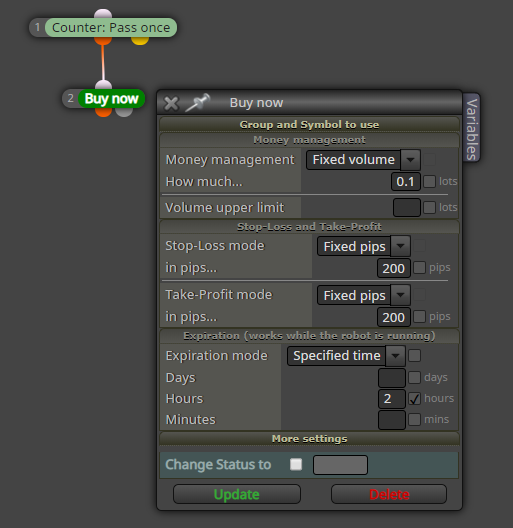
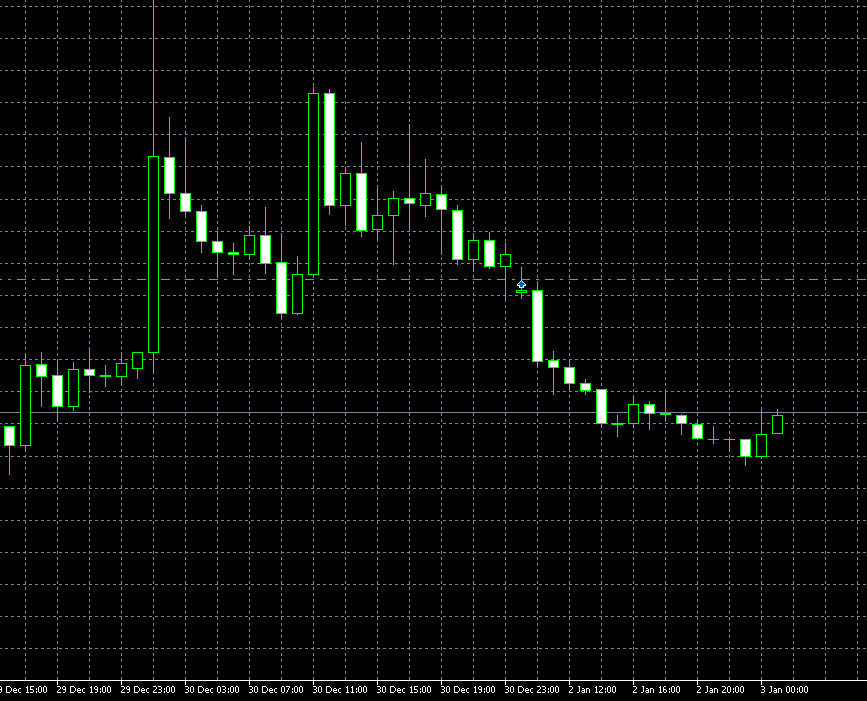
Duno why -
RE: Trade open again after SL is hittedposted in Questions & Answers
@traderea6
I dont really see what's going on with your project, but about the second pic, the condition says that it will pass only when the "open candle" of the closed trade is older than 2. So if the first trade lasts 3 bars, another one will be opened as soon as its closed; if the first lasts 1 bar, it will wait 1 more bar(then 2) and pass the next bar.
However there is no block below this one so.. -
RE: Close position after 5 minutes !posted in Questions & Answers
@johnny_prd
Hi, think you can do it :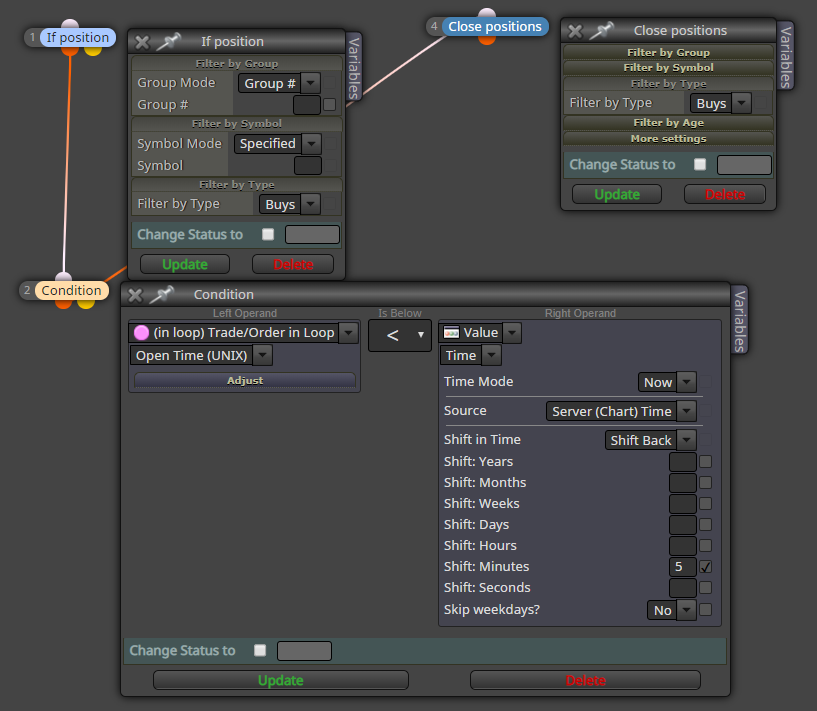
-
RE: Creating A customize SLposted in Questions & Answers
@luckybest
Hey, I think the problem comes from, stop-loss mode, where you selected "Custom (price fraction)" instead of "Custom (price level)". In this case. -
RE: Obtaining 200 MA of OBV indicatorposted in Questions & Answers
Duno if that is array, but i am using in my current project a block that would do the math for you, which would come after the blocks roar gave you.
https://fxdreema.com/shared/3OAyHklYb
Block 1 is mine, block 2 is four you. Just check that the variables names are the same that you have set. -
RE: Buy start while condition not meetposted in Bug Reports
What is your problem, you want the EA to open a BUY trade whenever the price is above Ichimoku indicator, but doesn't work ?
Can you share the entire project please -
RE: just looking to collaborate.posted in General Discussions
The thing is, number of strategies used humanly are very hard/almost impossible to implement in a bot. The very visual ones like : triangles; retracements; support/resistance... require a complex analyse, only a brain is able to master, especially when they are combined.
Automated strategies are using often simpler signals, like crossing ; specific value at a given time for exemple, in sum more binary things.
But i don't think you can come out profitable using such easy and common signals taken one by one. So you must find a system that allows you to combine several simple signals like these, but giving enough flexibility, to miss as less opportunities as possible. Like playing on lots size for exemple.
At least this is what i got since i'm on EA's, by that recently ^^ -
RE: Hi guys, how do I enable two non-concurrent conditions?posted in Questions & Answers
This is nice taking the lead @roar , next time ill start with the demonstration : )
-
RE: Hi guys, how do I enable two non-concurrent conditions?posted in Questions & Answers
Hi, by using flags or variables. When first condition is true, turn it into true, which will allow the next condition to pass as soon as it is true as well.
-
RE: How to avoid zero candle errors؟posted in Questions & Answers
Yes if candle 0 x> MA adjust : + 15 pip-------buy
You can do that -
RE: How to avoid zero candle errors؟posted in Questions & Answers
As there is a big number of ticks in a bit of time, comparing the price every tick to a referred price(buy/sell price) just set is, in many situations, gonna open a large number of opposite positions. One tick it will be above, the other below... The easiest way (probably the best), to avoid "wrong" trades, is to set candle 1.
-
RE: Candle breakoutposted in Questions & Answers
Also avoid using highest price from candle 1 to 1. Use high of candle 1 for exemple, or, close of candle 1.