fxDreema

    • Register
    • Login
    • Search
    • Back to the main page
    • Categories
    • Recent
    • Tags
    • Popular
    • Search
    1. Home
    2. timmyhanke
    3. Posts
    • Profile
    • Following 2
    • Followers 6
    • Topics 18
    • Posts 257
    • Best 18
    • Controversial 2
    • Groups 0

    Posts made by timmyhanke

    • RE: Where are my Alerts?

      @yalgaar

      The alert message block sends your message to terminal alert tab and journal

      posted in Questions & Answers
      timmyhanke
      timmyhanke
    • RE: Close partially multiple trades with "Once per Trade/Order"

      @Alex254

      For each trade - check trade count condition partly close should work, then it selects all of the orders either buy and sell and partly closes everyone of them

      posted in Questions & Answers
      timmyhanke
      timmyhanke
    • RE: workgroup project need help from all

      @abanob

      https://fxdreema.com/shared/Y1rHxNV4c

      posted in Questions & Answers
      timmyhanke
      timmyhanke
    • RE: Close partially multiple trades with "Once per Trade/Order"

      @Alex254

      https://fxdreema.com/shared/TUh2Qk6Q

      dont know it this even makes a difference but try it

      posted in Questions & Answers
      timmyhanke
      timmyhanke
    • RE: Close partially multiple trades with "Once per Trade/Order"

      @Alex254

      This works 🙂

      https://fxdreema.com/shared/NBVeCe7Jc

      posted in Questions & Answers
      timmyhanke
      timmyhanke
    • RE: count object like trade

      @mohammad2232

      Select object by name and use the yellow dot to the next block, meaning if that object dosnt exist it will pass

      posted in Questions & Answers
      timmyhanke
      timmyhanke
    • RE: Restart ea

      @fxDreema

      Thank you for your suggestion, but wont apply template do the same , when the ea is inside template already , so it reloads the ea when the trades are closed 🙂

      posted in Questions & Answers
      timmyhanke
      timmyhanke
    • RE: Cannot Turn Off Block

      @engrled

      No problem , glad to help 🙂

      posted in Questions & Answers
      timmyhanke
      timmyhanke
    • RE: Cannot Turn Off Block

      @engrled

      change the sl block to price and use adjust to minus x pips that you want or simply use break even

      posted in Questions & Answers
      timmyhanke
      timmyhanke
    • RE: Cannot Turn Off Block

      @engrled

      https://fxdreema.com/shared/bDS2Zwnbe

      posted in Questions & Answers
      timmyhanke
      timmyhanke
    • RE: Cannot Turn Off Block

      @engrled

      You wrote you tried my suggestion and that the sl changes to open price when profit goes below12 usd , isnt that the point of all of this ?

      you even have it on what you made , <12 usd - create new sl at open price

      posted in Questions & Answers
      timmyhanke
      timmyhanke
    • RE: Formula error

      @chiper

      https://fxdreema.com/forum/topic/4980/update-time-write-here-if-you-have-problems

      posted in Bug Reports
      timmyhanke
      timmyhanke
    • RE: CurrentTimeframe() BUG

      @mohammad2232

      Its that way for me to when i was using different timeframes , set it to 1 minute and then you can use a checkmark

      posted in Bug Reports
      timmyhanke
      timmyhanke
    • RE: Formula error

      @chiper

      Can be that Fx dreema is under a big update right now ? 🙂

      posted in Bug Reports
      timmyhanke
      timmyhanke
    • RE: Cannot Turn Off Block

      @engrled

      When the profit is above 12 the trailing will be activated and never closed out and turn on a new section , if the profit goes below 12 it will create a SL and then close out that section after the SL is created. and it will loop like that.

      So if the profit dosnt go back to below 12 it will not create a SL and only have the trailing activated

      posted in Questions & Answers
      timmyhanke
      timmyhanke
    • RE: Cannot Turn Off Block

      @engrled

      the way i made it yesterday that i sent you is exactly that

      posted in Questions & Answers
      timmyhanke
      timmyhanke
    • RE: Directory

      @nmort2

      i remember having problem with that too when i was using the desktop version , i put it in like this :

      Metatrader 4 terminal path:

      C:\Users\Timmy\AppData\Roaming\MetaQuotes\Terminal\

      Metatrader 4 data path

      C:\Users\Timmy\AppData\Roaming\MetaQuotes\Terminal\30D279B64B1858168C932D8264853F2B\MQL4\

      and that works for me

      posted in Questions & Answers
      timmyhanke
      timmyhanke
    • RE: Directory

      @nmort2

      are you using the web builder ? because mine just makes the mq4 file instantly

      posted in Questions & Answers
      timmyhanke
      timmyhanke
    • RE: Directory

      @nmort2

      0_1503087816947_example.jpg

      posted in Questions & Answers
      timmyhanke
      timmyhanke
    • RE: Cannot Turn Off Block

      @engrled

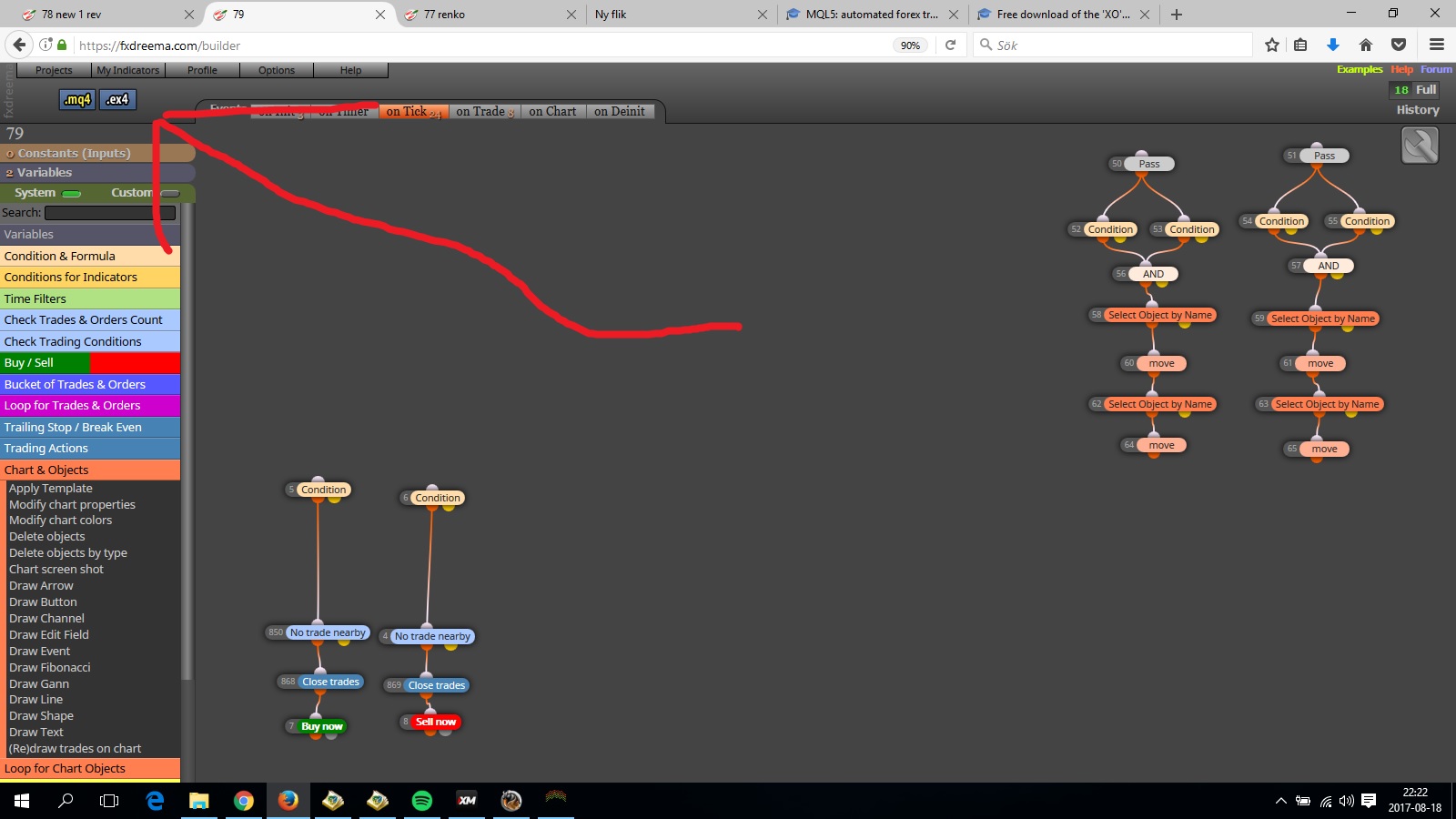
      the section were you use profit is above 5 and next block below 12 will never ever pass because it has to pass in the same tick which , because a condition will never ever be <and > at the same tick especially if you use 2 different values like 5 and 12 .

      thats why i used sections , if one section is true it activates that until the opposite is true , and when section 2 is true it will close itself out .
      posted in Questions & Answers
      timmyhanke
      timmyhanke
    • 1
    • 2
    • 6
    • 7
    • 8
    • 9
    • 10
    • 11
    • 12
    • 13
    • 8 / 13