fxDreema

    • Register
    • Login
    • Search
    • Back to the main page
    • Categories
    • Recent
    • Tags
    • Popular
    • Search
    1. Home
    2. timmyhanke
    3. Posts
    • Profile
    • Following 2
    • Followers 6
    • Topics 18
    • Posts 257
    • Best 18
    • Controversial 2
    • Groups 0

    Posts made by timmyhanke

    • RE: Cannot Turn Off Block

      @engrled

      Variables is something that im not good with , and you should ask roar .

      And by what i wrote i just did by adding turn on and off blocks .

      What i did was when the profit is > 12 it turn on another section in my case block 5 which is otherwise turned off.

      So if the profit is > 12 it activates the trailing and block 5 , and if it goes < 12 after beeing at >12 a new SL is created and then closes that section after the SL is created .

      And can only be activated again if it goes above 12 again and then goes below that , isnt that the principle that you wanted ?

      posted in Questions & Answers
      timmyhanke
      timmyhanke
    • RE: Cannot Turn Off Block

      @engrled

      if i understood your what you wanted this should work

      https://fxdreema.com/shared/pmLS6NLFd

      posted in Questions & Answers
      timmyhanke
      timmyhanke
    • RE: Cannot Turn Off Block

      The problem with everything is when you want 2 conditions to happend in the exact same time , but i sat down a couple of months ago just tested until i found the solution, i worked with crossover on everytick , like that i had 2 lines , one above and one below , and i wanted it to trade if it went above the upper and then went down below it again . then you are looking for >and < at the same second . and thats why most use x </> but that are comparing the last bar to do that .

      So i used something that you can use , i used flags , but if you use:

      https://fxdreema.com/shared/bhucayUZc

      it should use the trick

      so you are using sections that only can pass once , and when the opposite of that is true that will close , and by that create a loop

      posted in Questions & Answers
      timmyhanke
      timmyhanke
    • RE: Directory

      @nmort2 said in Directory:

      Hi I am trying to export my EA but get the message "Check if Metatrader 4 directory is set correctly". My settings are below:

      MT4 Terminal path:
      C:\Program Files\MetaTrader\

      MT4 Data Path:
      C:\Users\hilary\AppData\Roaming\MetaQuotes\Terminal\F762D69EEEA9B4430D7F17C82167C844\

      MT5 Terminal path:

      C:\Program Files\MetaTrader 5\

      MT5 Data Path:
      C:\Users\hilary\AppData\Roaming\MetaQuotes\Terminal\D0E8209F77C8CF37AD8BF550E51FF075\

      Can someone help please?

      Thanks!

      it can make mq4 or mq5 file just pressing the button , and thats what i use actually, opens metaeditor instantly were you can check compile and see if there are errors in the coding otherwise it reloads the platform and its there .

      posted in Questions & Answers
      timmyhanke
      timmyhanke
    • RE: Restart ea

      @roar

      I came up with an simple idea of how to restart the ea , I used when trades closed- no trades - apply template .
      But the first day i got an insane result , but now it seems to restart some , and other charts the ea is simply deleted .
      tried terminate as well but that spams termination messages on the platform , and didnt really work .
      It should work as it is now , but it messes up and i dont know why ..

      Can you see a wrong with my strategy ?

      https://fxdreema.com/shared/ignMmyDvc

      posted in Questions & Answers
      timmyhanke
      timmyhanke
    • RE: Compare variable's value

      @mohammad2232

      But if upper value of bollingerbands is like 1.2 and lets say the middle is 1.18 if you take 1,2-1,8 thats equal to 0,02

      and that is lightyear away from what the current price is , and then you want to react to when the price is 40 pips above a price that is insanely low ? it will trigger all of the time my friend 😉

      isnt it better to act if middleline incresses a pip value instead ? in that case you have indicator rise and there you can put a pip value , and if that is correct you can use moving average instead of the middle line of the bollingerband , its the same thing 🙂

      posted in Questions & Answers
      timmyhanke
      timmyhanke
    • RE: Restart ea

      @roar

      https://fxdreema.com/shared/ZupRJjCQc

      Made it like this and it seems to work wonders actually 😉

      its always nice to have someone to throw ideas at , not only to get a solution to the problem but to make the brain to maybe find the solution by itself 🙂

      posted in Questions & Answers
      timmyhanke
      timmyhanke
    • RE: Restart ea

      @roar

      hmmm that might work acutally , was hoping to hear your side of it 😉

      Thought of a solution that might work , if no trades - check if the body is below 10 pips set flag trading to true otherwise set it to false . that might work .

      Or trade close - set flag to true - terminate and in deinit set flag to false , i dont know it that would save the complete terminate block though haha 😉

      posted in Questions & Answers
      timmyhanke
      timmyhanke
    • RE: close trades with object not work!

      @timmyhanke

      and if you dont want the ea to create the objects you can delete the draw line part , and use high and low horizonal lines that you manually create on chart 🙂

      posted in Questions & Answers
      timmyhanke
      timmyhanke
    • RE: close trades with object not work!

      @mohammad2232

      https://fxdreema.com/shared/fsu9xlEyd

      something like this ?

      posted in Questions & Answers
      timmyhanke
      timmyhanke
    • RE: close trades with object not work!

      @mohammad2232

      im using something like this

      https://fxdreema.com/shared/cuHqx6epe

      2 lines for buy trades and 2 for sell , if price pushes one of the lines it follows with price and the oppsite follows after that one maintaining 10 pips

      posted in Questions & Answers
      timmyhanke
      timmyhanke
    • RE: close trades with object not work!

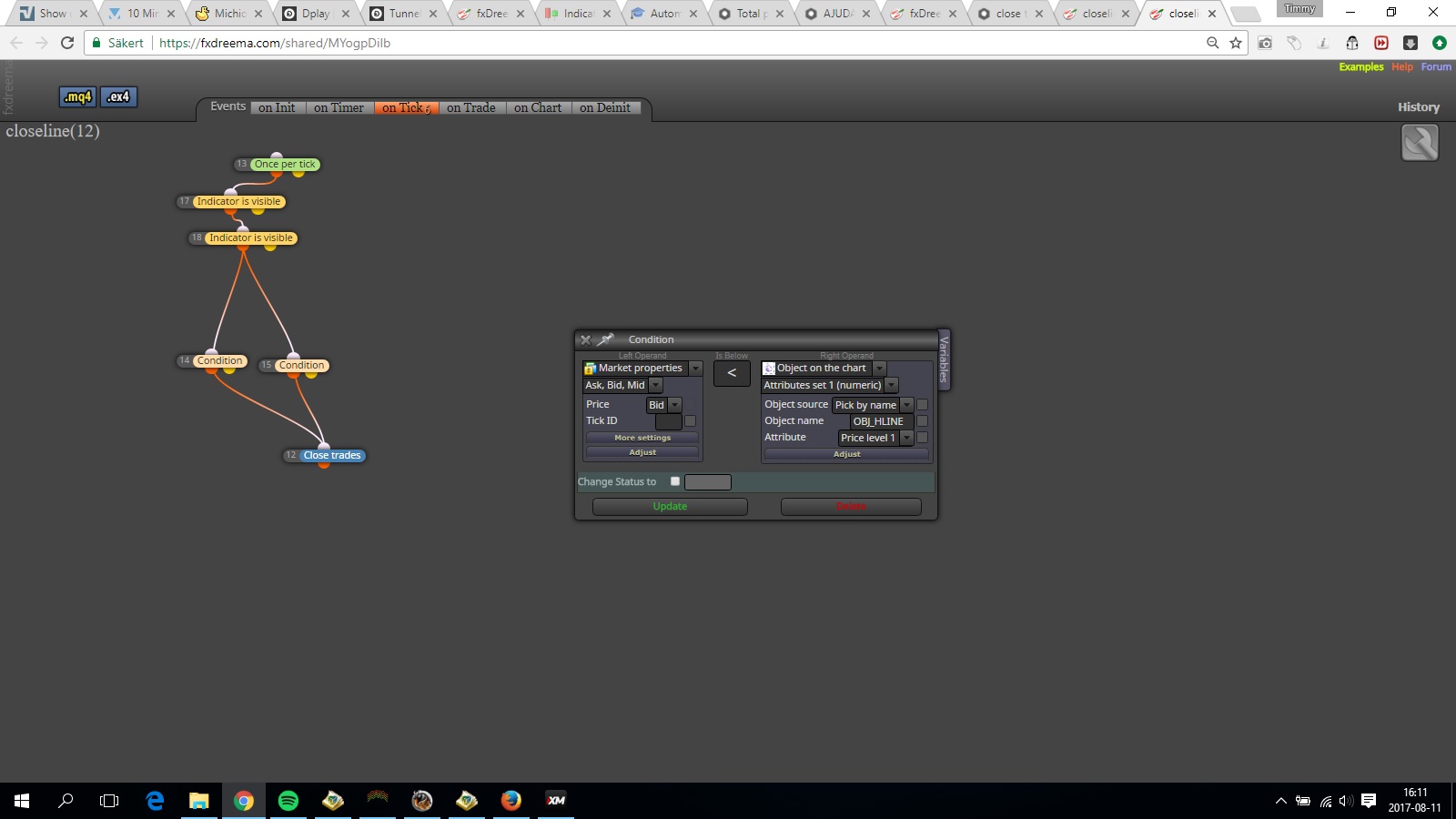
      @mohammad2232 0_1502460762595_correct.jpg

      This is the correct way of doing it .

      I dont know why you have the same name for the two objects though , i usually create horizontal lines in the ea too , and adjust that how i want it .

      And by refering to the same object it will now work

      posted in Questions & Answers
      timmyhanke
      timmyhanke
    • Restart ea

      Is there a way to make the ea to restart itself after lets say profits has been closed ?

      because in most of my ea's i work with alot of orders along a large moving candle , but after the profit has closed it starts to loose track ,

      So if the reset part can be done i was thinking of adding a filter that it dosnt trade when the body of a candle is above x pips and then restart on every profit close , so in my insane mind it would be able to trade along a big candle and if that candle drops to the required amount of pips on the candle body it will do the same thing again and again .

      posted in Questions & Answers
      timmyhanke
      timmyhanke
    • RE: How to code that my candle is between support and resistant?

      @roar

      I dont actually know how to draw the lines in support and resitance level , but if you have that bit sorted , it only needs to redraw itself constantly if it changes , like on every tick select line and change it to the correct level , so it allways follows 🙂

      posted in Questions & Answers
      timmyhanke
      timmyhanke
    • RE: How to code that my candle is between support and resistant?

      @keanzoe

      I think its done by drawing horizontal lines at support and resistance

      And then make a condition that's like price is below the upper line and above the lower line and connect them to a and block, but be careful because it will pass on every tick when it's in the middle.

      posted in Questions & Answers
      timmyhanke
      timmyhanke
    • RE: Total profit reduces by x % then close everything.

      @roar

      No problem , if you find something to make it work just send it 🙂

      posted in Questions & Answers
      timmyhanke
      timmyhanke
    • RE: Total profit reduces by x % then close everything.

      @roar

      can you upload the one that was working ? mine still does the same thing 😞

      posted in Questions & Answers
      timmyhanke
      timmyhanke
    • RE: Total profit reduces by x % then close everything.

      @roar

      I will try the reset that you wrote and see what it does 🙂

      Haha i noticed that too , but it might work better , less orders adjustments through the broker 🙂

      posted in Questions & Answers
      timmyhanke
      timmyhanke
    • RE: Total profit reduces by x % then close everything.

      @roar

      hmm and that is too much , but i dont know why it showed a more normal result on backtesting 😉
      But i tried something , using lines .

      https://fxdreema.com/shared/5WaVD65ze

      Its from block 20 to 37 and 80 to 90 .

      It makes two lines , that move along price when its pushed by price 🙂

      posted in Questions & Answers
      timmyhanke
      timmyhanke
    • RE: Total profit reduces by x % then close everything.

      @roar

      Tried it in backtester , it seems like it closes the orders instantly , so i tried to change the value of ReverseFraction to 10 instead , and then it seems like it does the work right 🙂

      posted in Questions & Answers
      timmyhanke
      timmyhanke
    • 1
    • 2
    • 7
    • 8
    • 9
    • 10
    • 11
    • 12
    • 13
    • 9 / 13