fxDreema

    • Register
    • Login
    • Search
    • Back to the main page
    • Categories
    • Recent
    • Tags
    • Popular
    • Search
    1. Home
    2. GeoFX
    3. Posts
    G
    • Profile
    • Following 0
    • Followers 1
    • Topics 11
    • Posts 71
    • Best 11
    • Controversial 1
    • Groups 0

    Posts made by GeoFX

    • RE: Position´s Expiration

      @fxdreema I've stumbled on the "Check age" block encompasses weekends issue. It is pity this simple but useful block is not flexible to skip weekends, market holidays or skip any given period market was closed, because the period of time that is implied by the notion "CHECKING AGE" is the actual period market was open only.
      Yes, there are other ways to check age excluding holidays, but the "Check age" block is the most intuitive one for the newbies, and IMHO deserves to have such options. Even for me, because I still struggling with variables) Thank you @fxDreema for the great robot-building framework, nonetheless. @GeoFX/2+ years happy FXDreema user

      posted in Questions & Answers
      G
      GeoFX
    • RE: EX4 custom indicator with licence key conversion

      Folks, if fxdreema builder fails to build the .MQ4 EA file, try to rebuild the block IDs first.
      Go to: Options -> Project Options -> Project Blocks: Normalize IDs

      Another bug i've noticed along my fxdreema experience and I suppose the problem lies within the MT4 platform itself and how it keeps its logs and history, is when you save your .MQ4 file, sometimes it is saved with an old modifications from your previous fxdreema edits. You can notice such bugs when you check your latest version EA modifiable parameters over the EA Input Settigs tab which just arent there. All you can observe is an old parameters from your EA previous version, only.

      I cure it with EA name modification BEFORE of each save + Block IDs rebuilding, so everytime I save my project to the MT4 experts directory, Im confident my EA been saved with the latest parameters I've put.

      Those tricks can really help, when it seems you have already done everything right, but for the unknown reason your EA doesnt work as expected

      posted in Questions & Answers
      G
      GeoFX
    • RE: Tutorial 06 - My Indicators in fxDreema

      My topic has been transfered here: https://fxdreema.com/forum/topic/9807/ex4-custom-indicator-with-licence-key-conversion

      @miro1360, please, delete my pics above.Thanks

      posted in Tutorials by Users
      G
      GeoFX
    • RE: EX4 custom indicator with licence key conversion

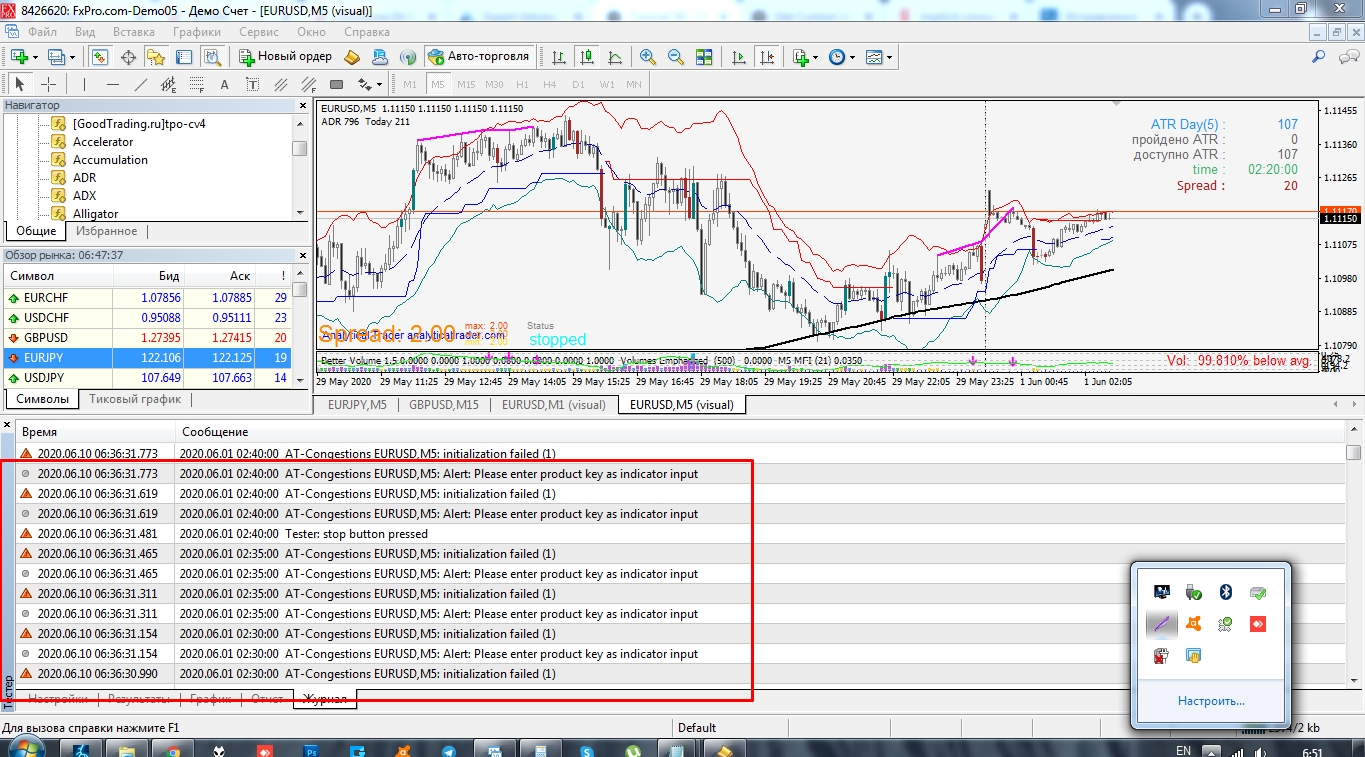
      The other nesessary condition for the MT4 licensed indicator to work correcly during the testing and trading, is to actually have it loaded on the chart.

      For instance: if you need to test the EA that use such indicator with MT4 strategy tester, you need to save it to the tester default template first. Just save your regular template while having your indicator loaded on the chart and replace the default tester.tpl template upon the template saving in this directory: C:\Program Files (x86)\MetaTrader 4\templates keeping the template name "tester.tpl" the same.

      posted in Questions & Answers
      G
      GeoFX
    • RE: EX4 custom indicator with licence key conversion

      If you not sure what datatype each parameter in your .ex4 indicator represents, then keep this table:

      MT4 ICON = DATA TYPE
      123 = int
      1\2 = doulbe
      AB = string (put Value in quoting)
      Orange Rectangle = color

      posted in Questions & Answers
      G
      GeoFX
    • RE: EX4 custom indicator with licence key conversion

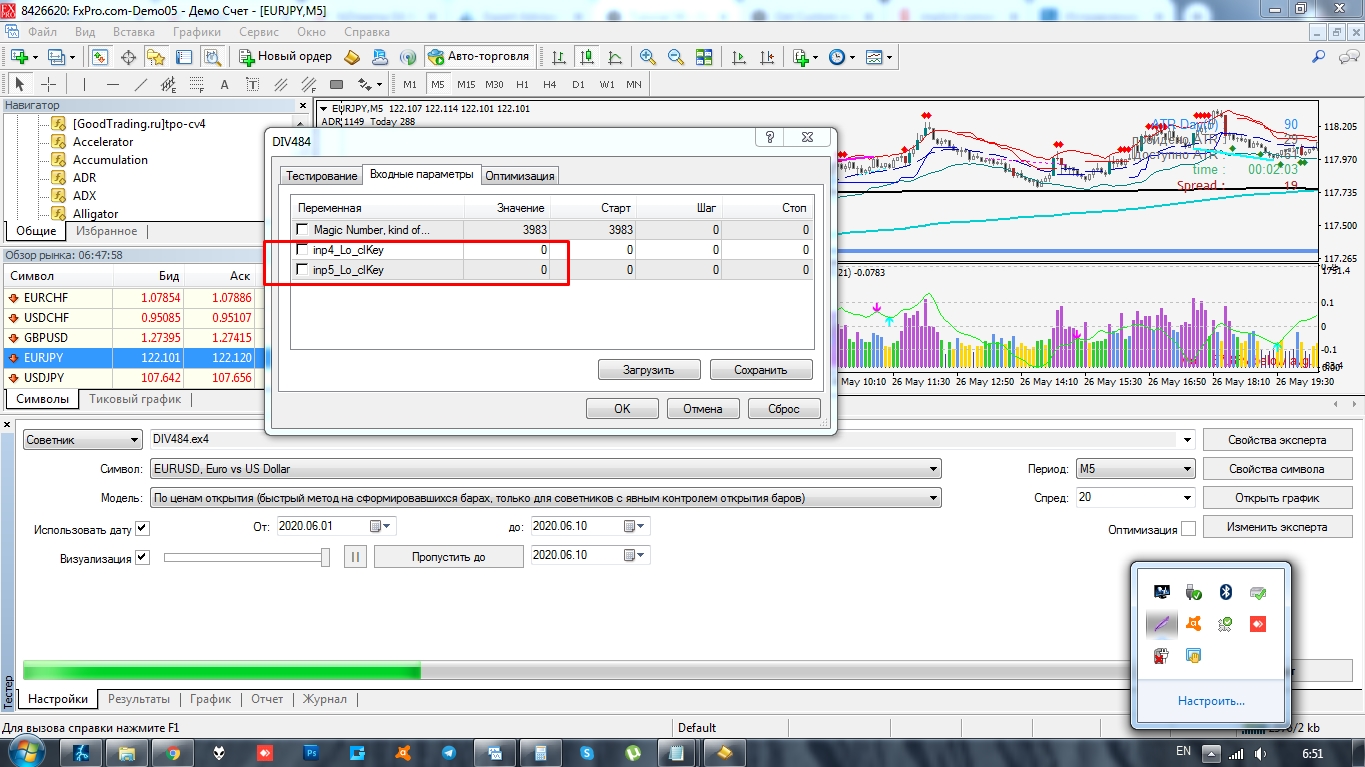
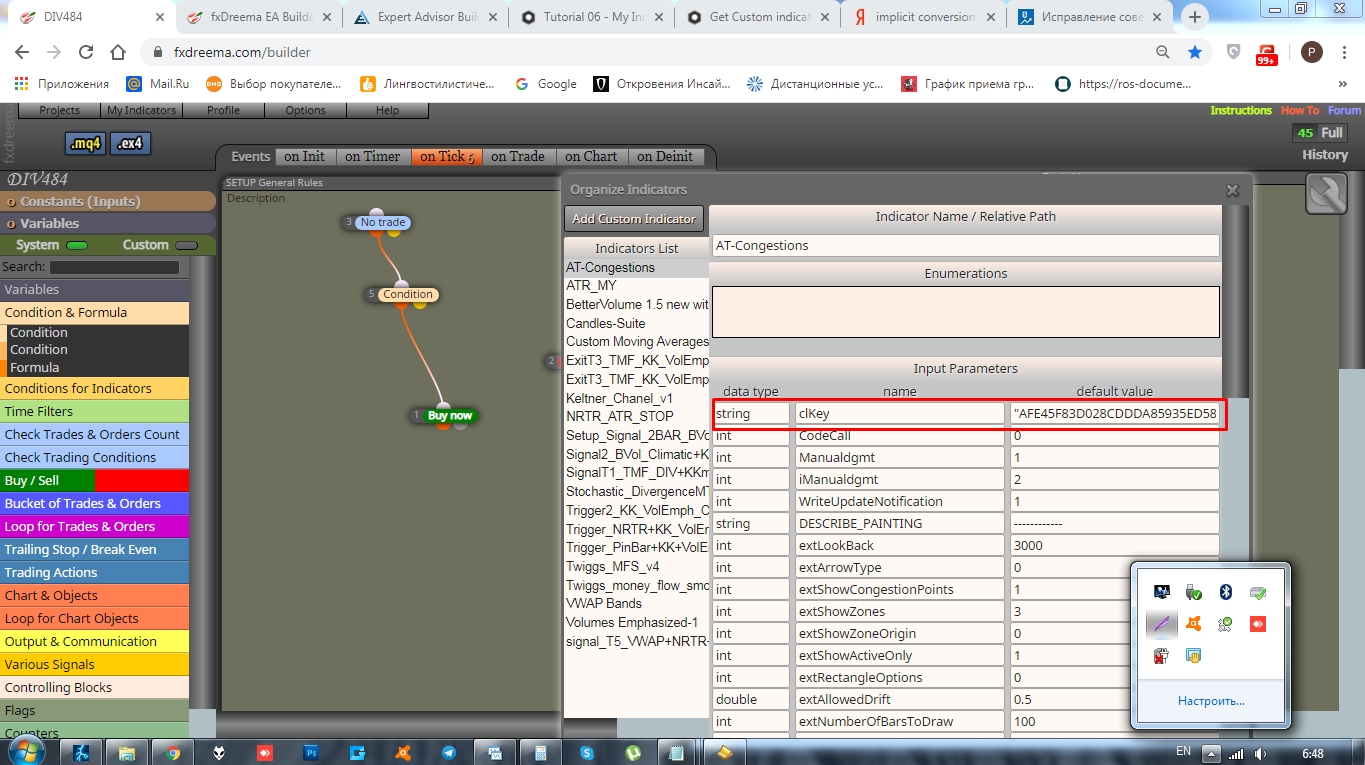
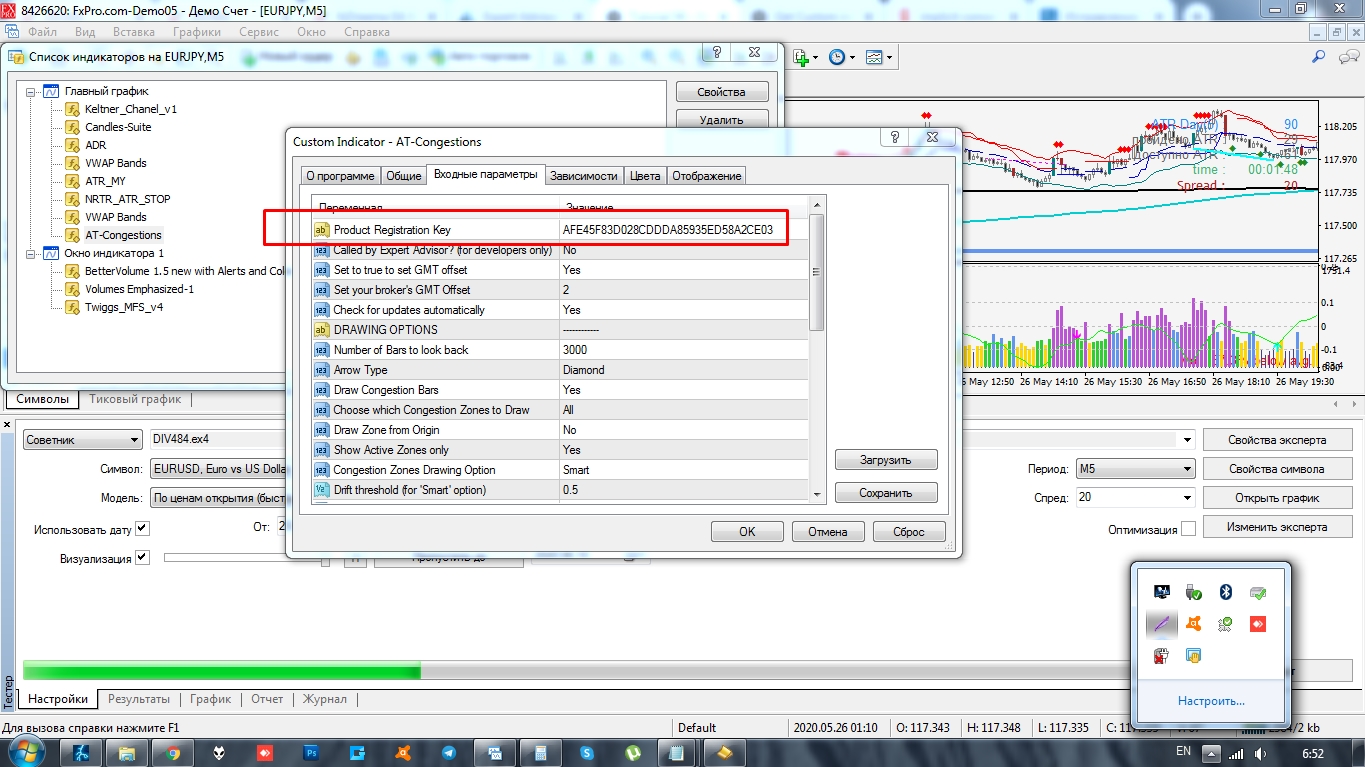
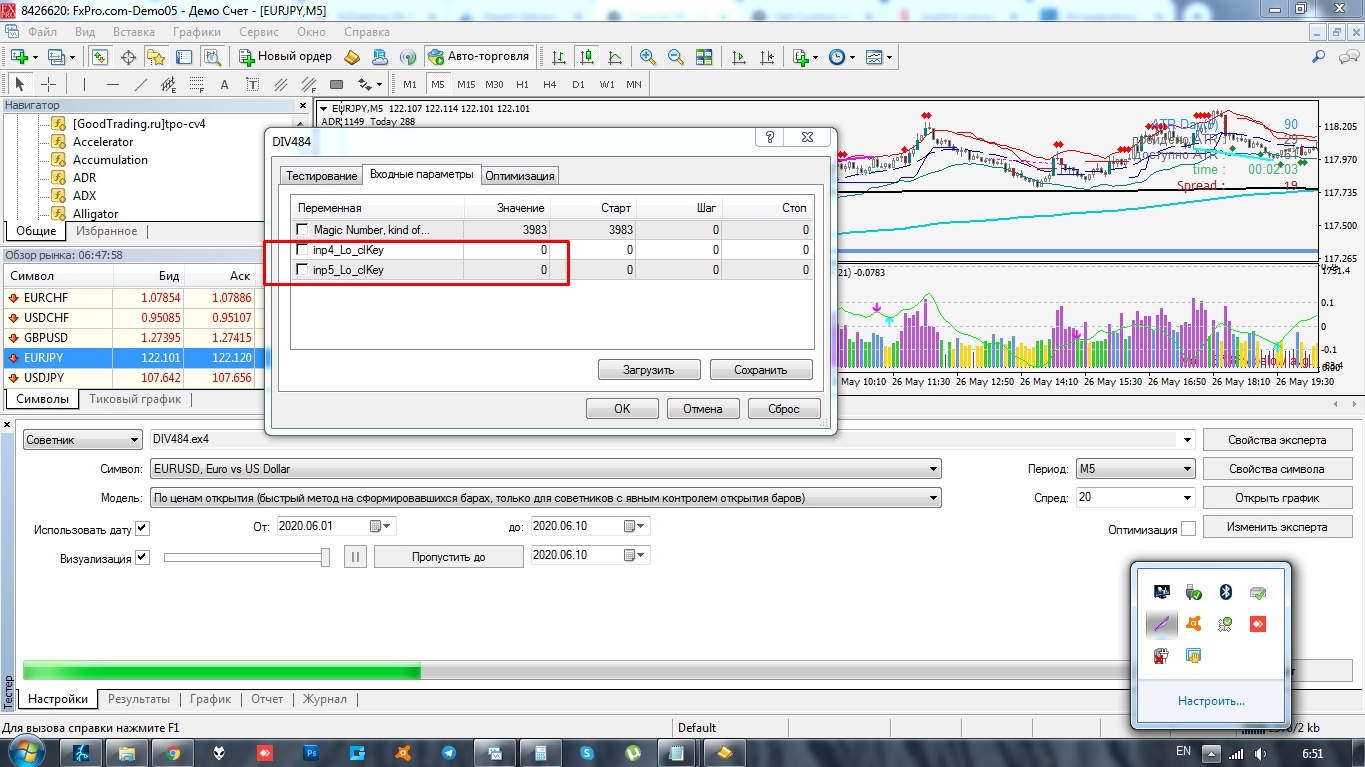
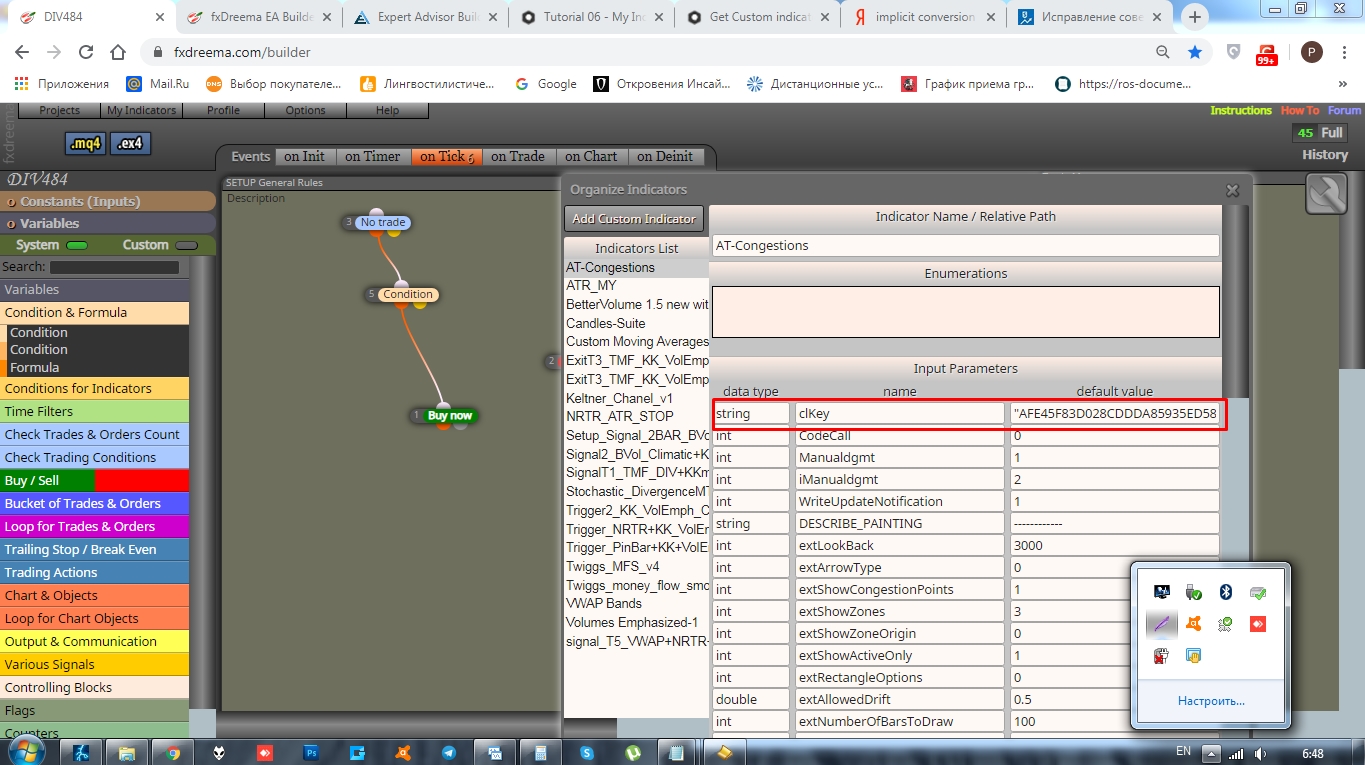
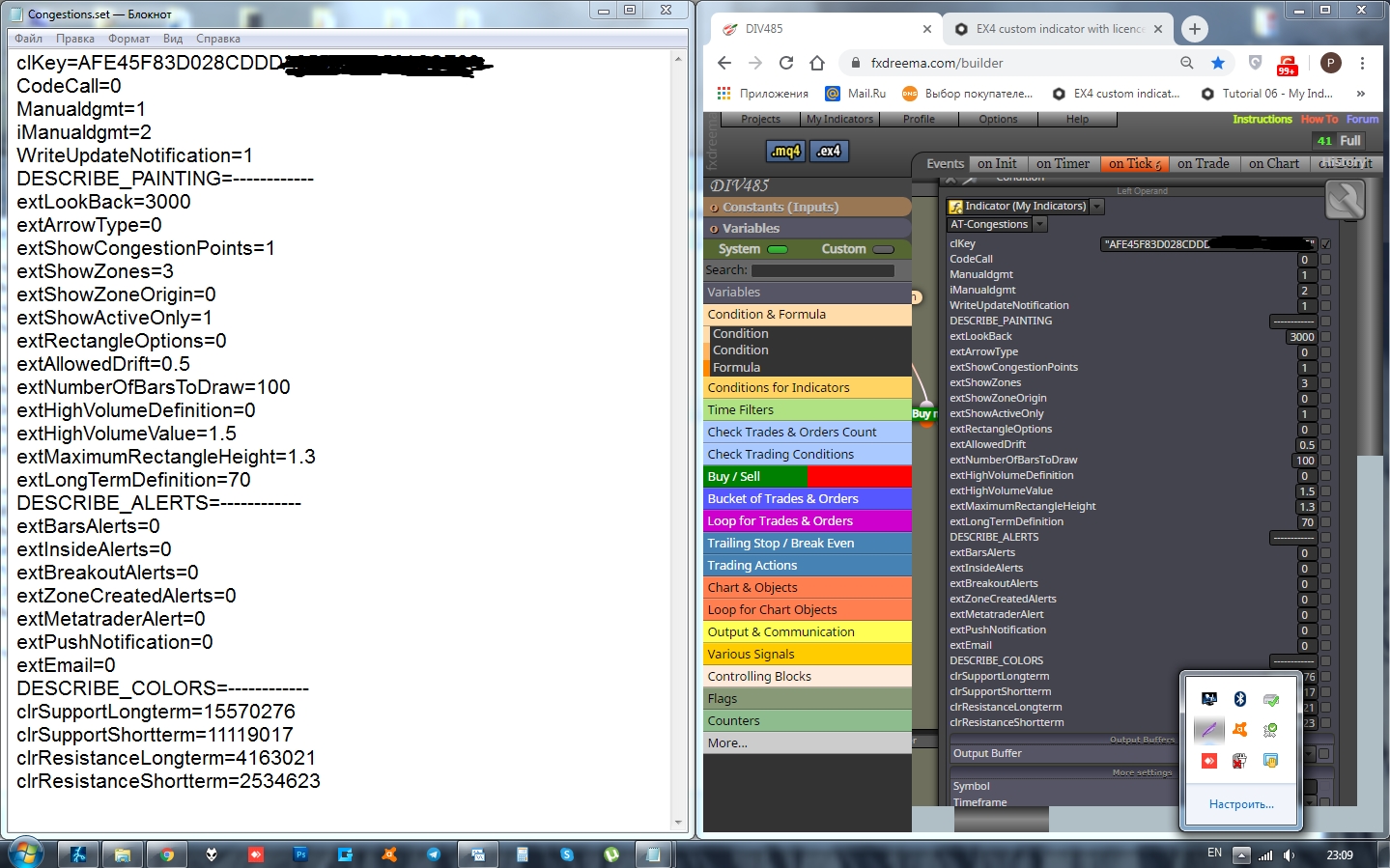
      And to top it off, for all the lazy folks there, like me) an additional valuable contribution to this EX4 custom indicator short uploading guide: if u do not wanna mess with parameter names, just save your custom indicator settings as a preset .set file to this C:\Program Files (x86)\MetaTrader 4\MQL4\Presets location. Then, upon the indicator uploading, open that .set file with a Notepad (Right clcik->Open with) application and copy all the parameter names and values to your fxdreema replication as seen on the screen below.0_1592081531371_Screenshot_1.jpg 0_1592081539970_Screenshot_2.jpg

      posted in Questions & Answers
      G
      GeoFX
    • RE: EX4 custom indicator with licence key conversion

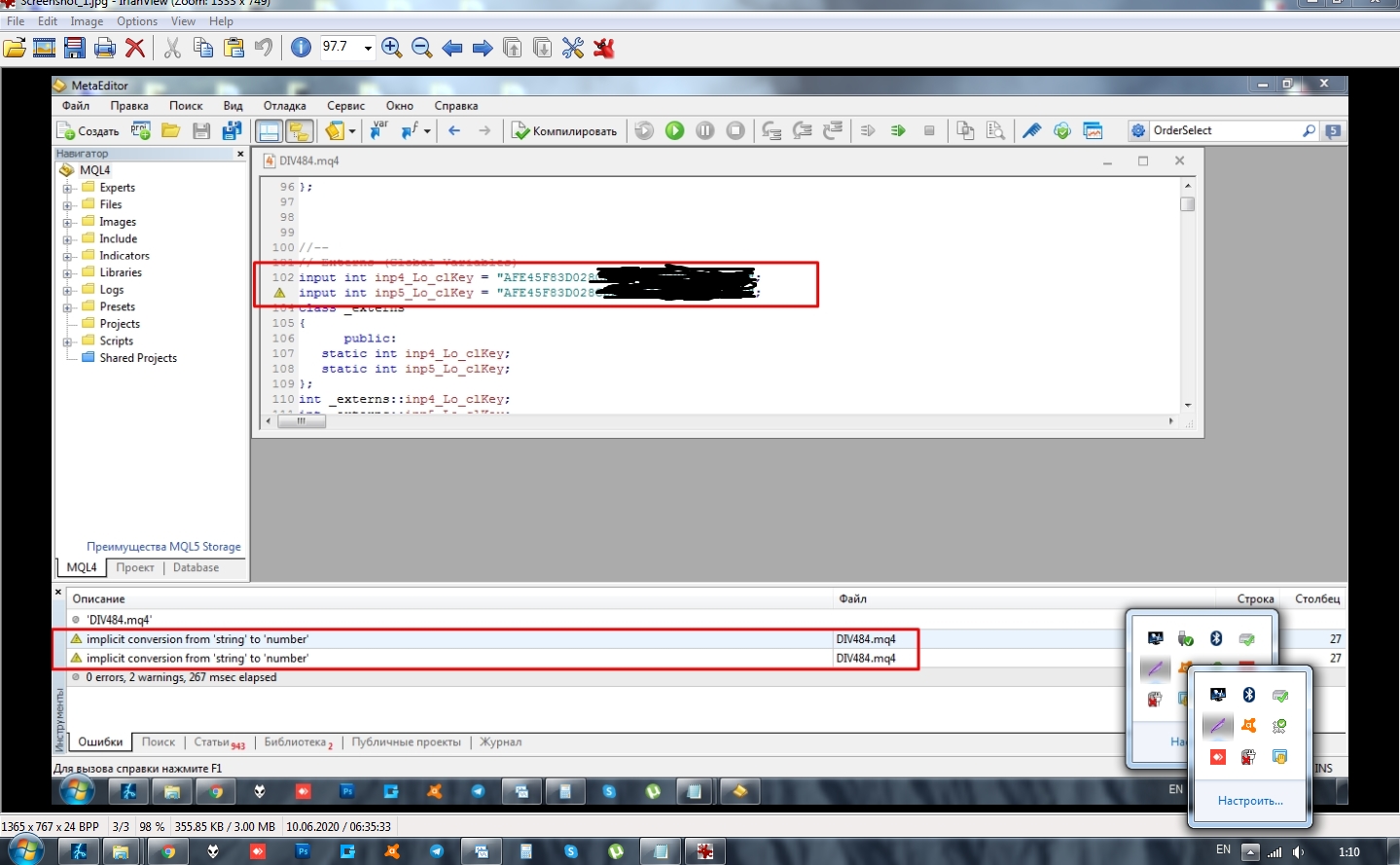
      Roar, you r magician! It worked, man! I've just edited int datatype to string .mq4 file fields manually via MT4 editor, and it compiled it with no errors and warnings!

      0_1592086283752_Screenshot_2.jpg
      Roar rules! Thank you!

      Maybe it was a temporary bug or something, but the day before I already had the correct string datatype and correct value entered in fxdreema prior to compilation, yet it kept failing to compile correctly, putting int instead of string, as you've noticed. Now fxdreema compiles it correctly, though.

      posted in Questions & Answers
      G
      GeoFX
    • RE: EX4 custom indicator with licence key conversion

      @miro1360 , @roar , if you guys are here, would you enlight us with your valuable expertise, please?

      posted in Questions & Answers
      G
      GeoFX
    • EX4 custom indicator with licence key conversion

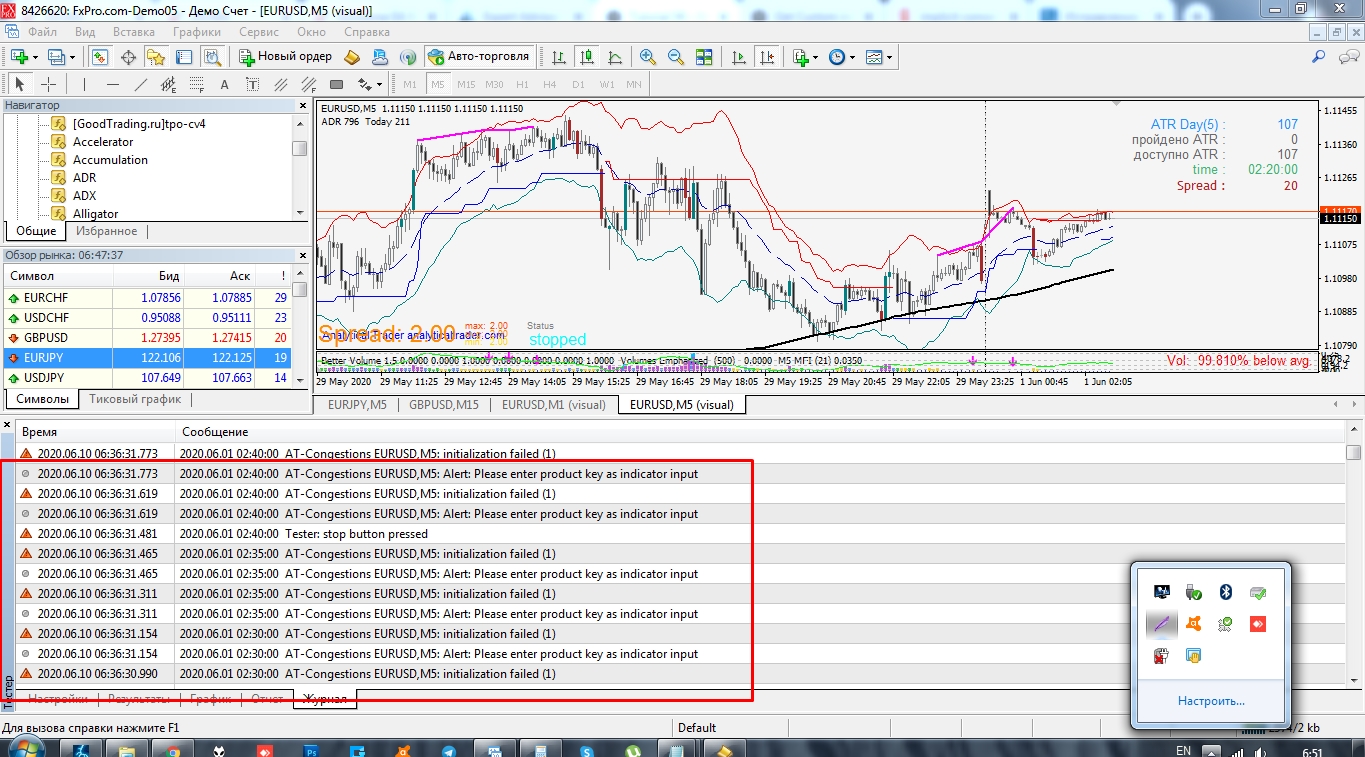
      Hello guys! I think my question will add to the value here. I try to add to "My indicators" EX4 custom indicator with STRING value and it gives "implicit conversion from 'string' to 'number" error on the compilation.

      The parameter value is an indicator licence key and it comprised of letters and digits. The problem is the Metatrader tries to convert the whole key to digits only for some reason, so what I get after the compilation is done is "0" in the value field instead of the complete licence code!

      Here is the project: https://fxdreema.com/shared/CKrrO9yXd

      Does anyone know a workaround for this type of values and how to compile it correctly?

      Thank you!

      0_1592087016526_Screenshot_5.jpg
      4_1591921494820_Screenshot_4.jpg 3_1591921494820_Screenshot_3.jpg 2_1591921494819_Screenshot_2.jpg !
      0_1592086360615_Screenshot_2.jpg

      0_1591921494815_AT-Congestions.ex4

      posted in Questions & Answers
      G
      GeoFX
    • RE: Tutorial 06 - My Indicators in fxDreema

      Hello guys! I think my question will add value here. I try to add EX4 custom indicator with STRING value and it gives "implicit conversion from 'string' to 'number" error on the compilation.

      The parameter value is a indicator licence key and it has letters and digits. The problem is the Metatrader tries to convert it to digits for some reason, so what I get after the compilation is done is 0 in the value field instead of the licence code.

      Here is the project: https://fxdreema.com/shared/CKrrO9yXd

      Does anyone knows a workaround for this type of compilations?

      Thank you!
      4_1591761843038_Screenshot_5.jpg 3_1591761843038_Screenshot_4.jpg 2_1591761843037_Screenshot_3.jpg 1_1591761843037_Screenshot_2.jpg 0_1591761843036_Screenshot_1.jpg
      0_1591761956108_AT-Congestions.ex4

      posted in Tutorials by Users
      G
      GeoFX
    • 4108 Error: Invalid ticket/order close error

      Hey folks, just wanted to contribute on the 4108 MT4 order close / invalid ticket error. After literally 100+ tests and a couple of sleepless nights couldnt find any solution on this forum but after googling the issue I finally grasped the general impression on whats causing this fault.

      0_1587588855676_4108.jpg

      Heres a FF coder explanation on the issue : https://www.forexfactory.com/showthread.php?t=511029

      Without goin deep in details, heres, HOW YOU SHOULD NEVER DO, when putting "For each trade"/"For each pending order" and the rest of the pink extention blocks :

      0_1587588575791_UNCORRECT.jpg

      and heres, THE CORRECT ORDER:
      0_1587588842123_CORRECT.jpg

      During my FXDreema learning curve, Ive found, that if you not getting the behaviour you expect from your EA, check if the sequence of the logic blocks is correct first. Always make sure, those pinky extention blocks are DIRECTLY connected to the Parental "For each trade"/"For each pending order" block and no other block part them inbetween.

      Hope, this will save time and effort for new guys over here

      posted in Tutorials by Users
      G
      GeoFX
    • RE: AND command block

      For those who havent noticed where my second condition from Stage 2 has gone:

      • While I was on the search for the alternative solutions of the WAIT function for more then one conditions, I've stumbled upon a third party manual on "HOW TO ASSEMBLE A CUSTOM MQ4 INDICATOR" so I gave it a try. So what I got was basically I wraped my two conditions from several custom indicators in one single Arrow which you can observe now as a block#4 that become the only condition based on resulted Arrow.

      • Since Im member here, I will respect the FXDreema Creators, and will not post any third-party links, but for those who want to find out how to create custom mq4 indicators based on var. conditions/var. custom indies, pls pm me

      This will be my small contribution to the Dreema community)

      posted in Questions & Answers
      G
      GeoFX
    • RE: AND command block

      @trader-philipps no, I've forgot. Will do that right away. Thank you!

      posted in Questions & Answers
      G
      GeoFX
    • RE: AND command block

      Guys, happy NY! I perfectly nailed it without variables with this tutorial http://fxdreema.com/forum/topic/4664/flags on FLAGS. It was easier then i thought and it worked like a charm! I basically, Set the Flag to look for random amount of bars back on my Higher TF for my First Stage condition and that helped!

      0_1578248056937_Screenshot_2.jpg

      https://fxdreema.com/shared/NBKjHEZmb

      posted in Questions & Answers
      G
      GeoFX
    • RE: AND command block

      ..Looks like I wont avoid those variables..)

      Dear @roar and @l-andorrà, happy NY and thank you both for the attention to this post!

      If not a big deal, could you pls, point me out at the tutorials to start to learn the variables, as of now, I do not even understand their nature. Thank you guys!

      posted in Questions & Answers
      G
      GeoFX
    • RE: AND command block

      @l-andorrà said in AND command block:

      Sorry, I forgot that 'wait to pass' feature. Why do you exactly need it?

      "Wait to pass" feature or any relevant functional alternative within FXDreema toolkit might have, acts as a confirmation for the signal from the higher TF. Since the signal from the higher TF doesnt mean the instant trade open, but only implies the potencial entry, we need a sort of the confirmation on the lower TF. The confirmation usually take some time to arrive as it doesnt happen same time with the higher TF signal. Therefore, we need this "Wait to pass" feature applied to all the indicators used for the confrimation stage.

      Only in this hard to crack case this confirmation comes from two or more indicators.

      Generally, the whole purpose of this topic is to find an answer how you can combine such postponed confirmation including more than two indicators. For instance, to be able to confirm the major higher TF signal after an indefinite period of time in future, by signals from 3 or even 4 indicators on the lower TFs

      posted in Questions & Answers
      G
      GeoFX
    • RE: AND command block

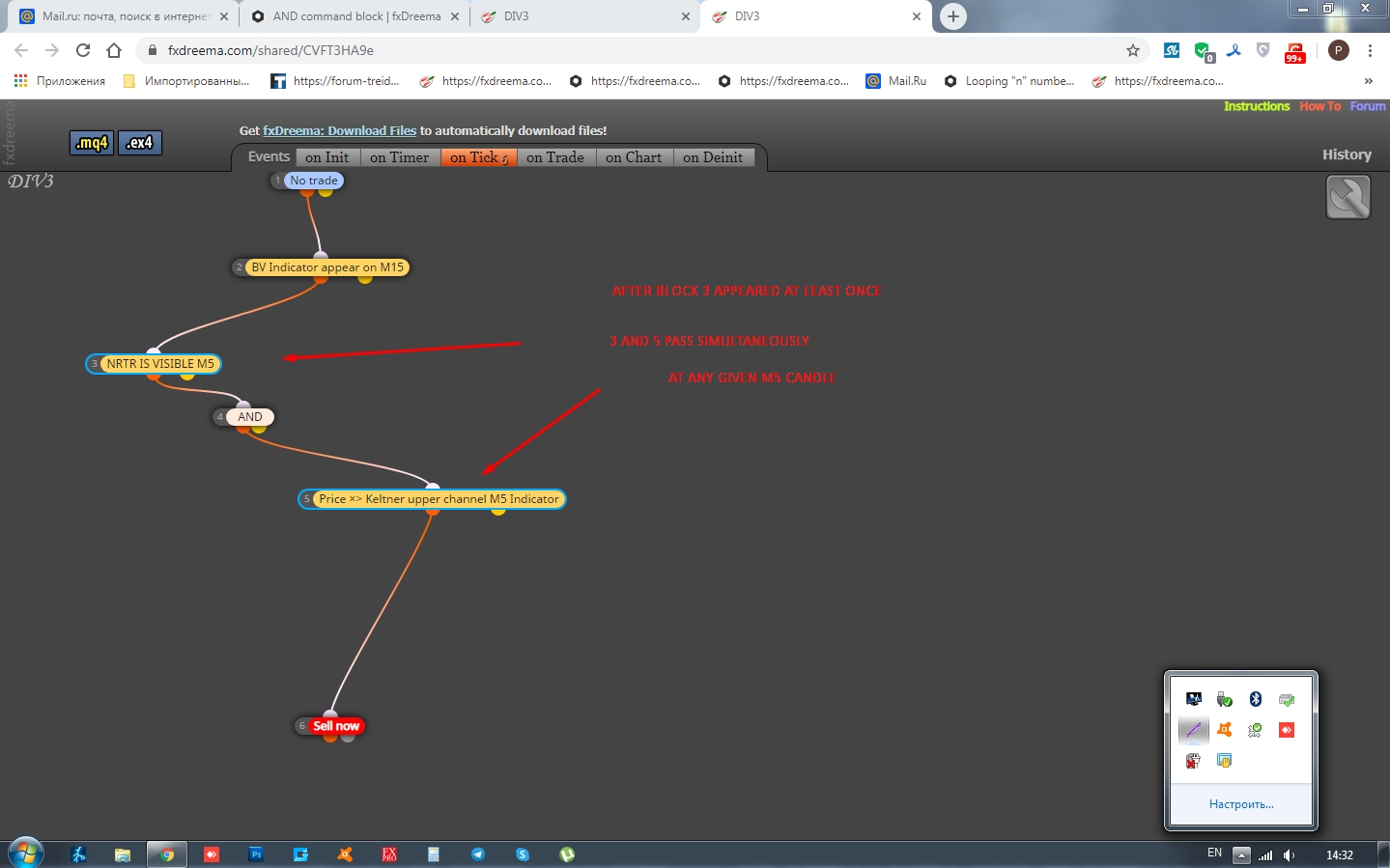
      @l-andorrà dear friend, this simple setup comprised of 3 stages only:

      Stage 1: - block 2 appear at least once on M15
      Stage 2: - wait untill the block 3 and 5 to pass simultaneously on M5 at any given candle
      Stage 3: - trade

      https://fxdreema.com/shared/CVFT3HA9e

      Im convinced: many Fxdreemers looking for a simple solution to easily construct similar setups where it is possible to apply "wait to pass" function to the "n" number of conditions. Question is how exactly to do that?
      0_1577533277014_Screenshot_1.jpg

      posted in Questions & Answers
      G
      GeoFX
    • RE: AND command block

      https://fxdreema.com/shared/aEwgeVwmd If this kinda what you mean...but it doesnt work(

      posted in Questions & Answers
      G
      GeoFX
    • RE: AND command block

      @l-andorrà said in AND command block:

      e
      Hello mr @l-andorrà ! You are that expert guy that help newbies like us) Merry Christmas!

      I wish knew what you mean, but it sounds logical. To copy the whole structure leaving only the sell block? Im confused a bit. If it isn't difficult, could you be so kind to show an example?

      posted in Questions & Answers
      G
      GeoFX
    • RE: AND command block

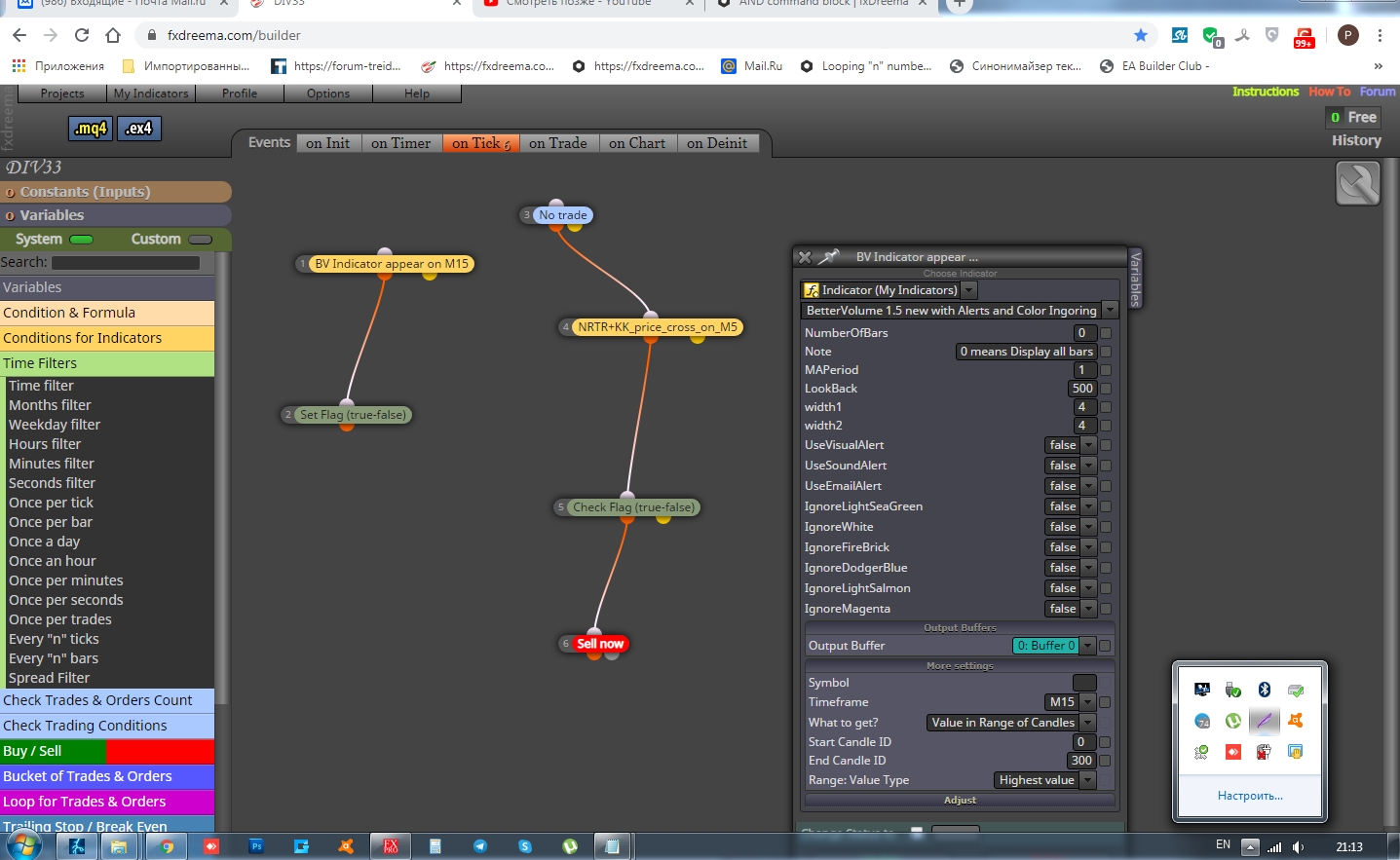
      In this instance: https://fxdreema.com/shared/G5eH3IP1e AND does not behave as it suppose to, because we need to apply the "Wait to pass" function to both blocks, NRTR AND Keltner. Question is how to do that?

      posted in Questions & Answers
      G
      GeoFX
    • 1
    • 2
    • 3
    • 4
    • 3 / 4