add some name into this parameter:
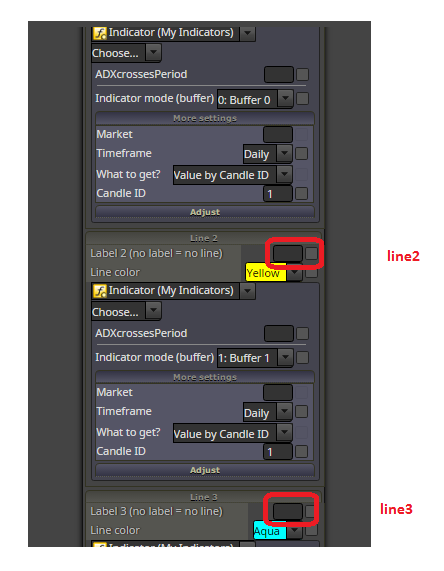
but look, you are hardly trying to do something with bad way, what can be done in another way, easier way without custom indicator ...
what I am thinking, you are trying when ADX cross happens, so try this:
add some name into this parameter:
but look, you are hardly trying to do something with bad way, what can be done in another way, easier way without custom indicator ...
what I am thinking, you are trying when ADX cross happens, so try this:
it is hard to explain you what are buffers  read about it more on mql5 ...
do you also know, that this renko strategy is not profitable? ... you are wasting time ... there was plenty strategies tested with renko, filtered with all types of indicators and was not profitable ... maybe something manually controlled ...
instead of pending buy block place there Trace block (its name is really Trace) ... and set here your indicator to view, where are values placed (on which price level) - in visual tester .. to see, if you are working with correct values ...
try to work with CandleColor[] buffer ...
it is buffer 6, or if are numbered from null, it is number 5 (0,1,2,3,4,5) ...
or if you will not do that variable, just add this function manually in code exactly on this place above unit reason:
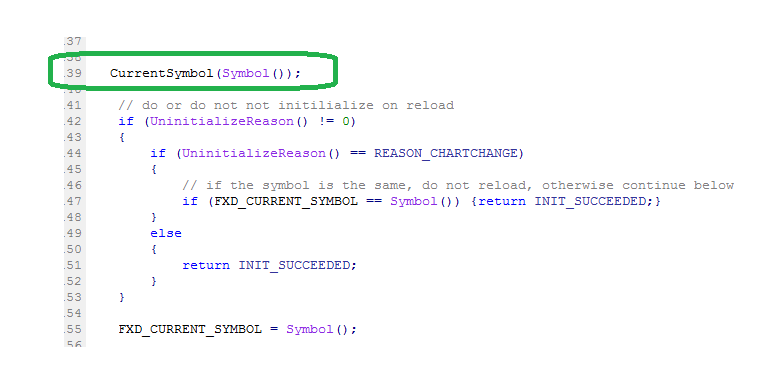
I see now, it is little complicated to do this, but try with blocks, do this:
https://fxdreema.com/shared/KGQdJ0HKd
... make string variable where you use custom code function Symbol() - it return actual symbol name, place this variable into all blocks where is parameter Market (dont forget all touched blocks where is this parameter, it is important ... if you use also TP and is here this Market, place that variable into field! )
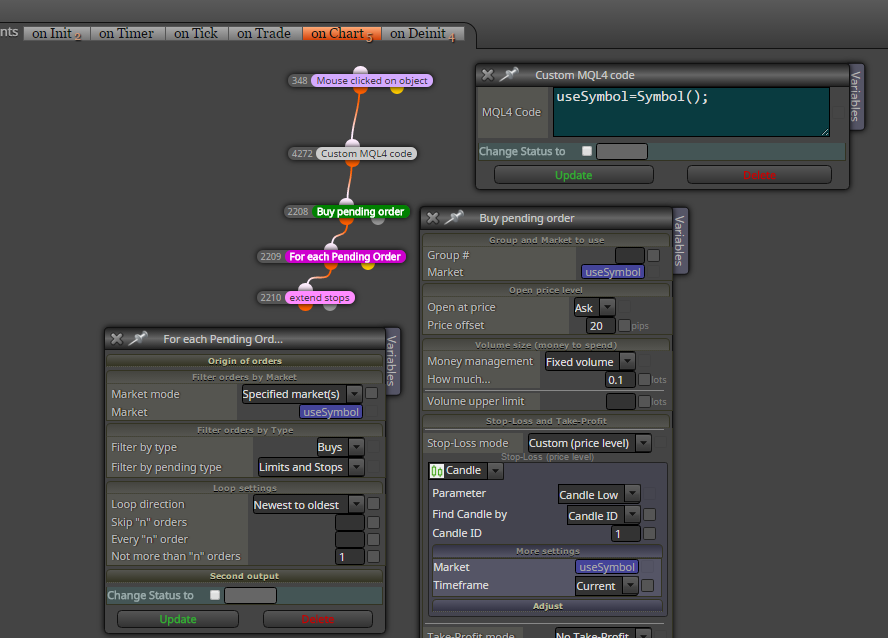
maybe, but I am not sure if this resolve your problem, because it can be something else, you can try:
find with metaeditor in EA mql code this (it is on top of code, somewhere in onInit):
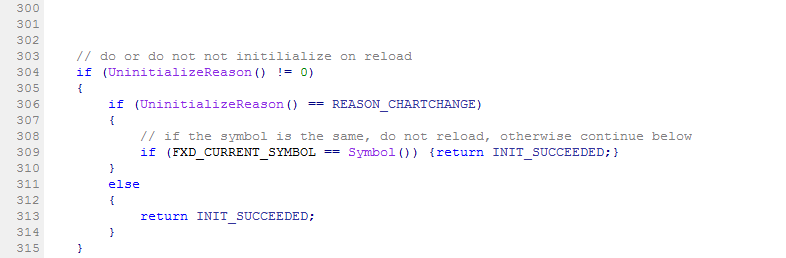
and do this (give it into "comment" or just delete it):
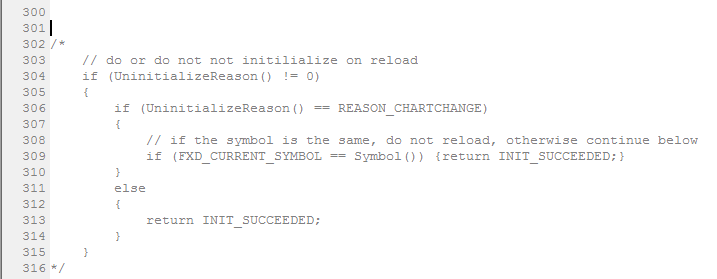
and recompile your project using metaeditor
pink blocks (For each trade + something) can be used ....
probably this is wrong ... you need do it another way ...
start with using Trace block to view price levels from indicator buffers on the chart (to view values) ...
there can be somewhere fail in logic ... try test these stops on different logic (something easy) ... if you find it working, its time to find error in logic connections 
block Check profit (unrealized) with negative value? sure, you can ...
what you mean by "stop loss"? you mean actuall trades profit (as negative) or you mean stop loss level?
negative profit can be checked (as negative value)
...
stop loss level can be checked with combination from pink blocks (For each trade + something) ...
check this:
https://fxdreema.com/help/working-with/custom-indicators
https://fxdreema.com/forum/topic/4208/tutorial-06-my-indicators-in-fxdreema
you can import .ex4 manually ...
easiest example, connecting blocks minutes+seconds as I said you in first reply,,,,, every 15 minutes, that means at 14min45s, 29min45s, 44min45s, 59min45s:
https://fxdreema.com/shared/ahYvLH0E
you can do this also for other periods, for M5 candles (04m45s, 09m45s, 14m45s, 19m45s, 24m45s, 29m45s, 34m45s, 39m45s, 44m45s, 49m45s, 54m45s, 59m:45s) ... etc.
note one thing, you are working with onTick section, that means, blocks are runing tick after tick, but situation can happen, when no tick arrived in time interval 14min45s-14min59s and when no tick arrived - your blocks are skipped and EA is waiting for next time interval
here is more complicated example with every minutes that can be set:
https://fxdreema.com/shared/ibSC6YfV
and this one is more precisely working with on Timer section, which is not depending on ticks and blocks are not skipped when are missed ticks (as in first example), but you can not test this with tester (tester is not supporting onTimer), only with demo:
https://fxdreema.com/shared/mBV1TnxVd
note: I have tried only first example in tester and was working for me, the next 2 examples must not working, who knows
again, investigate more effort into creativity - it is only way
... fast all is possible with fxdreema ...
connecting more filters is not working?
like "Minutes filter + Seconds filter" ?
fxdreema is working only for EAs, but you can have EA also for signals (instead of indicator), one from disadvantages is, that it can be only 1 EA in 1 chart (indicators can be more in one chart) ...
so you can create EA which gives you alert for your conditions (bb+rsi) ... first try to learn basics from all tutorials, examples and all you find here in forum, here was fast all questions answered more times
if you fail after a lot of effort, I show you how to do it
it depends on interpretation what false output means, it can be "no cross" or "opposite cross" ... here in this block it is opposite cross and it must not be bug
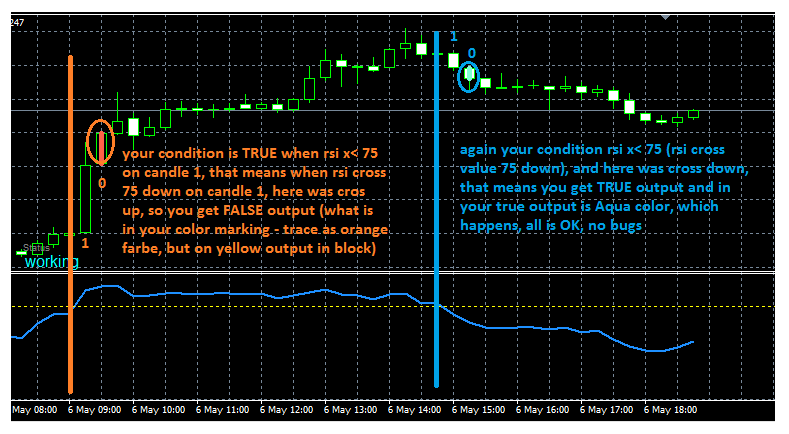
... if you need false output active all times, you can do this in another way, like this one:
https://fxdreema.com/shared/f3TBxTXHb
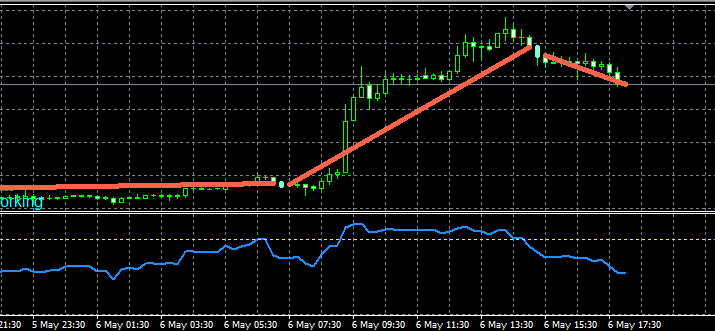
in project settings? it means the day when to robot goes down in Metatrader
your project in fxDreema projects is not touched
I dont know tell you exactly where is problem, but maybe it is possible to figure out ...
as buffer try to use "medianRenko" and compare it with value 1 for bull candle and 2 for bear candle, but this is only my blind shot, because I have not worked with this type of indicators ...
https://www.mql5.com/en/docs/customind/indicators_examples/draw_candles
search for something like "smoothed adx" or "smoothed momentum"
https://www.mql5.com/en/code/7072
I think you need create two For each Trade loops (but not in one connection, firstly one loop and than second loop)
in first loop check if all trades are profitable if is one lossable - give info into variable (like lossableTrade=true) and break this loop
next can be or must not be controlled second loop (depends on variable lossableTrade) for adding to volume