If there are errors, you should see them somewhere. What are the errors?

If there are errors, you should see them somewhere. What are the errors?
Can you make an EA that shows the problem easily in the Tester? I would first display the values with "Trace" block to see if they are correct. Also, I'm not sure why are you using the Ask price, but remember that the candles are based on the Bid price.
If it's only 1 order a day, you can simply use "Once a day" somewhere above the Buy/Sell block. Also, the "Once per bar" block can be used with the timeframe set to Daily in it. This block also has the ability to set how many times it can pass... although its name contains the word "once".
So basically when you create a new trade, you want to set its TP to the same level as in the previous trade.
I tried this: https://fxdreema.com/shared/GrDsZCwLd
And this is what it does:
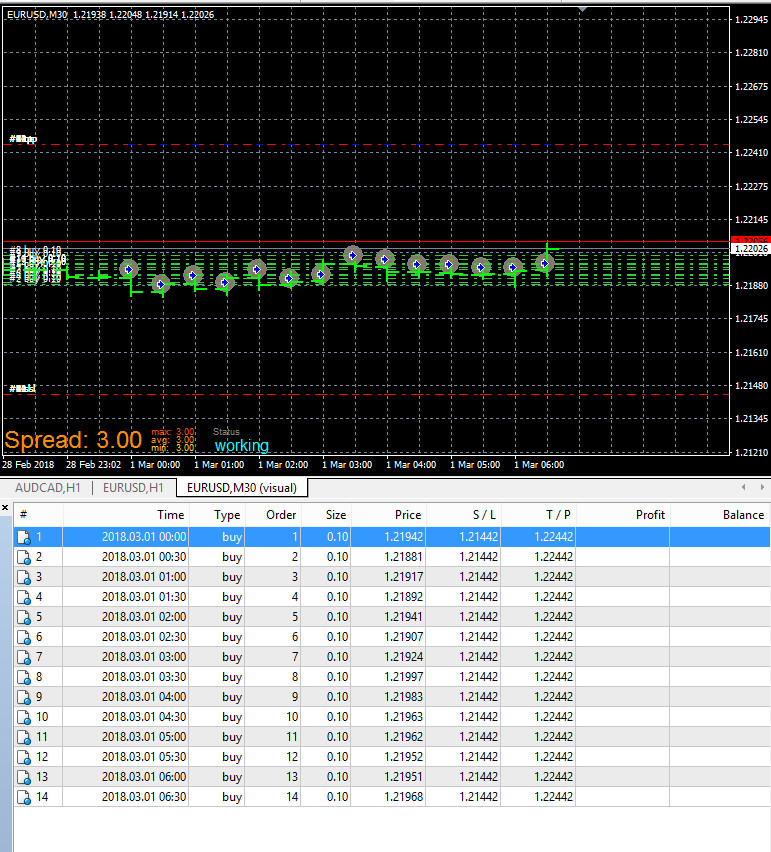
In the left "Buy now" the initial trade is created, the first one. The right "Buy now" runs only when there is at least 1 trade, so with "For each Trade" (with "Not more..." set to 1) we select the last trade and then in "Buy now" I use its SL and TP.
This can be made in other ways, it depends. I think this was is easy to understand.
It depends when do you want to run that block. Every time it runs, it sends an email, so what can you do to make it run only when needed... I don't know. You may want to do it once every hour or after a trade is created or something else. You know better.
When I create 2 pending orders and I manually delete 1 of them, everything is fine. When I delete the other one, its lines remain. I see the opposite problem :))
You don't care about the magic numbers of the trades? Because as you probably know, each EA is supposed to create trades with certain magic number, so that the EA knows its own trades and does not touch the trades of other EAs. Of course, each EA can do anything with any trade anyway, so you can close all existing trades if you want, regardless of the magic number. But of course, the blocks of fxDreema are set by default to work with particular magic number. So you may need to change some settings. If I take the above screenshot for example, open "Filters" and there you will see some Group settings. Change the Group mode to "All..." for all blocks.
That Group numbers is just an extension to the magic number, see this: https://fxdreema.com/tutorial/builder/groups-and-magic-numbers
Isn't there a custom indicator to do that already? I know that in the past every time I searched for an indicator to do something as basic as this, I only found crap, but this was years ago.
I found this topic meanwhile: https://www.fxdayjob.com/candlestick-pattern-indicator-mt4
I wrote this before, but can you make a simple project for me? A separate project that contains only the required minimum of blocks to show the problem immediately. I'm pretty sure that by doing this you will also learn one more way to detect problems, because this is basically what I do when I want to detect a problem - I try to remove all the stuff that is not needed and leave only the problem. By doing this I can find one of 2 things - a bug or something stupid that I did 
To change sudden changes? This sounds interesting Maybe you mean to detect sudden changes or something else?
The simplest way is to do something like this:

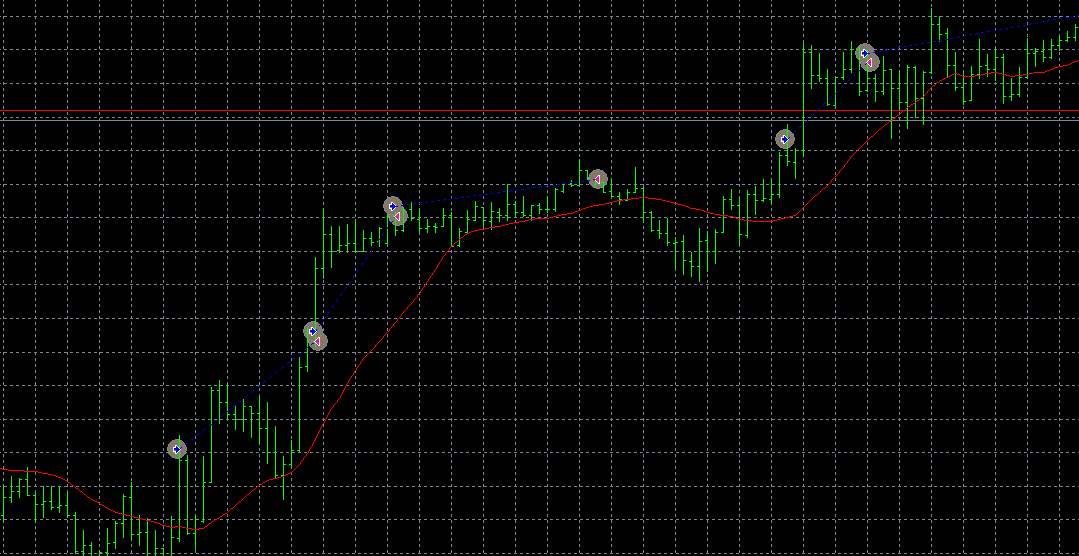
When "Buy now" runs, the lot size of the new trade is decided by the lot size and the profit of the last trade. It doubles the lot size if the last trade was a loss, otherwise it uses the initial lot size (volume). This is what this Martingale option does.
If I understand correctly, you want something like this: https://fxdreema.com/shared/Rm3OIFX6e
The backtest results:

.. or use another block instead of Condition, depending on what you need to do with the value
So, for that blocks move problem, I see it happens on that project on the main page and also in each project in /Examples. But I wonder if anyone sees this problem in his own personal projects?
Yes, something doesn't work and I will check it. But you can better do it that way in this case:
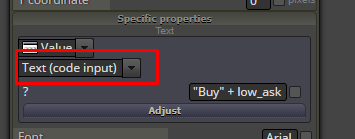
In "Buy now" and "Sell now" you also have few Money Management methods. Basically this is the way to decide the next lot size based on the lot sizes and the profits of the previous trade/s. One of the methods is "Betting: Custom sequence" where you can select what lot sizes to use when the previous trades were losses or profits. I don't know whether this helps, but you can try it Also the Martingale itself is customizable.
Do you actually have a custom indicator that draws some extra arrows along with the lines?
But in this case you don't really have pending orders. Why don't you place bunch of pending orders with let's say "Buy pending orders in grid"?
Otherwise it can be made, but it depends a little bit. Who draws those lines?
There is a Delay block. Note that this block stops the whole EA for a while and I think that MetaTrader itself may become unresponsive... but 3 seconds is not a big amount of time and if you don't have other EAs it could work.
But maybe it's better to try this block "Skip Ticks"