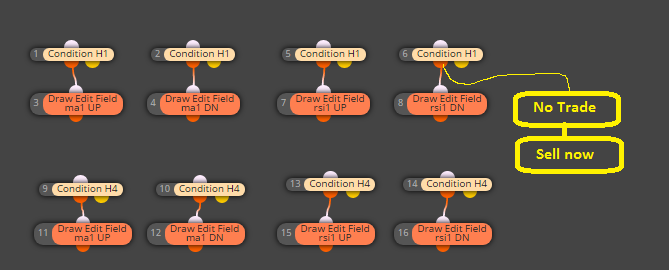
and this? 
https://fxdreema.com/shared/Tcyz7tMS
M
Posts made by miro1360
-
RE: Tutorial 06 - My Indicators in fxDreemaposted in Tutorials by Users
dont do it from dashboard, do it with separate EA where you filter these trades with blocks (once per bar, or No trade, depends what you need)
result is than one EA as dashboard and other EA as trading EA -
RE: Video Tutorial - Signals Dashboard EA [advanced] - looping Objects, arraysposted in Tutorials by Users
desktop is not supporting arrays ...
-
RE: Video Tutorial - Signals Dashboard EA [advanced] - looping Objects, arraysposted in Tutorials by Users
not a lot of changes, and not even problem with array ...

https://fxdreema.com/shared/ZA1quekHb -
RE: Tutorial 06 - My Indicators in fxDreemaposted in Tutorials by Users
and what exactly is not working for you? importing ex4 file indicator or creating dashboard from indicators?
because dashboard for one pair can be done very easily from basic blocks, dont overcomplicate it for yourself ...
https://fxdreema.com/shared/Zb3mroUMb -
RE: check trading condition block, check margin?posted in General Discussions
when you take conditions as this:

first condition check if there are no trades, if that false (and here are trades) check second condition for margin % value if is above 500 and if thats true, continue with true output (trading or something) ...
-
RE: check trading condition block, check margin?posted in General Discussions
actually I looked into condition block and there are options for margin in %

-
RE: Tutorial 06 - My Indicators in fxDreemaposted in Tutorials by Users
perfect
... maybe admin try something to do ... -
RE: Tutorial 06 - My Indicators in fxDreemaposted in Tutorials by Users
how to use enum, I did some reply here:
https://fxdreema.com/forum/topic/4416/get-custom-indicator-values
https://fxdreema.com/forum/topic/4035/How-to-use-enum/4with enums it is sometimes not very easy
sometimes you need upload indicator manually, in input parameters instead of enum type give "int", normally it must working -
RE: how use true or false ?posted in Questions & Answers
or this?
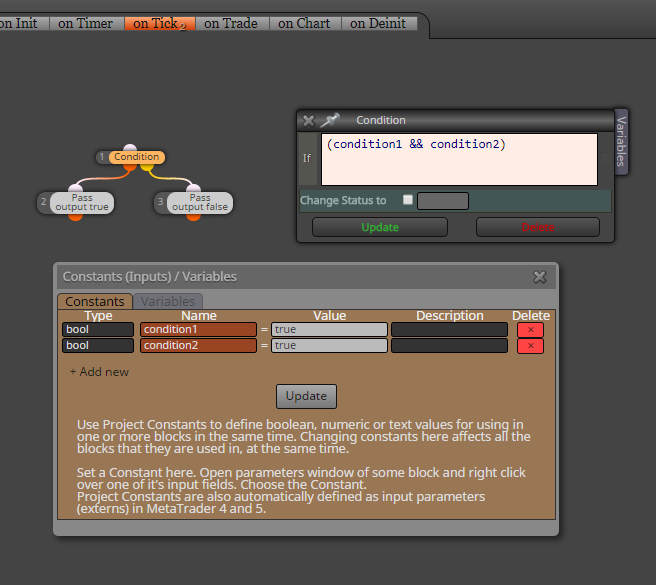
I have not understood exactly what you asked ...
-
RE: miro1360 need help with a multi currency EA pleaseposted in Questions & Answers
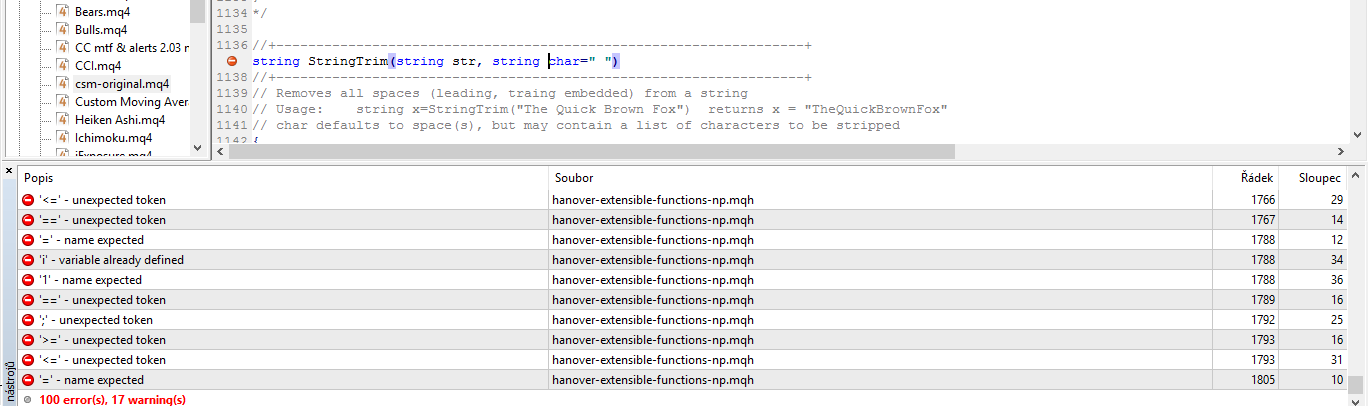
is not working with new build, a lot of errors from those includes ... they are for old build

-
RE: miro1360 need help with a multi currency EA pleaseposted in Questions & Answers
there are some include files needed for open indicator, so I cant open it now without these includes (if you have them?) ... and you tried something from what I typed above?
-
RE: miro1360 need help with a multi currency EA pleaseposted in Questions & Answers
with medium knowledge MQL language you can do it, you are able to code custom blocks
I see this indicator, but you need older metatrader versions to get this cms working ok, or as alternative you need recode this indicator for new version (maybe somebody did it and it is working with new versions, i dont know) ...
you need know how is this indicator working, you can get names of labels for currencies (these numbers from 0 to 100 ) and read values from these numbers and compare them, like this:
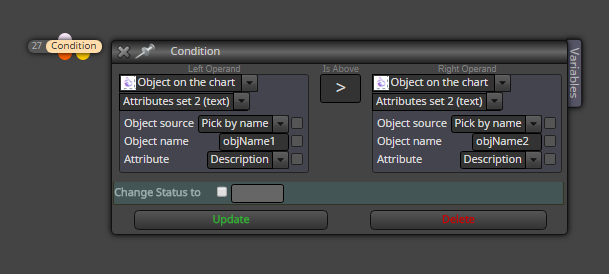
or you can save these values into array and sorting it in this array and than compare arrays ....
or you can read values from this trend summary, now question is how are these lines created, if it are buffers or it are trendlines? ... if this are buffers, read it easily as buffers, or if it are trendlines, read values as picture above shows (but for attributes numeric and select trendlines) ... -
RE: Phone Notificationposted in Questions & Answers
I dont know reason why this is not working with xm
-
RE: Tutorial 06 - My Indicators in fxDreemaposted in Tutorials by Users
dashboard is good to create as indicator, but if you want something in fxdreema as EA with lot of signals, try this:
https://www.youtube.com/watch?v=6wYxwRF6slw
if few signals are enough, do it as normal project with blocks but instead buy/sell blocks place blocks for drawing objectsis there a way to tell my ea to read the dater from my dash bored ?
sure, just play with blocks (create normal logic combination from blocks for trade), or control some text changes in dashboard (with condition block and object on the chart) ... -
RE: Tutorial 06 - My Indicators in fxDreemaposted in Tutorials by Users
is this working? (I have not tried) if is not, we try something else
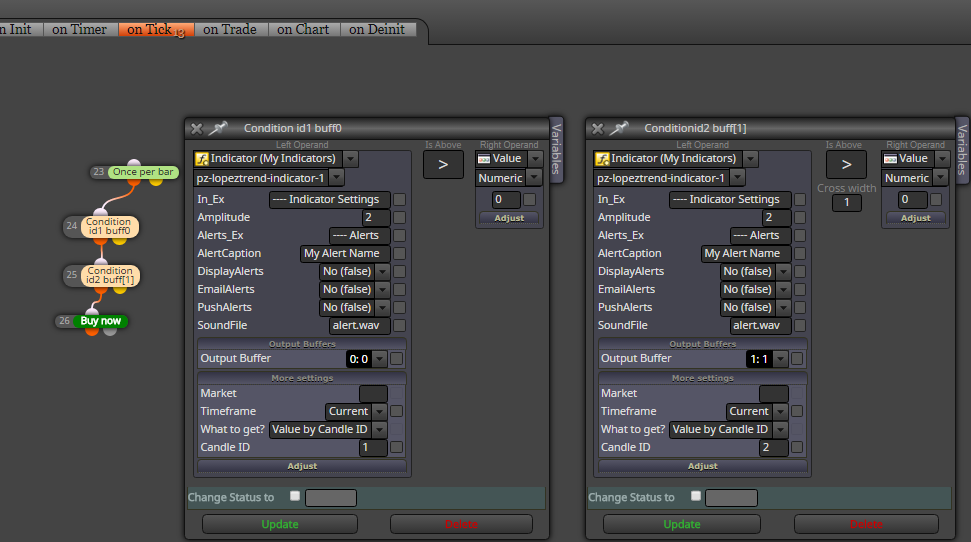
-
RE: Some of my fxd EA's won't reinitiale after changing settings or timeframesposted in General Discussions
I also dont use this "feature" and dont know why it is ... I can understand it in this form:
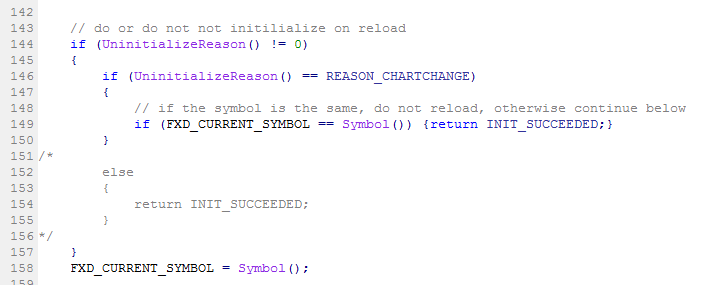
because result is, when you change between timeframes, all settings are not changed and it can be ok - something what is usefull ... but in form when it is skipped settings changed in EA settings - I dont see it usefull - maybe somebody need it
-
RE: Phone Notificationposted in Questions & Answers
take inspiration from these two variants (use only one of them) :
https://fxdreema.com/shared/FnB3onKeb
variant B have advantage, that is resistent against repaint signals ... but disvantage is signal one candle later (from confirmed/closed candle) ...