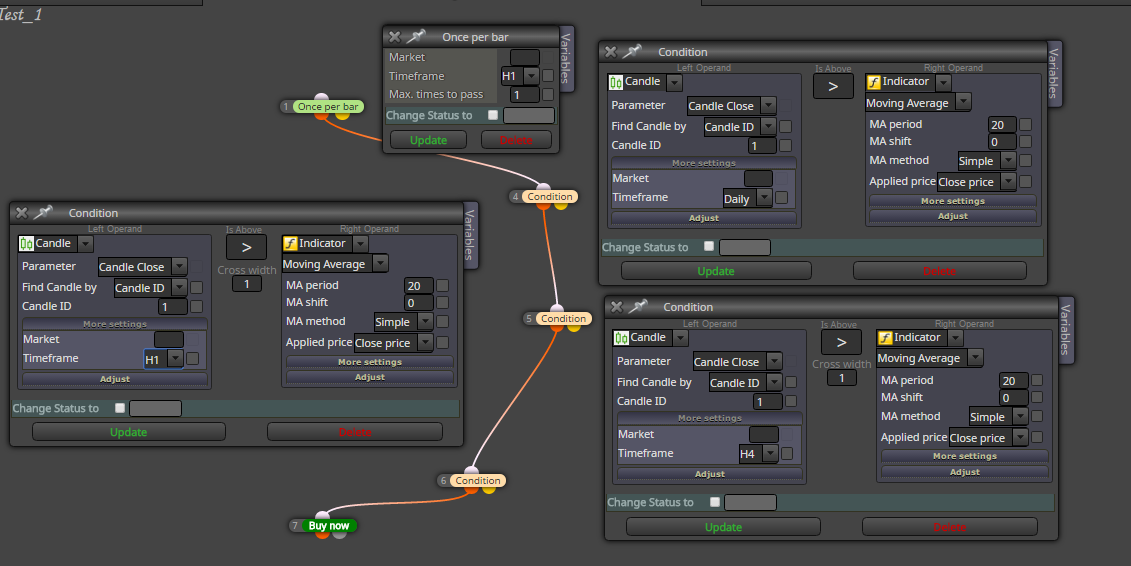
try this change (I have not tried functionality) :
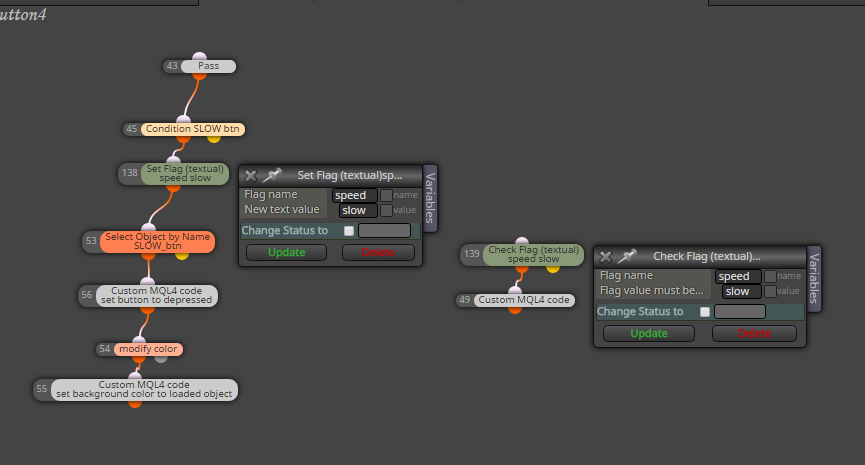
https://fxdreema.com/shared/7AnscAEkd
section on Trade and on Tick are used

timeframes are set to H1, you can change it to "current" or what you will ... but be careful because if you select time 02:00 and use H4 or D1 candle, trades are not opened (because of logic) ... just do changes for your purposes ...
have you tried few times? are there errors or nothing happens when you import?
0_1486914902237_vertex_mod_3.03_ea.mq4
just changed that enum TF to int and now you can import it into my indicators without problems ... TF you type with numbers, like current TF = 0, M1=1, H1=60, D1=1440, etc ...
and be carreful because this is repaint indicator
this are my words:
Once per bar is first controlling block for next connected ... next connected blocks are running only when first block (in this case Once per bar) pass ... and pass once per new candle (then wait for next candle)
when pass, first Condition is checked (if Close on yesterday daily is > as MA on current TF), when pass next condition and the same for last condition .. when all conditions are true, open buy ...
do this if you need working with tester:
https://fxdreema.com/forum/topic/4201/tutorial-05-ema-cross-part-5-buttons-behavior-beginners
if you dont need tester you can working in on Chart section:
https://fxdreema.com/shared/W5ieDE9qe
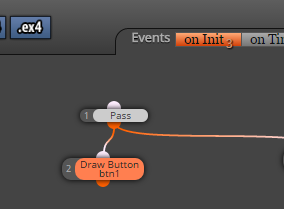
create buttons in on Init:
work with them in on Chart:
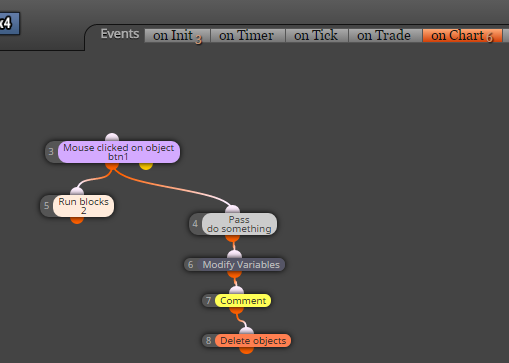
see, I used block Run blocks with ID 2 (ID 2 is block which creates button with initially state non pressed, and it just repaint this button into initially state) ...
can you post shared link how are blocks connected?
post here your custom indicator, I show you how to make it workable
or
you can manually in metaeditor place somewhere on top or bottom code in EA this part of code from indicator
enum enTimeFrames
{
all code
};
and try compile it ... maybe works maybe not ... if not, post here your indicator
that is crazy ... I saw mladen on FF active and was myself asked "why here again?" and now I see why ... I think they moved to steve forum because he also moved from ff to own place 
probably you can use it, try it carefully, you can place on the chart comments to see whats happening 
try this:
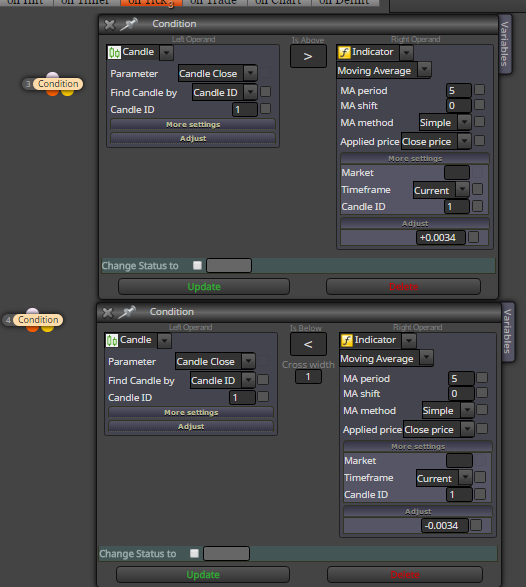
this calculation you can do also in other blocks (formula, modify variables, custom code block, etc) ... be carefull and see difference between pips and price fraction (as example for eurusd pips are 34, price fraction is 0.0034, for GJ pips are 21 and price fraction is 0.21, etc) ...
blocks seems be ok, and the situation what you are asking is spread as you mentioned
there are 2 prices, ask price and bid price ... ask > bid and its difference is spread
price on the chart is Bid (when you click properties on chart you can display also ask price), but candles are constructed from bid price
when you open buy trade, you open it on Ask price
when you open sell trade, you open it on Bid price
buy trade is closed on Bid price
sell trade is closed on Ask price
and that is reason, why the lower TF are you trading the lower spread is for you important (because you expect smaller profit)
have you tried to find with google atr which calculates as you need? you can than import it into my indicators of fxdreema and work with it ...
use envelopes indicator ... it is moving average deviated with some deviation and this deviation you can give as fibo (like 0.34, etc)
0_1486701200898_arbitrage_eax.mq4
maybe you can try this it is indicator which calls your arbitrage indicator ... in metatrader it is working but I dont know if it is working in EA ... probably it is not working in EA at least you can try it ...
(import this indicator into My indicators .... in indicators folder must be both, this one and original arbitrage)
try using custom code block ...
averageBody and allBody are variables
x are candles "n"

I have not tested it ...
yes all these parameters manually ... but the form of indicator is not best for EA and I think, it will not working in any EA ... indicator must be recoded into other form ...
manually, all parameters ... but I think, it is not working in EA ... but I dont see errors ...