M
Posts made by miro1360
-
RE: Sorry, I can't find a thread I found some months agoposted in General Discussions
i see now, time filter not timer
 ...
...
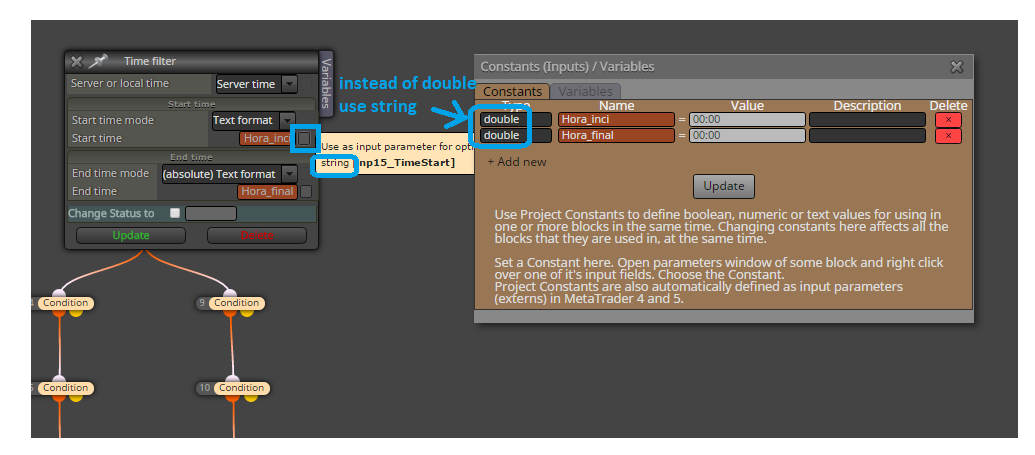
this is solution for you:
-
RE: Exit after n barsposted in Questions & Answers
in block Modify variables this Timeframe parameter can be changed to fixed Timeframe,
if you will have opened chart H4 and trade closed on H1, you need fixed this TF in block to H1
when is parameter Timeframe = Current, it means currently opened chart is active and is waiting for closed candle on active chart TF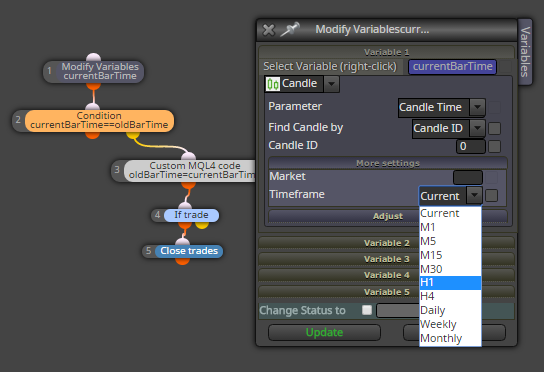
-
RE: How not to repeat the first buying position?posted in Questions & Answers
in violet block Trade closed change parameter filter by type to Buy
-
RE: Exit after n barsposted in Questions & Answers
take inspiration from this:
https://fxdreema.com/shared/cSODkTjB -
RE: Sorry, I can't find a thread I found some months agoposted in General Discussions
where is your timer?
-
RE: Put stop orders after immediately closed candle's high/lowposted in Questions & Answers
but for less than 11 minutes you can cancel it using counter
...
counter I have refered few times in my previous posts, just try to search for some -
RE: Put stop orders after immediately closed candle's high/lowposted in Questions & Answers
I think expiration time can not be less than 11 minutes ... so if you give time less than 11 minutes, your order will be created with expiration time 11 minutes
this is working for me:

-
RE: The "Adjust" button inputposted in Questions & Answers your project is not easy, it takes a lot of time testing and looking what is wrong etc ... I am sure you can do it, just do it with smaller parts (not with whole project) and these smaller parts (when are tested and ok) apply into bigger project + test it ...
-
RE: Sorry, I can't find a thread I found some months agoposted in General Discussions
change in all conditions block Indicator Timeframe to match with left Candle Timeframe, like this daily:
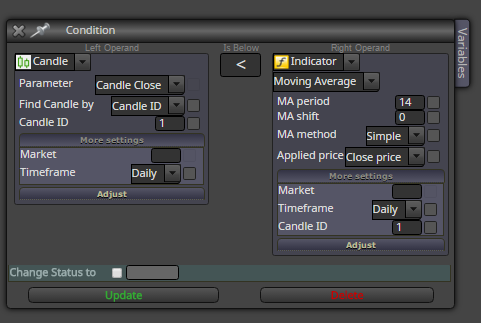
do it for all blocks where is comparison with candle
-
RE: The "Adjust" button inputposted in Questions & Answers
take my project as example where you can learn block after block what I did ... dont forget to look into on Trade section because it is important ...
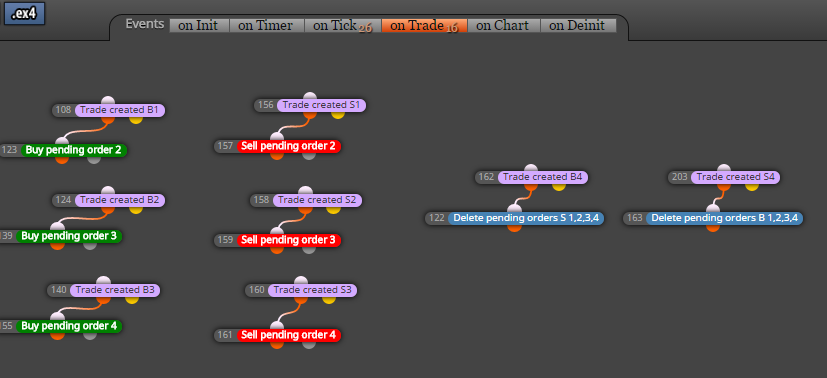
on Trade means, that this section is triggered once when something with trade happens (is opened, closed, etc.,, here are violet blocks to work with specific situation) ...and my blocks 206,207,208 are working together with blocks 204,205 ... see, that blocks 204+205 are counter, once per bar (once per day in this situation) is variable candleCount increased with +1 ... next goes to comparison with block 206 .. when comparison is true (when candleCount>resetPendingsDays) pending orders are deleted and candleCount is reseted to 0 (and waiting for next loop) ... result is, that pending orders are deleted in some "day" interval which is given by number in resetPendingDays (input parameter) ... you can enrich this counter with next check conditions (like only when pending 4 exist, or no Trade exist, etc) ... you can reset candlesCount to null also in other situations (e.g. in on Trade when trade is opened) ...
-
RE: Displaying Arrows and Text on top of Candlesposted in Questions & Answers
is not there indicator or something which make for you candles in another color from objects? if not, I have no idea what is wrong with your chart ...
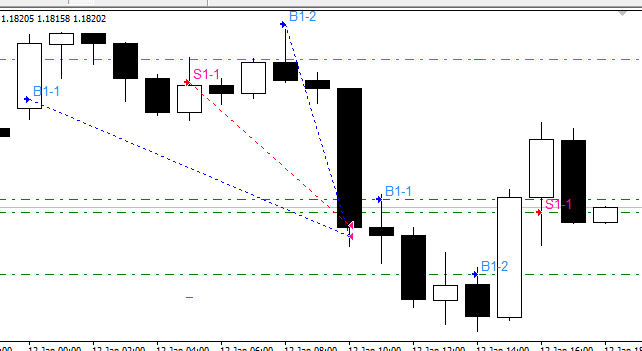
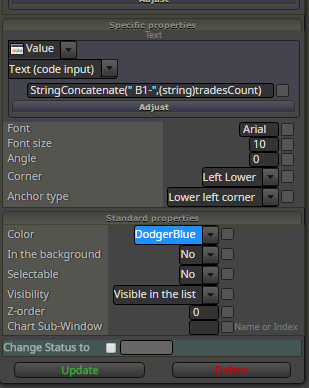
this is my result from these settings:
-
RE: Sorry, I can't find a thread I found some months agoposted in General Discussions
a ) post screen where it sometimes open and sometimes not open
b ) when you will have simultanously opened only one trade (only buy or only sell, not both) rearange blocks this way:
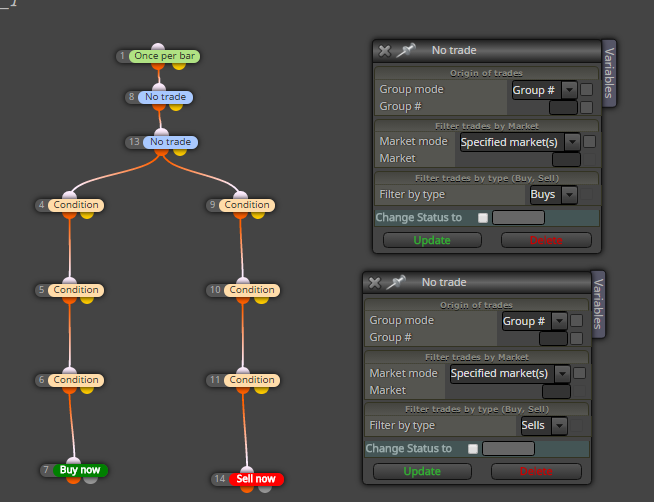
-
RE: The "Adjust" button inputposted in Questions & Answers
try this:
https://fxdreema.com/shared/IKUAWTgNd
maybe it is little different as you want but I tried made it as close as possible to your wishes
note, both sections are used (on Tick and on Trade) -
RE: Displaying Arrows and Text on top of Candlesposted in Questions & Answers
parameter "In the background" is set to "NO"?
-
RE: Buy or sell if the last candle high or lowposted in Questions & Answers
take time inspiration from this:
https://fxdreema.com/shared/VPxRafXRb
and bull or bear conditions are also available