From what I understand, once the yellow MA is below the red MA, maximum 3 trades are allowed, no matter for how long the yellow line is below the red line. Then, when the yellow line goes above, everything resets and we are waiting for it to go below the red line again.
Probably the best way to do this is when the yellow line is below, to count for how many bars it was below. While doing that, also count how many trades were closed in that whole period. If they are less than 3 - continue and make a new one. But thе EA Builder is not very good at making such loops. There is a block for making a loop (basically repeating itself multiple times), but there is no block for breaking this loop (to stop it), which is needed. Otherwise there is a block "(loop) break", but it works only for those "For each..." blocks right now.
Here is another idea: https://fxdreema.com/shared/OpEWBBHjc
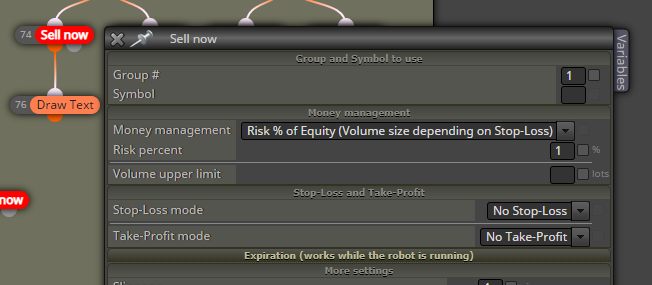
Here I detect the cross with blocks 1 and 2 and I create an arrow with name SellSellSell (block 3). Additionaly I create one vertical line, only to then see where crosses happened. If there is no trade I search for that object SellSellSell. If there is none, nothing else will happen. But if there is one, I count how many closed trades were closed after the object (blocks 6 and 7). The object's Time property is used for that (in block 6). And if less than 3 trades were closed, I can create a new one (blocks 7, 8 and 9). Block 8 is whatever the extra condition needs to be, I chose something simple for the example. Otherwise I delete the SellSellSell object (the link between 7 and 10). Technically I can Not delete it here, but I guess this could help a little bit with the speed of testing. I also delete the object when the fast MA is > the slow MA (blocks 11 and 10). I can use crossover for this as well, but imagine that the EA is restarted... I just want to be sure.