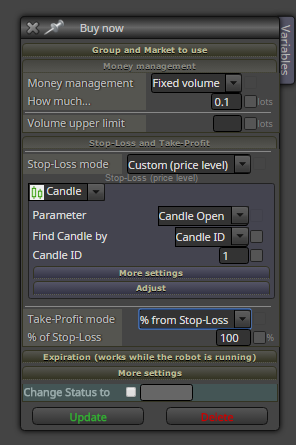
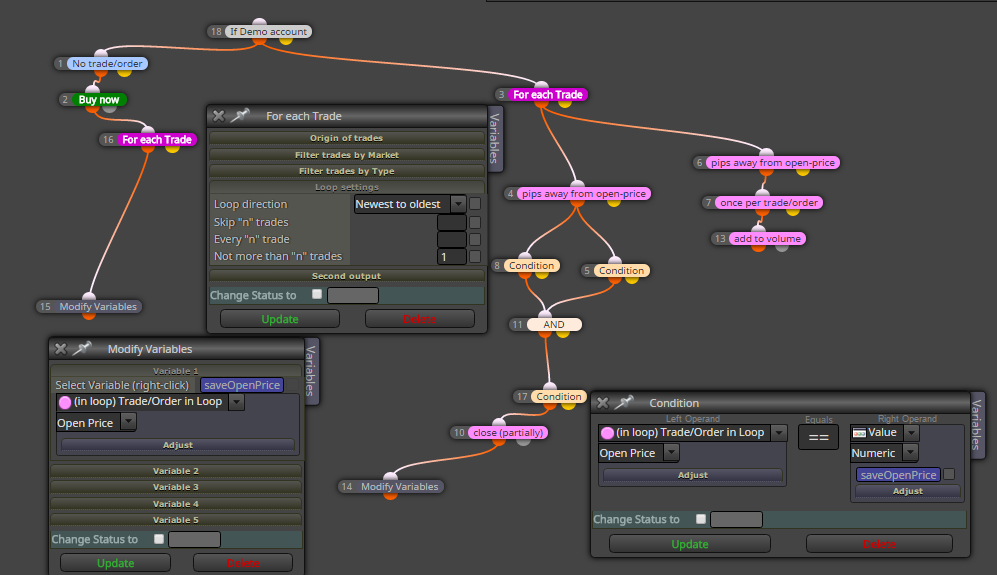
try it now ... admin made some corrections ...
M
Posts made by miro1360
-
RE: New compilation error.posted in Questions & Answers
-
RE: Set stop-loss to be the lowest between a range of candlesposted in Questions & Answers
in adjust field try type "+5pips" or "-5pips" ... (without quotes) maybe it can work ... try it ...
-
RE: Multiple partial closesposted in Questions & Answers
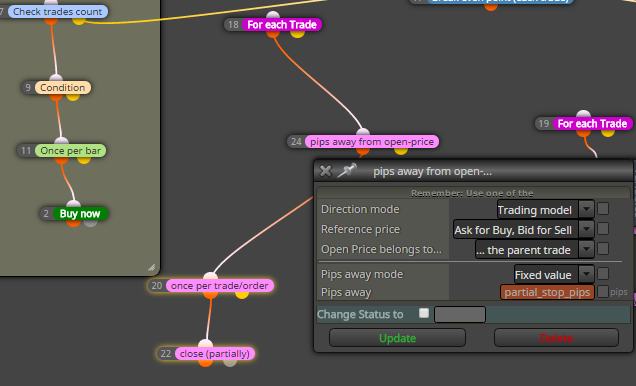
when you give this in block for lossable trade: pips away from open-price (Trading model instead of Double-sided, because double sided is absolute value)? and than in input parameters change value partial_stop_pips to negative, like partial_stop_pips=-5
-
RE: adding to volume 2+posted in Questions & Answers
here you dont need to program ...
the only you need is repeat this experiment: change-test-mistake and repeat it until success
how can you learn without effort? i know, mistakes are painful, but you need resist and not give up
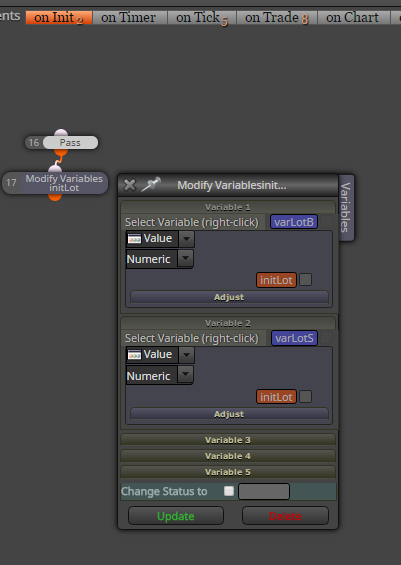
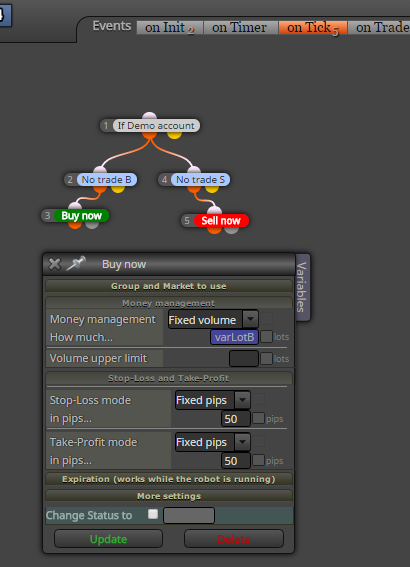
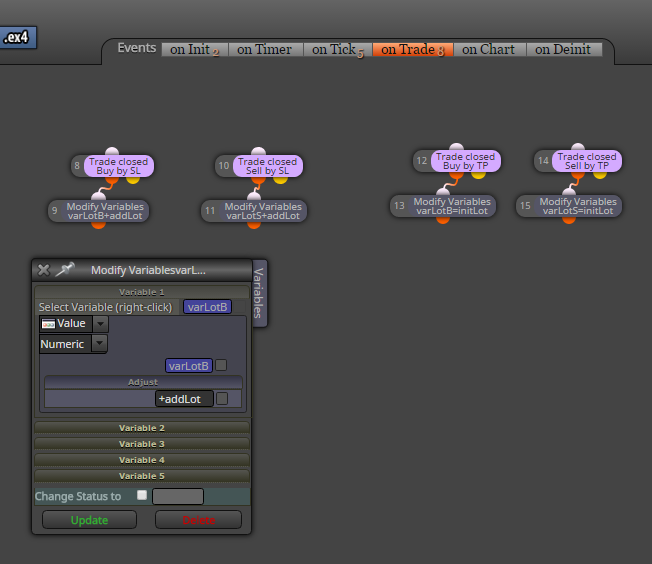
check how easy it is (example for separate buy and sell, if you will not separate, try it make together, it is not hard with fxdreema) ..
https://fxdreema.com/shared/EFv4kOhGb3 sections are used (onInit, onTick, onTrade):
-
RE: adding to volume 2+posted in Questions & Answers
using variables you can do it ... your variable can be edited in custom code block like
myLots=myLots+0.02
and do this in onTrade section -
RE: Set stop-loss to be the lowest between a range of candlesposted in Questions & Answers
for this use Market properties: Lowest price (candles period) .. and set here your period of candles, which can be start 1, end 3
-
RE: Binary Options Expiryposted in Questions & Answers
every block where is option "timeframe" set this timeframe M5
-
RE: New compilation error.posted in Questions & Answers
I think this is error, wait little time for repair ...
-
RE: example: For each tradeposted in Tutorials by Users
maybe add to lot size without close can be done in MT5 (I have not study how, you can
 ), but in MT4 it is not possible (not possible to modify the lot size of trades for original open price or recalculated open price), I mean when your trade is opened like 1.0 lot, you can not modify lot size to 1.5 into one trade
but here in fxdreema you can do something as opening new trade with the same SL TP like parent one using "add to volume" (currently loaded using For each trade block) ...
partially closing is working as you asked, here you can view some example to your question:
https://fxdreema.com/shared/5XS8SPvIbor here you can work with ticket number ...
https://fxdreema.com/shared/Y90zEfaFb
there are many ways how to work with these numbers, you need try it ...instead of "add to volume" you can close trade, load its lot size into variable and add next lot size to this variable: closed was 1.0, you will add 0.5, so result save into variable like 1.0+0.5=1.5 and this 1.5 open as new trade on current price ... it is maybe not as you expected but can working with few compromises (like open on current price)
...
rest what you asked for Area xy, it are only areas for separating examples, each area is each example ... and "area in area" - it is because of comment - I used it only for commenting main Area ... -
RE: Question regarding the "adjust" fieldposted in Questions & Answers
yes you can ... you can use some words like pips to make this
+10pips
this adds for reference value +10pips, which is for EURUSD +0.0010 or for GBPJPY +0.1
... I dont know all this words, only this pips, maybe there are more ...
you can use some functions as well .... like *(NormalizeDouble(yourVariable,0)) ... or *(MathAbs(yourVariable)) ....do some research and try most of what you are asking, it would be probably faster reply for you

-
RE: Question regarding the "adjust" fieldposted in Questions & Answers
yes you can this, without quotes ...
-
RE: Moving Average questionposted in Questions & Answers
I am not sure what exactly you need because it is question if you exactly know what you need
... but can try this: https://fxdreema.com/shared/BWG3f4z1d ... 2 versions, you can run one or other with turn blocks on/off ... version 2 are blocks turned off
but I am not sure if it is working for you right because I have not tried ... time pressure
it was for this ... https://www.mql5.com/en/articles/1516
also change other parameters like MA period or TP SL for trades etcthis was my reply from PM
... -
example: For each tradeposted in Tutorials by Users
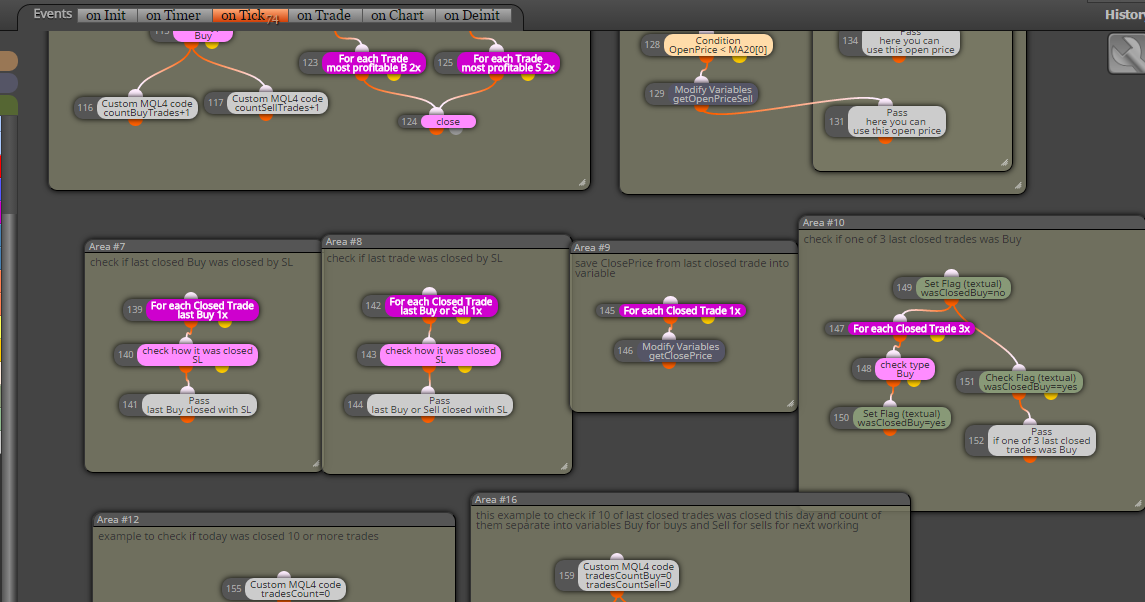
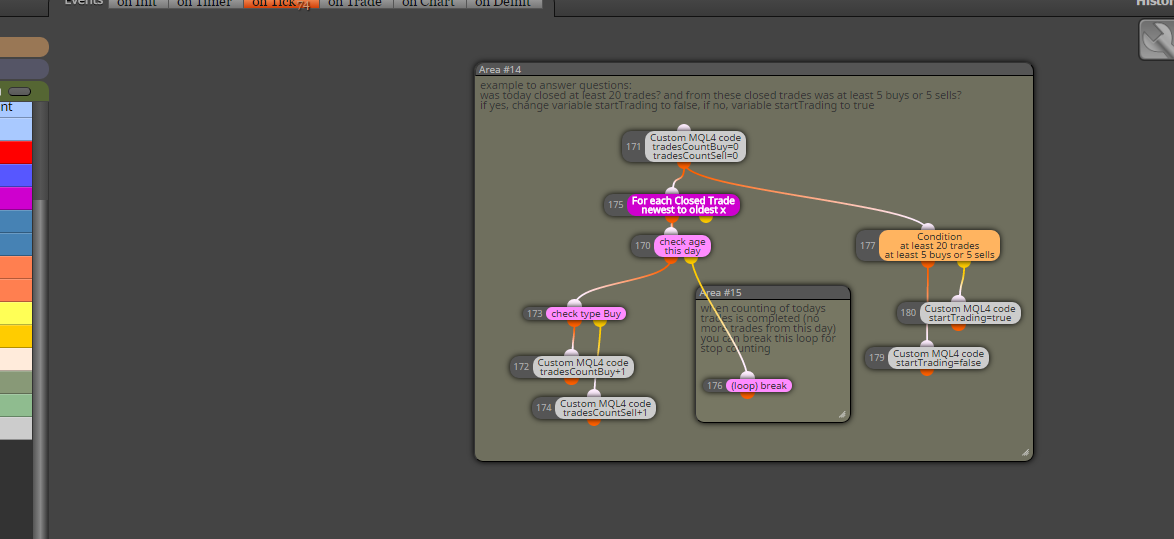
Here I provide you few examples how to work with blocks For each Trade, or For each Closed Trade, you can also work with blocks for pendings ...
https://fxdreema.com/shared/FRLmvb2Bb
you can also download mq4 file and import it into your projects to have my provided original:
0_1482090825721_example_loop_trades.mq4maybe something must not working and need some little change, I have not tried this my examples in tester, you can ... and here are other ways how to do this, better or worser, it is up to you and your invested time
have a fun ...

-
RE: IDENTIFY MACD AND RSI DIVERGENCEposted in Questions & Answers
macd divergence is implement in fxdreema, rsi is not directly and for this purpose you need some coding skill or proper indicator with RSI divergence ...
for macd divergence blocks in fxdreema check block section Various Signals -
RE: CREATING A TRADE ACCORDING TO TREND LINEposted in Questions & Answers
I hope you just make fun with your question

...
-
RE: CREATING A TRADE ACCORDING TO TREND LINEposted in Questions & Answers
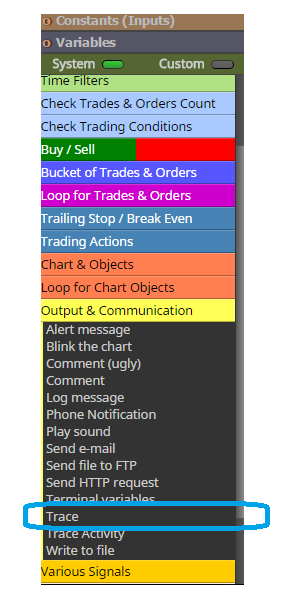
trace it using visual tester and Trace block to see, what happens, that is one of ways how to find whats wrong
-
RE: Moving Average questionposted in Questions & Answers
using "==" in comparing prices, especially MA price and current price, is bad way, base your strategy on ">" or "<" conditions ...
when you will MA direction (if MA rise or fall) you can do this:MA[1] < MA[0] : MA rise on current candle
MA[1] > MA[0] : MA fall on current candlenotice, that current candle is not closed candle and can in any time change direction ... on history of chart you see only closed candles, not behavior from candle 0 ...
this is how you see history of chart, without candle 0:
MA[2] < MA[1] : MA rise on previous candle
MA[2] > MA[1] : MA fall on previous candle -
RE: Help with condition.posted in Questions & Answers
try this:
https://fxdreema.com/shared/EsAZGPzvcmaybe is here some automatic conversion from price fraction to pips, but for me was not working
why this, because if price is for UJ 120.0 and lowest is 119.0 (difference 100pips) it is 120-119=1.0 .. price fraction 1.0=100pips ... and in my example you give into input 1.0 (which mean 100pips)
EU exaple: price is 1.05 ... highest is 1.06 ... for difference fraction 1.06-1.05=0.01 ... fraction 0.01=100pips in EU ... so for those pairs you give into input 0.01 (for EU 540pipís is fraction 0.054, and for JPY 5.4) ... -
RE: CREATING A TRADE ACCORDING TO TREND LINEposted in Questions & Answers
@YOSEF
you can do this in block settings, play little with it and test it for results...