fxDreema

    • Register
    • Login
    • Search
    • Back to the main page
    • Categories
    • Recent
    • Tags
    • Popular
    • Search
    1. Home
    2. josecortesllobat
    3. Posts
    J
    • Profile
    • Following 2
    • Followers 20
    • Topics 34
    • Posts 507
    • Best 41
    • Controversial 1
    • Groups 0

    Posts made by josecortesllobat

    • RE: Why my backtest graph shows D1 candles if I tested the EA with H1?

      Hi fxDreema

      Thanks for your response.

      I will zoom in but it is happening the same. When I expect hours like you said, the time is showed per days (i.e. 19 Jan 00:00).
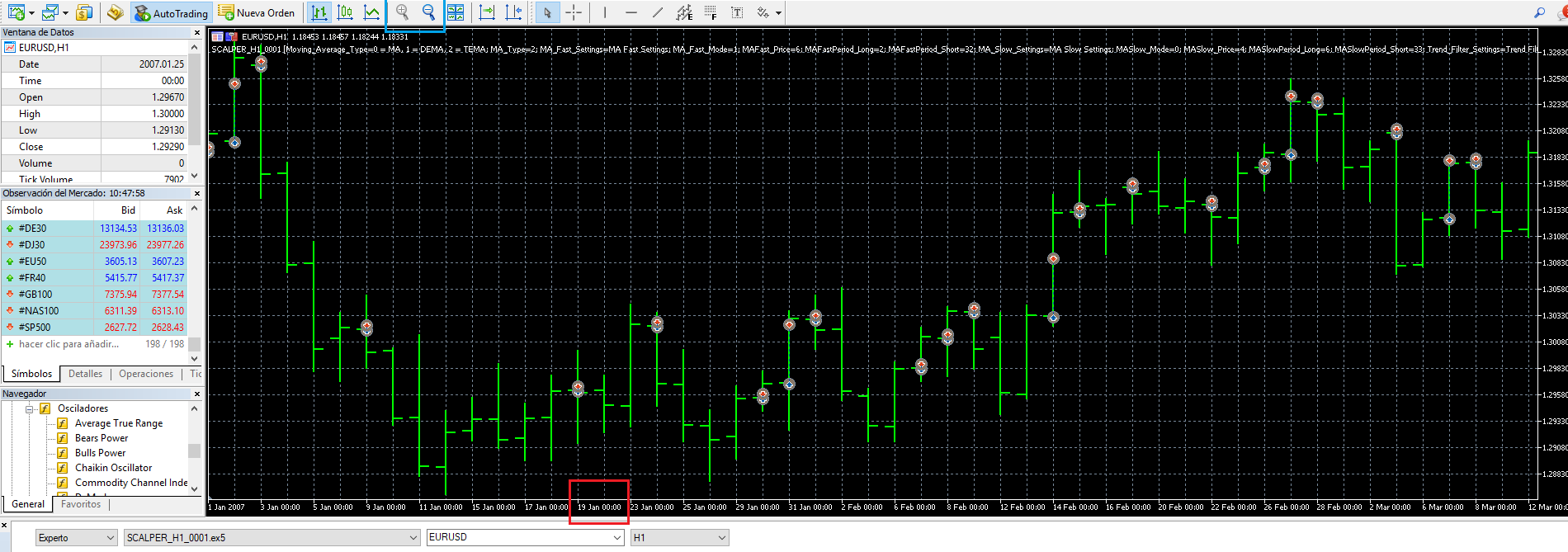
      0_1512035544162_63d34f4d-0e5d-4728-95c5-a33bf922efbb-image.png

      I wrote to the MT5 support to ask about that, they said this:

      "Thank you for contacting us.

      Try to test in "Every tick" mode and for the last year (from the 1st of January 2017) and pay your attention to the line in the Tester's journal, like:

      EURUSD: history data begins from .........

      Best regards, MQL5.com Support team"

      I have test it as they said and the result is the same: each bar belongs to a day.

      I have found one option from Graph Properties that change the value on the date axis but even though I save the right parameter, the graph is still showing the wrong TimeFrame for each bar.
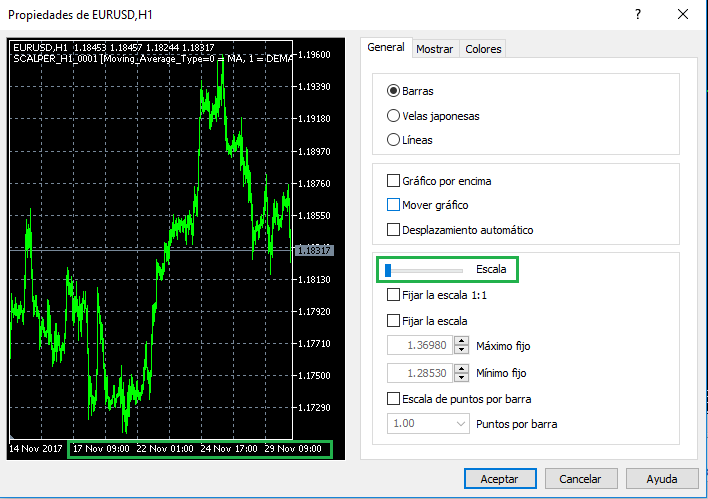
      0_1512035944018_7dfd9d8e-eee3-4277-aff6-94e7fdde0097-image.png

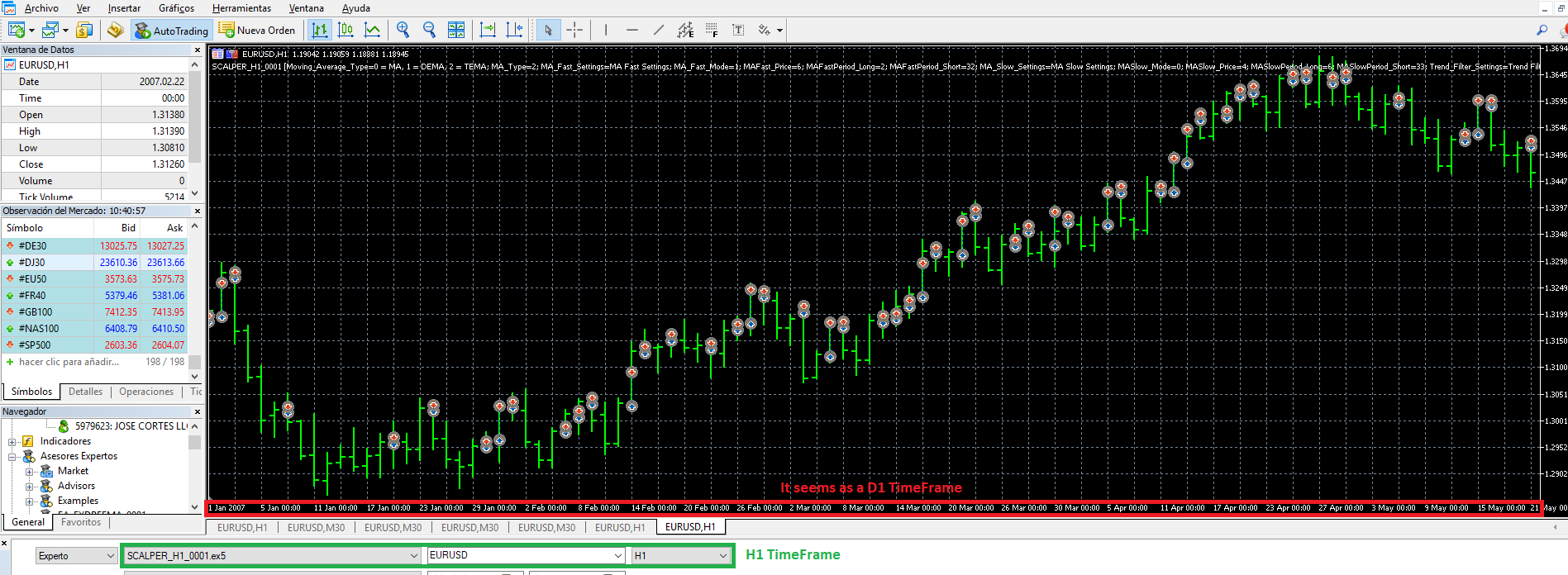
      I don't think this is related to fxDreema EA because it happens the same with the examples on the MT5 (i.e. Moving Average.ex5)

      Thanks
      posted in Questions & Answers
      J
      josecortesllobat
    • Why my backtest graph shows D1 candles if I tested the EA with H1?

      Hello

      I need help to understand what is wrong with my backtest graphs in Metatrader 5.

      I am testing an Expert Advisor built using FxDreema with a H1 timeframe. After the EA optimization I take some optimized results and I test them for checking the trades. What I am not understanding is why MT5 shows me a D1 graph if I used a H1 timeframe for the optimization and backtesting.

      0_1511862861032_47184da2-86d7-4c03-90b1-3930371f00d6-image.png

      Any idea what I is wrong with that? Maybe is a bad setup.

      Thanks a lot

      posted in Questions & Answers
      J
      josecortesllobat
    • Help with "check age" block?

      Hello

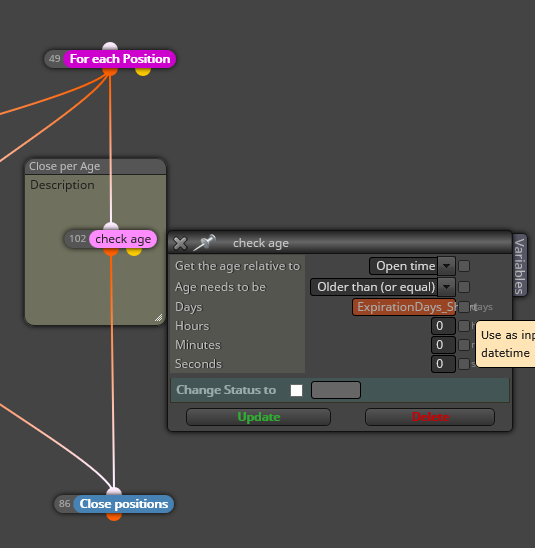
      May anyone help me to understand what I am doing wrong with the "check age" block?

      I have a condition setting an age for each trade that close all the positions after a optimizable age parameter.

      0_1511690774842_33d45f4b-c5e6-4594-a919-3630f9ad00c2-image.png

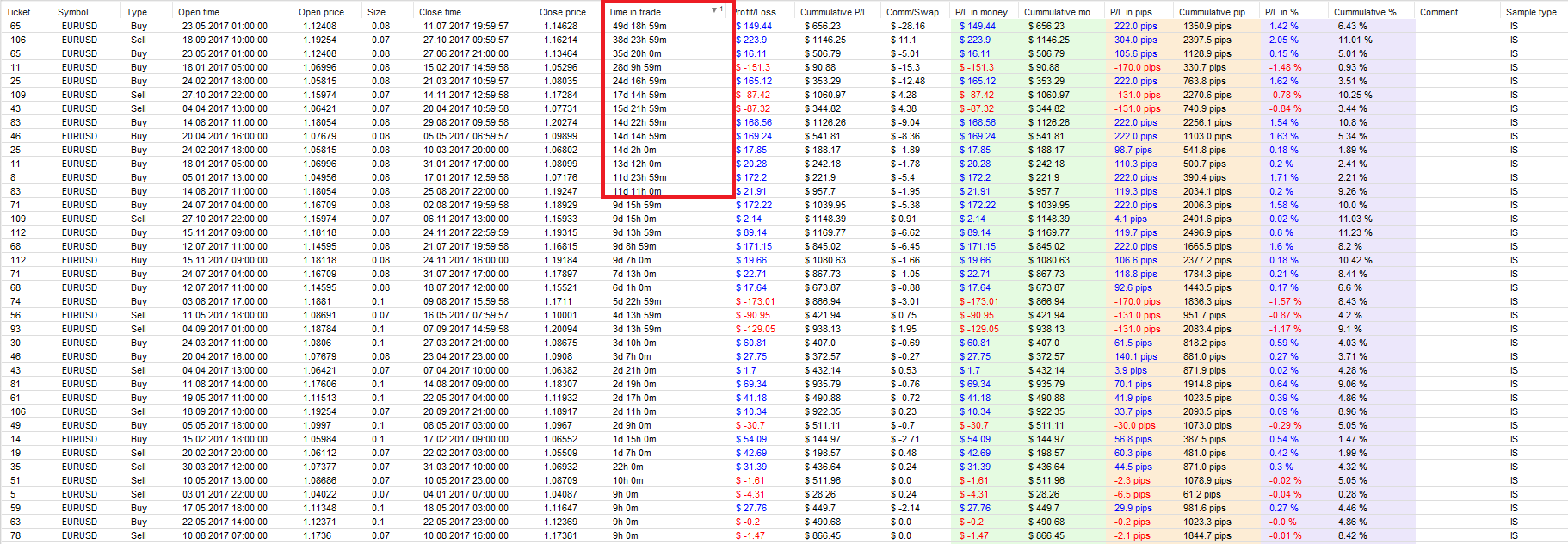
      So, after a optimized expiration days, each position have to be closed. I have backtested the EA with

      ExpirationDays_Long Positions = 7 (days)
      ExpirationDays_Short Positions = 10 (days)

      But I am getting trades that the "Time in trade" are greater than 7 days (Buys) &/or 10 days (Sells) and I don't know why is this happening.

      0_1511691167339_ddb696b1-4086-497d-8422-1538ab195c61-image.png

      I am using MT5 building the EA with the web builder.

      Thanks for the help.

      posted in Questions & Answers
      J
      josecortesllobat
    • RE: DEMA & TEMA as an option to choose

      Hello fxDreema

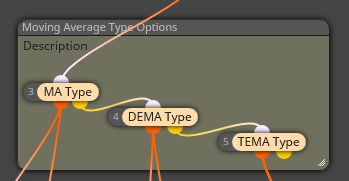
      Thanks for answering. I have been able to buil somthing similar by using the "condition" block. It looks like this

      0_1511206873470_9ce36614-d145-463e-9c97-e9a3d9fce43e-image.png

      I have a constant called MA type with the values 0 = MA, 1 = DEMA, 2 = TEMA to allow the optimizer to choose whichever is better.

      Thanks

      Regards

      posted in Questions & Answers
      J
      josecortesllobat
    • DEMA & TEMA as an option to choose

      Hello

      I want to know if it is posible to add the DEMA &/or TEMA to the dropdown menu to slect the smoothing methods for a Moving Average.

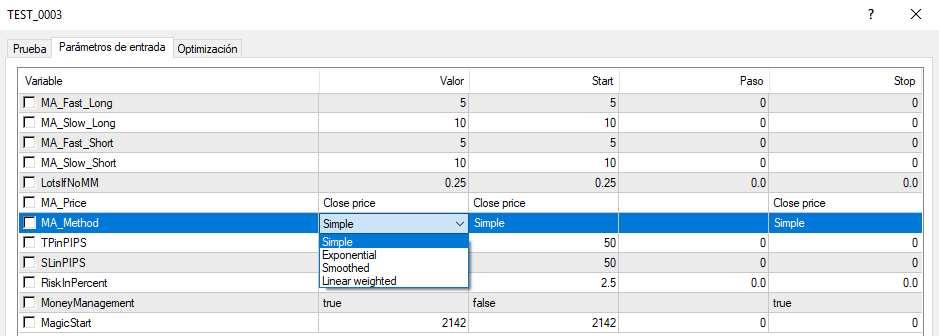
      Now I have my MQ5 EA with the option to choose what kind of smoothing I want for the MA:

      0_1510743775940_10e4346a-d180-4823-96f0-cc129aa47ae9-image.png

      0_1510743820482_9d9d4e72-13d5-4a60-a0f5-a9ae70eda8cc-image.png

      DEMA & TEMA indicators are available but can only be selected as different indicator than the MA.

      Is it possible in anyway to add those indicators to the dropdown menu where I am able to choose what kind of MA will be used or optimized for the EA?

      Thanks

      posted in Questions & Answers
      J
      josecortesllobat
    • RE: How can I set up a condition to activate/deactivate MoneyManagment?

      Hi isp00rt

      Great job!!!

      It Works as I expected

      0_1510589228043_cad65ad6-170c-4a00-811d-b54010f0e1e3-image.png

      0_1510589239332_3ba4a10d-b5d3-47b3-9b87-23c02109be8d-image.png

      0_1510589259590_7c6ba5f6-34ac-48a6-8d6a-924463540737-image.png

      Thanks a lot for your help. I thought that the yellow connection was for the opposite signal of the condition not for checking if the consition is not true. You help makes me understand better the logic of the connections.

      🙂

      posted in Questions & Answers
      J
      josecortesllobat
    • How can I set up a condition to activate/deactivate MoneyManagment?

      Hello

      Please, I need help because I don't know what I am doing wrong with one condition. I want to choose in some way if my EA have to trade with a risk % of the Equity account or using fixed lots.

      I have tried to add a condition using a boolean variable for Money Management activation or not:

      MoneyManagement bool (True = %Equity, False = Lots)
      If MoneyManagement == True -> Buy/Sell with MM
      If MoneyManagment == False -> Buy/Sell with Lots

      So, my EA looks like this

      0_1510561856732_fe73751d-c681-48d9-ac6d-b3503b7e833d-image.png

      But the EA does not open any trade on the backtesting:

      0_1510561981614_1435da29-18cf-4e7c-8abd-70967ba28bd1-image.png

      If I delete the MoneyManagement condition the EA Works as it should be with MM or Lots:

      0_1510562082520_5eece611-6dde-4fc3-b07c-4680707d91f4-image.png

      0_1510562147003_0cef9a69-304f-4e44-bf05-db51cfaad8b1-image.png

      Could anybody help me to get what I want on my EA?

      Thanks

      posted in Questions & Answers
      J
      josecortesllobat
    • 1
    • 2
    • 22
    • 23
    • 24
    • 25
    • 26
    • 26 / 26