fxDreema

    • Register
    • Login
    • Search
    • Back to the main page
    • Categories
    • Recent
    • Tags
    • Popular
    • Search
    1. Home
    2. josecortesllobat
    3. Posts
    J
    • Profile
    • Following 2
    • Followers 20
    • Topics 34
    • Posts 507
    • Best 41
    • Controversial 1
    • Groups 0

    Posts made by josecortesllobat

    • RE: On Trade issue

      I have notice that my trailing stop is not working as well. There is a condition in the EA to move some pips the SL at the beginning of a new bar if the position is in profit. But it seems that the order to modify the position is not sent because there is nothing log in the journal.

      I am starting to think that the problem might be related to the broker.

      Thanks for any help.

      Regards

      posted in Questions & Answers
      J
      josecortesllobat
    • RE: On Trade issue

      Hi @fxDreema

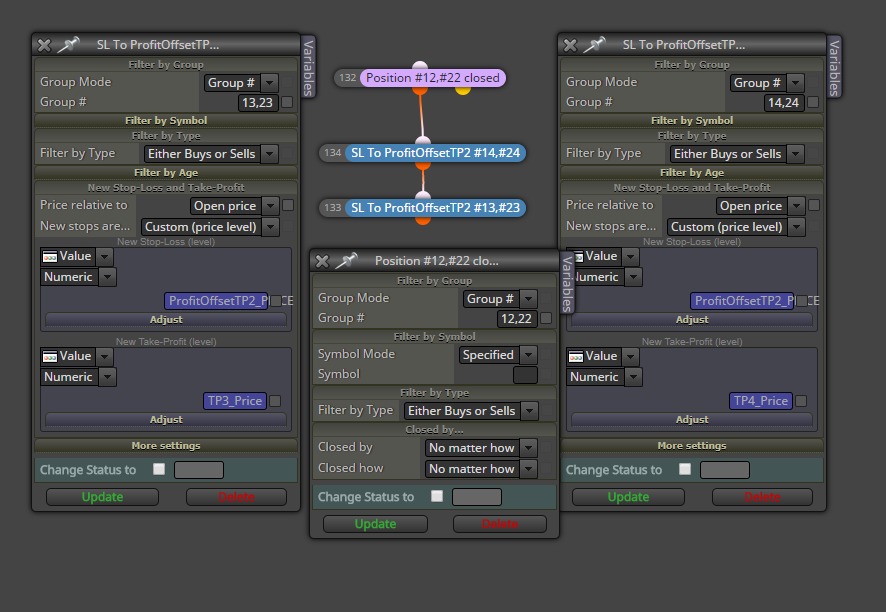
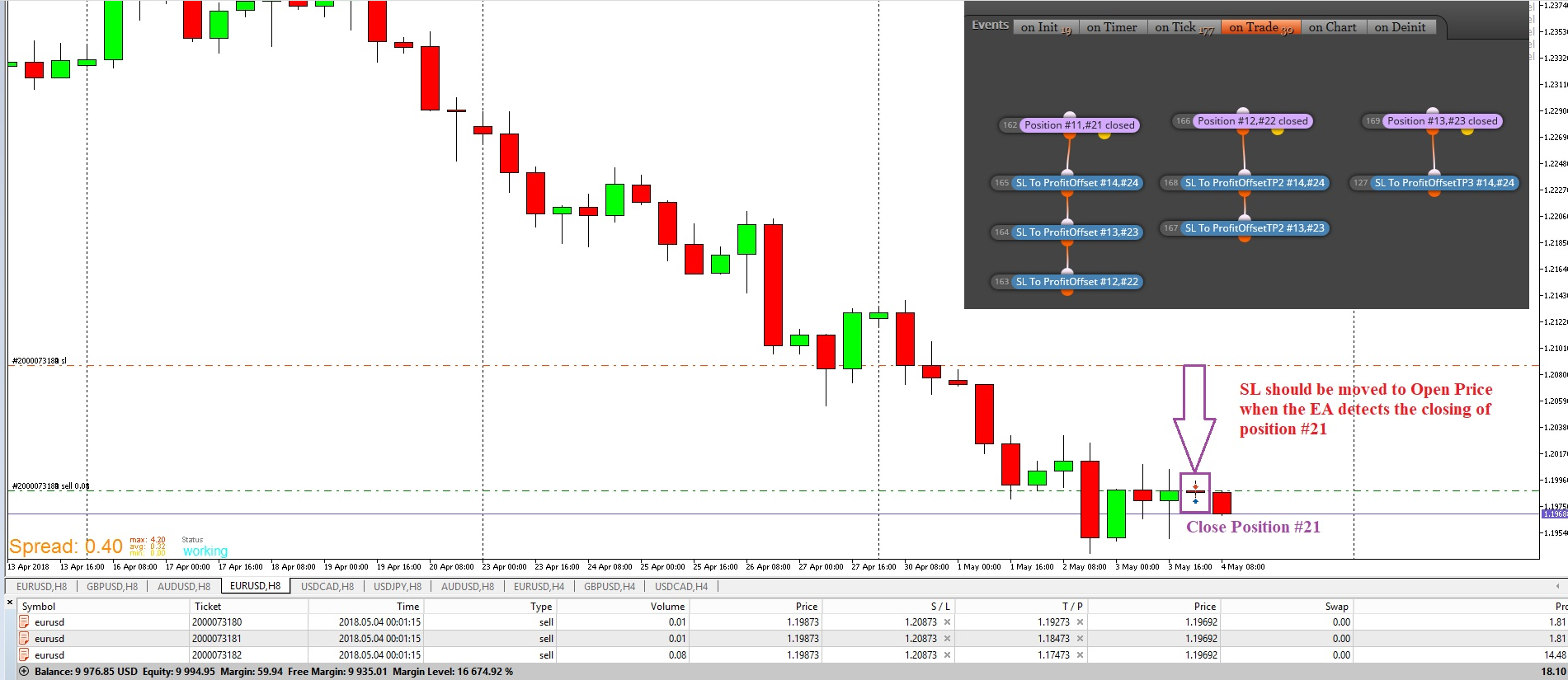
      Could be there a bug with the "Position Closed" block in the "On Trade" section?

      0_1525442951245_d7b29345-c4ea-4767-88ec-0cfcdac75695-image.png

      Because the EA is not moving the SL when a trade close is happening.

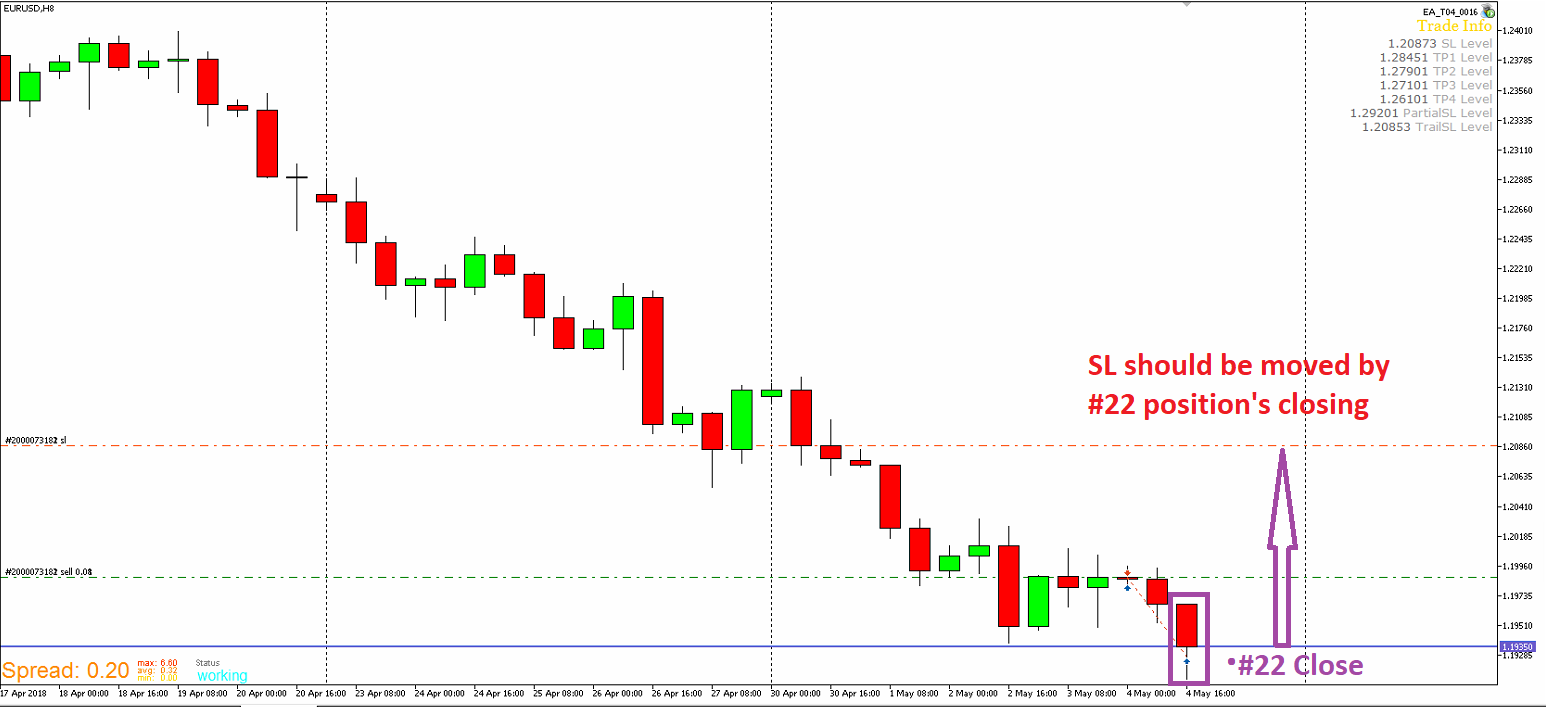
      0_1525443606784_cd0dd06d-d71a-4c59-8a10-ebc09d72dc26-image.png

      Or maybe I am doing something wrong with the Group #. I expect that if trade #12 (buy) or #22 (sell) is close, the EA moves the SL level for the rest of the positions to a custom price. #12 & #22 will never meet at the same time.

      Any help on this issue would be very welcome.

      Thanks

      posted in Questions & Answers
      J
      josecortesllobat
    • On Trade issue

      Hello

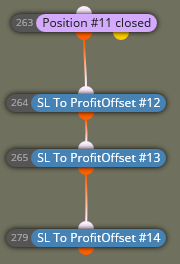
      I am running an EA in a demo account with 2 different brokers. The EA has a condition in "On Trade" section that moves the SL of all the remaining positions to one level (OpenPrice or OpenPrice+ProfitPIPS) when the first position reaches its TP. It worked in backtesting but it seems that it is not working in demo
      0_1525416797484_a80180b0-b280-49f6-aa60-1eb910ee1305-image.png

      There is not any error logged in the journal. In backtesting, if the final SL level was too close to the current Price, it was logged "Invalid SL request..." But nothing in demo.

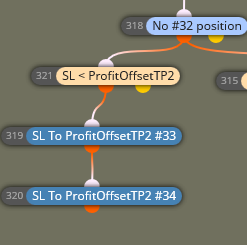
      To prevent this, I have added a similar condition in "On Tick" section such as:

      Once Per bar --> if NO first position (#21) and SL Level is < OP --> SL to OP

      So I expect that if the current bar is not reversed, at the open of next bar, the SL will be moved. But what I expected was that the SL was moved when the #21 position was closed if there was no issue with the final SL price.

      Has anybody seen this behavior? What do you think?

      I will appreciate any help on this issue.

      Thanks
      posted in Questions & Answers
      J
      josecortesllobat
    • RE: How to get Friday quotes close time (MT5)?

      Hi

      I don´t know if as a string variable it will work or not but remind what @fxDreema has explained in the forum about this: if there is no tick coming at that time, it will not be posible to meet the condition time.

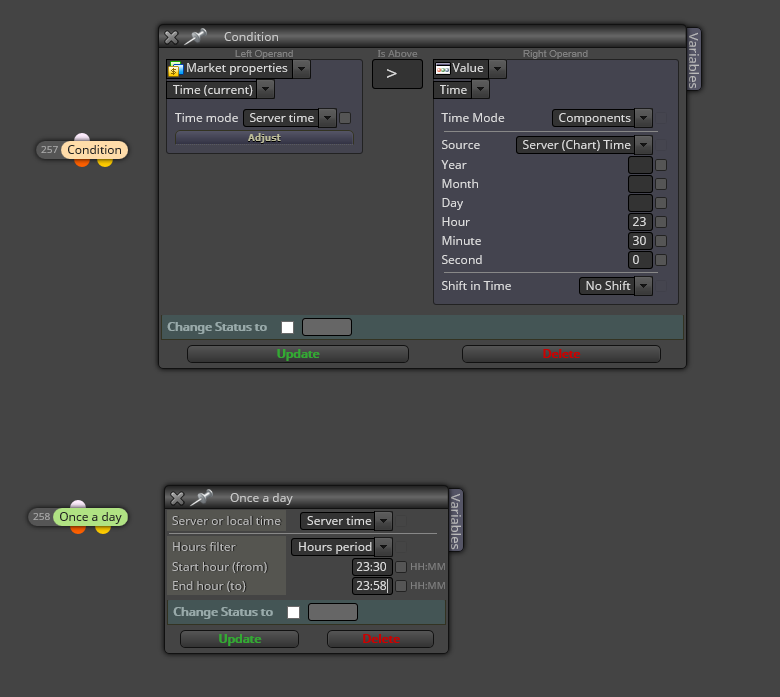
      @fxDreema suggested to use a period of time to get what you want such as if time > 23:30 --> Close positions using the condition block or a time filter block.

      0_1525208656714_807b1bca-22a9-4229-90e7-51908b093e3d-image.png

      Should work.

      posted in Questions & Answers
      J
      josecortesllobat
    • RE: EA from Examples

      @roar said in EA from Examples:

      Isn't it just "not cross above"?

      Hi @roar

      I am not using the yellow output of a cross over condition. I am building two different branches for going long or short from the "No trade" block. It works for me. So I think if @Rahim-0 connects the block #5 directly to the "No Trade" orange output, it should work as he expects.

      posted in Questions & Answers
      J
      josecortesllobat
    • RE: EA from Examples

      Hi

      Try the following:

      • connect the block #5 directly to "No trade" block
        or
      • connect the block #7 to the yellow output of block #3

      I think both should work as you expect.

      posted in Questions & Answers
      J
      josecortesllobat
    • RE: EA from Examples

      Hi Rahim

      Could you share the Project or show a screenshot?

      posted in Questions & Answers
      J
      josecortesllobat
    • RE: Thank you fxDreema

      TOTALLY AGREE

      Thanks @fxDreema.

      No doubts!! You are doing an excellent job with this builder and also to help us in our questions.

      posted in Questions & Answers
      J
      josecortesllobat
    • RE: How to set the SL level to the closest current price level?

      @fxDreema Thanks for your support. I guess that the blocks work as you described but I was not really sure.

      Yes, it happens what you said. The SL level is not allowed to move to the price set because there is a movement in the opposite direction and now the SL price set is above (longs) the current price.

      Not a problem. I have just to design a workaround for the SL logic what is very easy with your builder.

      Thanks

      Regards

      posted in Questions & Answers
      J
      josecortesllobat
    • RE: HELP PLEASE

      Hi @Eray-Dursun

      You can run as much as you want (within the platform limitation MT4/MT5). But you just have to take care about the "MagicNumber" that must be different for the EA in each window.

      0_1523606813919_1b2e9330-4c34-45a2-bbb5-02ad008bbd0c-image.png

      Regards

      posted in Questions & Answers
      J
      josecortesllobat
    • RE: MY LATEST PROJECT IS EMPTY

      It happened the same to me but I did what fxDreema suggests and everything came back.

      posted in Bug Reports
      J
      josecortesllobat
    • How to set the SL level to the closest current price level?

      Hello

      Please, are you kind to help to figure out this?

      I have a condition where the SL level of any opened position is moved when a TP level is reached. The EA Works pretty well but sometimes the SL is not moved as I expected and the MT5 journal logged the error showed below for each time this takes place:

      0_1523527926242_8e39217f-7a0f-4782-8006-982dcf82b94f-image.png

      So, is there a way to set "automatically" the SL level as close as posible to the current price level if my condition is not met? My condition to move the SL level is like this (On Trade)

      0_1523528028044_87690ea2-c2c6-484c-a848-f1e72d10c845-image.png

      I have added other conditions in On Tick section to try to solve the issue but it is still happening

      0_1523528154955_44528266-81a8-446f-9652-e6e4583b9651-image.png

      Any suggestion will be welcome.

      Thanks

      Regards

      posted in Questions & Answers
      J
      josecortesllobat
    • RE: i am new here,,i need your help

      You can find a very good tutorial given by @miro1360 about the MA cross EA in "Tutorials by users" forum section.

      https://fxdreema.com/forum/category/4/Tutorials

      posted in Questions & Answers
      J
      josecortesllobat
    • RE: i am new here,,i need your help

      Here you have some examples that are very useful

      https://fxdreema.com/examples

      Go to "Crossover" tab or scroll down the page to find what you are looking for.

      Regards

      posted in Questions & Answers
      J
      josecortesllobat
    • RE: Moving to another VPS

      Understood!!!

      So, do you think it would be better to do not use the Builder for a period of time?

      Thanks

      posted in Questions & Answers
      J
      josecortesllobat
    • RE: Builder is not working

      I did not think in use the history menu. I will try it next time if it happens.

      Thanks!!!!

      Regards

      posted in Bug Reports
      J
      josecortesllobat
    • RE: Moving to another VPS

      Hi @fxDreema

      How will we know that the shift has been done?

      Thanks

      posted in Questions & Answers
      J
      josecortesllobat
    • RE: Close each trade if certain conditions?

      "Close Position" block is MQL5 and it is equal to "Close Trades" MQL4 block.

      I am pretty sure that a better way exists to do it but this is how it might be work.

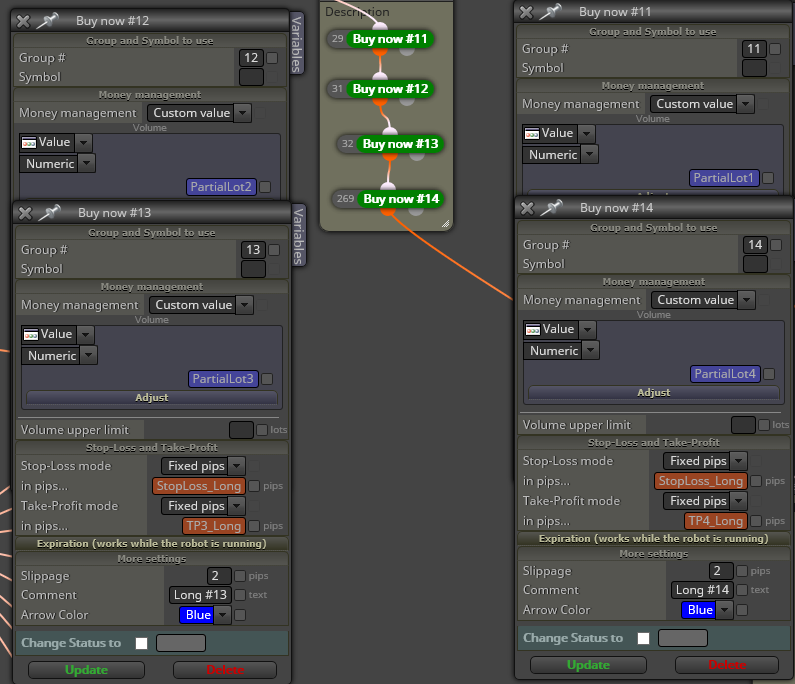
      • Set a Group# for each position to be opened

      0_1523309448446_c5572a75-1173-494b-a13f-3157ba234a8b-image.png

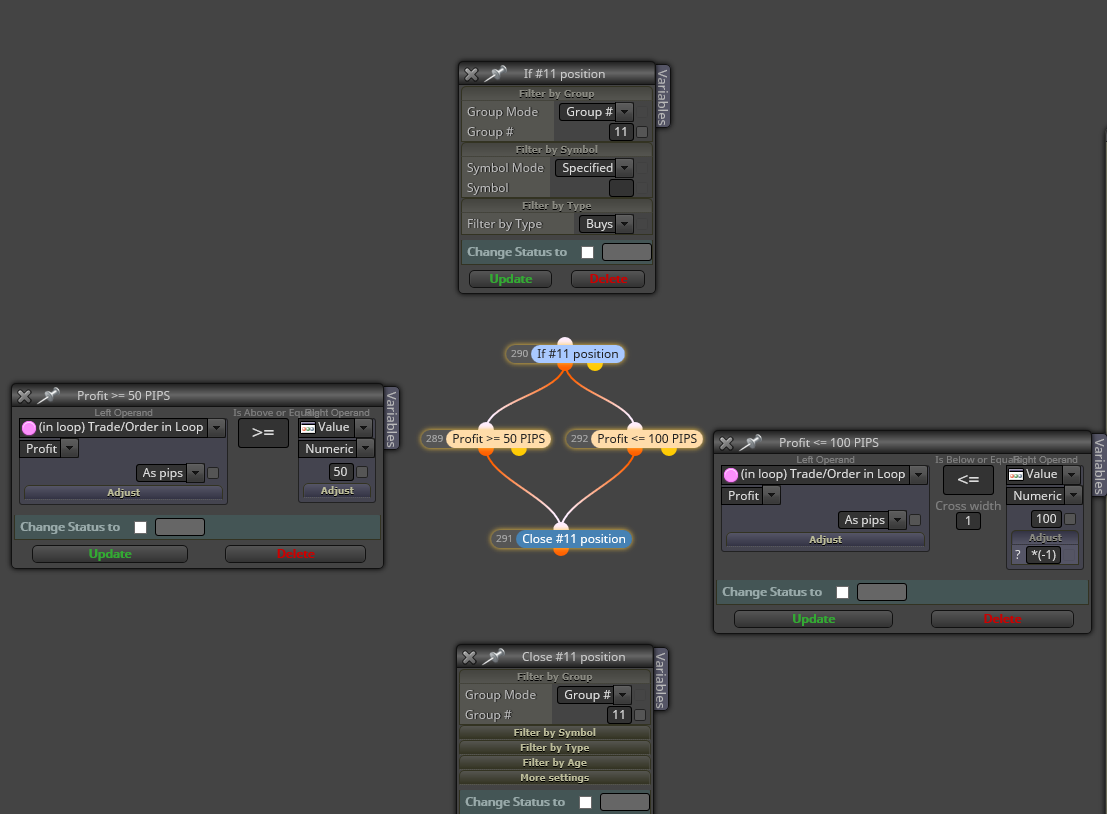
      • Each position should have 2 condition blocks in order to close the position if one of them is met.

      0_1523309896674_6f0ec20c-3a34-4730-b22c-da051cb0562f-image.png

      You can copy those blocks for each position.

      The goal can be achieved with different ways in fxDreema.

      Hope this helps you.

      Regards

      posted in Questions & Answers
      J
      josecortesllobat
    • RE: Close each trade if certain conditions?

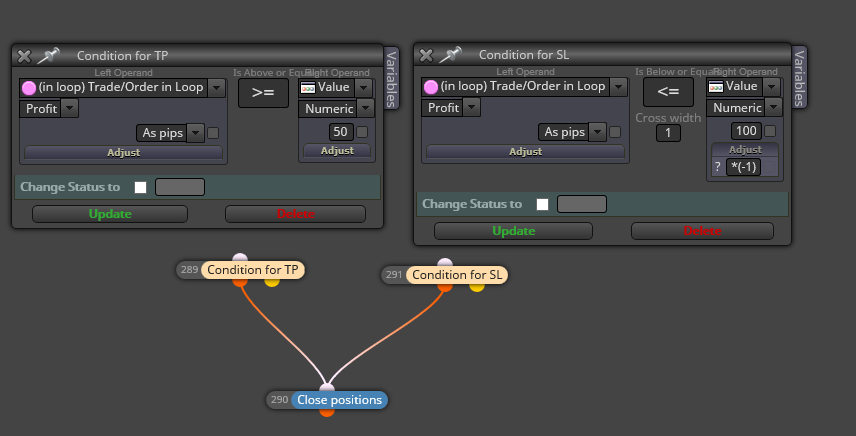
      So for that case you could use the "Condition Block". Like this

      0_1523306340103_47479d60-d27a-40ac-b2df-dac51d53d375-image.png

      Regards

      posted in Questions & Answers
      J
      josecortesllobat
    • RE: Close each trade if certain conditions?

      Hi @yalgaar

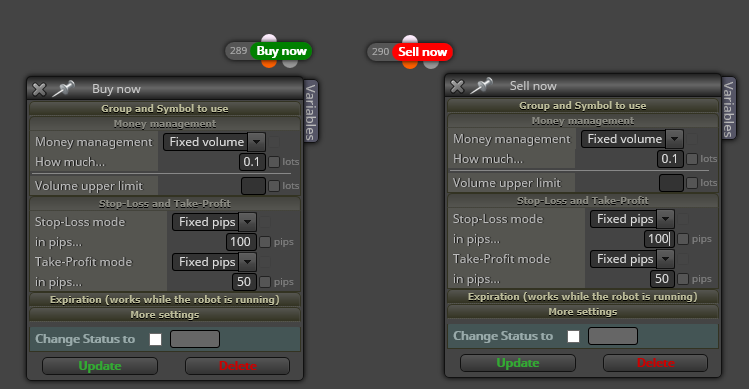
      I think that the easiest way is to set for each position a TP = 50 and SL = 100. Like this

      0_1523299151656_0130ff91-1523-49ee-99fe-cb0f6b1f18b7-image.png

      Or by using a constant to allow those values can be modified.

      Regards

      posted in Questions & Answers
      J
      josecortesllobat
    • 1
    • 2
    • 21
    • 22
    • 23
    • 24
    • 25
    • 26
    • 23 / 26