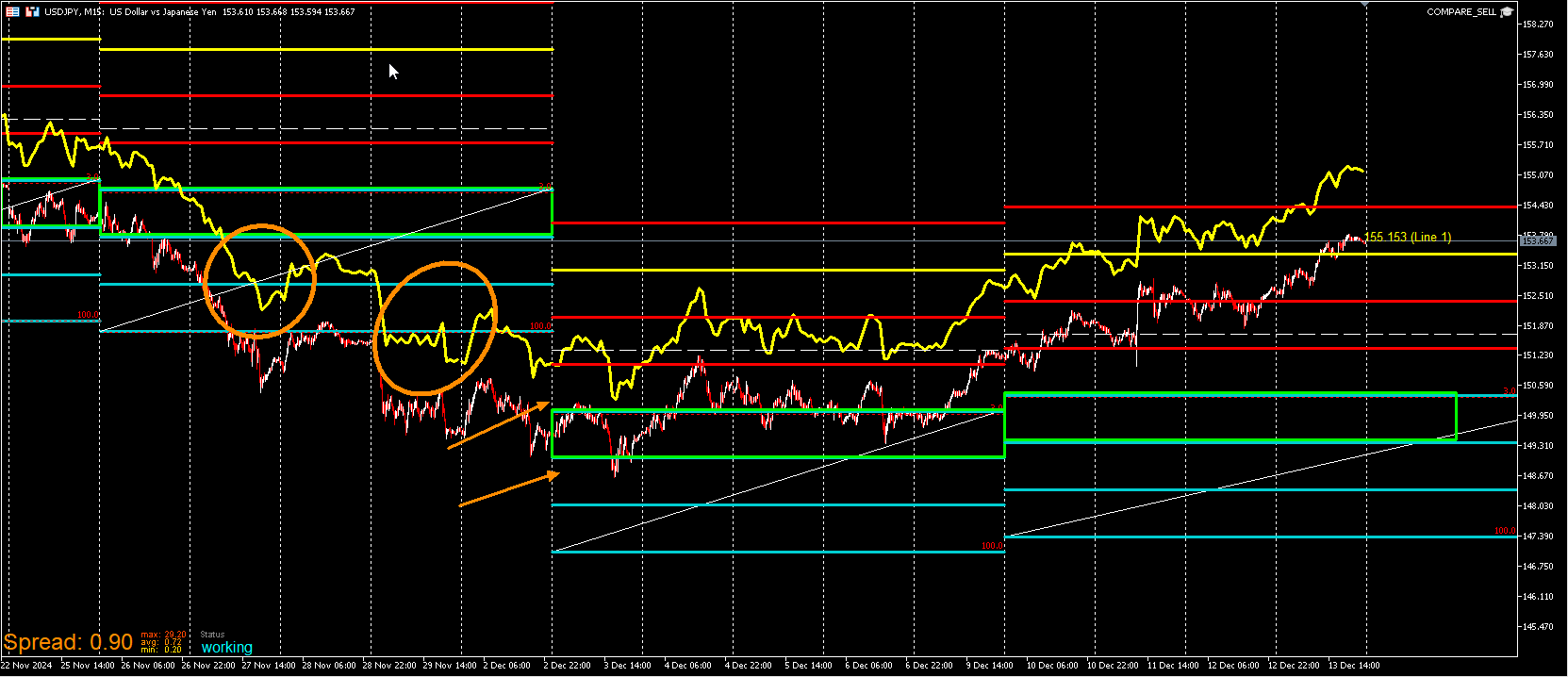
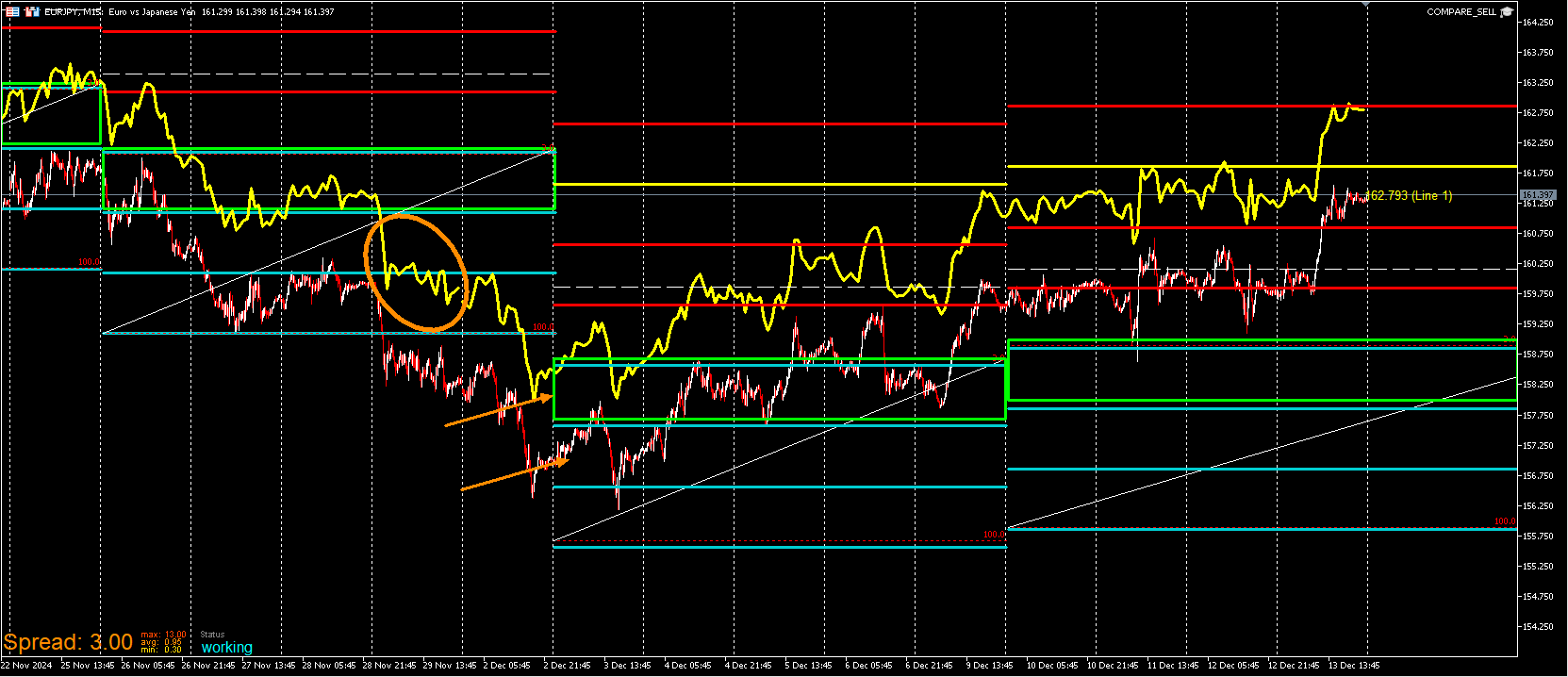
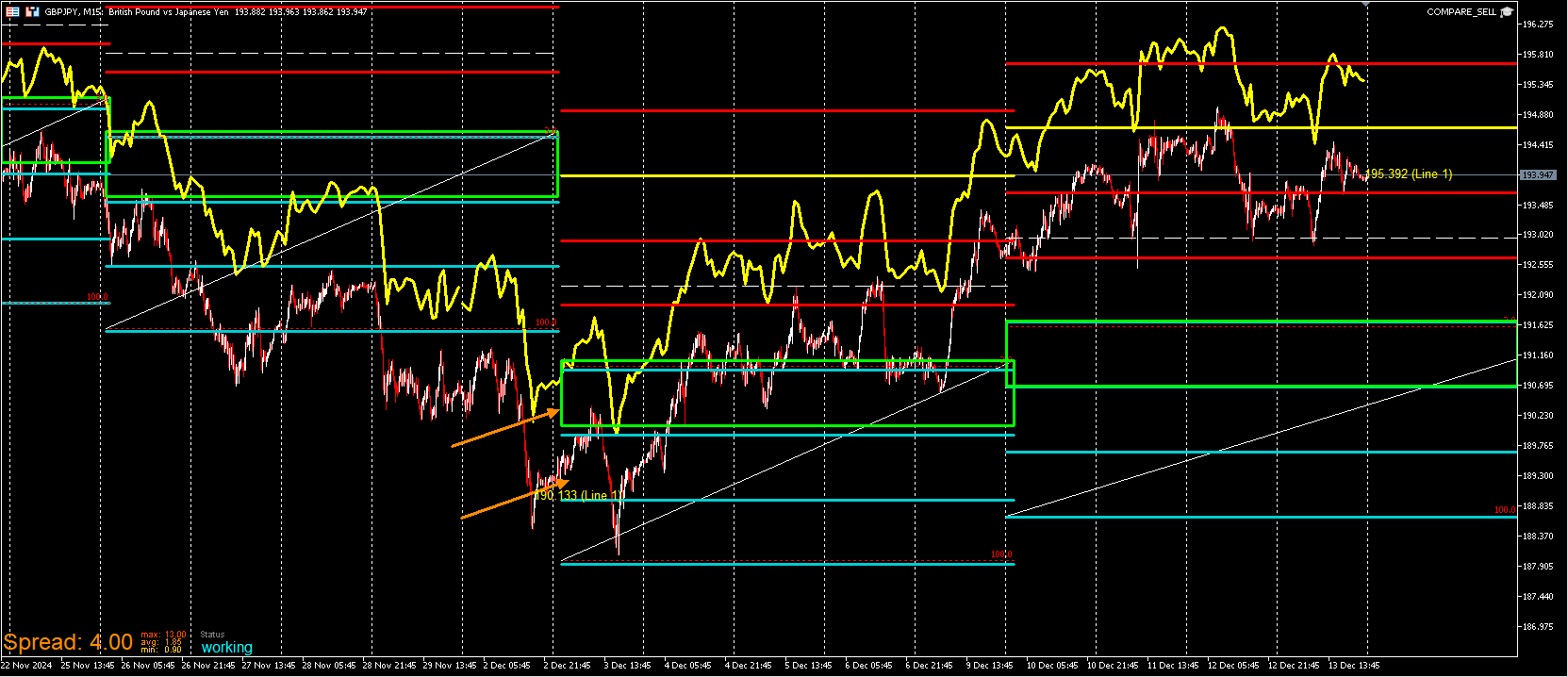
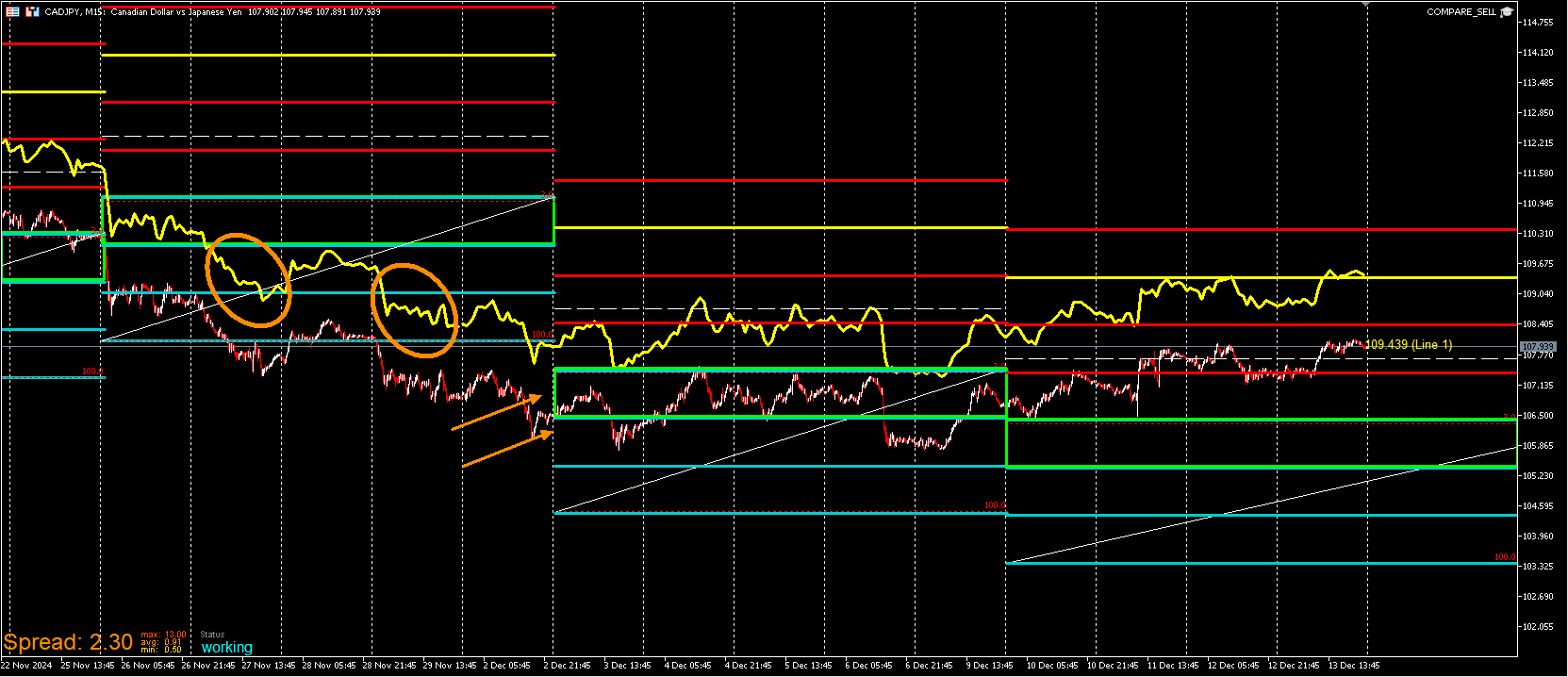
Have you started the project?
J
Posts made by JayPhillbrooks
-
RE: help for pivot 10 candle indicator fxdreamaposted in Tutorials by Users
-
RE: How to make a mid-line on a candle stick Indicatorposted in Questions & Answers
@Cpt_Cook I'll share my version of the project with you from what I believe you are asking of. I was curious to see if it would work and it only took a few minutes so you can use this a base and extrapolate from it. I can't attest to the usefulness or profitability of it.
-
RE: How to make a mid-line on a candle stick Indicatorposted in Questions & Answers
I'm not sure if you are looking back at the candles after they've already been formed or live. The midpoint will change as the candle is forming but if you mean that you want the midpoint at the time of it lining up with more than the two previous candles, you'll have to anchor a trendline on median price(high+low/2) set the trendline to ray left. But make sure that it's set to No for create 1 object per bar so that it doesn't keep redrawing as the candle is updating. If you want to see it baked in afterwards, you will need to create the condition candle 0 median price(high+low/2) = candle low of candle 3. Create another condition for the high. When the condition is met draw a trendline from the median price of 0 and shift time 2 back 3 minutes do this for each condition's high and low and set it to Yes on create 1 object per bar.
-
RE: How to make a mid-line on a candle stick Indicatorposted in Questions & Answers
Are you asking for a line to be drawn at the midpoint of candle 1?
-
RE: My EA updateposted in General Discussions
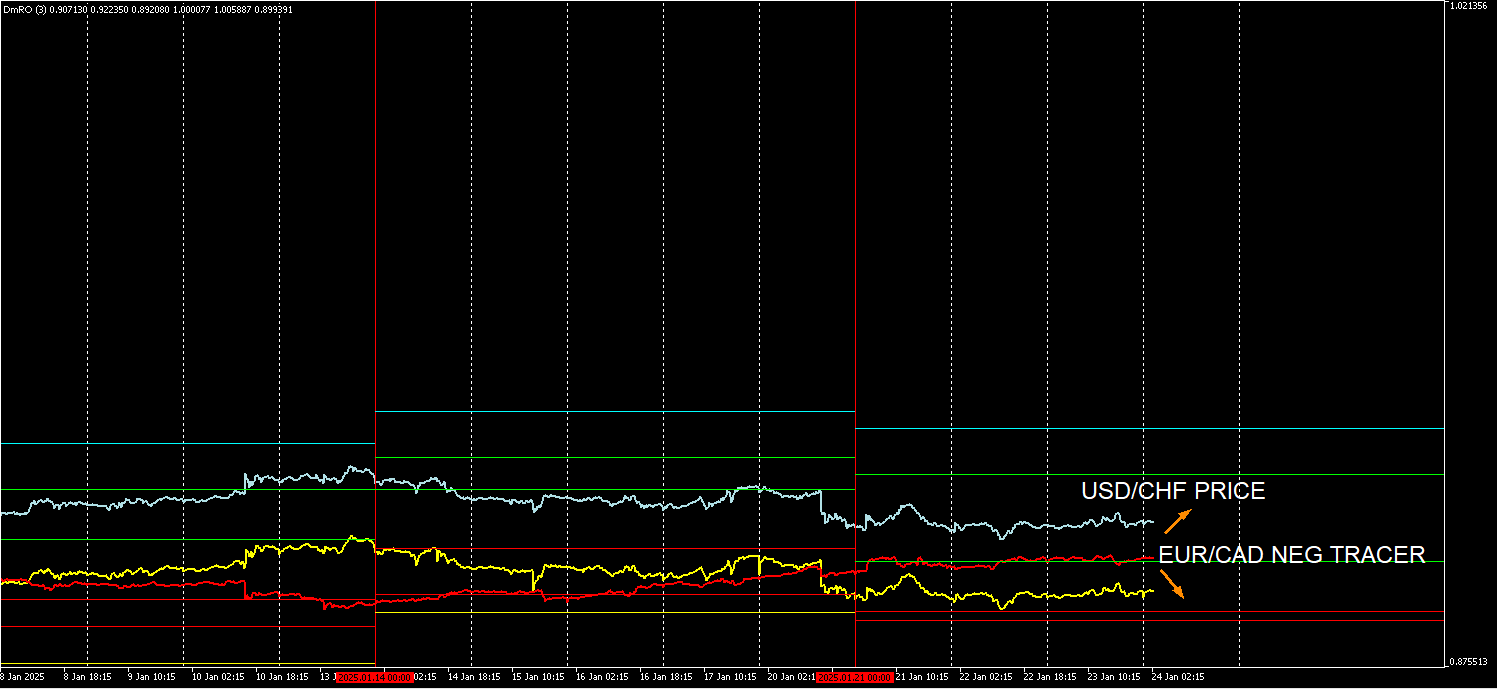
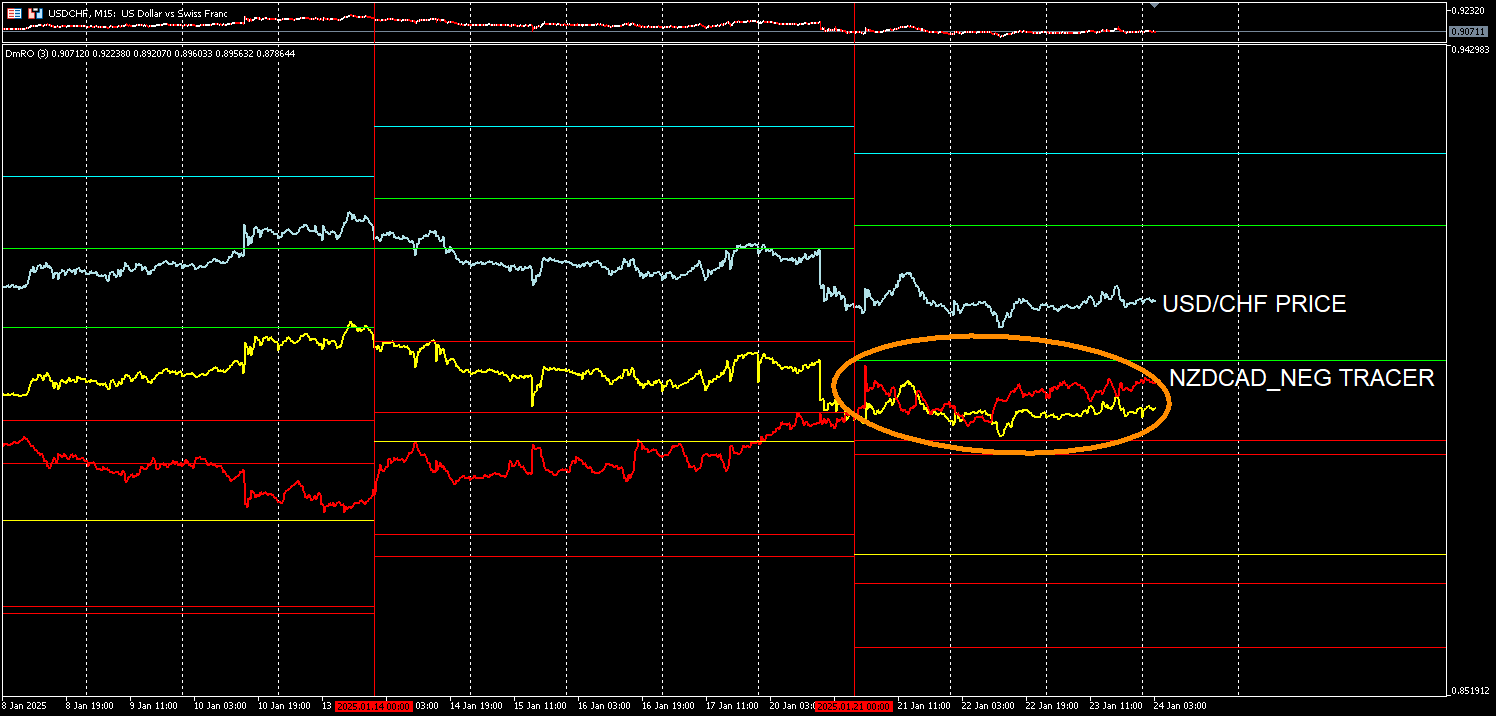
This post is to demonstrate the flexibility with the indicator. Every element can be adjusted and my settings are adjusted to my exact strategy and how I analyze currencies. I aimed to get the additional currency pair to be a 1:1 match to line up with the levels of the default currency. It wasn't possible due to price difference with some being much larger than others. A way around that is to disable the price for the additional currency pair along with one of the tracers for it. The remaining tracer is adjust to to the levels to match it's interaction with them. Now I'm able to compare the price of once currency to the the tracer of another and look for a reaction. The relevancy of this starts at the beginning of Tuesday and end the following Monday. So every week before the current week isn't aligned correctly. Only the current week is adjusted to scale. In this example I'm looking for a long opportunity for USD/CHF. Yes EUR/USD along with similar pairs to it have been moving up ever since my previous post but that doesn't mean that they will keep rising. I think there's still opportunities to be spotted in other pairs. They may be short term but if it's showing me something, I will take it.
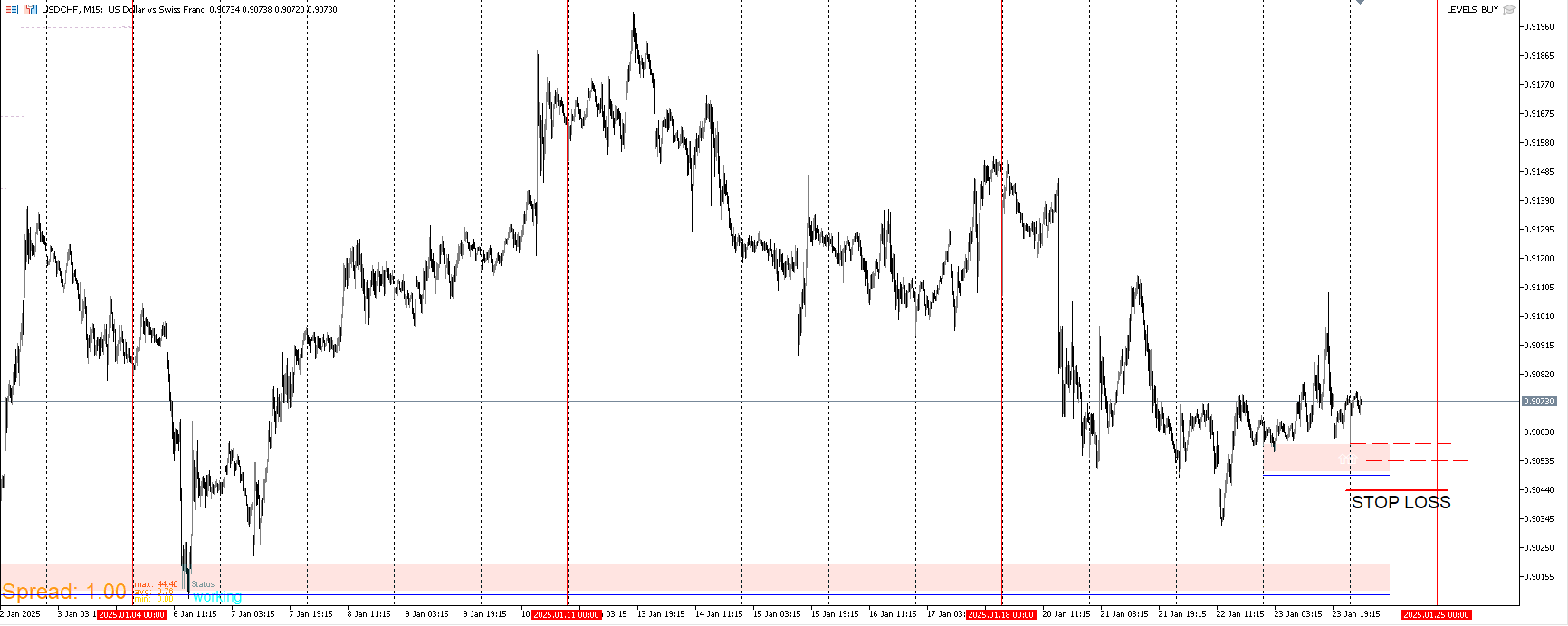
I will be utilizing the BCC Template again. These are the level I'd want to buy from if price gets to them soon. I have pendings of small positions on. If price gets to these levels and they they remain in place after the closing, I'll add and put the stop just below them.
I also compared it to NZD/CAD.I leave the yellow tracer on to see its relationship with the red one. It's not usual for these tracers to be close together for opposite correlating pairs. At least not for an extended period of time. It's usually short lived when they do. A complete cross and continuation is possible but here I expect a fanning out.
-
RE: questioning questionposted in Questions & Answers
It depends on what you mean by small account. 3k? 2k? 1k? 500 bucks? 200 bucks? How much size is put on? What's the risk? How frequently does it take trades. There are many questions but overall I don't believe there to be an EA that could reliably take a small account to a huge account. I'm assuming you mean 500 bucks range because that's what most people mean when they say small account. The EA would have to catch the right market condition to grow it that way which we all should know that there are market conditions in which any EA performs just as poorly. The issue with small accounts is that it's either death by a thousand cuts or let's say more size is added, there's potential to grow it quickly but it's just as likely if not more to quickly wipe out. While I do belive that a good system can be created and with discretion be profitable, I don't belive there to be an EA that could be plugged in and turn 500 bucks into 10k. If deployed at the perfect time it could but more cases than not, it will be eroded.
-
RE: My EA updateposted in General Discussions
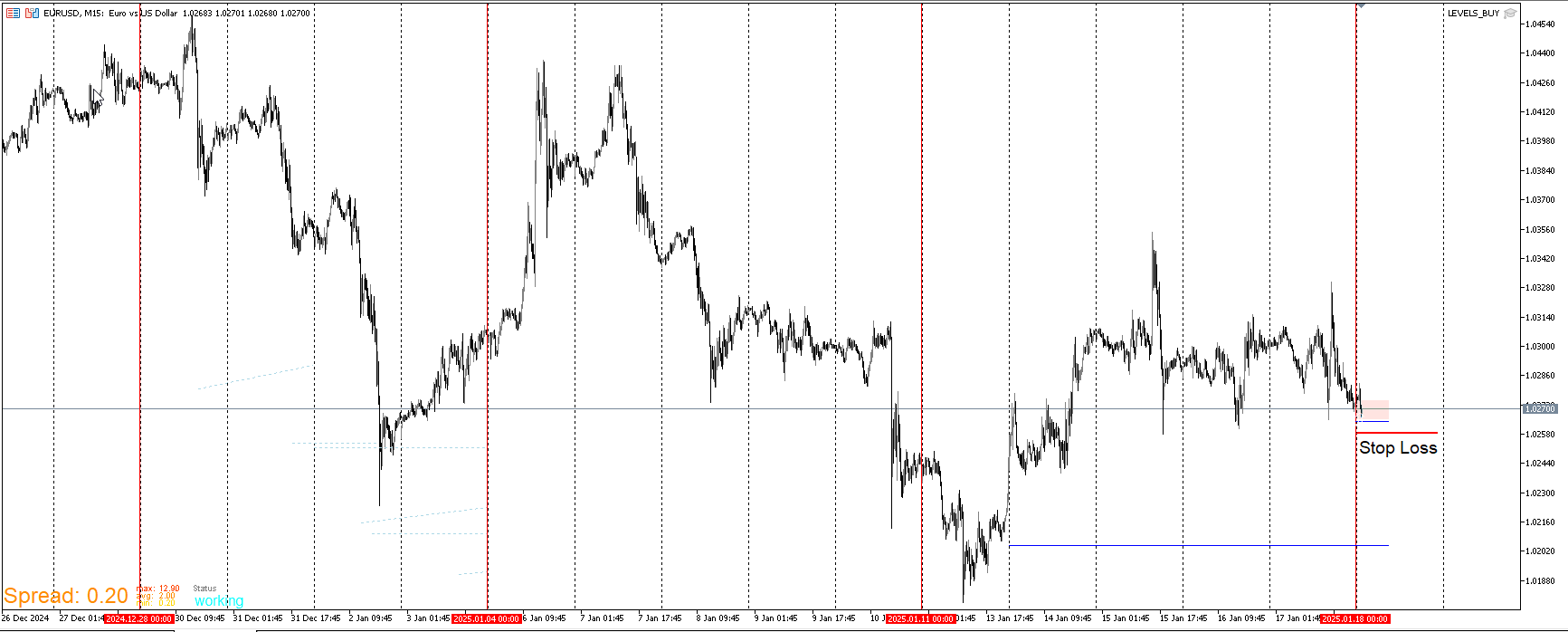
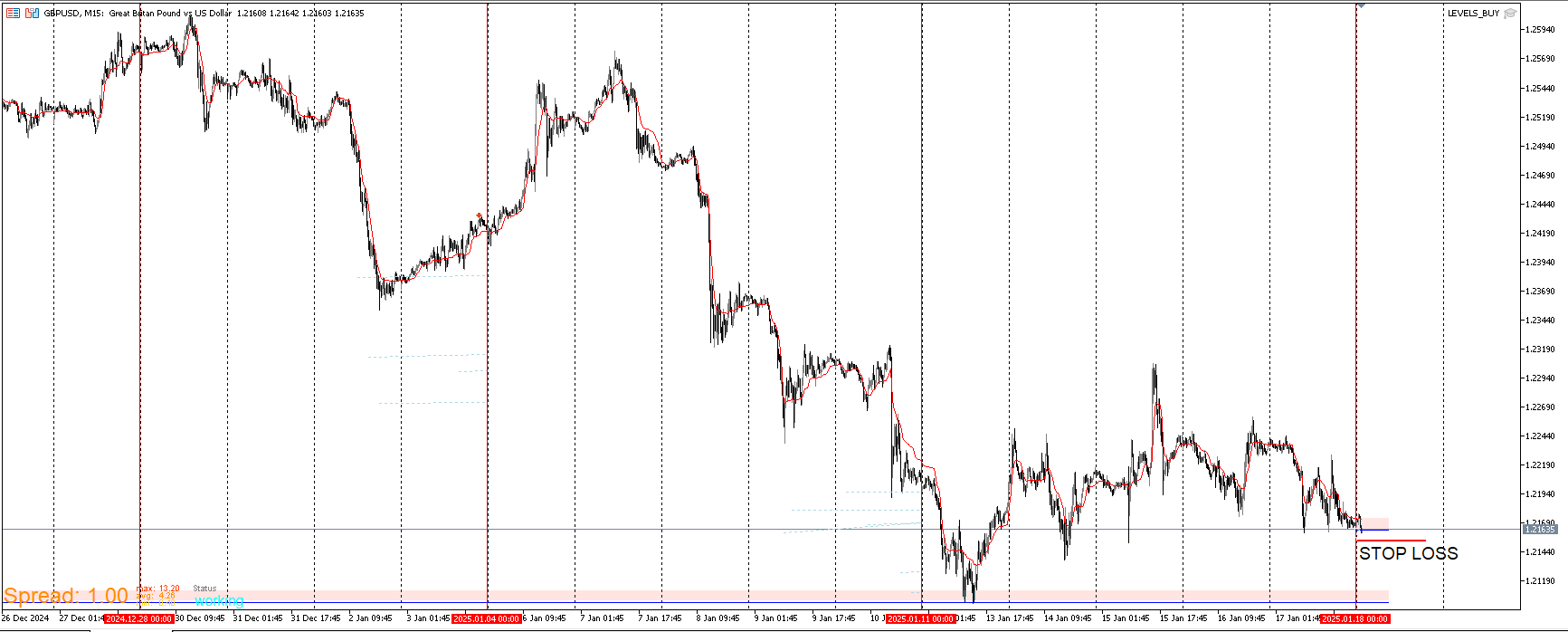
I put an entry on for EUR/USD using the BCC template. When my thesis is long, I buy at these levels with the stop loss tight. It's low risk and if I get stopped out it's no big deal.
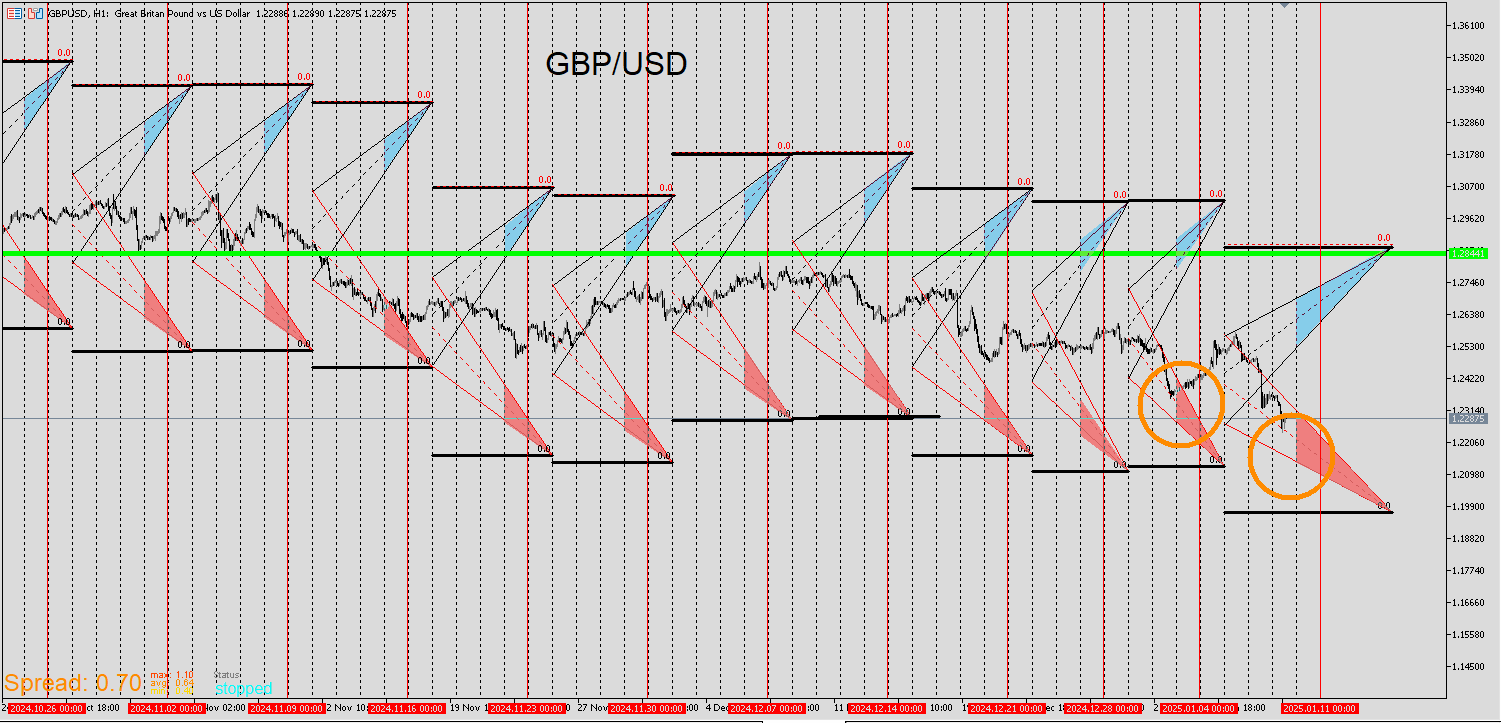
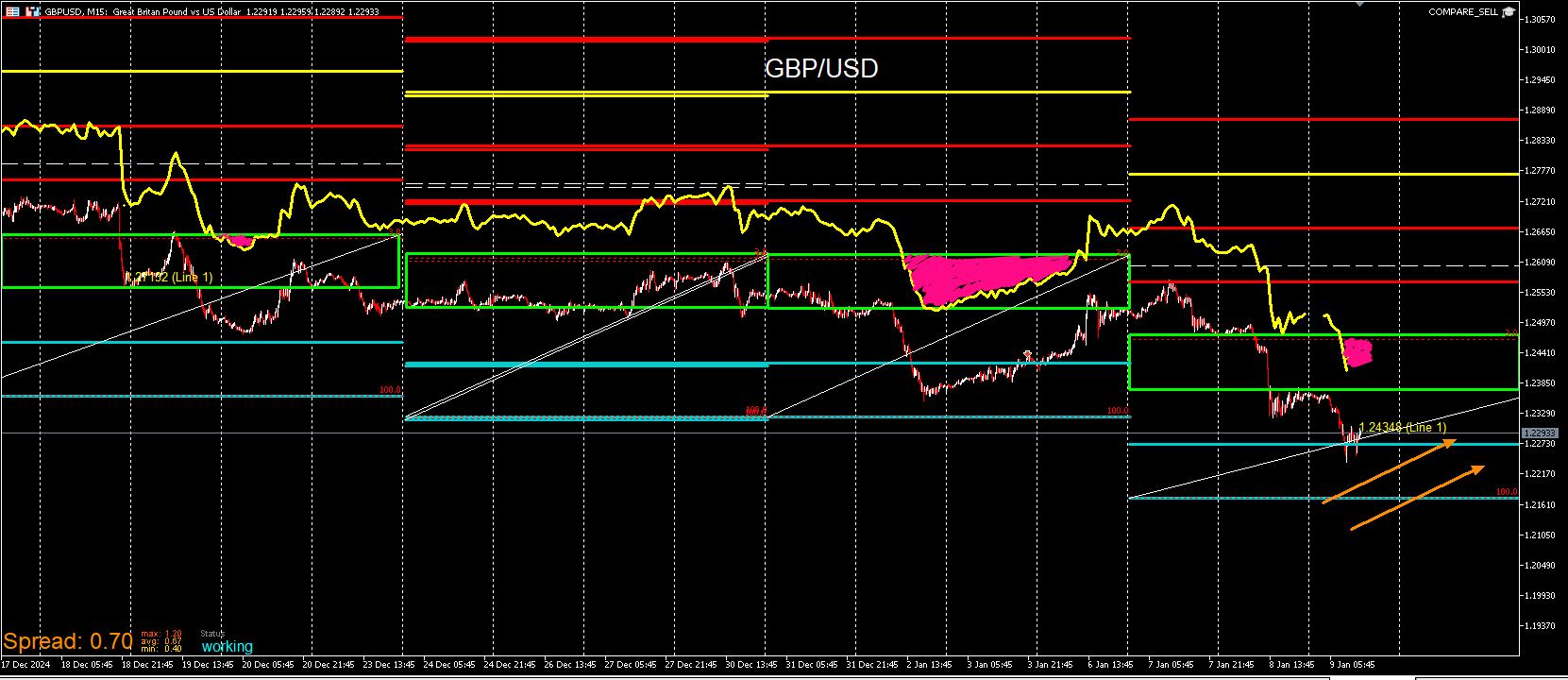
GBP/USD ENTRY
-
RE: My EA updateposted in General Discussions
Here is EUR/USD AND EUR/GBP comparison.
In this example both price lines are converging. This is another entry opportunity. I'm already long EUR/USD and this is my confirmation to stay in. I keep my positions really small and will add if these hold up.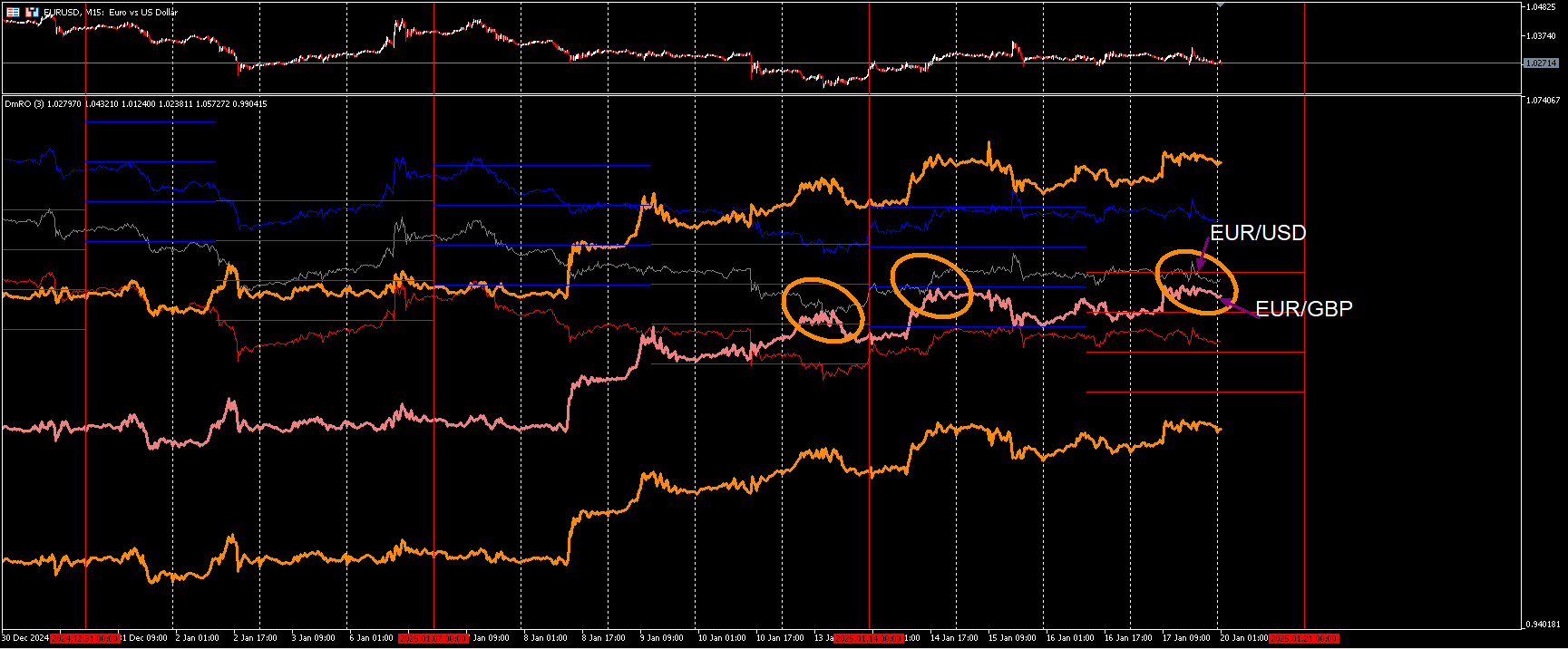
-
RE: My EA updateposted in General Discussions
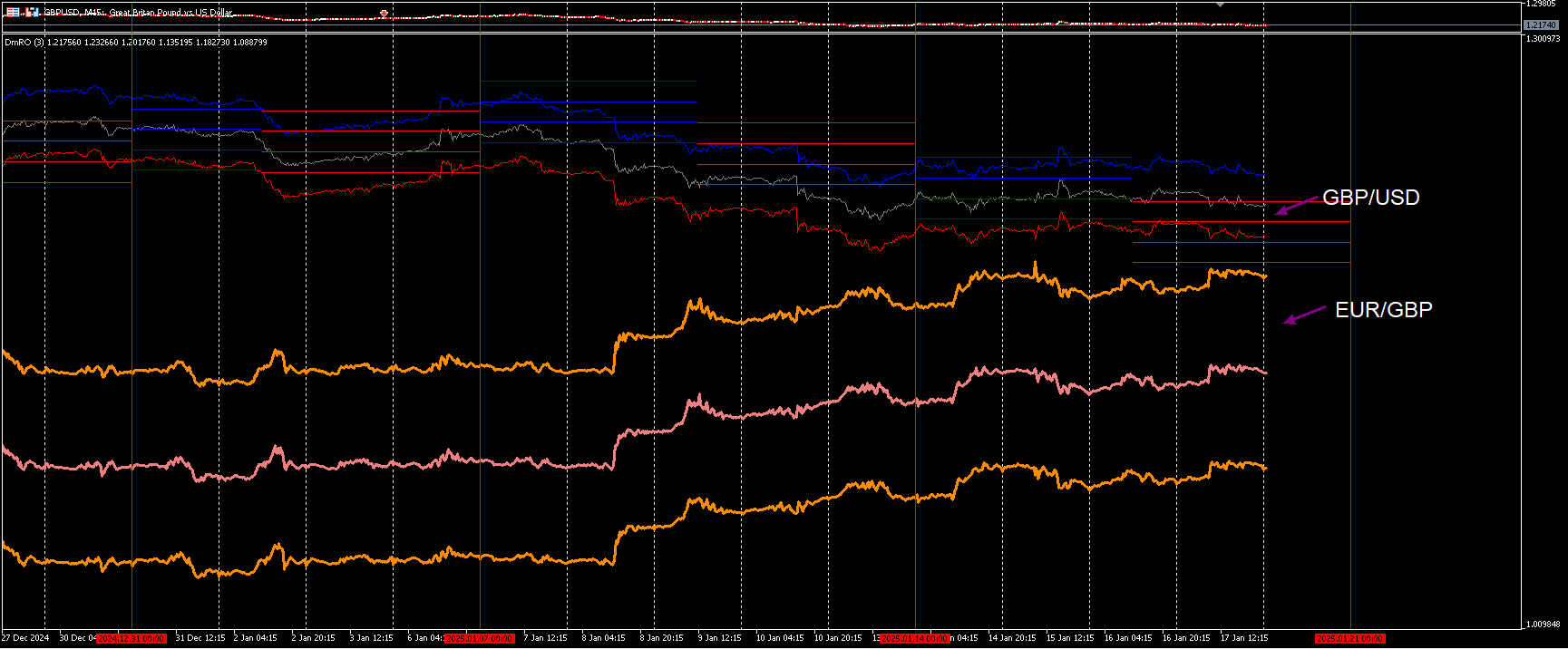
Here's another example. GBP/USD and EUR/GBP are strongly negatively correlated. My rules have been met to be long on GBP/USD I think for case the bottom tracer for GBP/USD and top tracer for EUR/GBP will repel and not make contact.. This is the first contact I look for. Some cases they do intersect. I'm already in the positions so I'll hold them. This is a theory based on past behavior of these lines. It's been a long time since these zones made contact and the longer, the better the likelihood.
-
RE: My EA updateposted in General Discussions
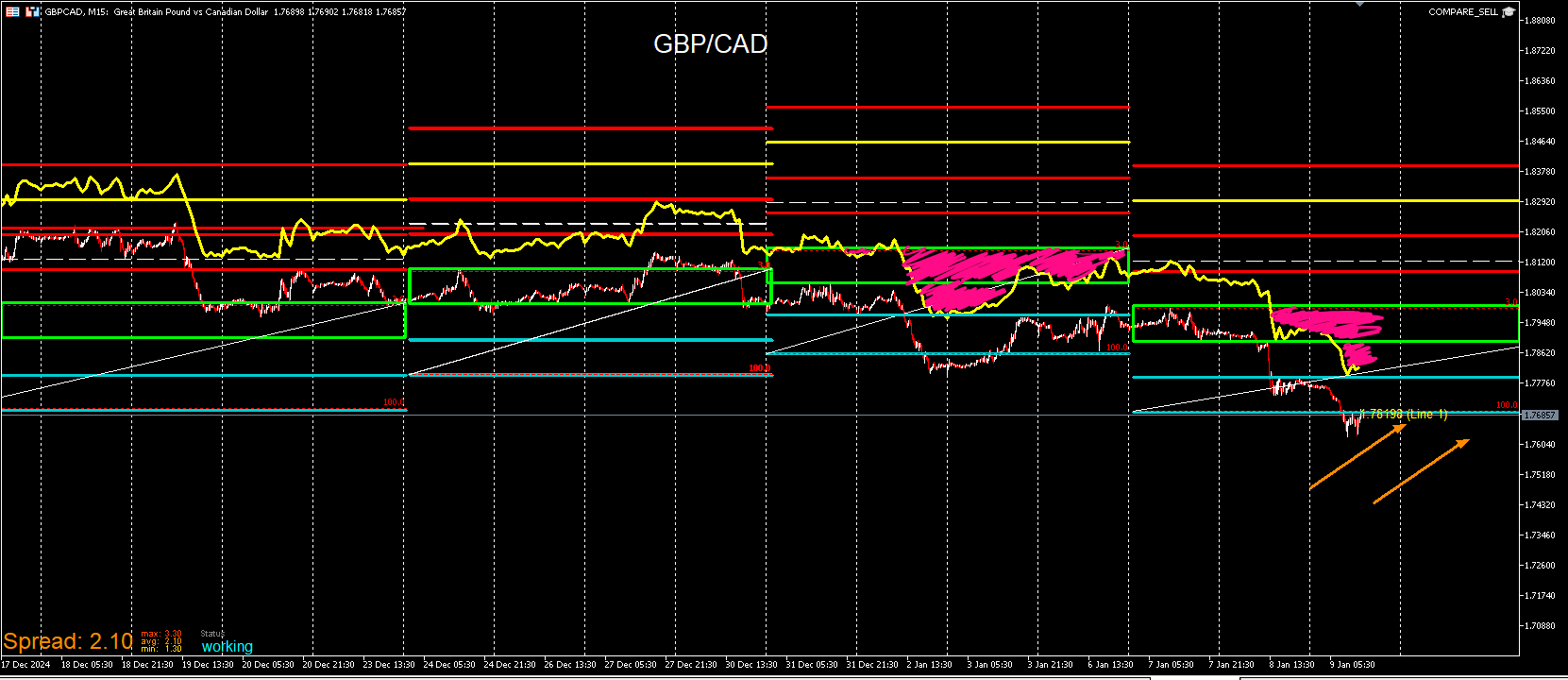
Another feature of the indicator is the option to add another currency for comparison. I like see both currencies at once to compare an overall direction. Just because both pairs are negative correlation, that does not mean that they move opposite all of the time. In some cases they do. Other cases one may be trending while the other is flat. Rarely they move together but when they do, I try to spot it. Moreso when they do for some time. I use to have to take a screenshot of both charts and combine them in photoshop. This cuts that tedious step out completely. The additional currency is displayed with thicker lines with its own tracers. Those tracers don't need to interact with the levels but I am experimenting with entering when they converge with the tracers of the other pair or the price line which is in the middle. I depends on whatever bias I'll have.
Here is a clear example. Not all pairs display perfectly for every pair but enough of them do for this to be useful. It really depends on the price ranges and volatility of the instrument. This works for indices and metals also.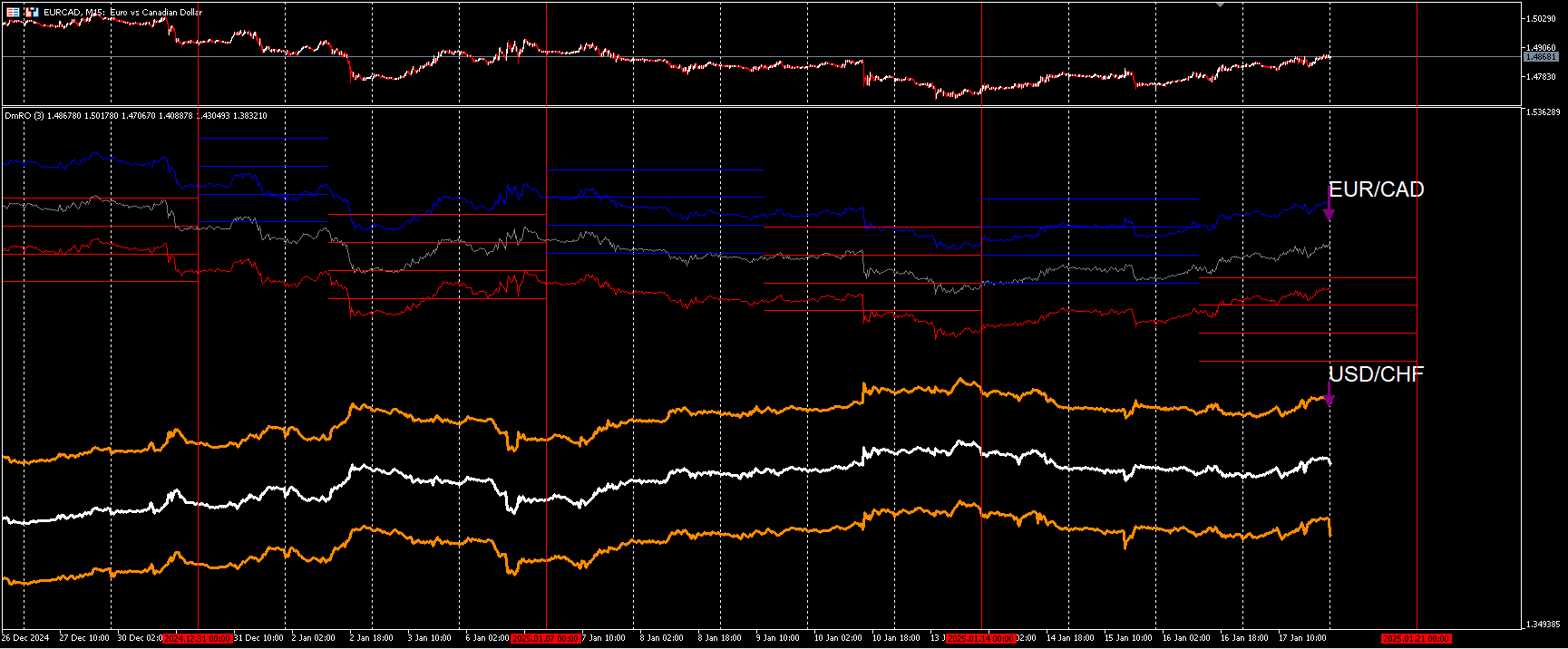
-
RE: My EA updateposted in General Discussions
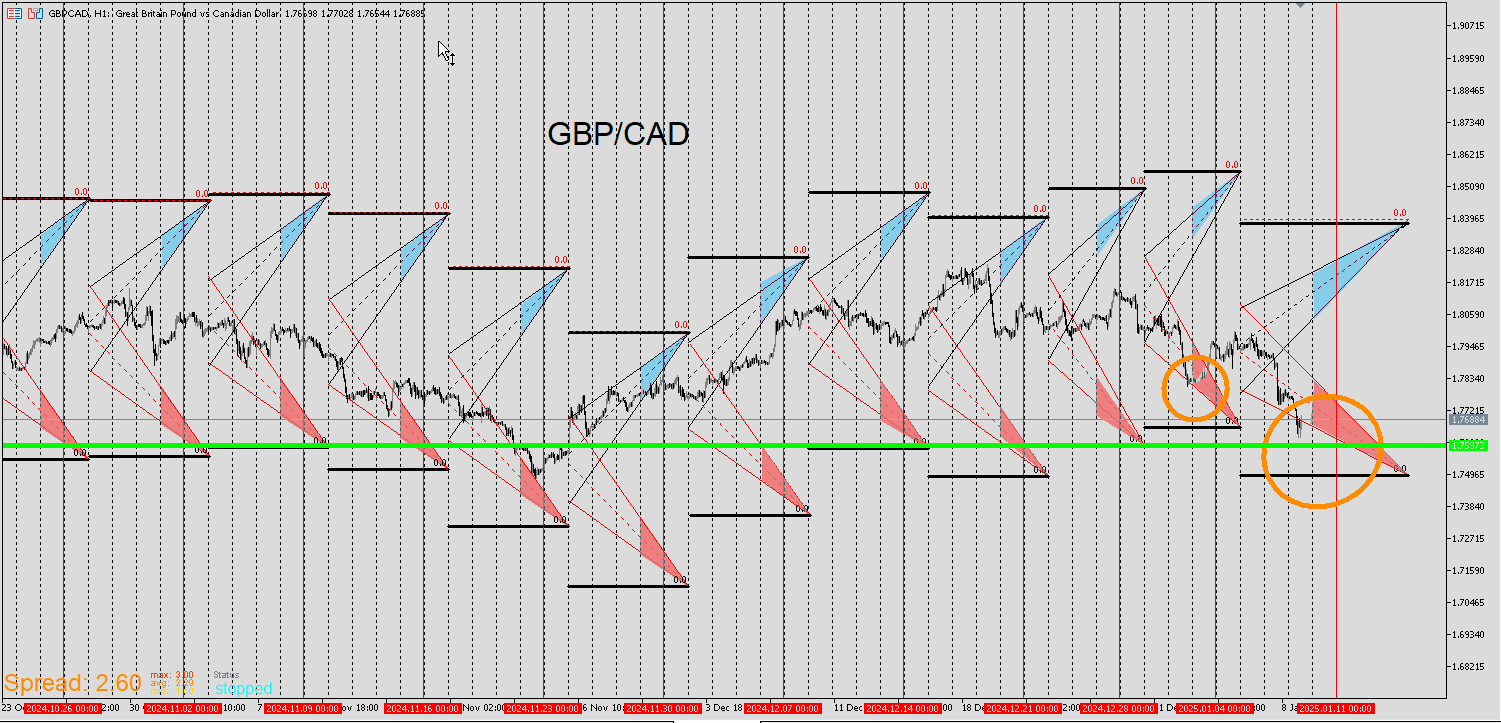
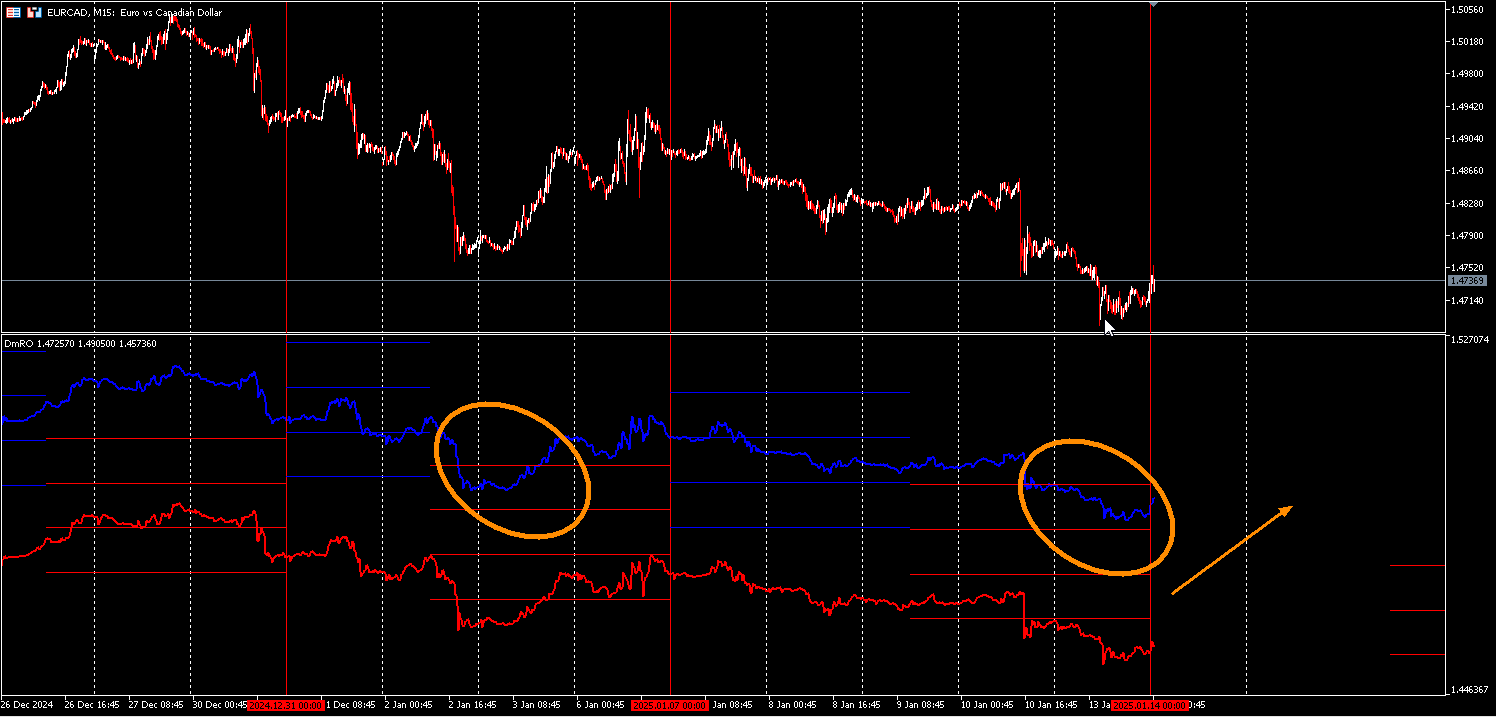
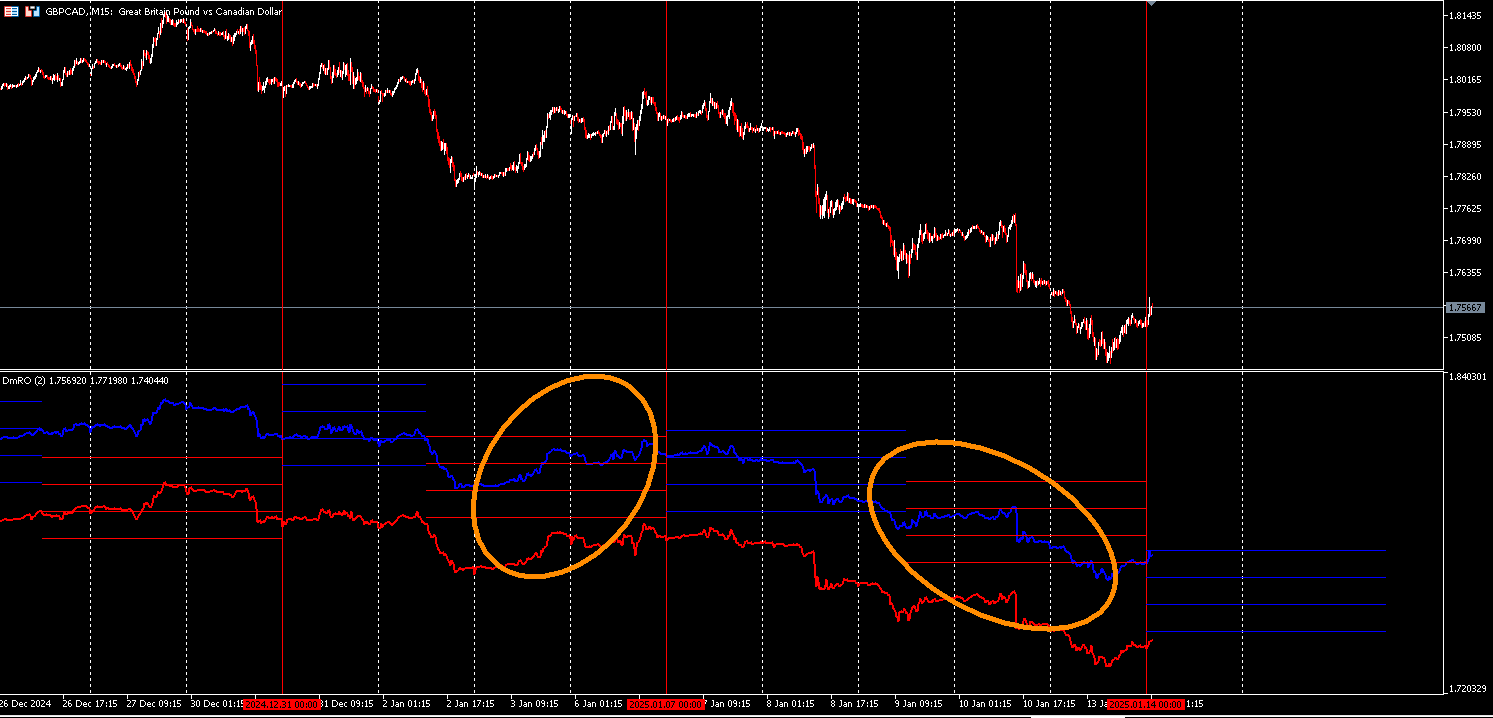
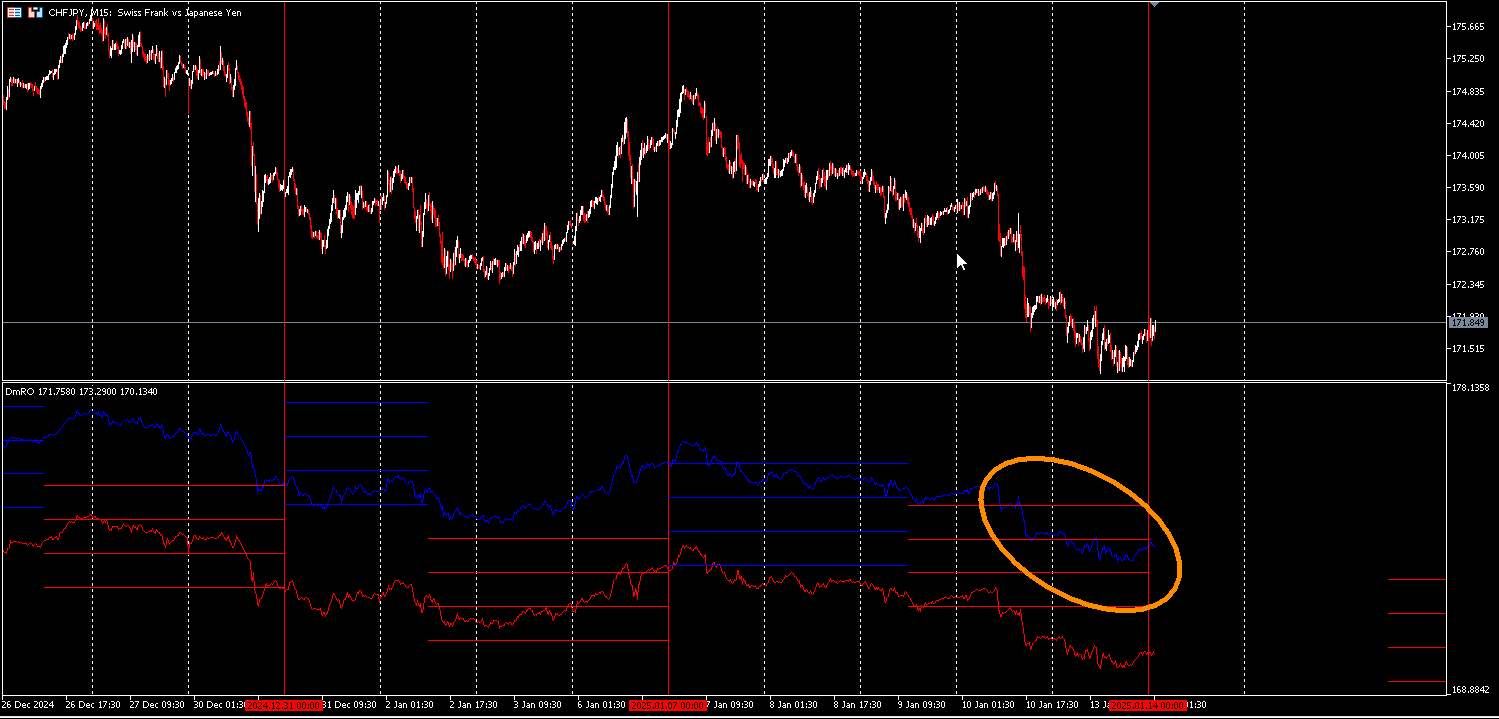
The concept is closer to a histogram style but the final product is not. But the idea is there. Here is an example. The strategy is applied to the default and every element can be either adjusted or disabled leaving room for much flexibility. By allowing so gives the user the ability to adjust it to stocks, indices, metals, etc. It will take some experimentation but as of now the default is set to currency pairs excluding exotics. The color and length of the lines can be shifted to help with visualization. Here is my preferred setting as of now. This setting for me is simple. I just need to see the blue positive tracer interact with the negative red levels that what I believe to be price to be going long. If I'm short another pair, I'm looking for the red negative tracer to interact with the blue positive levels. It matches up very closely with the templates I've been posting on this thread so I'm happy with it.
-
RE: My EA updateposted in General Discussions
I will now demonstrate the indicator. I had to convert this into an indicator because the process would be too cumbersome for the average user of having to run the backtest, save the template, uploading the templates, and applying the EA. I also ran into issues of a power outage or wifi going down and the process would have to be started over. I was quite annoying so I decided to convert this into an indicator. It doesn't take orders anyway so it makes sense to be any indicator plus the fact that it's a purely visual tool. It being an EA really sped everything up and helped getting the point across.
I named it DmRO (Diametric Range Oscillator)
The idea of the term Diametric is that when two opposing forces come together, there is a repulsion. For this case of price. When the high positive tracer veers into the negative levels, the assumption is upside coming. Vice versa for the negative tracer into the positive levels.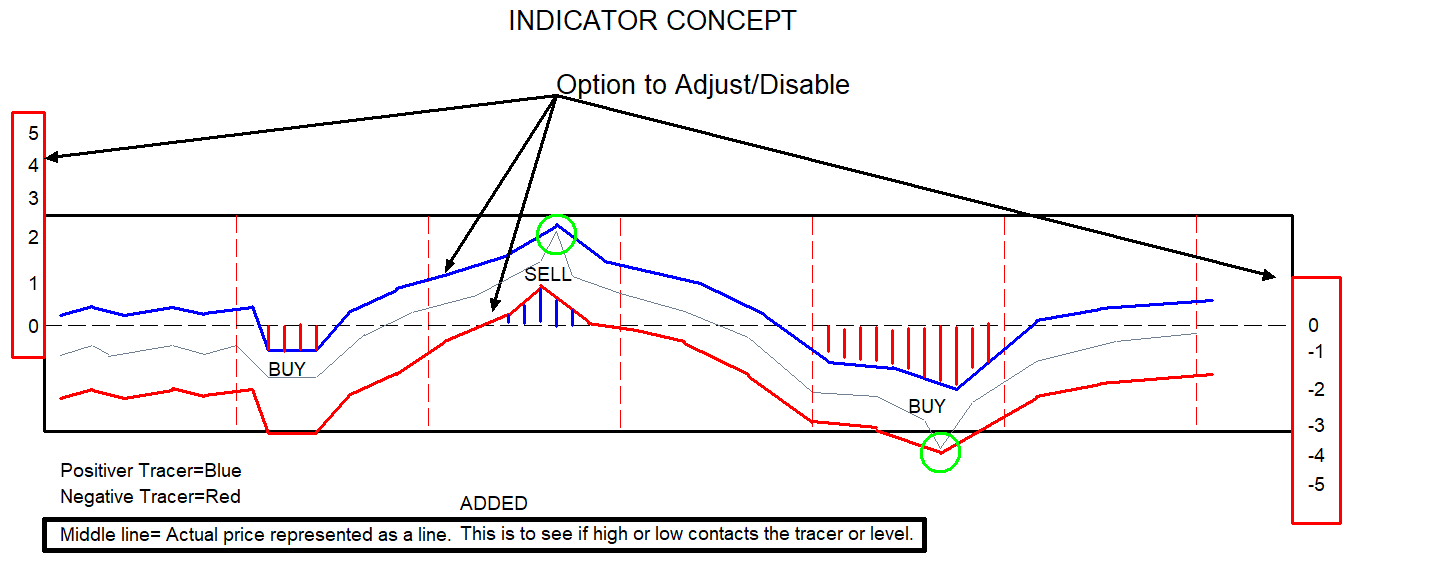
-
RE: My EA updateposted in General Discussions
It' 100% manual. I've experimented with automating trades but it's just too slow. I think it makes more sense to just build a long only or short only algo if price is assumed to go in either direction. My biggest struggle has always been getting those trendlines detected because they are shifted from specific times and it can be wonky identifying them and when it does, they stay valid longer than I need them but nevertheless no matter what I did it either slowed everything down or created another problem so I just stick to doing it manual and using it as a visual reference. I'm actually in the process of converting these to oscillators and the use of this program makes it so much easier to communicate the concepts, conditions, and parameters.
-
RE: My EA updateposted in General Discussions
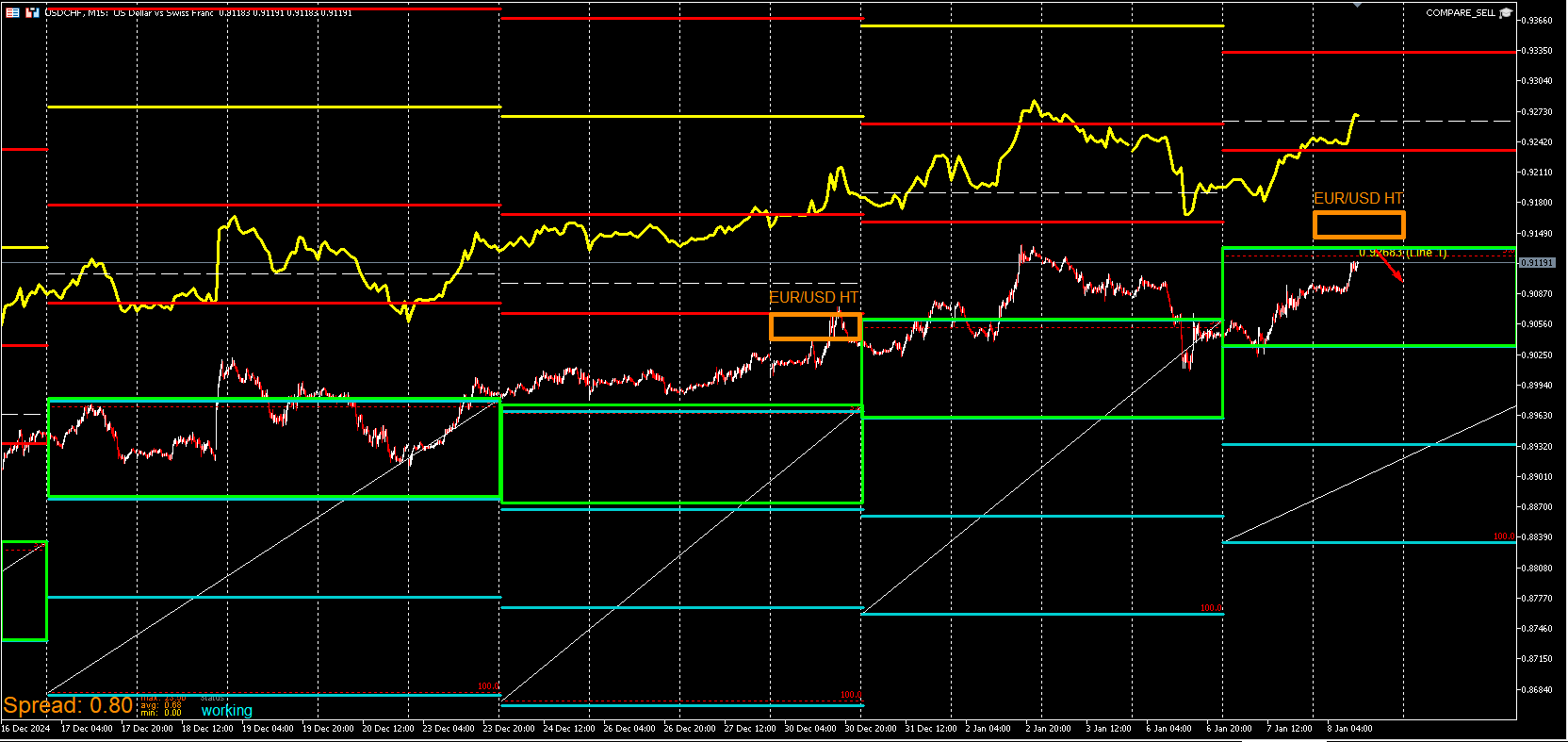
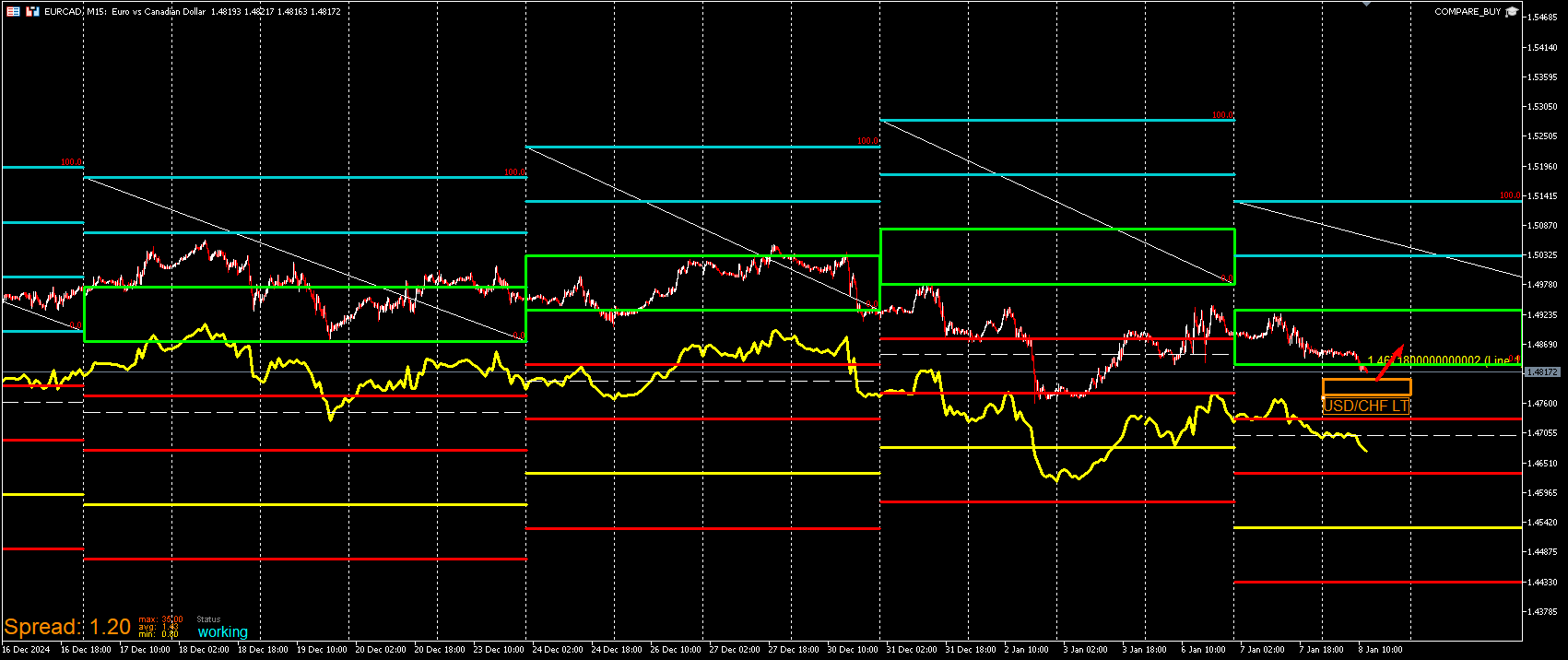
This post will go in depth on the last element of the Buy Compare and Sell Compare EA. I've spent quite a bit of time experimenting with scalp opportunities. I'm not able to catch them all because it's a ton of back and forth comparing pairs but I'll check into ways to automate it more down the road. Here is the basic idea of this template and why it has the term compare in it's name. I use these visual levels to compare negative correlating pairs to their respective levels. I will demonstrate this live since I'm not at work and can think this through and post this setup. This is a setup where I believe to be a high lowlihood of at least 30-50 pips. I'm not expecting price to rip or it to be a bottom for a while. I would prefer to identify these setups more compared to swings but I'm still testing this out. What I look for is the tracer for X pair to near the actual price of X negative correlating pair. For this example I'm using USD/CHF AND EUR/CAD. I enter on the idea that the these lines are likely to repel. It's not always the case but I've seen this pattern enough to assume that.That's actually the EUR/CAD box on the USD/CHF chart. Not EUR/USD. I forgot to change it.
USD/CHF
EUR/CAD
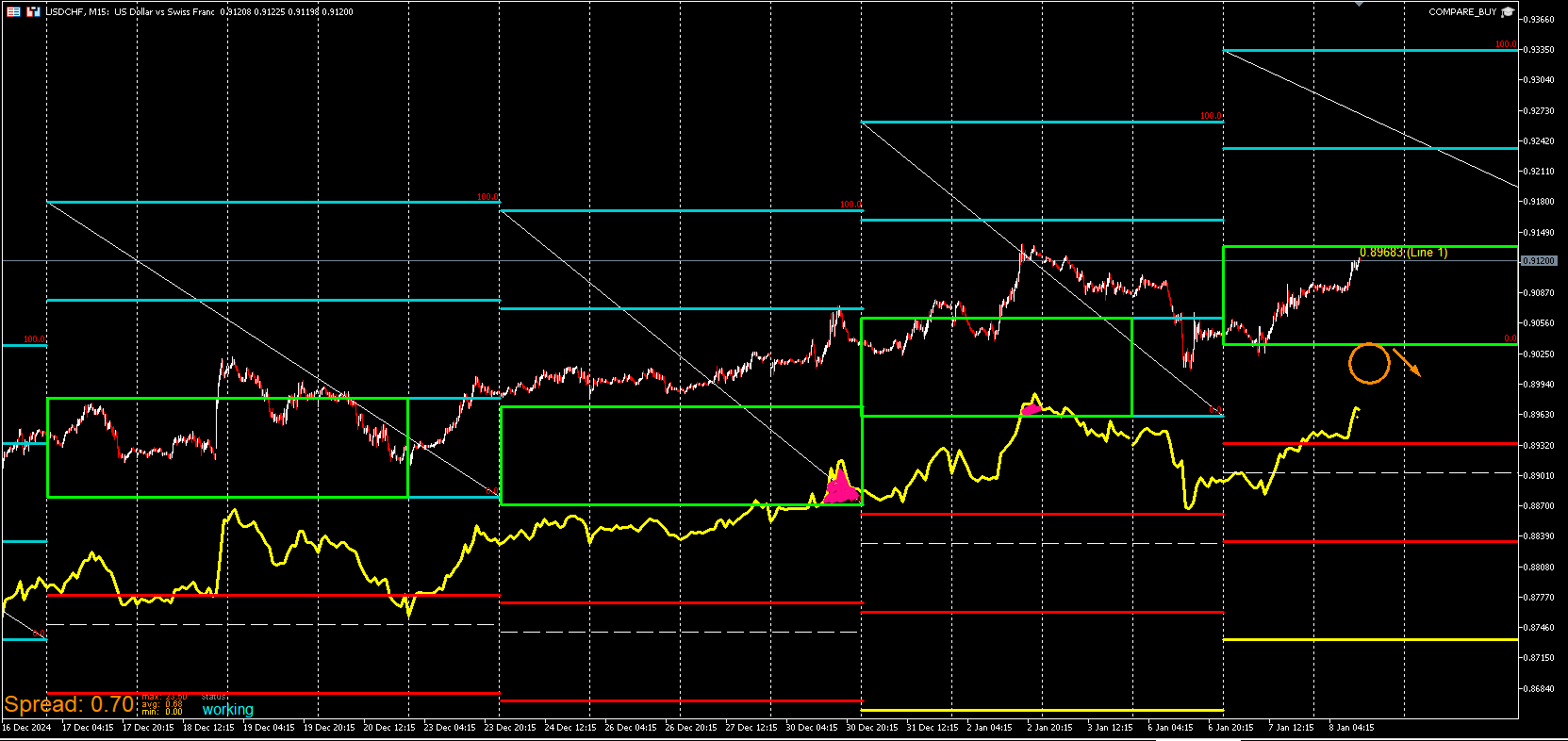
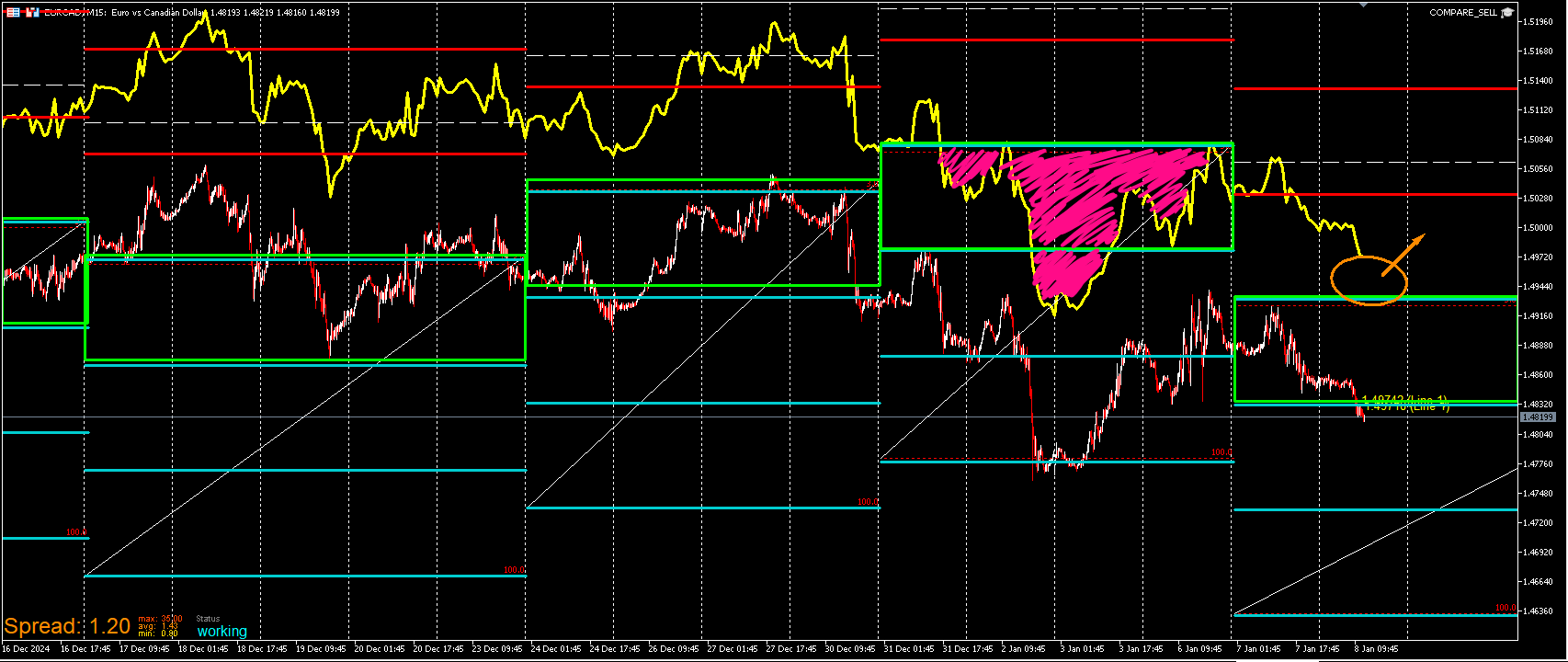
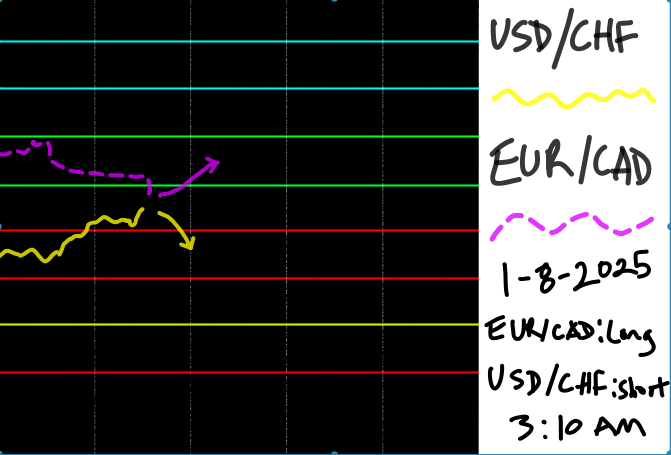
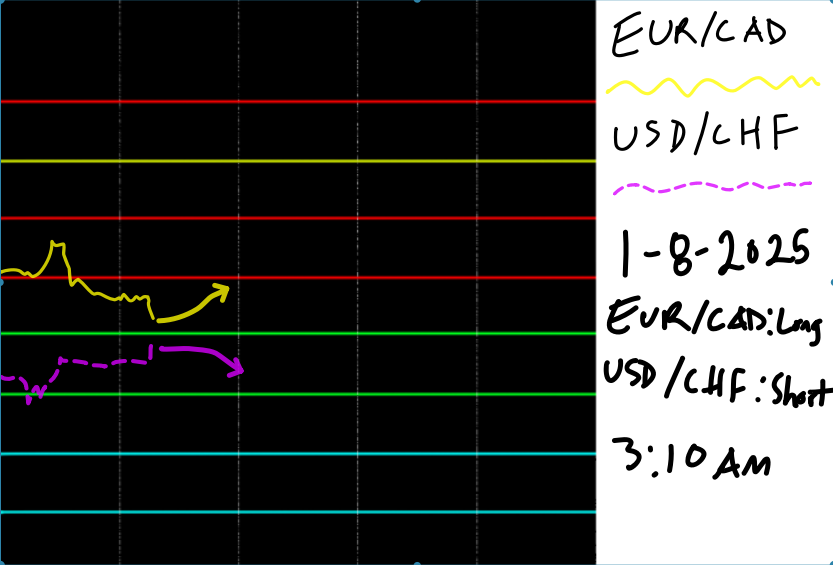
Here is a simplified graphic. These are flashcards of the idea using PureRef. They yellow line is the tracer of one pair. The purple dashed line is the price of the other within it's respective zones.
-
RE: My EA updateposted in General Discussions
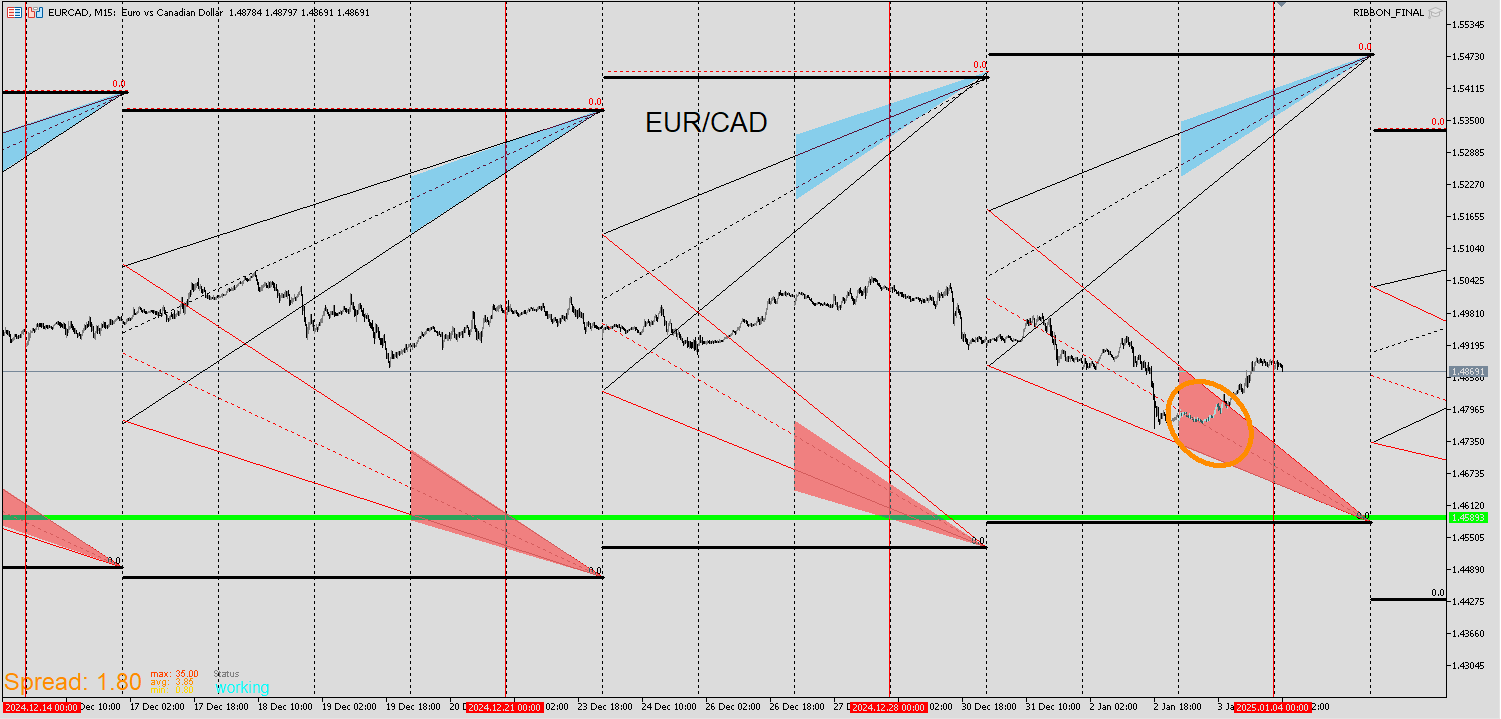
EUR/CAD
I entered on here as well. I think that it may be a continuation back up and if it is, this is where I see a good entry.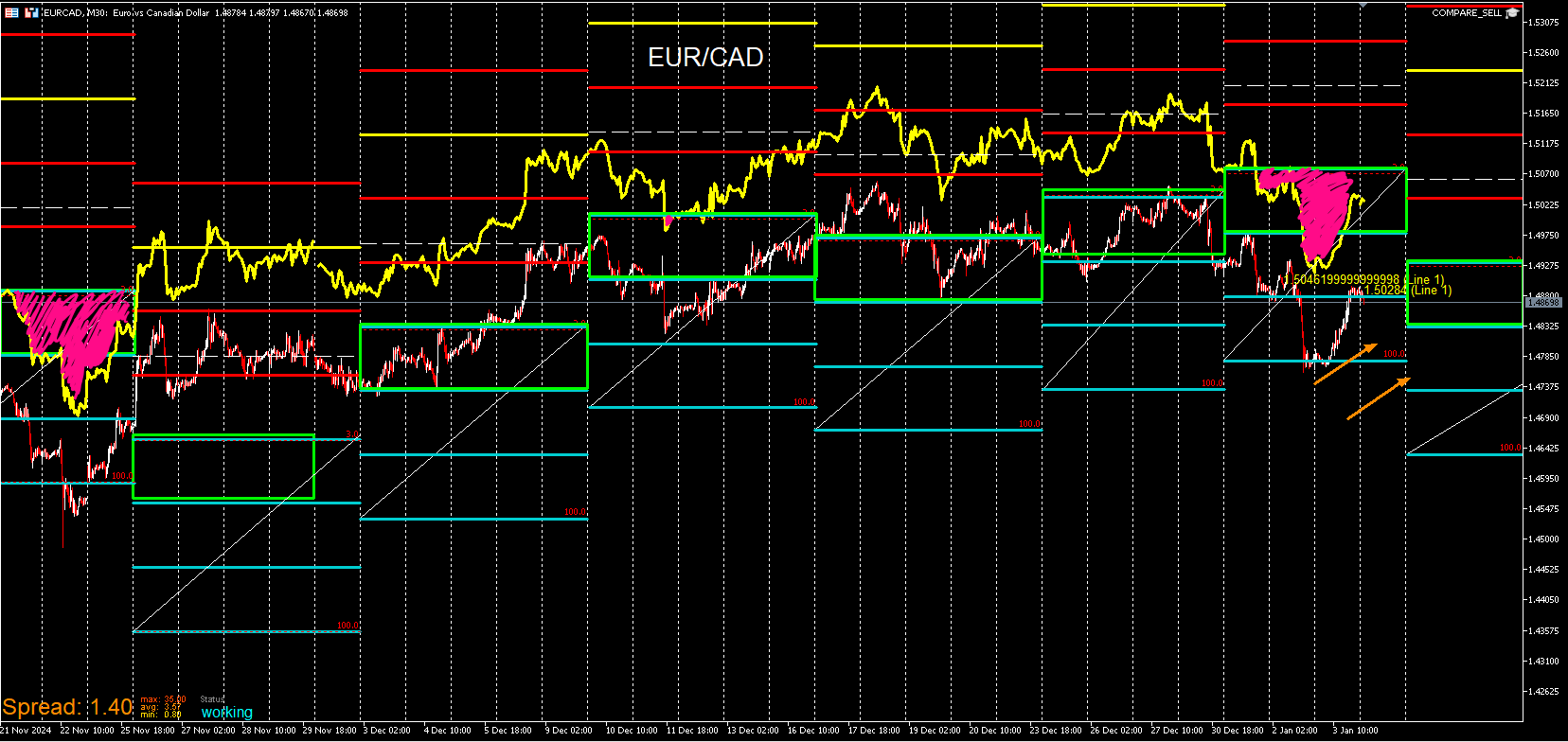
-
RE: My EA updateposted in General Discussions
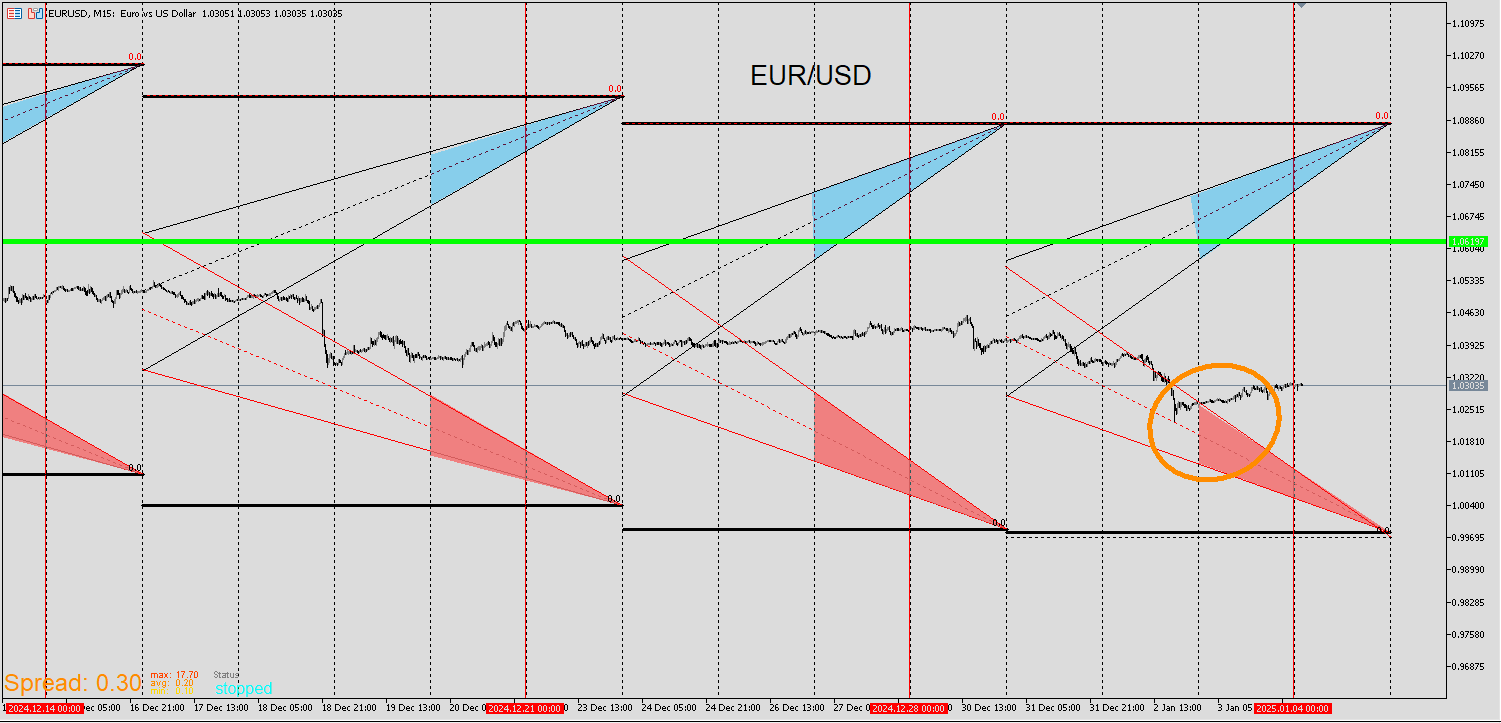
Back with some updates. The first pair I am covering is EUR/USD. It's a similar setup to the last time I posted and at the time I preferred price to go lower. It did rise but spent most of the month sideways. The flush down during the US session on Thursday are the levels I've been looking for. I entered on Friday with a small position after the High tracer came within the green box. I saw this as a low risk entry along with other factors.
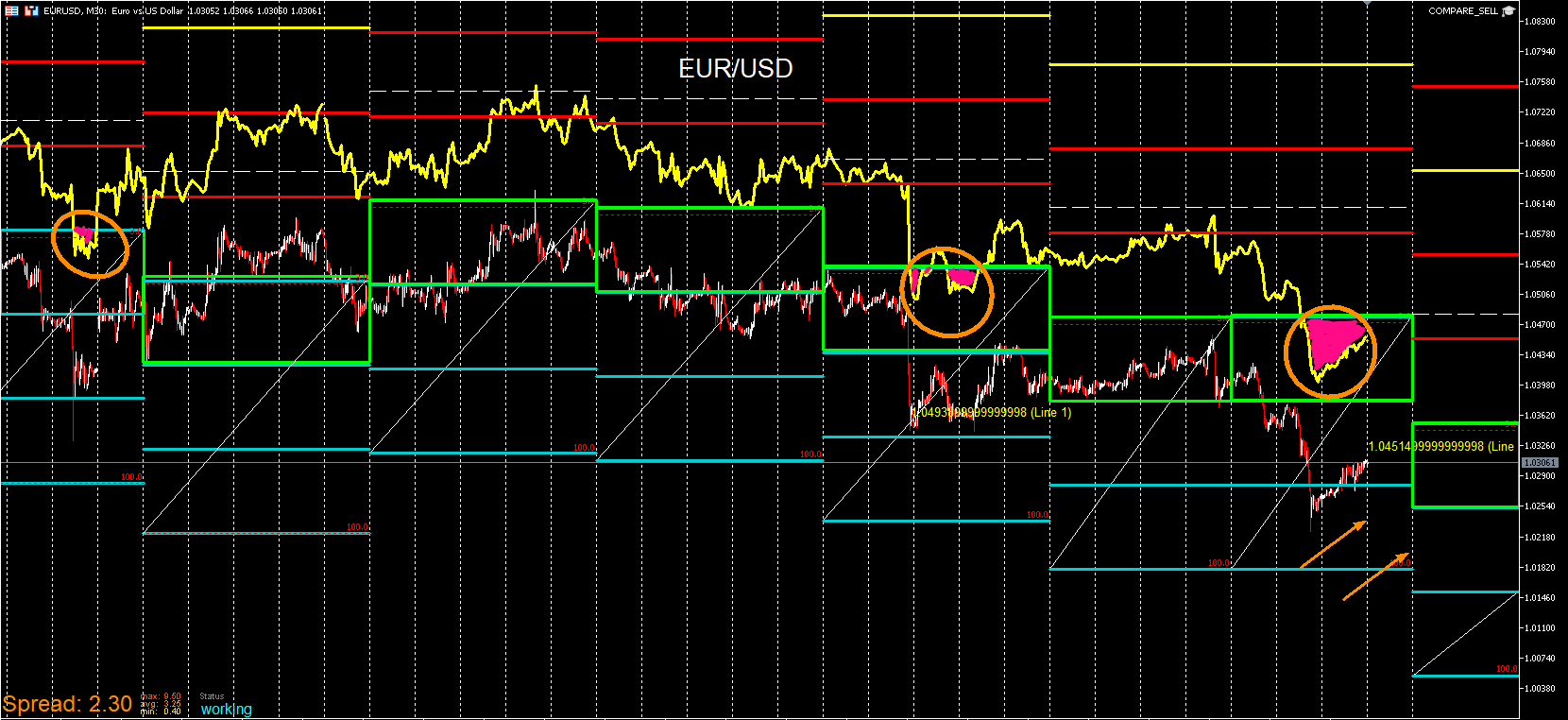
Price has also neared the bottom ribbon and is still deep below the green line.Given the consolidation, it hasn't gone above yet.
-
RE: Please how to find the day of monthposted in Questions & Answers
Here is my version. It does the exact same as Vahab's solution. It's a step longer for your case but could be useful for different needs.
https://fxdreema.com/shared/5qSsLDfnd